
On this page
Start here
Quick answer
If a Samsung microwave cycle does not complete, first determine whether the door was opened for a turn or pause, the countdown is a normal sensor or defrost behavior, or the unit actually stops, loses power, shows an error, or repeatedly shuts down. Use the model manual for control behavior, power-cycle an error once, and stop using the microwave if it shuts off with smoke, sparking, a burning smell, or a returning fault.
Work through in order
Diagnostic checks
Use only checks that match the exact appliance or system and its official guide.
-
Check 1
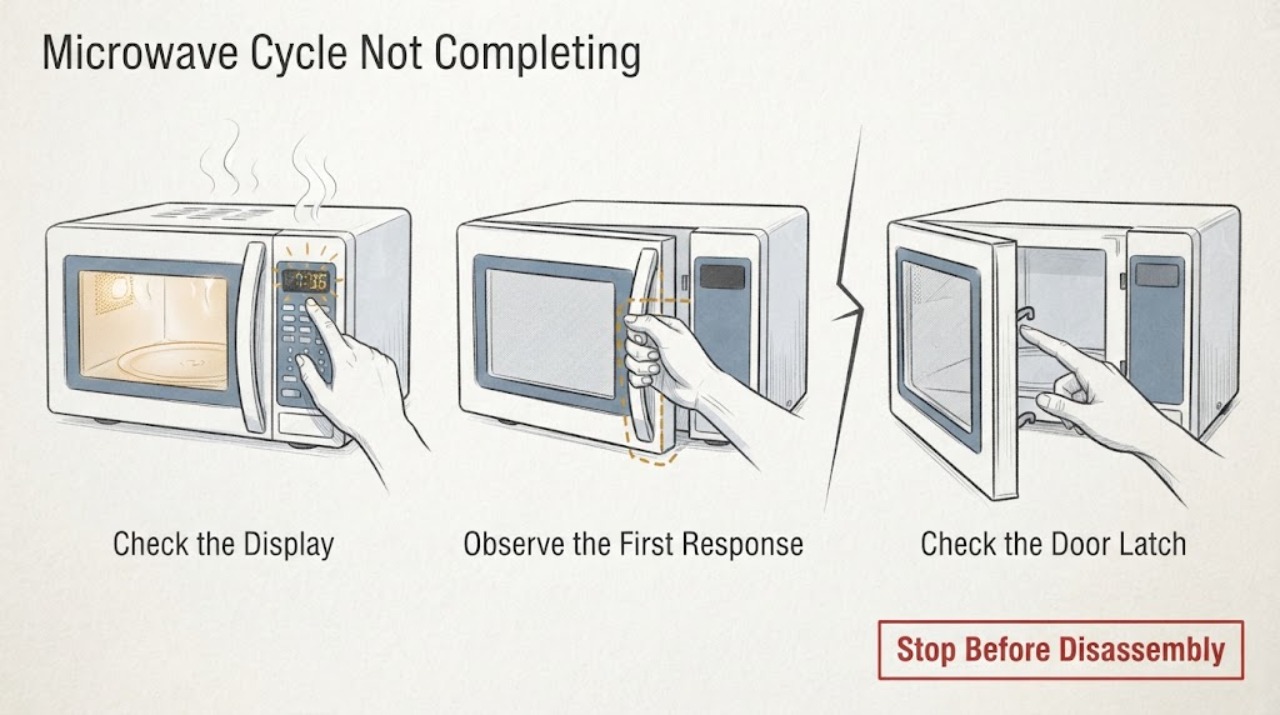
Note the selected mode and what the display does: for Auto Defrost, check whether it beeped for a manual turn; for Timed Cook, check whether the countdown is moving and whether the completion beep occurs.
Expected result: The door was opened at the reminder, the cycle is still counting down, or the display stopped before completion.
Next step: For a defrost reminder, turn the food as the model instructs and press Start again; for a stopped countdown, continue with power, door, and error checks.
Why this matters
Why: A defrost reminder or an expected end-of-cycle beep is normal program behavior; a stopped countdown without a user pause is a true interruption.
-
Check 2
Check whether the display, interior light, fan, and turntable stop together or whether only heating stops while the timer continues; do not run the microwave empty.
Expected result: The entire unit loses power, the timer continues with no heat, or the unit resumes after the door is closed and Start is pressed.
Next step: Record the exact pattern and mode; use a microwave-safe cup of water only for a brief, model-appropriate functional check, never an empty-cavity test.
Why this matters
Why: A whole-unit stop suggests power, overheating, door, or control protection; timer-without-heat can be a setting or heating fault; resuming after the door was opened may be a normal pause.
-
Check 3
Inspect that the door closes fully and the latch area is clean, then check whether a control lock or an unresponsive panel prevents Start or continuation.
Expected result: The door does not close cleanly, the panel is locked/unresponsive, or both door and controls operate normally.
Next step: Wipe accessible door and panel surfaces with a damp cloth and dry them, clear an obvious obstruction, and use the model manual for lock controls; do not bypass a door switch.
Why this matters
Why: A door interlock or control lock can prevent the cycle from continuing; normal door and panel behavior shifts suspicion toward power, mode, or an internal fault.
-
Check 4
If an error code appears or returns, record it, unplug the microwave or switch off its breaker for 60 seconds, and restore power once; allow moisture from recent steam or spills to dry first.
Expected result: The error clears and the next supervised cycle completes, or the same error returns or the unit stops again.
Next step: Stop using the microwave and arrange service for a returning code or repeat interruption; do not open the cabinet to inspect high-voltage parts.
Why this matters
Why: A cleared transient control state may have interrupted the prior cycle; a returning error or repeat stop indicates a fault requiring service.
Use your observations
Decision map
Find the observation that best matches what you see, then follow the next safe action.
-
PATH 01Next step
What you see
The cycle paused at a defrost reminder after the door was opened, and the display accepts Start again.
Do this next
Turn the food as directed, close the door, press Start, and let the mode finish.
Why this path and its safety boundary
Why it matters: The program is behaving as designed rather than failing to complete automatically.
-
PATH 02Next step
What you see
The door and panel work, but the whole microwave loses power or repeatedly stops during a cycle.
Do this next
Stop repeated cycles, let the unit cool if it stopped after extended operation, and arrange qualified service if the interruption recurs.
Why this path and its safety boundary
Why it matters: Power delivery, thermal protection, or an internal control fault is more likely than a mode pause.
-
PATH 03Next step
What you see
The timer runs but food does not heat, or the cycle reaches an error and the code returns after one reset.
Do this next
Verify the mode is not Kitchen Timer or Demo mode when applicable, then stop and request service for persistent no-heat or returning errors.
Why this path and its safety boundary
Why it matters: A setting, door-interlock, heating, sensor, or control fault needs model-specific diagnosis.
Helpful context
Understand the symptom
Separate a pause from a failure
Samsung cycles are not all fully automatic: defrost can beep for a manual turn, while timed cooking should count down and beep at completion. The useful distinction is whether the door was opened, the display continues, or power and error behavior interrupt the cycle.
When checks do not resolve it
Need a professional?
Stop using the microwave and request qualified service for a cycle that repeatedly stops, a returning error code, smoke, sparks, a burning smell, a door or latch that will not close, or a panel that activates by itself. Never bypass the door interlock, run the unit empty, or remove its cabinet.
Common questions
FAQ
Why does my Samsung microwave stop during defrost?
Auto Defrost may beep and pause so you can turn the food; Samsung says to press Start again to continue. A stop with no reminder, no response, or power loss is a different fault path.
Can I keep using a Samsung microwave that stops and then restarts?
Only a clearly normal pause, such as a defrost turn reminder, should be resumed. Repeated whole-unit stops, returning errors, smoke, sparks, or burning odors are stop conditions requiring qualified service.
Read the exact guide
Official sources
- Samsung microwave does not heatSamsung · Samsung microwave Demo mode, Kitchen Timer, door, clearance, heating, and service checks
- What does the error code on my Samsung microwave mean?Samsung · Samsung microwave error-code reset, moisture caution, and service boundary
- Samsung microwave control panel does not respondSamsung · Samsung microwave panel, control lock, safe reset, and service guidance
- How to cook with your Samsung microwaveSamsung · Samsung microwave mode behavior, defrost pause, Timed Cook completion, and model variation
Community feedback
Share a repair observation
Share a plain-text repair observation. Accepted observations are published automatically; this page may take a moment to update.