
On this page
Start here
Quick answer
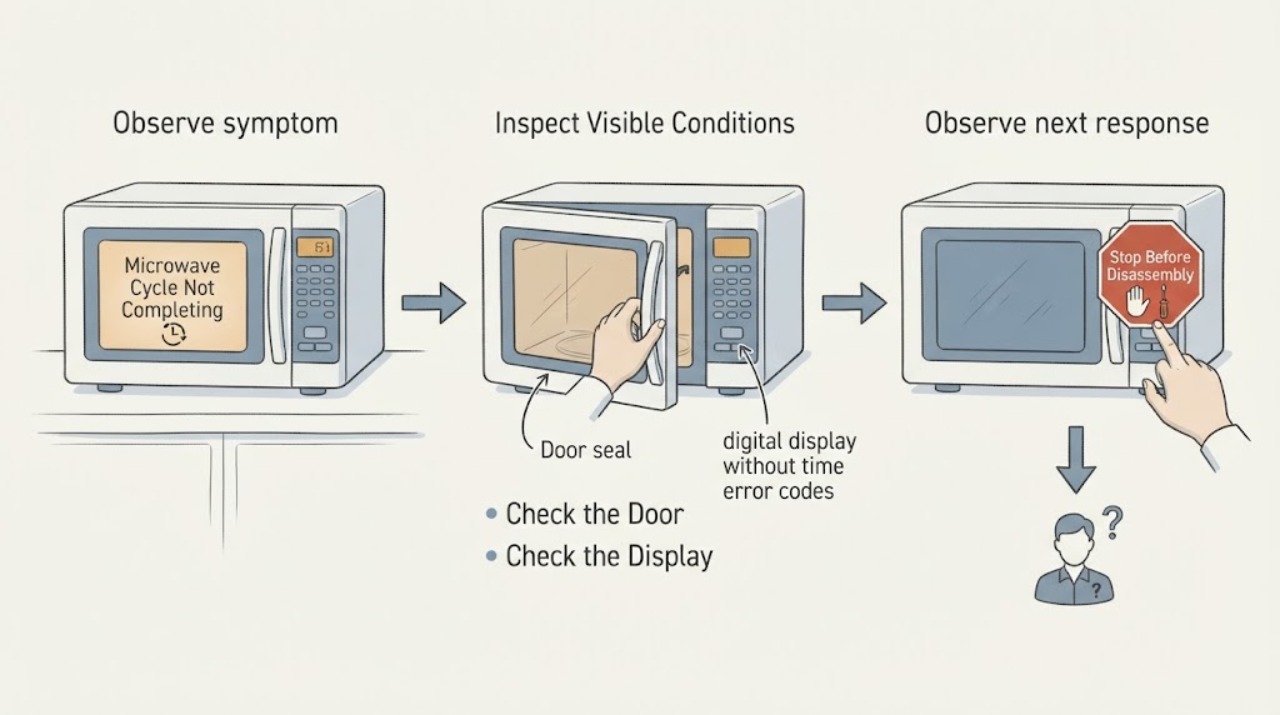
When a Sharp microwave cycle does not complete, first record whether the timer paused, the display showed an error, the drawer or door was opened, or the unit shut off during preheat or sensing. Sharp's manuals make those behaviors mode- and model-specific: opening the drawer during sensor measurement can interrupt the cycle, while some convection programs turn off if the drawer is not opened at the required stage. Check the door or drawer, control state, selected mode, and exact manual, then perform one model-documented reset if available. If the cycle stops again, the display flashes, the unit does not heat, or there is damage or arcing, stop and arrange qualified Sharp service.
Work through in order
Diagnostic checks
Use only checks that match the exact appliance or system and its official guide.
-
Check 1
Run one normal user cycle only long enough to observe the stop point, staying nearby. Write down the selected mode, starting time, time remaining when it stops, exact display text, whether the door or drawer was opened, and whether the lamp, fan, turntable, or heating stopped first.
Expected result: The timer pauses, an error appears and the unit shuts off, the display flashes, the drawer was not opened after preheat, or the timer reaches its normal end while the food is simply not done.
Next step: Use the matching mode check below and the exact model manual. Do not assume that a stopped display identifies a magnetron, board, or door switch.
Why this matters
Why: A paused timer points toward a door or control interruption; an error during sensor operation points toward a mode-specific sensing condition; a timed shutoff after preheat can be an expected handoff rule on some models; and a normal end with cold food is a heating or setup symptom rather than a timer-completion fault.
-
Check 2
If the cycle is a sensor cook or sensor reheat program, keep the door or drawer closed and do not touch STOP/CLEAR during the initial sensing period. Make sure the outside of the container and the oven interior are dry, as the model manual directs.
Expected result: The cycle proceeds to a remaining-time display, or it shows ERROR and turns off during sensing.
Next step: If the exact manual gives the same recovery, clear the message and use a manual time-and-power cycle as directed. If the error recurs with a closed, dry cavity and the correct food setting, stop repeating sensor tests and arrange service.
Why this matters
Why: On Sharp's SMD2499FS drawer, opening the drawer or pressing STOP/CLEAR during the first sensing stage interrupts vapor measurement, and failure to detect vapor can display ERROR and turn the microwave off. This is a documented sensor-mode branch for that model, not a universal code meaning.
-
Check 3
If the cycle uses convection, preheat, grill, roast, bake, or another staged mode, follow the exact display prompt for when to open the drawer, place the food, and press START. Check whether the drawer was opened at the required handoff before the unit shut off.
Expected result: The unit stopped after preheat or after time entry without the drawer being opened, or it stopped during the timed cooking stage after the drawer was opened and the cycle was started as instructed.
Next step: Repeat the staged sequence only once using the exact model manual. If the cycle stops during the active timed stage or shows an error, record the mode and arrange service rather than changing internal settings.
Why this matters
Why: Sharp's SMD2499FS manual says some convection stages turn off automatically when the drawer is not opened within the model's allowed handoff period. If the drawer was opened and the timed stage was started correctly but the cycle still stops, that expected handoff does not explain the symptom.
-
Check 4
Check the door or drawer from the outside: remove only a loose item that prevents full closure, confirm the sealing area is clean, and verify that the control lock is not enabled. Do not force the drawer, defeat an interlock, or operate the microwave with a bent door, damaged seal, or loose latch.
Expected result: The door or drawer closes fully and the controls respond, the control lock is on, the display remains active but the cycle stops when closure is disturbed, or the door, seal, latch, or guides are damaged.
Next step: Use only the exact model's normal unlock or closure instructions. If the control lock is clear but the cycle still stops, or if any door or seal damage is present, keep the appliance out of use and request qualified service.
Why this matters
Why: Sharp identifies a fully closed drawer and secure door as prerequisites for microwave operation, and its drawer manual identifies Control Lock as a state that deactivates the panel and automatic drawer mechanism. Damage or an interruption tied to closure is a safety or service issue, not a reason to bypass the interlock.
-
Check 5
If the display has flashed or the touch controls are unresponsive, check that the power connection is secure and perform one reset permitted by the exact model manual. Sharp's drawer guidance describes unplugging for 30 seconds, while the SMD2499FS manual says a power interruption can require STOP/CLEAR and resetting the cooking function.
Expected result: The display and controls return to normal and a new cycle completes, or the display flashes again, the same cycle stops, or the unit still does not heat.
Next step: Stop repeated power cycling. Keep the model and serial details, exact mode, display text, and reset result for Sharp support or an authorized appliance technician.
Why this matters
Why: A one-time recovery supports a temporary power or control state. A recurring flash, repeated early stop, no heat, or an unresponsive panel after the documented reset leaves a fault requiring model-specific diagnosis; it does not justify replacing a part based on symptoms alone.
-
Check 6
Stop immediately for sparks or arcing, smoke, a burning smell, a damaged cord or door, exposed damage, or a liquid spill near controls or electrical parts. Leave the cabinet and microwave safety system closed; do not remove covers or test live circuits.
Expected result: A hazard is present, or the cycle still fails after the applicable mode, door, and one-time reset checks.
Next step: Keep the microwave disconnected if it is safe to do so and arrange qualified Sharp service. Provide the model, mode, exact stop point, display message, and any hazard observed.
Why this matters
Why: The issue has crossed the user-check boundary. Sharp's manuals reserve repair and adjustment for qualified service personnel and warn against operating a damaged microwave or defeating the door interlocks.
Use your observations
Decision map
Find the observation that best matches what you see, then follow the next safe action.
-
PATH 01Next step
What you see
The cycle stops with ERROR during the initial sensor stage, especially after the drawer was opened or STOP/CLEAR was touched, and the SMD2499FS-style sensor conditions apply.
Do this next
Use the exact model's documented manual-cook recovery once. If the same message returns with a closed, dry cavity, request service.
Why this path and its safety boundary
Why it matters: Interrupted or unsuccessful vapor measurement is more likely than a confirmed hardware failure at that point in the program.
-
PATH 02Next step
What you see
The unit shuts off after preheat or after a staged time entry because the drawer was not opened and food was not placed at the manual's handoff point.
Do this next
Repeat the mode using the exact manual's open, place, and START sequence. If it stops during the active timed stage after that sequence, move to service diagnosis.
Why this path and its safety boundary
Why it matters: On applicable Sharp convection drawer models, the automatic timeout is an expected mode rule rather than proof that the microwave failed to complete a timed cook.
-
PATH 03Next step
What you see
The door or drawer closes fully, the correct mode and handoff were used, but the timer pauses or the cycle stops when closure or a control is disturbed.
Do this next
Check only the documented lock and closure state. If the symptom remains after one permitted reset, arrange qualified Sharp service and do not bypass the interlock.
Why this path and its safety boundary
Why it matters: A door-sensing, control-lock, or control-panel problem is more likely than a normal completion rule, especially if the panel remains lit but does not accept input.
-
PATH 04Next step
What you see
The timer reaches its expected end but the food is cold, or the cycle stops again after the applicable mode and reset checks; a flash, no-heat condition, damage, or arcing is also present.
Do this next
Stop using the microwave and arrange Sharp support or an authorized appliance technician with the model, serial details, mode, display, and observations. Do not remove the outer cabinet.
Why this path and its safety boundary
Why it matters: A heating, power, or internal control fault is more likely, and the user symptom does not identify a safe replacement part.
Helpful context
Understand the symptom
Identify where the cycle stops
A cycle that reaches its programmed end is different from one that pauses, shows an error, or turns off before the food stage. Record the selected mode, the time remaining, the display text, whether the door or drawer moved, and whether the lamp, fan, turntable, or heating changed. Sharp's published manual uses different behavior for sensor, microwave, and convection modes, so the stop point is the useful first split.
Treat model-specific timing as a limit
Sharp's SMD2499FS manual is a concrete example of a microwave drawer with automatic mode limits and an explicit before-service table. It is useful for recognizing sensor interruption, preheat handoff, display flashes, Demo Mode, and control lock, but its button names and timing rules do not establish what every Sharp microwave does. Use the manual for the model label on your appliance for the final interpretation.
When checks do not resolve it
Need a professional?
Arrange qualified Sharp microwave service when a cycle stops during its active timed stage after the exact mode sequence, a sensor error returns after one documented manual recovery, the display flashes or controls remain unresponsive, the unit reaches the end without heating, or any door, seal, cord, arcing, or smoke symptom is present. Give the technician the full model and serial details, selected mode, exact display, remaining time, door or drawer behavior, and reset result; do not order a magnetron, board, sensor, or interlock from the symptom alone.
Common questions
FAQ
Why does my Sharp microwave stop before the timer reaches zero?
First identify the mode and the stop point. On applicable Sharp sensor programs, opening the drawer or touching STOP/CLEAR during initial vapor measurement can interrupt the cycle and show ERROR. On some convection drawer modes, the unit turns off if the drawer is not opened at the required preheat or time-entry handoff. A stop during an active timed stage after the manual sequence was followed needs service diagnosis.
What should I do when a Sharp microwave shows ERROR during sensor cooking?
Keep the door or drawer closed during the initial sensing period and keep the cavity and container exterior dry. If the exact manual gives the same recovery, clear the message and cook with a manual time and power setting once. A recurring message needs Sharp service.
Can a Sharp microwave turn off because I did not open the drawer after preheating?
Some Sharp convection microwave drawer models document an automatic shutoff when the drawer is not opened at the required handoff after preheat or time entry. Check the exact manual for your model, then repeat the open, place, and START sequence once. This rule does not explain a stop during the active timed cooking stage.
What if the Sharp microwave timer reaches the end but the food is still cold?
A normal timer end with no heat is a different symptom from a cycle that cannot complete. Check the selected mode and control settings once, then use the exact model's before-service checks. If the unit still does not heat, stop using it and arrange qualified service; the display symptom does not establish which internal part failed.
Read the exact guide
Official sources
- TINSEB579MRR2_SMD2499FS_Convec IOT MD manual.inddSharp Electronics Corporation · Exact Sharp SMD2499FS convection microwave drawer model; use as a model-specific example and defer to the user's exact manual for other Sharp microwaves
- R-207Sharp Consumer · Exact Sharp R-207 model and general diagnostic comparison only; it does not establish settings or codes for another Sharp model
- Product SupportSharp USA · Sharp USA product-support requests for home appliances, including microwave products
- Sharp Microwave Drawer Troubleshooting: Simple Fixes for Common ProblemsSharp Home Electronics Company of America · Sharp Microwave Drawer Oven family; button names and behavior remain model-specific
Community feedback
Share a repair observation
Share a plain-text repair observation. Accepted observations are published automatically; this page may take a moment to update.