
On this page
Start here
Quick answer
First identify whether the sound is a low hum, clicking, rattling, or popping, then clean and reseat only the accessible tray, roller ring, food residue, and over-the-range filters. A low hum can be normal, but a noise that is suddenly much louder, continues with a clean water test, or comes from a damaged or loose part needs service. Never run a Samsung microwave empty or open its cabinet.
Before you begin
Safety first
- Only external cleaning, tray/filter reseating, and a supervised water test are appropriate; internal diagnosis requires a qualified technician.
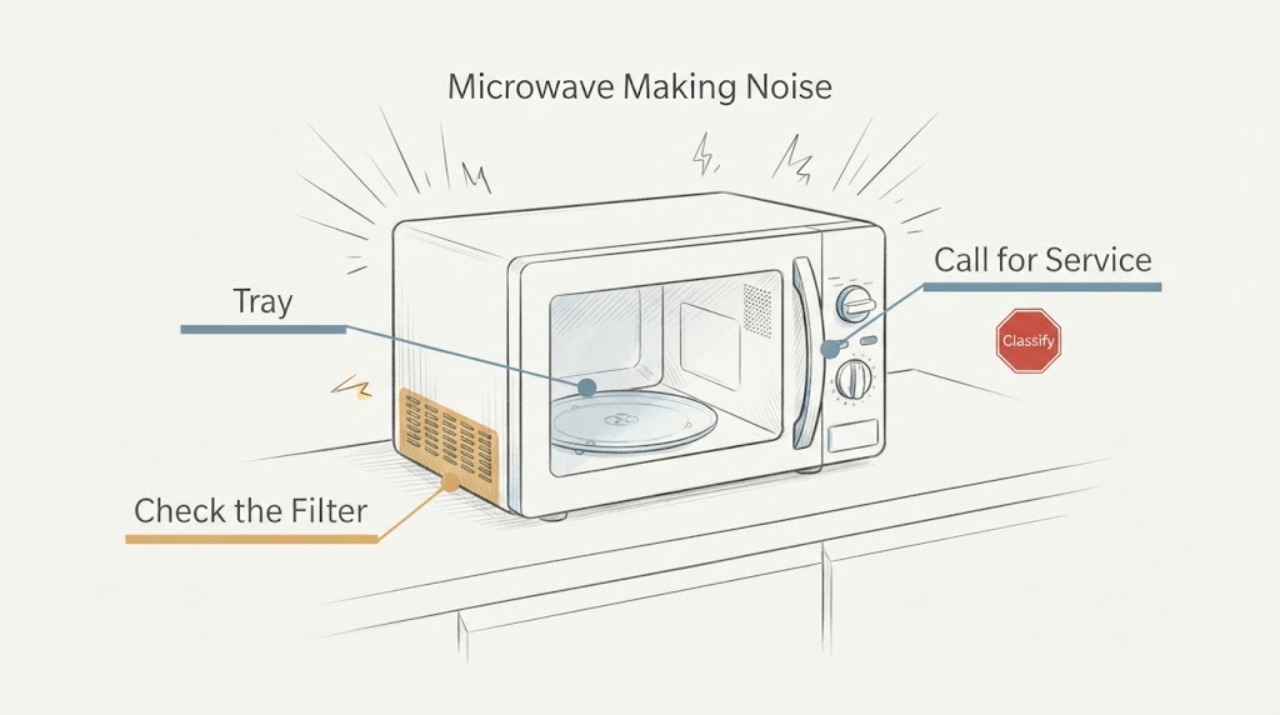
Work through in order
Diagnostic checks
Use only checks that match the exact appliance or system and its official guide.
-
Check 1
Listen from outside the closed microwave and classify the sound as low hum/buzz, occasional click, rattle, or pop/snap; note whether it occurs during heating, fan use, or tray rotation.
Expected result: The sound matches a low hum, occasional click, or food-related pop, or it is a new grinding, rattling, or sharply louder sound.
Next step: Do not run the unit empty; continue only with the matching external check below.
Why this matters
Why: Samsung describes several quiet operating sounds as normal, while a changed or significantly louder sound shifts the concern toward an installation, removable-part, or service issue.
-
Check 2
After the microwave is cool, remove and wash the glass tray and roller ring, wipe the track, dry everything, and reseat the center coupler and ring so the tray sits level.
Expected result: The click or grinding stops after the tray and ring are cleaned and correctly seated, or the tray still binds or sounds abnormal.
Next step: Use the microwave only with the tray correctly seated; request service if it still binds, skips, or grinds.
Why this matters
Why: Food particles or a misaligned roller track can make the rotating tray noisy; persistence after an accessible clean needs service rather than motor access.
-
Check 3
For an over-the-range model, verify from outside that each removable filter is present, clean, and seated correctly; do not remove a built-in combination oven panel.
Expected result: The rattle changes when a filter is correctly reseated, or all accessible filters are correct and the rattle remains.
Next step: Stop using the unit if a filter or housing is damaged and arrange service.
Why this matters
Why: Samsung identifies incorrectly installed filters as a possible rattle source; a persistent rattle with correct removable parts points to service.
-
Check 4
Clean visible food residue, place a microwave-safe cup or bowl of water inside, and run a brief normal cycle while staying nearby; never test an empty cavity.
Expected result: The pop disappears with clean surfaces and water, or the same pop/snap remains during the water test.
Next step: Stop the test and request service if the noise persists, or if there is smoke, arcing, burning odor, or visible damage.
Why this matters
Why: Food with high fat or water content and residue can pop; Samsung treats a pop that persists in the clean water test as a reason to request service.
Use your observations
Decision map
Find the observation that best matches what you see, then follow the next safe action.
-
PATH 01Next step
What you see
The sound is a steady low hum or buzz only while heating or venting and has not become markedly louder.
Do this next
Monitor it from outside and arrange service if its volume or character changes.
Why this path and its safety boundary
Why it matters: Samsung describes this as a normal operating sound in many cycles.
-
PATH 02Next step
What you see
Clicking or grinding follows tray rotation and improves after cleaning and reseating the tray or roller ring.
Do this next
Keep the track and ring clean and correctly positioned; do not force the tray.
Why this path and its safety boundary
Why it matters: The accessible rotation path is more likely than an internal fault.
-
PATH 03Next step
What you see
Noise is significantly louder, persists with a clean cup-of-water test, or remains after accessible filters and tray parts are correctly seated.
Do this next
Stop using the microwave and request service with a recording of the sound; never open the cabinet.
Why this path and its safety boundary
Why it matters: Samsung's external troubleshooting has been exhausted and a mechanical or electrical fault remains possible.
Helpful context
Understand the symptom
Sound and symptom belong together
The same microwave can hum from heating or its vent fan, click as the tray rotates, rattle from a filter, or pop from food residue. Note whether the sound changes with the tray, food, fan, and cooking cycle before deciding that a high-voltage fault is involved.
When checks do not resolve it
Need a professional?
Provide the model, a short recording made from outside the appliance, when the noise starts, and which accessible cleaning or reseating check changed it.
Safety scope: Only external cleaning, tray/filter reseating, and a supervised water test are appropriate; internal diagnosis requires a qualified technician.
Common questions
FAQ
Is a humming Samsung microwave always broken?
No. Samsung says a low hum or buzz can come from the heating system or vent fan. Treat a sudden or significantly louder change as a reason for service.
Can I run a Samsung microwave empty to locate the noise?
No. Samsung cautions that an empty microwave can make popping noises and may be damaged. Use a microwave-safe cup or bowl of water for a brief supervised test instead.
Read the exact guide
Official sources
- Samsung microwave is making weird noisesSamsung · Samsung microwave operating-noise guidance
- How to clean a Samsung microwaveSamsung · Samsung microwave cleaning guidance
Community feedback
Share a repair observation
Share a plain-text repair observation. Accepted observations are published automatically; this page may take a moment to update.