
On this page
Start here
Quick answer
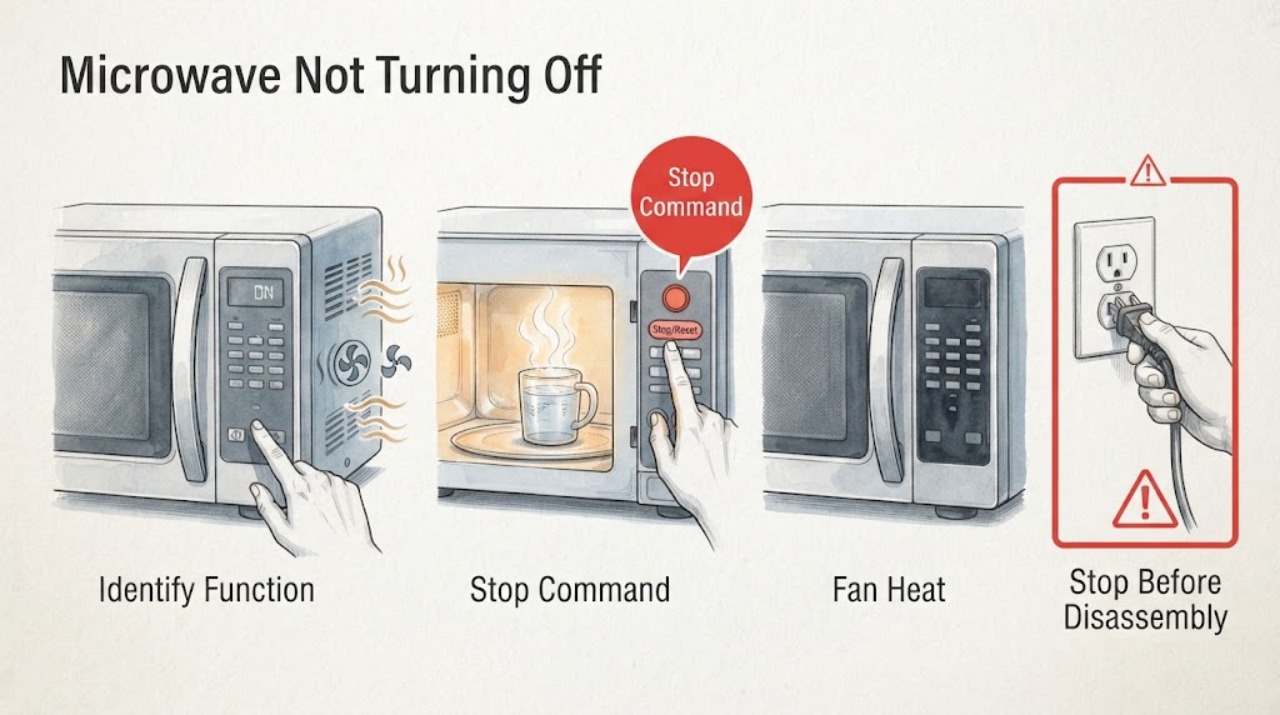
First identify whether the microwave cavity is still cooking, the vent fan is cooling after heat, or only the cooktop lamp remains lit. Samsung says a vent fan can run automatically until excess heat dissipates, but a microwave that continues cooking or starts without a command is a fire hazard: disconnect power when safe, do not use it, and request service. For a lamp that stays on, one power cycle and time to dry after steam are the only external checks.
Before you begin
Safety first
- External observation and one documented reset are the limit; never bypass the door system or access high-voltage controls.
Work through in order
Diagnostic checks
Use only checks that match the exact appliance or system and its official guide.
-
Check 1
From outside the appliance, identify whether the cavity light and cooking timer are active, or whether only the vent fan or cooktop lamp remains on.
Expected result: The timer/cavity continues a cooking cycle, the vent fan runs after heat, or only the lamp remains lit.
Next step: Use the matching branch below and do not put hands inside or bypass the door.
Why this matters
Why: These are separate symptoms: a cooling fan can be normal, a lamp may be damp, but continued microwave operation without a command is unsafe.
-
Check 2
If a normal commanded cycle is still running, press Stop/Clear once while standing outside the closed appliance and observe whether the cooking timer and cavity operation stop.
Expected result: The timer and cooking operation stop, or the microwave continues cooking or restarts without a new command.
Next step: If cooking continues, disconnect power when safe, do not use the unit, and request service. Do not repeatedly test it.
Why this matters
Why: A single accepted Stop/Clear response points to a control-state issue; continued or self-starting operation is the fire-hazard condition Samsung directs to immediate service.
-
Check 3
For an over-the-range model, note whether the vent fan started during hot cooktop use and whether it stops after the cooktop and microwave have cooled.
Expected result: The fan runs only after heat and later stops, or it runs with no recent heat or remains indefinitely.
Next step: Allow normal cooling with the area clear. Request service if the fan runs without heat, has abnormal noise, or never returns to normal.
Why this matters
Why: Samsung says automatic fan operation protects the microwave from excess heat and can continue until heat dissipates; fan operation without heat needs service.
-
Check 4
If only the cooktop lamp remains on, disconnect and restore power once, then allow the lamp to dry after recent steam or cooking; keep moisture out of vents.
Expected result: The lamp turns off after drying or remains on after the power cycle and dry period.
Next step: Request service if the lamp remains on or the light housing is damaged; do not open the light or control area.
Why this matters
Why: Samsung notes that moisture can keep the lamp on temporarily; persistence after drying needs service.
Use your observations
Decision map
Find the observation that best matches what you see, then follow the next safe action.
-
PATH 01Next step
What you see
Only the vent fan runs after hot cooktop use and stops after the microwave and surrounding area cool.
Do this next
Allow the fan to cool the unit; request service only if it runs without heat or develops abnormal noise.
Why this path and its safety boundary
Why it matters: Automatic thermal protection is more likely than a stuck cooking control.
-
PATH 02Next step
What you see
Only the cooktop lamp remains on after steam, and it returns to normal after one power cycle and drying.
Do this next
Use the vent during future cooktop use and keep moisture out of the control and vent areas.
Why this path and its safety boundary
Why it matters: Temporary moisture was the likely cause.
-
PATH 03Next step
What you see
The cooking timer or cavity operation continues after Stop/Clear, or the microwave starts without a command.
Do this next
Disconnect power when safe, do not use the microwave, and request Samsung service. Do not open the cabinet or bypass the door interlock.
Why this path and its safety boundary
Why it matters: Samsung identifies self-starting operation as a fire hazard and not an ordinary setting problem.
Helpful context
Understand the symptom
Not every remaining sound is a cooking cycle
An over-the-range fan may continue after heating or cooktop use so the appliance can cool, while the lamp can remain on after condensation. Confirm what is actually running before deciding whether the microwave is failing to stop.
When checks do not resolve it
Need a professional?
Describe which function remains on, whether the cooking timer is active, whether Stop/Clear is accepted, recent cooktop heat or steam, and what one power cycle changed.
Safety scope: External observation and one documented reset are the limit; never bypass the door system or access high-voltage controls.
Common questions
FAQ
Why does my Samsung microwave fan keep running after cooking?
On over-the-range models, Samsung says the vent fan can turn on automatically to remove excess heat and may run until the appliance cools. If it runs with no recent heat or has abnormal noise, request service.
What if the Samsung microwave itself keeps cooking after I press Stop?
Disconnect power when safe, do not use the microwave, and request service. Samsung treats a microwave that starts without interaction as a fire hazard.
Read the exact guide
Official sources
- Samsung Microwave FAQsSamsung · Samsung microwave FAQ
- Samsung microwave control panel does not respondSamsung · Samsung microwave control-panel symptoms
- How to clean a Samsung microwaveSamsung · Samsung microwave cleaning guidance
- Samsung microwave turns on by itselfSamsung · Samsung microwave automatic-operation symptoms
Community feedback
Share a repair observation
Share a plain-text repair observation. Accepted observations are published automatically; this page may take a moment to update.