
On this page
Start here
Quick answer
The Samsung NE59J7750WS is a Flex Duo electric range: its oven can be divided into two cavities with a removable Smart Divider and has two temperature controls. The opened Samsung range-code guides do not publish a model-specific explanation for C-21, so do not import a meaning from another Samsung appliance or assume that an upper element glowing identifies a failed part. Record the complete display, selected cavity and mode, divider position, and whether heat continues after the controls are turned off. Stop immediately for uncontrolled heat, smoke, sparks, burning odor, a hot control area, or a tripped breaker. If no safety symptom is present, use Samsung's one permitted off/on and breaker reset sequence for other or unlisted codes; if C-21, wrong-cavity heating, or loss of control returns, leave the range off and arrange qualified service.
Before you begin
Safety first
- Panel access, live electrical diagnosis, heating-circuit work, and safety-device repair require a qualified appliance technician.
Work through in order
Diagnostic checks
Use only checks that match the exact appliance or system and its official guide.
-
Check 1
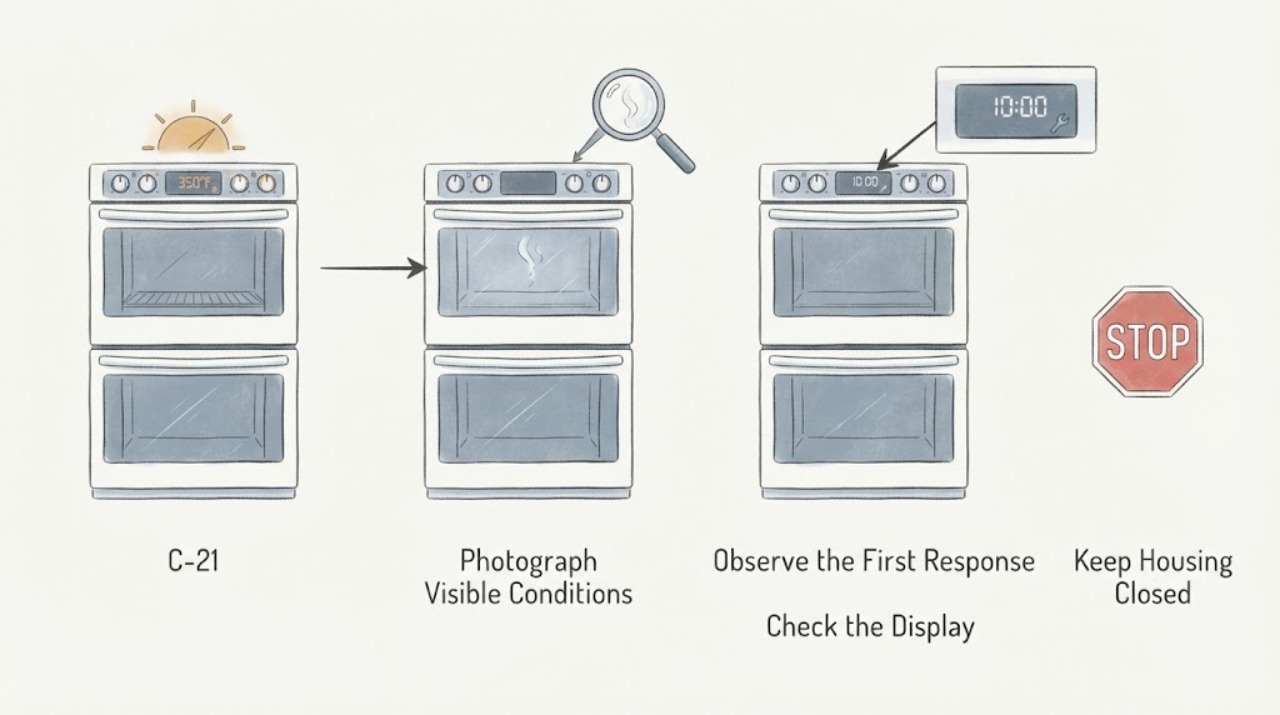
From outside the range, photograph and transcribe the complete display, including the spacing or hyphen in C-21, every other symbol, beeps, and whether the event occurred during preheat, cooking, or while idle. Record whether the upper element merely glowed briefly or whether the cavity became hot.
Expected result: The display is exactly C-21, contains another character, or changes to a different code; the element glow is brief or heat continues after the control is off.
Next step: Keep the range off for continued heat, smoke, sparks, burning odor, hot controls, or breaker activity. Otherwise keep the full record for the exact-model service request.
Stop if: Do not reach into a hot cavity, remove a panel, or repeat a heating cycle to make the display recur.
Why this matters
Why: Samsung's public range guide has separate branches for particular messages and sends unlisted or recurring codes to a reset-then-service path. An incomplete display or continued heat is not enough evidence to name a component.
-
Check 2
With the oven cool and the controls off, confirm the selected lower-oven control and mode from the front panel, and photograph the Smart Divider's present position without moving it while hot or energized. Note whether the upper and lower controls both show a demand for heat.
Expected result: Only the lower control is selected and the divider is seated as shown in the model documentation; both controls are active; or the divider position/indicators cannot be confirmed.
Next step: If the control state or divider cannot be verified from the outside, stop and provide the photos and model label to Samsung service. Do not force the divider or operate with an uncertain partition state.
Stop if: Do not move a hot divider, defeat a switch, or open the control console.
Why this matters
Why: The exact model has two cavities and two temperature controls, so a control-selection or divider-state mismatch is a different first branch from a persistent wrong-cavity heating symptom. The specification does not authorize bypassing a divider switch or infer a failed part.
-
Check 3
After the range is fully cool, look only from the doorway and front controls for obvious external clues: a damaged door or divider, visible scorching, a distorted control area, a damaged cord, or a breaker that has tripped. Do not touch an element or remove trim to inspect behind it.
Expected result: There is visible scorching, damage, a hot or distorted control area, exposed wiring, or the breaker has tripped; or the exterior is intact and cool.
Next step: For any damage, heat, exposed wiring, smoke, odor, sparks, or repeat breaker trip, leave power off and arrange qualified appliance or electrical service. If none is present, proceed only to Samsung's single allowed reset.
Stop if: Do not restore power when smoke, odor, sparks, overheating, or damaged wiring is present.
Why this matters
Why: A physical or electrical safety symptom takes priority over interpreting C-21. An intact exterior does not prove that the electronic control, temperature sensing, or heating circuit is healthy.
-
Check 4
If there is no safety symptom, turn the range off and on with its normal Power control once. If C-21 returns, follow Samsung's public guidance for other codes by switching the range circuit breaker off for 30 seconds and back on once; do not keep cycling it.
Expected result: The display clears and controls remain normal; C-21 returns immediately; a wrong-cavity heating symptom returns; or the breaker trips again.
Next step: Leave the range off and arrange qualified Samsung service for any recurrence or abnormal heating. Give the technician the exact model, full display, selected cavity, divider position, and reset result.
Stop if: Do not reset power again, bypass the breaker, or test the oven by running another cooking cycle.
Why this matters
Why: One clear can remove a temporary display or control state, but it does not prove the heating circuit is sound. A recurring code, abnormal heating, or a repeated trip is an unresolved fault.
-
Check 5
Prepare the service handoff: model and serial-label photo, complete C-21 display, cavity selected, mode and temperature setting, divider position, whether the upper element glowed or heat continued, any other code, and what happened after the single reset.
Expected result: The event is intermittent, occurs only when the lower cavity is selected, occurs in both cavities, or is accompanied by uncontrolled heat or a safety symptom.
Next step: Request qualified Samsung appliance service; do not select a replacement board, sensor, or element from C-21 alone.
Stop if: Keep the range out of service until a professional addresses any unresolved abnormal heating or electrical symptom.
Why this matters
Why: That timeline helps a qualified technician distinguish a cavity-selection or divider-context problem from a persistent control, temperature, power, or heating fault without unsafe owner testing.
Use your observations
Decision map
Find the observation that best matches what you see, then follow the next safe action.
-
PATH 01Next step
What you see
C-21 clears after the one Samsung reset, the lower control and divider state are confirmed from outside, and there is no continued heat, odor, smoke, spark, or breaker activity.
Do this next
Do not deliberately reproduce the event; record the result and arrange service if C-21, wrong-cavity heating, or a new code returns.
Why this path and its safety boundary
Why it matters: A temporary display or control state remains possible, but the reset does not prove that the split-oven heating logic is healthy.
-
PATH 02Next step
What you see
The lower cavity is selected but the upper cavity actually heats, C-21 returns, or heat continues after both controls are off.
Do this next
Leave the range off and arrange qualified Samsung appliance service; tell the technician the exact cavity, mode, timing, and complete display.
Why this path and its safety boundary
Why it matters: This is a persistent or abnormal heating/control symptom, not a basis for naming an element, sensor, or board from the display alone.
-
PATH 03Next step
What you see
The divider position, cavity indicator, or selected mode cannot be confirmed without moving a hot part or opening the range.
Do this next
Leave the range off, preserve the exterior photos, and ask Samsung or a qualified technician to verify the Flex Duo configuration.
Why this path and its safety boundary
Why it matters: The model-specific operating context is unresolved, so a safe owner diagnosis cannot distinguish a setup state from a control or heating fault.
-
PATH 04Safety boundary
What you see
Smoke, sparks, burning odor, visible scorching, a hot or distorted control area, exposed wiring, uncontrolled heat, or a repeated breaker trip occurs.
Do this next
Stop using the range, keep clear of hot or energized areas, and use qualified appliance/electrical emergency service as appropriate.
Why this path and its safety boundary
Why it matters: The safety or electrical symptom takes priority over decoding C-21.
Safety stop: Do not operate, repeatedly restore power, open the casing, or investigate an odor with a flame.
When checks do not resolve it
Need a professional?
Leave the range off and provide the technician the exact model, complete display, divider position, selected cavity and mode, heating behavior, safety symptoms, and reset result.
Safety scope: Panel access, live electrical diagnosis, heating-circuit work, and safety-device repair require a qualified appliance technician.
Common questions
FAQ
Does C-21 prove that a specific element or sensor has failed on NE59J7750WS?
No. The opened Samsung public range guides do not give a separate C-21 explanation for this exact model. Treat the code and the wrong-cavity heating observation as a service handoff, not a parts diagnosis.
Is a glowing upper element automatically normal when the lower oven is selected?
Not established by the opened official sources. NE59J7750WS has a divided oven with two controls, but a visible glow alone does not identify which cavity is being heated or prove that the behavior is safe. Confirm the external control context, stop for continued or uncontrolled heat, and use service if the symptom returns.
Read the exact guide
Official sources
- NE59J7750WS 5.9 cu. ft. Freestanding Flex Duo Electric RangeSamsung · Samsung NE59J7750WS exact model; Flex Duo removable Smart Divider, two cavities, and two temperature controls
- NE59J7750WS Electric Range with True Convection, 5.9 cu.ftSamsung Canada · Samsung NE59J7750WS/AC exact-model support page and owner-manual route
- Samsung range or wall oven error codesSamsung · Samsung US range and wall-oven error-code guidance, including unlisted C-21 codes
- What is the meaning of the error codes displayed on your Samsung range or wall ovenSamsung Canada · Samsung Canada range/wall-oven error-code guidance and regional applicability
Community feedback
Share a repair observation
Share a plain-text repair observation. Accepted observations are published automatically; this page may take a moment to update.