
On this page
Start here
Quick answer
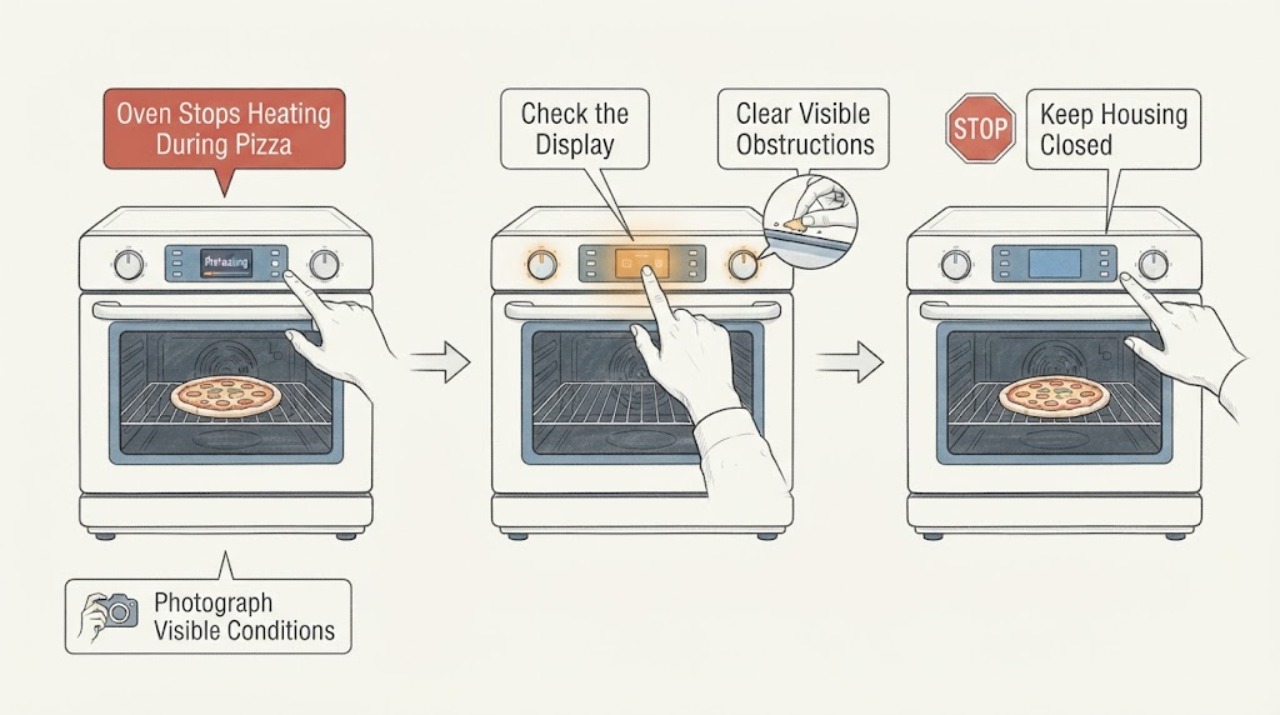
First read the range rating label: Samsung's opened product record identifies the stainless model as NX60T8111SS, not NX60T8111SSS. Do not apply a manual or parts listing until that suffix is confirmed. With the range cool and the control area dry, select Bake, set the intended temperature, press START/SET once, and watch the display with the door closed. Samsung says a normal preheat starts at 150°F and the displayed temperature rises after the oven becomes hotter than 150°F; a display stuck at 150°F for much longer than expected indicates that the oven is not heating. Check for a documented Demo indicator such as tESt/tE5t or a d/D icon, and confirm the door closes normally. On this gas range, compare an existing cooktop burner only from the normal controls and only when there is no gas odor or other hazard: if the cooktop burners also fail, stop ignition attempts and use the gas-provider or qualified-service path; if they work but the oven remains cold, stop repeated starts and request qualified Samsung appliance service. A single 30-second breaker cycle is the maximum reset attempt; never open the control area, adjust gas pressure, bypass the door interlock, or test live wiring.
Before you begin
Safety first
- Do not open the control enclosure, remove panels, disconnect gas fittings, adjust gas pressure, bypass the door interlock, measure live wiring, or continue ignition tests. Stop immediately for gas odor, suspected leakage, delayed ignition, a boom, abnormal flame, soot, smoke, a hot/damaged connection, water near electricity, exposed conductors, or a repeated breaker trip.
Work through in order
Diagnostic checks
Use only checks that match the exact appliance or system and its official guide.
-
Check 1
With the range cool and without moving it, read the complete rating label and photograph the control panel from a safe external position. Confirm whether the label says NX60T8111SS and record any suffix such as /AA; the title's NX60T8111SSS is not the model string shown in Samsung's product record.
Expected result: The label matches NX60T8111SS or the suffix/layout differs or cannot be read.
Next step: Use only the manual and support path that matches the complete label. If identity remains uncertain, stop model-specific troubleshooting and give Samsung or a qualified technician the full label information.
Stop if: Do not select a replacement part, apply another NX60 series procedure, or pull the range forward to inspect hidden connections.
Why this matters
Why: A matching label supports using the NX60T8111SS family literature. A different or unreadable label means the control sequence and code meanings are not locked; the extra S must not be silently treated as a valid model.
-
Check 2
When the oven is cool, the panel is dry, and there is no unsafe symptom, select Bake, enter the intended temperature, press START/SET once, and keep the door closed while observing the display. Do not use the pizza as a diagnostic object and do not reach into the oven.
Expected result: The display does not respond, shows a normal preheat state beginning at 150°F, rises above 150°F, stays at 150°F for much longer than expected, or shows no heating without a useful code.
Next step: Record the exact display text and time/stage. Continue only with the external mode, door, power, and gas-supply comparisons below; otherwise arrange service.
Stop if: Stop for gas odor, smoke, abnormal flame, sparks, a hot connection, water near electricity, continuous heating, or a breaker trip.
Why this matters
Why: A normal rising preheat display means the oven is producing heat and the pizza problem may instead be recipe, rack, airflow, or cooking-time related. A display stuck at 150°F supports a true no-heat condition; no response points first to control, lock, or power state rather than proving a gas component.
-
Check 3
Look at the display for tESt, tE5t, a d or D indicator, a door message, or a lock state, and confirm that the door closes fully without forcing it. Remove only a safe visible obstruction; do not defeat or disassemble the door interlock.
Expected result: A Demo indicator, door message, locked control, door gap/damage, or none of these is present.
Next step: For a confirmed Demo state, use the NX60T8111SS manual's external settings sequence once. Close the door normally and retry one preheat observation. If the door will not close or the state returns, request service.
Stop if: Do not force the door, bypass a safety switch, operate with a gap, or touch a hot, cracked, wet, or sparking control panel.
Why this matters
Why: Samsung states that Demo mode prevents oven and cooktop heating, although gas cooktop burners can still ignite; an open or improperly closed door can also stop heating. No such state moves the diagnosis toward power, gas supply, or an appliance fault.
-
Check 4
From a dry, safe position, check only the external range circuit and visible plug/outlet for an obvious interruption or tripped breaker. If there is no damage, follow the Samsung guidance for one reset: turn the range circuit off for 30 seconds, restore it, and make one normal Bake start.
Expected result: The display returns and the oven heats, the breaker trips again, the connection is hot/damaged, or the oven remains blank or cold.
Next step: Use the oven only if it completes one normal preheat without unsafe symptoms. Otherwise leave it unused and arrange qualified appliance or electrical service.
Stop if: Do not reset repeatedly, open the control enclosure, remove the range, measure internal wiring, or work on a live circuit.
Why this matters
Why: A one-time recovery supports a temporary supply or control state but does not prove the underlying fault is gone. A repeated trip or damaged connection is an electrical hazard; a persistent blank/cold oven needs service rather than a heating-part guess.
-
Check 5
For this gas range only, and only when there is no gas odor, smoke, abnormal heat, or other hazard, use the ordinary control of one existing cooktop burner and observe whether it lights normally. Do not repeatedly attempt oven ignition, loosen a fitting, adjust pressure, or test the gas path.
Expected result: The cooktop burners also fail, the cooktop works but the oven never ignites/heats, or an abnormal flame, delayed ignition, boom, soot, or gas odor occurs.
Next step: If all burners fail, stop ignition attempts and contact the gas provider or qualified professional through the safe local route. If the cooktop works but the oven remains cold, stop repeated starts and request qualified Samsung appliance service.
Stop if: For gas odor or suspected leakage, avoid flames and electrical switches, leave by the safest route, and follow local emergency guidance from a safe location. Stop immediately for delayed ignition, a boom, yellow/unstable flame, soot, or smoke.
Why this matters
Why: Failure of the existing burners makes a household gas-supply interruption plausible. Normal cooktop operation narrows the symptom to the oven-specific ignition/heating or control path but does not identify an igniter, valve, burner, sensor, or board.
-
Check 6
Write down the complete display code, blinking pattern, mode, selected temperature, whether the display stayed at 150°F, the time/stage at which heating stopped, and whether the cooktop comparison worked. Compare the record with the exact NX60T8111SS manual rather than a code list for another Samsung range.
Expected result: A code returns after the one documented external step, no code appears but the oven stays cold, or the oven heats normally once without recurrence.
Next step: Give the technician the exact label, market suffix, code history, preheat display, door state, breaker result, cooktop result, and any safety symptoms. Do not select a part from the symptom alone.
Stop if: Do not run repeated self-tests, bypass safety devices, adjust gas pressure, or continue after smoke, gas odor, sparks, abnormal flame, or a breaker trip.
Why this matters
Why: Samsung notes that code meanings and control procedures vary by range family. A recurring code or no-code no-heat condition remains an appliance fault even if the display appears normal; a single normal cycle is only a temporary observation.
Use your observations
Decision map
Find the observation that best matches what you see, then follow the next safe action.
-
PATH 01Next step
What you see
The label cannot be confirmed as NX60T8111SS, or the title/model string has the extra S but no matching rating-label suffix is available.
Do this next
Stop model-specific troubleshooting and obtain the complete label and market information from Samsung or a qualified technician before continuing.
Why this path and its safety boundary
Why it matters: The identity is not locked, so a Demo sequence, code meaning, or part from a visually similar Samsung range could be wrong.
-
PATH 02Next step
What you see
The display is live but remains at 150°F, shows tESt/tE5t or a d/D Demo indicator, reports a door/lock state, or does not accept the normal Bake start.
Do this next
Clear only a documented model-matching mode once, close the door normally, and make one controlled preheat observation. If the display stays stuck or the state returns, request service.
Why this path and its safety boundary
Why it matters: The symptom fits a control mode, door state, or true no-heat path; it does not by itself justify replacing an igniter or control board. Samsung says Demo disables heating, while a stuck 150°F preheat display indicates the oven is not heating.
-
PATH 03Next step
What you see
The cooktop also fails to light, or the range has gas odor, delayed ignition, a boom, yellow/unstable flame, soot, smoke, or abnormal heat.
Do this next
Stop using the range. For gas odor or suspected leakage, leave without operating switches or flames and follow local gas-emergency guidance; for an all-burner supply concern without odor, use the gas provider or qualified service path.
Why this path and its safety boundary
Why it matters: A household fuel-supply concern or an unsafe combustion condition is more important than diagnosing the oven part. The absence of a code does not make continued ignition safe.
-
PATH 04Next step
What you see
The cooktop works normally, the door and mode are normal, the external circuit is safe, and one 30-second reset does not restore oven heat or the problem returns.
Do this next
Leave the oven unused and request qualified Samsung appliance service. Provide the exact label, preheat display, selected mode/temperature, code history, reset result, and cooktop comparison rather than ordering a generic part.
Why this path and its safety boundary
Why it matters: The fault is narrowed to an oven-specific ignition, burner, sensing, control, or wiring path, but the safe observations cannot distinguish the component.
Helpful context
Understand the symptom
A pizza that stays pale is not enough by itself to identify a failed igniter or valve. First separate a wrong-model or control-state problem from a genuine no-heat condition. The extra S in the title matters because Samsung's exact model record and support literature use NX60T8111SS (often shown with a market suffix such as /AA).
Do the external checks below only while the range is cool enough to touch safely and there is no gas odor, smoke, sparking, water near electricity, damaged cord or outlet, abnormal flame, or repeated breaker trip. A persistent oven-only gas-heating failure needs qualified diagnosis; the observations do not identify a particular igniter, valve, sensor, or control part.
When checks do not resolve it
Need a professional?
Arrange qualified Samsung appliance service when the exact label is confirmed but the oven remains cold after the safe Bake/start, mode/door, external power, gas-supply comparison, and one reset checks; when any code returns; or when the door, controls, wiring, flame, or ignition behavior is abnormal. Use the gas provider or local emergency path for gas odor or suspected leakage, and qualified electrical service for repeated breaker trips or damaged connections.
Safety scope: Do not open the control enclosure, remove panels, disconnect gas fittings, adjust gas pressure, bypass the door interlock, measure live wiring, or continue ignition tests. Stop immediately for gas odor, suspected leakage, delayed ignition, a boom, abnormal flame, soot, smoke, a hot/damaged connection, water near electricity, exposed conductors, or a repeated breaker trip.
Have this ready
- Provide the complete rating-label model and market suffix, the fact that the title had an extra S, selected mode and temperature, whether the display stayed at 150°F, any tESt/tE5t/Demo/door/code text, door condition, breaker result, cooktop burner result, and all gas, smoke, heat, spark, or odor observations.
Common questions
FAQ
Is Samsung NX60T8111SSS the correct model number?
Samsung's opened product record identifies the stainless range as NX60T8111SS; the title's extra S should be treated as a transcription error until the rating label confirms a complete model and market suffix. Do not use the extra-S string to choose a manual or part.
What should the preheat display do on this Samsung gas range?
After Bake, a temperature is entered, and START/SET is pressed, Samsung says the display begins at 150°F and rises after the oven becomes hotter than 150°F. A display stuck at 150°F for much longer than expected supports a no-heat condition; keep the door closed and arrange service after the safe external checks.
Could Demo mode make the oven appear dead?
Yes. Samsung says tESt or tE5t, and on some models a d or D indicator, means Demo mode; the oven and cooktop will not heat, although gas cooktop burners can still ignite. Use the exact NX60T8111SS manual to change the mode once and do not bypass a lock or interlock.
Should I replace the igniter because the pizza oven stopped heating?
Not from this symptom alone. If the cooktop works but the gas oven remains cold after the safe mode, door, external-power, and one-reset checks, the problem is narrowed to an oven-specific path but could involve ignition, burner, sensing, control, wiring, or another condition. Have qualified service diagnose it; do not test live wiring or adjust the gas system.
Read the exact guide
Official sources
- Samsung oven temperature issuesSamsung · Opened Samsung support troubleshooting page explicitly covers an oven that does not heat: the 150°F preheat display, door state, Demo mode, gas-range comparison, one 30-second breaker reset, and service escalation. It is applied as manufacturer guidance and not as proof of a failed component.
- Samsung range or wall oven error codesSamsung · Opened Samsung code guidance supports the tESt/tE5t Demo interpretation, door-code boundary, bAd LinE power warning, one 30-second breaker reset, and service escalation. Code meanings remain model-dependent, so the exact NX60T8111SS manual is required for any other code.
- The oven control panel, Setting the clock, Temp Adjust, Demo mode, Sabbath feature, and Temperature adjust: NX60*811***Samsung · Opened Samsung control-panel guidance applies to the NX60*811*** family pattern, which includes the NX60T8111SS naming pattern. It supports the front-control Bake/START/SET and model-family Demo-mode distinction; the complete rating-label suffix still controls final applicability.
- NX60T8111SS_V3.inddSamsung · Opened Samsung product PDF identifies NX60T8111SS as a front-control slide-in gas range, with 120V/60Hz/20A power and gas cooktop/oven specifications. It supports the exact stainless model identity and the gas/electrical appliance scope, not a diagnosis or part fit.
- NX60T8111SS/AA | Samsung Thailand SupportSamsung · Opened Samsung support page identifies NX60T8111SS/AA and lists the model's user manual and installation guide. It is used to lock the model identity and to require the complete suffix before applying model-specific procedures.
Community feedback
Share a repair observation
Share a plain-text repair observation. Accepted observations are published automatically; this page may take a moment to update.