
On this page
Start here
Quick answer
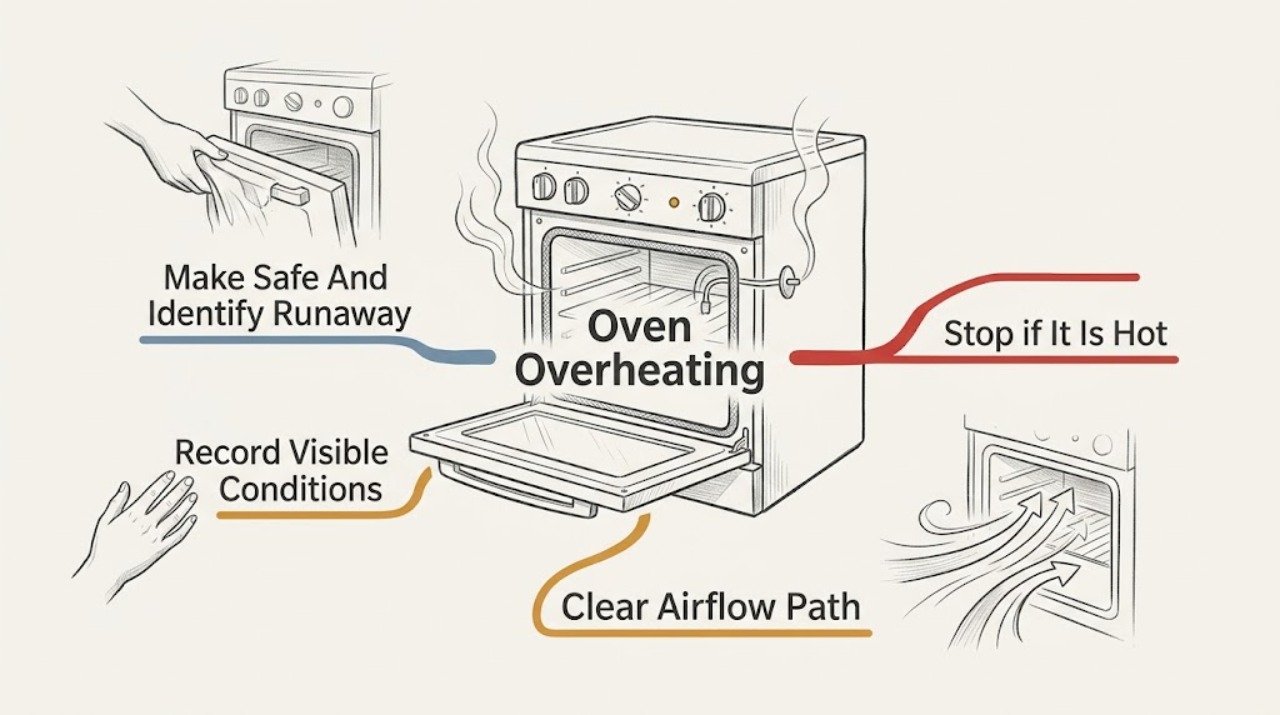
A Samsung oven can feel very hot while operating normally: heating elements cycle above and below the set temperature, and a cooling fan may continue after cooking to protect the controls. Treat it as overheating when food burns at the same setting, the oven keeps heating after the selected function is cancelled, the temperature rises without cycling off, the door or controls become abnormally hot, or smoke, a burning odor, flame, arcing, or a CO alarm appears. First stop cooking safely, keep people away from hot surfaces, and record the model, mode, set temperature, display behavior, and whether the issue occurs during Bake, Broil, Convection, or Self Clean. Check only ordinary-access airflow, racks, cookware, visible spills, and a door that closes normally. A consistent but modest cooking offset may be suitable for Samsung's model-specific calibration; uncontrolled heating, a failed control, damaged door or seal, blocked vent, gas odor, smoke, CO alarm, electrical odor, or repeated breaker trip needs qualified service rather than an internal sensor or element repair.
Before you begin
Safety first
- This article supports ordinary-access observation, safe cooling, visible setup correction, and one exact-model calibration check for a stable offset only. It does not authorize live electrical work, gas-line or pressure work, internal panel access, interlock bypass, forced door operation, high-heat testing, or reuse after a combustion, fire, CO, or electrical hazard.
Work through in order
Diagnostic checks
Use only checks that match the exact appliance or system and its official guide.
-
Check 1
Cancel the cooking function using the normal control if it responds, keep hands and children away from the door, racks, vent, and control area, and assess the oven from a safe position before touching anything hot.
Expected result: Record whether heating stops after cancellation, whether the cooling fan continues alone, whether the cavity or controls remain abnormally hot, and whether there is smoke, flame, a burning or gas odor, arcing, a CO alarm, or a breaker trip.
Next step: For smoke or flame, move away and use emergency procedures; for gas odor or a CO alarm, leave the area and contact emergency or gas-safety help from outside or another safe location. For an electrical smell, spark, hot outlet, or repeated trip, stop using the oven and arrange qualified electrical or appliance service. Otherwise record the model and operating mode before further checks.
Stop if: Stop immediately for flame, smoke, gas odor, CO alarm or symptoms, exposed or arcing wiring, burning odor, a hot or discolored outlet, severe heat at the controls, or repeated breaker trips. Do not open the door to inspect a fire or continue a heating cycle.
Why this matters
Why: A fan that continues while heating has stopped can be normal cooling. Heating that continues after cancellation, an uncontrolled temperature rise, smoke, flame, a gas odor, arcing, a CO alarm, or an electrical warning is a safety fault rather than a calibration issue.
-
Check 2
From the display and rating information, record the exact Samsung model, range or wall-oven form, electric or gas configuration if known, cooking mode, set temperature, preheat status, timer or delayed start, error text, and when the overheating symptom occurs.
Expected result: Classify the result as food browning early at a stable setting, a hot panel or door, heating that does not stop, a fault only in Broil or Self Clean, a problem only in Convection, a fan that continues after cooking, or a symptom in every mode.
Next step: Photograph the display and consult the exact Samsung manual for the selected mode, lock, fan, and error behavior. Do not substitute another model's code meaning or open the control area.
Stop if: Stop if the display reports a temperature or control fault, the panel is too hot to operate, the door will not close or remains locked after cooling, or the oven heats in an unexpected mode.
Why this matters
Why: A repeatable offset in ordinary cooking is different from a function-specific high-heat mode, normal fan run-on, or a control that ignores cancellation. Samsung says some controls are unavailable during Self Clean, Temperature Probe, Twin Cooking, or other functions and that behavior varies by model.
-
Check 3
When the oven is fully cool, inspect the cavity, racks, cookware, visible door seal, and exterior vent openings from ordinary access; remove only loose food residue or an item that the manual identifies as safe to remove.
Expected result: Record whether foil or a tray blocks airflow, pans are crowded, racks or a divider are misplaced, a spill is burning, the door seal is visibly torn or displaced, the door closes evenly, or an exterior vent is covered by an object or installation trim.
Next step: Restore only the rack, cookware, foil, and loose-residue conditions allowed by the exact manual; keep the vent clear and do not run a high-heat mode to test the result. Request service for a damaged seal, door, vent, or persistent abnormal heat.
Stop if: Do not touch hot residue, remove a door or seal, block or dismantle a vent, use foil to shield the cavity, or continue if smoke, flame, gas odor, or electrical symptoms return.
Why this matters
Why: Crowding, blocked airflow, foil, a damaged seal, a door that does not close, or a burning spill can create uneven cooking, retained heat, smoke, or heat escaping toward the controls without proving that the sensor or control has failed. A clear cavity with uncontrolled heating keeps the internal-fault branch active.
-
Check 4
Only after the oven is safe and the cavity is correctly arranged, compare one familiar recipe at the same mode, rack position, cookware, and set temperature; keep the door closed during preheat and note the oven's normal completion signal rather than relying on a consumer thermometer.
Expected result: Record whether the food is consistently overdone by a similar amount while the oven cycles and responds to controls, whether results vary widely, whether the oven never settles, or whether heating continues after the mode is cancelled.
Next step: If the exact model supports temperature adjustment and the symptom is only a stable offset, follow the manual's calibration procedure once and document the direction and result. If the issue is inconsistent or runaway, stop testing and request service.
Stop if: Do not use a high-heat or Self Clean cycle as a diagnostic test, repeatedly change the offset, leave the oven unattended, or continue if food burns rapidly, smoke appears, controls heat excessively, or the oven does not stop.
Why this matters
Why: A stable cooking offset with normal cycling can support a model-specific calibration check. Inconsistent results, no response to cancellation, or continuous heating points to a sensor, relay, control, element, ignition, or other fault that calibration cannot safely repair.
-
Check 5
Identify whether the symptom occurs only during Broil, Self Clean, Temperature Probe, Convection, or another special function, and observe the fan and panel behavior only from outside after the oven has cooled enough for normal controls.
Expected result: Record whether a special function is selected, whether the panel shows Hot, Loc, a lock icon, or another model-specific state, whether the convection fan cycles quietly, and whether the cooling fan continues after heating stops.
Next step: Allow the oven to cool naturally, follow the exact manual for ending the special function or clearing a normal lock, and request service if the lock, fan, or temperature behavior does not return to normal without force.
Stop if: Never force a locked door, defeat a lock, remove panels, reach near a fan or element, or operate Self Clean to see whether an overheating problem clears.
Why this matters
Why: A high-heat function can make the door lock and disable some controls as a protective behavior, while a cooling fan can continue to remove heat from electronics. A fan that grinds, fails to cool, the panel remains dangerously hot, or heating continues outside the selected function needs service.
-
Check 6
If the model is gas, observe only from a safe distance whether there is a gas odor, delayed ignition, abnormal flame, soot, or a CO warning; if it is electric, observe only the plug or accessible supply area for heat, odor, damage, or a trip without opening the cabinet.
Expected result: Record gas versus electric identity, whether the abnormal heat is limited to Bake, Broil, or another mode, whether flame or glow remains after cancellation, and whether any odor, smoke, arcing, shock, hot outlet, or breaker event occurs.
Next step: Stop using the oven and provide the technician with the model, energy type, mode, set temperature, display state, symptom timing, and safety observations. If a gas odor or CO alarm is present, leave first and contact emergency help; do not relight, search for a leak, or operate switches in the affected area.
Stop if: Do not open gas lines, adjust gas pressure, relight an appliance after a gas event, perform live electrical checks, remove the rear cover, bypass a thermostat or interlock, or continue operation after smoke, flame, arcing, or a CO alarm.
Why this matters
Why: Gas ignition or combustion symptoms require a qualified gas or appliance assessment and may be an emergency. Electric heating that does not cycle, a hot connection, arcing, or repeated trips indicates an electrical or control hazard. Neither can be safely diagnosed by changing a sensor, element, igniter, or pressure setting at home.
-
Check 7
After a permitted rack, cookware, spill, or model-specific calibration correction, perform at most one ordinary cooking confirmation while remaining present and ready to stop; do not repeat a high-heat or hazardous test.
Expected result: Record whether the oven cycles normally, reaches the selected result without burning, responds to cancellation, and returns to a normal cooling-fan and door-lock state, or whether the overheating, error, odor, smoke, or electrical symptom returns.
Next step: Stop using the oven and request qualified service with the complete record; retain the exact model manual and any error photo. Use an electrician when the supply, outlet, wiring, arcing, shock, or breaker is involved.
Stop if: Do not run further confirmation cycles after the fault returns, and do not dismantle the oven or replace an internal part based only on symptoms.
Why this matters
Why: A normal confirmation supports a setup or stable-offset correction. A returning runaway temperature, abnormal heat, lock, odor, smoke, fan failure, code, or trip indicates an internal control, sensor, element, igniter, seal, fan, or wiring problem requiring service.
Use your observations
Decision map
Find the observation that best matches what you see, then follow the next safe action.
-
PATH 01Safety boundary
What you see
There is flame, smoke, gas odor, a CO alarm or illness, burning odor, arcing, shock, a hot or discolored outlet, or a repeated breaker trip.
Do this next
Leave the affected area for gas or CO symptoms and contact emergency help from outside or another safe location. For electrical symptoms, keep away from the appliance and arrange qualified electrical or appliance service.
Why this path and its safety boundary
Why it matters: This is an immediate fire, combustion, carbon-monoxide, burn, or electrical hazard, not a temperature-calibration problem.
Safety stop: Do not operate controls, relight, search for a gas leak, open the oven to inspect flames, repeatedly reset power, or re-use the appliance until cleared by qualified responders.
-
PATH 02Safety boundary
What you see
Heating cycles off normally, the selected mode cancels, food results are reasonable, and only a quiet fan or hot surfaces remain after cooking.
Do this next
Keep vents clear, follow the model's rack and cookware instructions, allow the cooling fan to finish, and monitor for a change in behavior without opening panels.
Why this path and its safety boundary
Why it matters: Samsung describes cycling and fan operation as normal ways to manage cooking temperature and cool electronics; heat alone does not establish a defect.
Safety stop: Stop if the fan becomes grinding or abnormal, the oven does not stop heating, the panel becomes excessively hot, or smoke, odor, flame, or electrical symptoms appear.
-
PATH 03Safety boundary
What you see
The cavity is crowded, foil or an object blocks airflow, cookware or rack position is wrong, a spill is burning, or the door or visible seal does not close normally.
Do this next
When completely cool, correct only the visible setup or loose residue that the exact manual permits, keep the vent clear, and request service for a damaged door, seal, or installation.
Why this path and its safety boundary
Why it matters: The cooking setup, retained heat, escaping heat, or burning residue can explain the symptom without proving an internal control fault.
Safety stop: Do not touch hot residue, remove the door or seal, block a vent, or continue if smoke, flame, gas odor, or abnormal electrical heat returns.
-
PATH 04Safety boundary
What you see
The oven cycles and cancels normally, but a familiar recipe is consistently overdone at the same mode, rack, cookware, and setting with no safety symptom.
Do this next
Follow the exact model manual for one calibration adjustment, document the direction and result, and request service if results remain inconsistent or the allowed adjustment is insufficient.
Why this path and its safety boundary
Why it matters: A repeatable cooking offset can be compatible with a model-specific temperature-adjustment setting; it is not evidence that an element or sensor should be replaced.
Safety stop: Do not repeatedly change the offset, use a high-heat function to test it, or calibrate a control that will not cancel or is accompanied by smoke, odor, lock, or electrical symptoms.
-
PATH 05Safety boundary
What you see
The behavior occurs during or after Self Clean, Broil, Temperature Probe, Convection, or another special function, and the display shows a normal lock, Hot, fan, or cooling state.
Do this next
Allow the oven to cool, use only the model-authorized end or reset control, and request service if the lock, fan, or heating state persists abnormally after cooling.
Why this path and its safety boundary
Why it matters: High heat can restrict controls and lock the door, while cooling or convection fans can continue at expected intervals. The exact model manual determines the normal end behavior.
Safety stop: Do not force the door, defeat the lock, open panels, or run another high-heat cycle as a test.
-
PATH 06Safety boundary
What you see
Heating continues after cancellation, the oven never settles, results vary widely, the display reports a persistent fault, or the issue returns after a permitted setup or calibration check.
Do this next
Stop using the oven and arrange qualified Samsung appliance service; give the technician the exact model, energy type, modes affected, display state, symptom timing, setup observations, and any safety event.
Why this path and its safety boundary
Why it matters: A temperature sensor, relay or control, heating element, igniter or combustion system, cooling fan, door system, or wiring fault remains possible and cannot be isolated safely from ordinary access.
Safety stop: Do not replace internal parts, probe live circuits, adjust gas pressure, bypass a thermostat or lock, or continue operating to reproduce the fault.
Helpful context
Understand the symptom
A hot oven is not automatically an overheating oven
Samsung describes normal oven temperature cycling: the cavity can move above and below the selected average rather than hold one exact number. A cooling fan and convection fan can also run at expected intervals, and the cooling fan may continue after cooking. The useful distinction is behavior: normal cycling eventually responds to the setting and cancellation, while a runaway condition keeps heating, burns food at an otherwise repeatable setting, makes the panel or surrounding area abnormally hot, or comes with smoke, odor, flame, electrical symptoms, or a safety lock that does not clear after cooling.
Confirm the cooking setup before changing calibration
A dark pan, crowded cavity, blocked airflow, frequent door opening, an incorrect rack position, or convection Auto Conversion can make food brown faster without proving that the oven is overheating. Samsung recommends following the exact manual for rack and cookware placement, leaving space around items, and avoiding foil that can block airflow or damage the oven. Compare the same familiar recipe and mode only after the oven is safe; do not use a consumer oven thermometer as proof of a precise internal temperature because Samsung says these thermometers can lag and normal cycling can confuse them.
Calibration is for a repeatable offset, not uncontrolled heating
If the oven consistently cooks too hot or too cool but responds normally to controls, Samsung provides a model-specific temperature-adjustment function, with the available range and button sequence determined by the manual. Calibration does not repair a control that will not cancel, a sensor fault, a damaged door, a blocked vent, or a heating element that remains energized. Make one documented adjustment only when the exact model supports it and the symptom is a stable cooking offset; stop and request service when the result is inconsistent or the adjustment cannot correct it.
Gas and electric models share the stop boundary but not the diagnosis
The topic does not identify an energy type. An electric Samsung oven may have heating elements and a high-voltage supply, while a gas range adds ignition, flame, combustion, and carbon-monoxide considerations. Do not assume that a gas burner check, a pressure explanation, or an element or sensor replacement applies to a different model. If gas odor, delayed ignition, abnormal flame, soot, smoke, or a CO alarm is involved, leave combustion diagnosis to qualified service and emergency responders as appropriate.
Safety boundary
Stop conditions
- Stop immediately for smoke, flame, gas odor, a CO alarm or possible CO symptoms, arcing, shock, burning odor, or a repeated breaker trip; leave or isolate the area as appropriate and obtain emergency or qualified help.
- Do not open the door to inspect a fire, relight a gas appliance after an odor or ignition event, search for a gas leak, adjust gas pressure, or operate switches in an area where gas may be present.
- Do not force a hot or locked door, defeat a thermostat or interlock, remove panels, reach near heating elements or fans, or perform live electrical checks.
- Do not use Self Clean, Broil, or another high-heat cycle as an overheating test, leave a questionable oven unattended, or keep cooking when heating continues after cancellation.
- Do not block vents, cover the cavity with foil, touch hot residue, remove a door or seal, or treat a damaged seal or door as a calibration issue.
- Do not repeatedly change the temperature offset or replace a sensor, element, igniter, control, or fan based only on a symptom; request model-specific qualified service when the fault returns.
Only after diagnosis
Potential parts
- temperature sensor
Consider this category only after a qualified diagnosis finds a repeatable temperature-control fault that is not corrected by the exact model's allowed calibration and confirms the sensor is the cause.
Confirm the complete Samsung model and manufacturer fit information; do not infer sensor failure from food browning or a consumer thermometer alone. - oven door seal
Consider this category only if the exact model documentation and inspection confirm a damaged or displaced seal that prevents the door from closing or managing heat normally.
Confirm the exact model, door design, and manufacturer installation procedure; do not remove a hot seal or use an improvised substitute. - heating or ignition control component
Consider this category only after qualified service identifies an internal electric heating control, element, gas igniter, or related component as the cause of uncontrolled heating for the exact model.
Energy type, model, revision, and safety controls must be confirmed by the manufacturer or qualified technician; never order from the symptom or a generic description alone.
When checks do not resolve it
Need a professional?
Request qualified Samsung appliance service when heating continues after cancellation, the oven never settles, a temperature offset is inconsistent or calibration is insufficient, the door or seal is damaged, a fan fails or sounds abnormal, a lock remains after the oven cools, an error returns, or the symptom involves gas ignition, abnormal flame, smoke, CO, an electrical odor, arcing, shock, a hot connection, or a repeated breaker trip. Use a qualified electrician for supply, outlet, wiring, arcing, shock, or breaker symptoms, and emergency responders for fire, gas odor, or a CO alarm.
Safety scope: This article supports ordinary-access observation, safe cooling, visible setup correction, and one exact-model calibration check for a stable offset only. It does not authorize live electrical work, gas-line or pressure work, internal panel access, interlock bypass, forced door operation, high-heat testing, or reuse after a combustion, fire, CO, or electrical hazard.
Common questions
FAQ
Is it normal for a Samsung oven to get very hot on the outside?
Some heat and a cooling fan can be normal, especially during or after high-temperature cooking. It is not normal if the control area becomes painfully hot, heating continues after cancellation, the door or seal is damaged, smoke or burning odor appears, or an electrical or gas safety symptom occurs. Stop and request service in those cases.
Why does my Samsung oven keep heating after I turn it off?
A cooling fan may continue after heating stops, but the heating function itself should respond to the model's controls. If elements or flame continue, the oven never settles, or the panel stays dangerously hot, stop using it and arrange qualified service rather than repeatedly cycling power or opening the cabinet.
Can I calibrate a Samsung oven that cooks too hot?
Only for a stable, repeatable cooking offset when the exact model supports temperature adjustment and the oven otherwise cycles and cancels normally. Follow the model manual once, document the direction and result, and do not use calibration for uncontrolled heating, smoke, odor, a damaged door, or a persistent fault.
Why does my Samsung oven door lock when it overheats?
Samsung says the door can lock as a safety precaution when the range is too hot. Let it cool and follow the exact model's normal control or power instructions; never force the door. A lock that remains after cooling needs service.
Could foil or crowded pans make a Samsung oven seem too hot?
Yes. Samsung says proper airflow matters and warns that foil can block airflow, melt, or damage the oven. When the oven is cool, restore the rack and cookware arrangement from the exact manual, then monitor one ordinary cooking cycle; persistent or uncontrolled heating still needs service.
What should I do if an overheating Samsung gas oven smells like gas or triggers a CO alarm?
Stop using it and leave the area. Do not relight it, search for a leak, or operate switches where gas may be present. For a CO alarm, move to fresh air and contact emergency services; do not reuse the appliance until trained personnel have checked it.
Read the exact guide
Official sources
- Self Clean or other buttons do not light up or respond, or panel is locked on Samsung ovenSamsung · Samsung range and wall-oven controls; exact lock and function behavior varies by model.
- Samsung oven door is lockedSamsung · Samsung range and oven door-lock guidance; exact behavior varies by model.
- Guidelines for Cleaning Safely After a DisasterCenters for Disease Control and Prevention · General public safety guidance; used here only for emergency stop and evacuation boundaries.
- Samsung oven temperature issuesSamsung · Samsung oven and range troubleshooting overview; exact controls, functions, and specifications vary by model.
- Samsung Wall Oven FAQsSamsung · Samsung wall-oven FAQ; particular controls and parts depend on the exact model.
- Samsung oven fan is making a noise or will not turn offSamsung · Samsung oven fan guidance; fan count and behavior vary by model.
- There is smoke or an odor coming from Samsung ovenSamsung · Samsung oven smoke and odor guidance; a persistent odor or smoke from a clean oven requires service.
- CPSC Guide to Home Wiring HazardsU.S. Consumer Product Safety Commission · General household electrical-safety guidance used for stop conditions around an oven or range.
Community feedback
Share a repair observation
Share a plain-text repair observation. Accepted observations are published automatically; this page may take a moment to update.