
On this page
Start here
Quick answer
If a Samsung washer will not start, first separate a completely dark panel from a washer that has power but will not begin a cycle. Check the normal power supply, Child Lock, door or lid closure, cycle status, and any displayed code. A front-load washer may keep its door locked while water is present, while a top-load model can take time to unlock after a power interruption. Use the exact model guide for any code or button combination, and stop for leaking water, smoke, a burning smell, arcing, a hot connection, repeated breaker trips, or unsafe movement.
Before you begin
Safety first
- Do not open the cabinet, defeat a door or lid interlock, work around wet electrics, loosen pressurized hoses, or perform energized electrical checks. Smoke, arcing, major leakage, or immediate danger takes priority over appliance diagnosis.
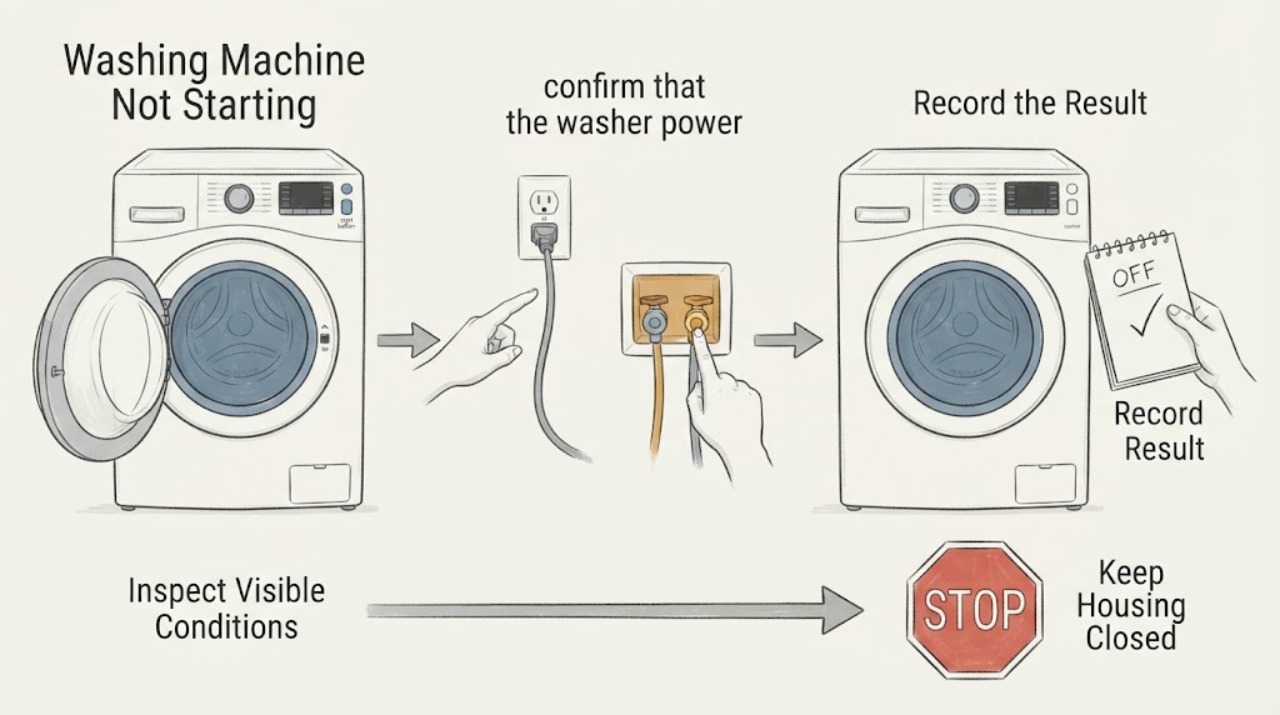
Work through in order
Diagnostic checks
Use only checks that match the exact appliance or system and its official guide.
-
Check 1
Press the normal Power control once and observe the panel from a dry, safe location; note whether it stays dark, lights up but ignores Start, or shows a code or blinking-light pattern.
Expected result: The panel is dark, the controls light but a cycle does not begin, or a complete code and indicator pattern is visible.
Next step: Write down the complete display, full model identifier, front-load or top-load style, and the point in the cycle or start sequence. Use the matching Samsung guide before guessing at a cause.
Why this matters
Why: A dark panel sends the diagnosis toward power and display supply. A lit panel that will not start sends it toward settings, locks, water, cycle state, or an error. Samsung models may use blinking lights instead of a digital code.
-
Check 2
If the panel is dark, confirm that the washer power cord is fully seated, the accessible connection is dry and undamaged, and the circuit has not tripped; do not open the appliance or perform an energized electrical check.
Expected result: The connection is loose or damaged, the circuit is tripped, another device also lacks power, or the washer supply appears normal while its panel remains dark.
Next step: Correct only a plainly loose connection if it can be done dry and safely. Do not use an extension or surge protector contrary to the model guidance. Stop and request qualified help for damage, heat, arcing, repeated trips, or a persistent dark panel.
Why this matters
Why: The issue may be the household supply, cord, connection, or washer control supply. A damaged cord, hot connection, repeated trip, or visible electrical concern is not a normal reset opportunity.
-
Check 3
If the panel works but Start is ignored, look for a lit or flashing Child Lock indicator and confirm that the selected cycle and options are available on this model; use only the model's documented Child Lock control.
Expected result: Child Lock is active, a selected option is unavailable for the cycle, the panel is damp but intact, or controls remain unresponsive after the documented setting is cleared.
Next step: Clear Child Lock only with the exact model instructions, allow a damp panel to dry, select a valid cycle, and press Start once. If the panel remains unresponsive or the code returns, stop and use service guidance.
Why this matters
Why: Samsung identifies Child Lock as a common reason buttons do not respond, and some settings are intentionally disabled for particular cycles. Moisture can also affect panel response.
-
Check 4
Confirm the cycle is not waiting on a previous operation: check whether the timer has ended, water has drained, Delay Start or another waiting mode is active, and the door or lid is fully closed without clothing caught in the visible opening.
Expected result: The washer is paused or delayed, water remains, the lock indicator is on, the closure is obstructed, or the cycle state appears normal but Start still does nothing.
Next step: Cancel or resume only through the normal controls and remove a visible obstruction after the washer is still. Never force the door or lid or bypass its switch. A latch that will not engage needs model-specific service.
Why this matters
Why: Samsung washers can refuse to start until a prior cycle drains, a delay ends, or the door or lid is detected as closed and locked. Water in a front-load washer can keep the door locked for safety.
-
Check 5
For a displayed fill code or no-fill symptom, verify from a dry, safe location that the needed water valves are open, hot and cold hoses are on the correct inlets, and visible hose runs are not kinked or damaged; do not loosen a pressurized connection.
Expected result: Water is available and hose routing looks normal, a valve is closed or a hose is visibly restricted, or water is entering continuously or leaking.
Next step: Correct only an obvious closed valve or external routing issue allowed by the model guide, then try the cycle once. If water keeps entering, a hose leaks, or the code returns, close the valves when safely reachable and request service.
Why this matters
Why: Samsung links fill errors to supply, hose routing, and sometimes drain-hose installation. Continuous filling or a leak is a stop condition, not a reason to keep pressing Start.
-
Check 6
For a drain, overflow, or door-lock symptom after a prior cycle, observe whether water remains in the tub and whether the area is dry; on a front-load model use an emergency drain or pump-filter procedure only when the exact manual authorizes it and the water is cool.
Expected result: The tub is empty and the lock releases, water remains but the area is safe, the water may be hot, or there is a leak or wet electrical area.
Next step: Wait for hot water to cool and follow the exact model procedure. Do not remove the drain-hose retaining screw, open wet electrical areas, or force the door. Persistent drain or lock problems need service.
Why this matters
Why: A washer may not start or unlock until water is removed. Samsung warns that water after hot cycles can be very hot and that front-load emergency-drain access is model-dependent.
-
Check 7
After recording the code and completing only the applicable safe checks, perform at most one model-authorized power cycle with the floor and connection dry; use the interval stated by Samsung for the model, then select the cycle and press Start once.
Expected result: The washer starts normally, the same code or no-start returns, the door remains locked, or the problem is joined by smoke, odor, arcing, heat, leakage, or a breaker trip.
Next step: If the no-start persists or a safety symptom appears, leave the washer unused and request model-specific service. Do not keep cycling power or bypassing a lock to force a cycle.
Why this matters
Why: Samsung documents a short power cycle for some control or error states, but recurrence means the underlying condition remains. A new safety symptom overrides further testing.
Use your observations
Decision map
Find the observation that best matches what you see, then follow the next safe action.
-
PATH 01Next step
What you see
The panel is completely dark.
Do this next
Arrange qualified service and follow the exact model guidance.
Why this path and its safety boundary
Why it matters: Follow the safe power and connection check. A damaged cord, hot connection, repeated trip, or persistent dark panel requires qualified help.
-
PATH 02Next step
What you see
The panel is lit but the Start control does not begin a cycle.
Do this next
Arrange qualified service and follow the exact model guidance.
Why this path and its safety boundary
Why it matters: Check Child Lock, valid cycle options, door or lid closure, delay state, and whether a prior cycle still contains water. Do not bypass the interlock.
-
PATH 03Next step
What you see
Child Lock is lit or flashing and the model guide identifies its documented release control.
Do this next
Arrange qualified service and follow the exact model guidance.
Why this path and its safety boundary
Why it matters: Use only that control combination, then select an available cycle and press Start once. If the panel remains unresponsive, request service.
-
PATH 04Next step
What you see
A door or lid code appears or the lock will not engage.
Do this next
Arrange qualified service and follow the exact model guidance.
Why this path and its safety boundary
Why it matters: Inspect only the visible closure and latch area after the washer is still. Remove a visible obstruction if safe; never force, tape, or bypass the lock.
-
PATH 05Next step
What you see
A fill code appears or no water enters.
Do this next
Arrange qualified service and follow the exact model guidance.
Why this path and its safety boundary
Why it matters: Check open valves, correct hot and cold routing, and visible kinks. If filling is continuous, leaking, or still fails, stop and request service.
-
PATH 06Next step
What you see
A drain or overflow code appears or water remains after a prior cycle.
Do this next
Arrange qualified service and follow the exact model guidance.
Why this path and its safety boundary
Why it matters: Treat the water as potentially hot, keep clear of wet electrics, and use only the exact model's safe drain procedure. A persistent fault needs service.
-
PATH 07Next step
What you see
A model-confirmed voltage, motor, sensor, or communication code returns after one permitted reset.
Do this next
Arrange qualified service and follow the exact model guidance.
Why this path and its safety boundary
Why it matters: Do not infer a part from the code alone. Preserve the exact code, model, and stage and arrange model-specific service.
-
PATH 08Next step
What you see
Smoke, a burning smell, arcing, a hot connection, repeated trips, active leakage, or violent movement is present.
Do this next
Arrange qualified service and follow the exact model guidance.
Why this path and its safety boundary
Why it matters: Stop immediately, keep people away, and isolate the appliance only by a safe normal method from a dry location. Escalate from a safe location before troubleshooting.
Helpful context
Understand the symptom
Start by identifying which kind of no-start you have
A dark panel is a power or display path. A lit panel that ignores Start is more often a lock, Child Lock, cycle, delay, water, or error condition. A washer that clicks, drains, or waits briefly may be performing a normal lock or sensing step. Record any code or blinking-light pattern before cycling power because Samsung meanings and button combinations vary by model.
Front-load and top-load behavior differs
Front-load models lock the door when water is detected, so a door that will not open after a cycle may be protecting against a spill. Top-load models have different lid behavior and can take several minutes to unlock after a power loss. Do not pull on the door, hold a lid switch, or bypass an interlock.
A code changes the next check
A fill code points toward water supply and hose routing, a door code toward closure and latch detection, and a drain or overflow code toward the water already in the machine. These are directions for a model-specific check, not proof that a particular replacement part is bad.
Safety boundary
Stop conditions
- Stop immediately for smoke, burning or electrical odor, arcing, a hot plug or outlet, repeated breaker trips, or visible electrical damage.
- Stop for continuous filling, active leakage, standing water near electrical parts, or a damaged pressurized hose.
- Stop for violent movement, impact, or metal scraping; do not repeatedly restart the washer or remove panels.
- Never force, tape, or bypass a door or lid lock, and do not continue when the exact model or code meaning is uncertain.
Only after diagnosis
Potential parts
- door or lid lock assembly
Consider only when the exact model procedure and a safe closure check show that the lock does not engage or report closed.
Confirm the complete washer model and manufacturer fit information before selecting a part. - inlet valve or water-level sensor
Consider only after normal valves and visible hose routing are confirmed but a model-specific fill fault persists.
A fill symptom does not prove which component failed; confirm model-specific documentation and fit. - drain pump or control assembly
Consider only after a model-specific diagnosis links a recurring drain or no-start condition to that component.
Confirm washer model, style, and approved service procedure before any replacement.
When checks do not resolve it
Need a professional?
Use qualified service for a persistent no-start, recurring code, failed lock, continuing fill or drain fault, damaged power connection, or any internal electrical or mechanical suspicion.
Safety scope: Do not open the cabinet, defeat a door or lid interlock, work around wet electrics, loosen pressurized hoses, or perform energized electrical checks. Smoke, arcing, major leakage, or immediate danger takes priority over appliance diagnosis.
Common questions
FAQ
Why is my Samsung washer on but not starting?
Check Child Lock, door or lid closure, delay or paused state, water left from a prior cycle, and any code or blinking-light pattern. Use the exact model guide and do not bypass the lock.
What should I check if my Samsung washer has no display?
From a dry, safe location check the cord, accessible connection, and circuit. A damaged or hot connection, repeated trip, or persistent dark panel needs qualified help rather than repeated resets.
Can Child Lock stop a Samsung washer from starting?
Yes. Samsung says a lit or flashing Child Lock indicator can prevent the panel from responding. Clear it only using the buttons documented for the exact model.
Should I keep pressing Start when an error code appears?
No. Record the complete code and model first, follow the matching safe check, and perform no more than one model-authorized reset. If the code returns or a safety symptom appears, request service.
Read the exact guide
Official sources
- Samsung washing machine will not start or fill with waterSamsung · Samsung washer start, Child Lock, door or lid, cycle, and fill troubleshooting
- Samsung Washer FAQSamsung · Samsung washer common no-start causes, model information, and support routing
- Samsung washing machine buttons won't workSamsung · Samsung washer Child Lock, unavailable settings, panel moisture, and button-response troubleshooting
- Power issues with Samsung washing machineSamsung · Samsung washer power cord, supply, circuit, start, and power-cycle troubleshooting
- Samsung washing machine information and error codesSamsung · Samsung washer error-code and blinking-light interpretations with model-dependent cautions
- Water fill issues with Samsung washing machinesSamsung · Samsung washer water supply, hose routing, continuous-fill stop, and fill recovery steps
- Samsung washing machine will not drainSamsung · Samsung washer drain and overflow safety, hot-water caution, hose routing, and service guidance
Community feedback
Share a repair observation
Share a plain-text repair observation. Accepted observations are published automatically; this page may take a moment to update.