
On this page
Start here
Quick answer
A Samsung washing machine that is not working needs to be split into a symptom, not treated as one generic failure. First record whether the display is blank, the controls respond but a cycle will not start, water will not enter, the washer will not drain or spin, or water is leaking. Check the external plug and circuit, door or lid closure, Child Lock, water valves and hoses, drain hose, visible leaks, and the exact error code from a dry, safe position. For a front-load model with water inside, allow hot water to cool and use only the model-approved emergency drain procedure. Do not move a washer through standing water, bypass a door lock, open panels, or repeatedly reset a breaker. Stop for a leak near electricity, violent movement, smoke, burning smell, sparks, a hot connection, or repeated trips and arrange qualified service.
Before you begin
Safety first
- This article covers ordinary external observation, labeled controls, visible hose routing, and model-documented drain or restart steps only. A qualified professional must handle internal water, pump, valve, motor, lock, control, wiring, cabinet, and electrical work.
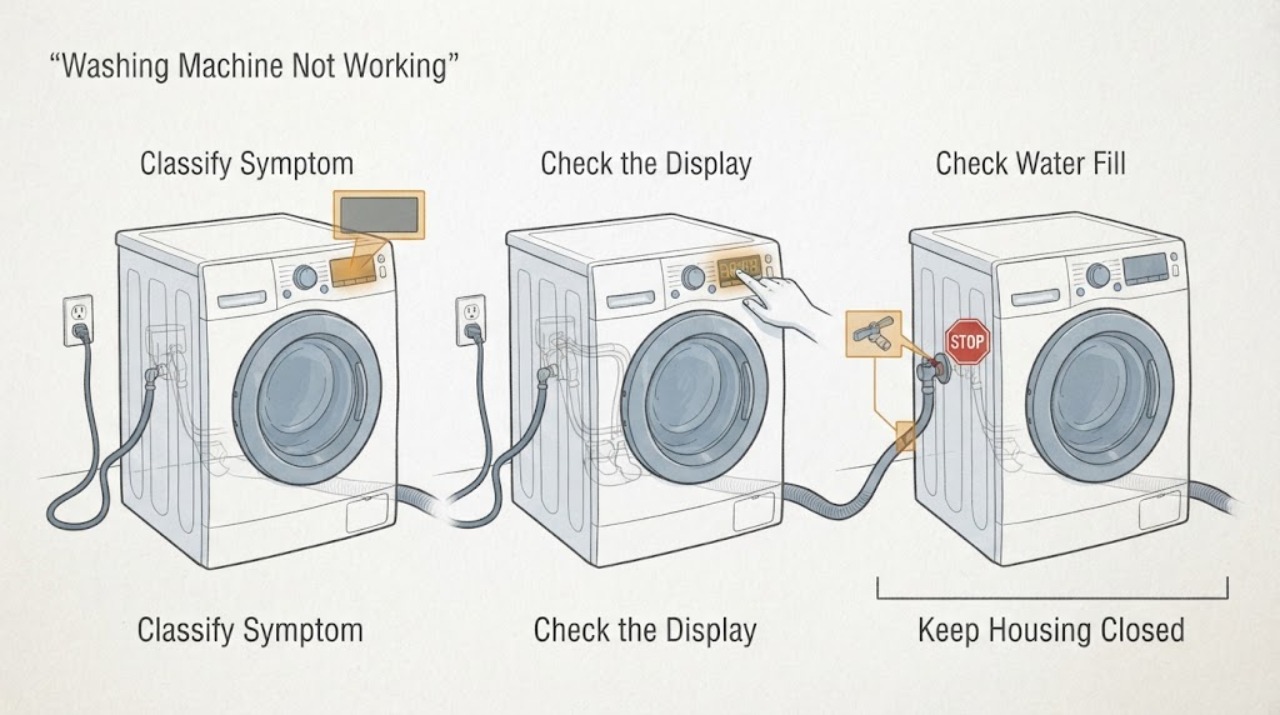
Work through in order
Diagnostic checks
Use only checks that match the exact appliance or system and its official guide.
-
Check 1
From a dry, safe position, observe the display, buttons, door or lid, water level, drum movement, and floor around the washer without moving the appliance or opening panels.
Expected result: Record blank display, lit but unresponsive controls, no cycle start, no fill, retained water or no drain, no spin, leak, unusual movement, or an exact code or blinking pattern.
Next step: Use the matching checks below and preserve the model, stage, code, water level, and first wet point.
Stop if: Stop for water near electricity, smoke, burning smell, sparks, a hot connection, violent movement, or repeated breaker trips.
Why this matters
Why: Blank display points to power or control supply. A lit panel with no start points to Child Lock, door closure, settings, or control state. Fill, drain, spin, and leak symptoms each need their own path and should not be collapsed into a single part guess.
-
Check 2
Check the external plug and washer circuit from a dry position, then read the panel for Child Lock, a door icon, delay setting, or a stuck-button state; use only the model-labeled controls and do not open the electrical enclosure.
Expected result: The panel returns after a supply interruption, Child Lock is lit or flashing, the door or lid is not detected closed, a button is stuck, or the panel stays blank or unresponsive.
Next step: Clear only a documented Child Lock or setting, close the door or lid normally, and if there is no hazard perform one model-approved power cycle; arrange service if the symptom returns.
Stop if: Do not reset a breaker repeatedly, bypass the lock, touch wet controls, or continue with a hot or damaged plug, outlet, cord, smoke, or spark.
Why this matters
Why: Samsung identifies power and Child Lock as separate causes of an apparent no-start. A door or lid state can prevent a cycle, while a persistent blank or unresponsive panel points to service after external checks.
-
Check 3
If the washer powers on but does not fill, inspect the visible hot and cold valves, supply hoses, inlet connections, and drain-hose routing for closed valves, kinks, damage, or an error; do not loosen a pressurized hose.
Expected result: Both valves are open and hoses intact, one hose is kinked or damaged, hot and cold lines are reversed, the washer continuously fills, or a fill code appears.
Next step: Correct only a visible valve or routing issue that the model instructions permit, then perform one normal start; close the valves and request service for damage, continuous filling, or a recurring code.
Stop if: Do not use a damaged hose, remove the rear drain-hose holder screw, handle uncontrolled water, or continue when water approaches electricity.
Why this matters
Why: Samsung links no-fill symptoms to supply valves, hose routing, inlet conditions, and model-specific codes. Continuous filling is a separate safety and service condition, not a reason to keep running the machine.
-
Check 4
If water remains or the washer stops before draining, inspect the visible drain hose, holder, connection, and household drain from a safe position; for a supported front-load model, let hot water cool and follow the exact emergency-drain or pump-filter procedure.
Expected result: The drain hose is kinked or displaced, the standpipe overflows, a front-load emergency hose drains water, the filter area leaks or is blocked, or no water drains.
Next step: Use only the model-approved external drain procedure, dry the area, and perform no further cycle if the path leaks, remains blocked, or the door stays locked.
Stop if: Do not open a hot or pressurized filter, spill water near the plug, tilt the washer, remove panels, or handle contaminated water near electricity.
Why this matters
Why: Samsung notes that drain installation and a blocked filter can prevent draining, and a washer that cannot drain may not proceed to spin. Access and filter arrangements vary by model, so no water or a damaged path requires service.
-
Check 5
If the washer fills and drains but does not spin or moves violently, note whether the drum ever begins rotating, stop the cycle, and inspect only the visible load balance and floor stability; do not reach into a moving drum or open the cabinet.
Expected result: The load is tangled or unbalanced, the washer is not level, water remains, the drum never moves, the washer walks or bangs, or a motor or other code appears.
Next step: Rearrange a safe, accessible load once and confirm the washer is stable without moving it through water; request service if the drum still does not spin or movement is severe.
Stop if: Do not run with violent banging, metal scraping, a loose cabinet, leaking water, smoke, burning smell, sparks, or a repeated breaker trip.
Why this matters
Why: Samsung says an unbalanced load can stop or reduce spin, while retained water can prevent the spin stage. A drum that never moves, violent movement, or recurring motor-related symptoms requires qualified diagnosis.
-
Check 6
For any leak or code, stop the washer, record the cycle stage and first wet point, and compare the complete display or blinking-light pattern with the exact Samsung model guide; do not move the washer or infer a component from a puddle.
Expected result: The first wet point is at a supply hose, dispenser, door gasket, drain path, standpipe, or cabinet base, or the code indicates water level, door, voltage, no drain, or another condition.
Next step: Close the water valves for an active leak, use only a model-approved external correction, and request appliance or household plumbing service when the source is damaged, internal, recurring, or unclear.
Stop if: Do not reconnect power on a wet floor, open panels, handle internal water or wiring, or continue with smoke, burning smell, sparks, hot connections, or repeated trips.
Why this matters
Why: A first wet point separates supply, dispenser, door, drain, household plumbing, and internal cabinet paths. Samsung notes that code meanings vary by model, so the complete code and symptom timing change the next decision.
-
Check 7
Only when the washer is dry, stable, free of leaks and hazards, and water is at a safe temperature, follow the exact model guide to unplug or turn off its circuit once, wait the stated interval, restore power, and attempt one normal cycle.
Expected result: The washer works normally, the same symptom or code returns, the breaker trips again, or the washer remains unable to fill, drain, spin, or complete a cycle.
Next step: Stop testing and provide the technician with the model, stage, display pattern, water level, first wet point, load behavior, and results of each safe check.
Stop if: Do not repeat the reset, bypass an interlock, run another cycle after a hazard, or work on live, wet, hot, or internal components.
Why this matters
Why: A successful restart can clear a temporary control state but does not prove the washer is repaired. A recurring symptom, code, or trip requires qualified diagnosis.
Use your observations
Decision map
Find the observation that best matches what you see, then follow the next safe action.
-
PATH 01Safety boundary
What you see
The display and normal indicators are blank.
Do this next
Check the external circuit once from a dry position and request service if the panel remains blank or the breaker trips.
Why this path and its safety boundary
Why it matters: Power supply, installation, or control supply is the first path; water and motor parts are not yet established as causes.
Safety stop: Stop for heat, smoke, water, exposed wiring, a damaged connection, or an immediate trip.
-
PATH 02Safety boundary
What you see
The panel is lit but the cycle will not start or buttons do not respond.
Do this next
Use the exact model's labeled controls, confirm closure, allow a damp panel to dry, and perform one safe restart only if permitted.
Why this path and its safety boundary
Why it matters: Child Lock, door or lid closure, a cycle setting, moisture, or a control state may be preventing start.
Safety stop: Do not defeat a lock, operate a wet or damaged panel, or keep resetting power.
-
PATH 03Safety boundary
What you see
The washer powers on but does not fill or continuously fills.
Do this next
Check visible valve and hose conditions, close valves for continuous filling, and request service for damage or a recurring code.
Why this path and its safety boundary
Why it matters: Supply valves, hoses, inlet routing, or a water-level condition is more likely than a spin fault.
Safety stop: Do not loosen a pressurized hose, use a damaged hose, or allow water near electricity.
-
PATH 04Safety boundary
What you see
Water remains in the washer or it stops before the drain stage completes.
Do this next
Allow hot water to cool and use only the exact model's documented drain access; request service if the path is blocked or damaged.
Why this path and its safety boundary
Why it matters: A drain hose, household drain, pump filter, pump path, or water-level condition may block the next stage.
Safety stop: Do not open a hot or pressurized filter, spill water near electricity, tilt the washer, or remove panels.
-
PATH 05Safety boundary
What you see
The washer drains but will not spin, stops spinning, or moves violently.
Do this next
Rearrange an accessible load once and verify stable placement without moving through water; request service for a drum that never moves or severe movement.
Why this path and its safety boundary
Why it matters: Load balance, level, retained water, door or lid state, or a motor or drive fault may be involved.
Safety stop: Stop for walking, banging, metal scraping, leaking, smoke, burning smell, sparks, or a breaker trip.
-
PATH 06Safety boundary
What you see
Water is visible on the floor or cabinet and the first wet point can be traced to a supply, dispenser, door, drain, standpipe, or base.
Do this next
Stop the washer, close water valves for an active leak, keep electricity dry, and arrange appliance or household plumbing service as appropriate.
Why this path and its safety boundary
Why it matters: The first wet point, timing, and whether the leak continues while off distinguish supply, dispenser, door, drain, household plumbing, and internal paths.
Safety stop: Do not move the washer through standing water, reconnect power while wet, or open the cabinet.
-
PATH 07Safety boundary
What you see
A code or general failure returns after the exact external check and one safe restart, or no safe branch restores normal operation.
Do this next
Leave the washer unused and request qualified Samsung appliance service with the complete code and symptom timeline.
Why this path and its safety boundary
Why it matters: The issue may involve a sensor, lock, valve, pump, motor, control, wiring, or another model-specific fault that cannot be selected from the symptom alone.
Safety stop: Do not guess at a part, bypass safety devices, open panels, or run repeated test cycles.
-
PATH 08Safety boundary
What you see
There is smoke, burning smell, sparks, a hot or damaged plug or outlet, water near electricity, violent movement, hot water exposure, or a repeated breaker trip.
Do this next
Keep clear, avoid contact with water and electricity, and use the appropriate emergency or qualified service path from a safe position.
Why this path and its safety boundary
Why it matters: Fire, burn, water, or electrical safety takes priority over diagnosing why the washer is not working.
Safety stop: Do not reset, reconnect, move, open, or run the washer.
Helpful context
Understand the symptom
Define not working before troubleshooting
A blank panel, an unresponsive but lit panel, a no-fill stop, retained water, no spin, a leak, and a mid-cycle error have different next checks. Write down the model, front-load or top-load design, cycle and stage, display or blinking-light pattern, water level, and the first unusual sound or movement. This record is more useful than repeatedly selecting Start.
Safety first around water and electricity
Stop the cycle and keep the floor, plug, outlet, and controls dry. Close the water valves for an active leak if they can be reached without entering water. If a recent cycle used hot water, allow it to cool before any drain access. Internal electrical, pump, valve, lock, and cabinet work belongs to qualified service.
Safety boundary
Stop conditions
- Stop the washer and keep water away from the plug, outlet, controls, and feet; do not reconnect power while the floor or electrical connection is wet.
- Close the household water valves for an active leak only from a dry, safe position; do not move or tilt the washer through standing water.
- Allow recently hot water to cool before any documented drain or filter procedure; do not open a hot or pressurized filter.
- Do not bypass, tape, wedge, or hold a door, lid, latch, lock, or other safety interlock; do not open panels or handle internal wiring, pumps, valves, or motors.
- Stop for violent movement, metal scraping, smoke, burning smell, sparks, a hot or damaged cord or outlet, uncontrolled water, or repeated breaker trips.
Only after diagnosis
Potential parts
- washing-machine door or lid lock
Consider this category only if qualified diagnosis confirms the door or lid is aligned and intact but the model-specific lock does not report a safe closed state.
Confirm exact model and revision with Samsung or a qualified technician; never bypass the lock to make a cycle run. - washing-machine inlet valve or supply hose
Consider this category only if the first fill-side wet point or qualified diagnosis identifies a damaged hose, inlet connection, or failed model-specific valve.
Confirm exact model, hot and cold routing, connector, and installation requirements before any replacement. - drain pump or pump-filter component
Consider this category only after safe drain-hose checks and qualified diagnosis confirm retained water is caused by the model-specific pump or filter path.
Confirm exact model, filter arrangement, water-safety procedure, and fit information; do not open a hot or pressurized drain path. - front-load door gasket
Consider this category only when the first wet point is the front door seal and qualified diagnosis confirms a torn or distorted gasket after visible debris is excluded.
Confirm exact model and door configuration; do not glue, stretch, or substitute a seal to force a fit.
When checks do not resolve it
Need a professional?
Request qualified Samsung appliance service when the washer remains unable to start, fill, drain, spin, or complete a cycle after safe external checks and one model-approved restart; when a code returns; when a door, lid, hose, gasket, pump-filter area, cabinet, cord, or outlet is damaged; or when the source of a leak is internal or unclear. Use household plumbing service for a building-drain overflow and urgent local safety or electrical service for smoke, sparks, water near electricity, or repeated trips.
Safety scope: This article covers ordinary external observation, labeled controls, visible hose routing, and model-documented drain or restart steps only. A qualified professional must handle internal water, pump, valve, motor, lock, control, wiring, cabinet, and electrical work.
Common questions
FAQ
What should I check first when my Samsung washing machine is not working?
Classify the symptom as no power, no start, no fill, no drain, no spin, leak, or code. Check the external circuit, door or lid, Child Lock, visible hoses, water level, and exact display from a dry position. The next check depends on that classification.
Why does my Samsung washer have power but not start?
Child Lock, door or lid closure, a cycle setting, panel moisture, or a returned code can prevent start. Use the exact model's labeled controls and confirm closure. If one safe restart does not restore operation, request service.
Why does my Samsung washer fill but not spin?
The washer may still contain water, may have an unbalanced load, or may have a door, motor, or other model-specific condition. Check safe drain and load-balance paths first. A drum that never moves or a washer that bangs or walks needs service.
Can a drain problem make a Samsung washer stop working?
Yes. Samsung explains that the washer drains before spinning, so a blocked or incorrectly routed drain can prevent the spin stage. Allow hot water to cool before documented drain access, never open a hot or pressurized filter, and request service when draining fails.
How should I handle a Samsung washer leak?
Stop the washer, keep water away from electricity, close the water valves for an active leak from a dry position, and find the first wet point without moving the appliance. Check only visible supply, dispenser, door, drain, and standpipe areas. Cabinet-base or recurring leaks need service.
When is a Samsung washer problem an urgent safety issue?
Stop immediately for uncontrolled water, water near a plug or outlet, hot water or steam, smoke, burning smell, sparks, a hot or damaged cord, violent movement, or repeated breaker trips. Do not reset, reconnect, move, open, or run the washer; use the appropriate emergency or qualified service path from a safe position.
Read the exact guide
Official sources
- Samsung washing machine does not spin at allSamsung Support US · Samsung washer no-spin troubleshooting; front-load filter and calibration options vary by model.
- Samsung washing machine buttons won't workSamsung Support US · Samsung washer control troubleshooting; button availability varies by model and cycle.
- Samsung Washer FAQ | Product, Shipping & Support | Samsung USSamsung Support US · Samsung washer FAQ covering front-load, top-load, and combination models; exact model guidance controls.
- Samsung washing machine information and error codesSamsung Support US · Samsung washer error and icon guide; meanings vary by model.
- Samsung washing machine will not drainSamsung Support US · Samsung washer drain guide for front-load and top-load models; pump-filter access varies by model.
- Water fill issues with Samsung washing machinesSamsung Support US · Samsung front-load and top-load water-fill guidance; exact model hose and valve setup controls.
- Samsung washing machine is leakingSamsung Support US · Samsung washing-machine leak troubleshooting; exact model and installation instructions control.
Community feedback
Share a repair observation
Share a plain-text repair observation. Accepted observations are published automatically; this page may take a moment to update.