
On this page
Start here
Quick answer
First confirm the exact Sharp model and whether it is a standalone tumble dryer or a washer-dryer, then note whether the drum never moves, stops during a programme, or turns only in an anti-crease or cooling phase. Do not reach into a moving drum. With the appliance stopped and unplugged only when safe, check that the loading door is fully closed, a programme and Start/Pause command are selected, Child Lock or standby is not active, and the lint filter is correctly fitted. Remove pockets and a tangled or overloaded load, and confirm the dryer is stable on all feet with ventilation openings clear. Sharp's official heat-pump dryer manual says pump and water sounds can be normal, but directs service for a persistent nonfunctional product; it also warns not to operate without the filter and to keep the appliance on a stable, level surface. If the drum still will not turn with an empty or suitable load, or if there is scraping, burning odor, smoke, sparks, abnormal heat, a damaged cord, water near electrics or a repeated breaker trip, stop and arrange qualified service.
Before you begin
Safety first
- Do not reach into a moving drum, bypass the door lock, open the cabinet, force the drum, move a stacked or connected appliance, operate without the lint filter, touch sharp heat-exchanger fins, probe live wiring or restart after smoke, sparks, burning odor, abnormal heat, water near electrics or a breaker trip.
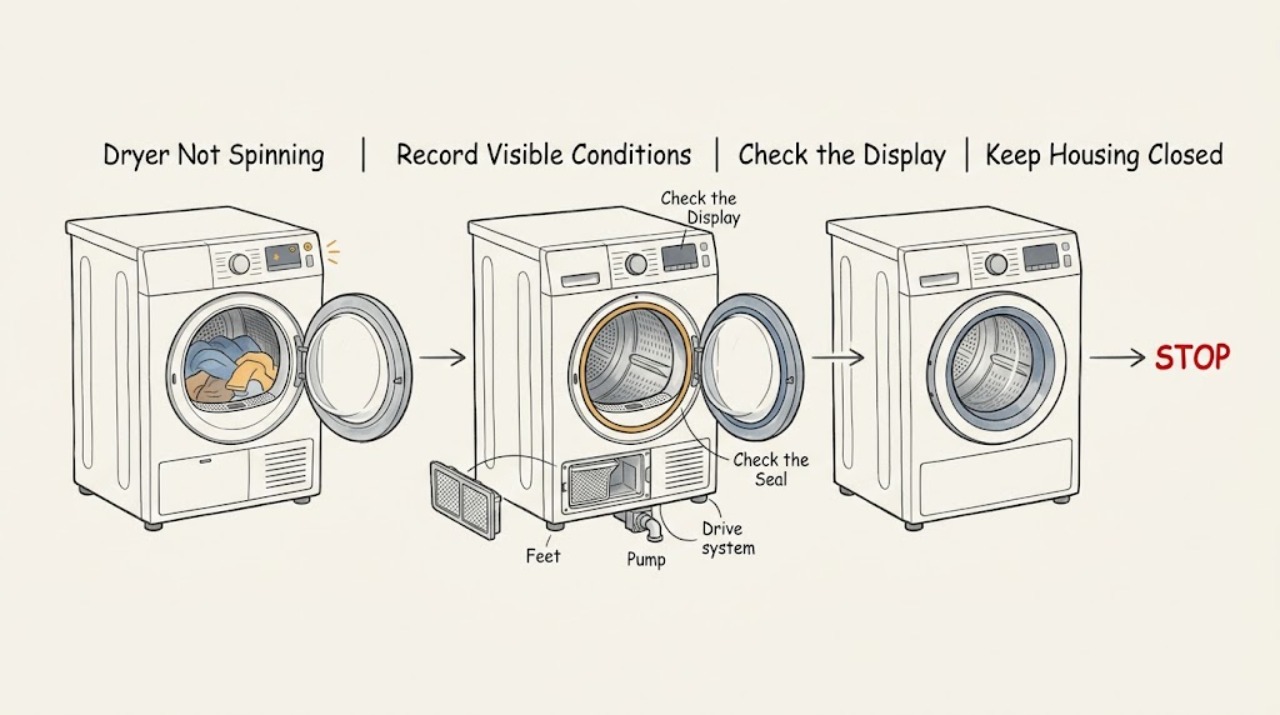
Work through in order
Diagnostic checks
Use only checks that match the exact appliance or system and its official guide.
-
Check 1
Stop the dryer and identify the exact appliance and failure. Read the model label, confirm standalone tumble dryer or washer-dryer, and record whether the drum never starts, stops after starting, or turns only during cooling or anti-crease. Note the door indication, display or blinking pattern, programme, water-tank or filter warning and any sound. Stop immediately for scraping, violent movement, burning or electrical odor, smoke, sparks, scorching, abnormal heat, a damaged cord, water near electrics or a repeated breaker trip.
Expected result: The panel is dark or locked, the door is open or not recognised, the drum is completely still, the drum starts then stops, or a hazard is present.
Next step: For smoke, sparks, burning odor, abnormal heat, water near electrics or a damaged cord, stop and isolate power only when safe. Otherwise continue with the model-specific start and load checks below.
Why this matters
Why: A dark, locked or door-related state is a start-control path; a drum that starts then stops can be a programme, load, water or fault path. A hazard requires isolation and service rather than another test.
-
Check 2
Check the safe start conditions without forcing the door. Make sure the loading door is fully closed, a programme is selected, Start/Pause has been pressed as the model requires, and the control is not in standby or Child Lock. If the door was opened during a programme, close it and use the documented resume command. Do not bypass the door lock or open the cabinet.
Expected result: The machine accepts Start and the drum turns, the door or lock indication remains, the controls remain in standby, or the programme still does not start.
Next step: Use only the exact model control sequence. If the door is damaged, the panel is unresponsive or the programme will not start, keep the dryer off and arrange authorised service.
Why this matters
Why: Sharp's opened manual lists a properly closed door, selected programme, Start/Pause command and inactive Child Lock as start conditions. A persistent no-start after these accessible checks points to a door interlock, control or power fault rather than a load balance issue.
-
Check 3
With the programme stopped and the drum motionless, remove all pockets and separate tangled laundry. Try one small, even load within the exact model capacity; do not put one heavy, wet bundle or more laundry than the manual allows into the drum. Inspect the visible door opening for a loose metal object, but do not force anything out from behind the seal or drum.
Expected result: The drum turns with a small balanced load, it remains still with the drum empty, or a scraping or clanking sound follows the drum.
Next step: Use the matching programme and load limits. If the empty drum remains still or the sound follows rotation, stop using the dryer and request model-specific service rather than ordering a part from the sound alone.
Why this matters
Why: A tangled or overloaded load can prevent reliable starting or add resistance, while a no-spin condition with an empty drum is not explained by laundry distribution. A rotation-linked scrape or clank suggests a foreign object or internal drive issue.
-
Check 4
Check the installation without lifting or moving the dryer. Confirm that it stands on a solid, level, stable surface, all accessible feet support it, the rear and front ventilation openings are clear, and the power cable is not trapped underneath. For a stacked installation, verify that the model-approved fixing arrangement was installed by the authorised provider; do not dismantle the stack to investigate a noise.
Expected result: The cabinet rocks, a foot is unsupported, ventilation is blocked, the cable is pinched, or the installation is stable and clear.
Next step: Correct only an accessible obstruction or foot condition using the manual. If the floor, stack or power arrangement is unsafe or unclear, keep the dryer off and arrange qualified installation or service.
Why this matters
Why: Sharp's manual says a stable, balanced installation reduces noise and vibration and warns that blocked ventilation or an unsuitable installation can damage the appliance. A stable installation shifts the diagnosis toward door, controls, load, foreign object or drive service.
-
Check 5
After the dryer is cool and power is safely disconnected, remove and refit the lint filter exactly as the model manual shows. Clean the accessible filter and filter seat, empty the water tank on models that use one, and clean the heat exchanger only when the model instructions permit it. Do not operate without the filter, insert tools into the drum or reach bare-handed into sharp heat-exchanger fins.
Expected result: The filter is missing, wet, clogged or not seated, a water-tank warning is present, the heat-exchanger warning is present, or the accessible maintenance path is clear.
Next step: Correct only the accessible maintenance condition and refit every part securely. If the drum still does not turn or a warning remains, stop and arrange authorised service.
Why this matters
Why: Sharp's manual connects a missing or blocked filter and a full tank with programme or performance problems, and warns that filter or heat-exchanger maintenance is model-specific. These conditions do not by themselves identify a failed drum drive.
-
Check 6
After a non-hazardous correction, perform at most one short supervised programme with a normal suitable load, staying nearby. Observe the door lock, drum movement, sound, programme progress and any warning. Do not repeat the test to reproduce scraping or a stall, cancel a hot cycle and leave laundry concentrated inside, reset a tripping circuit or open the cabinet.
Expected result: The drum rotates normally, it remains still, it starts and stops with a warning, or scraping, burning odor, smoke, sparks, abnormal heat, water or a breaker trip appears.
Next step: Keep the dryer off for recurrence or any hazard and arrange Sharp or qualified appliance service. Give the model, programme, load, warning, sound and installation observations to the technician.
Why this matters
Why: A single normal run after correcting a door, control, load or maintenance condition supports that external cause. A recurring no-spin symptom points toward the interlock, motor, belt, drum, bearing, pump or control; any hazard ends testing.
Use your observations
Decision map
Find the observation that best matches what you see, then follow the next safe action.
-
PATH 01Next step
What you see
The panel is in standby, Child Lock is active, the programme is not selected or Start/Pause has not been accepted.
Do this next
Use the exact model control sequence once. If the controls remain unresponsive or the programme will not start, request service.
Why this path and its safety boundary
Why it matters: The dryer may be waiting for a valid programme and start command rather than suffering a no-spin drive failure.
-
PATH 02Next step
What you see
The loading door is not fully closed or the dryer does not recognise the closed door.
Do this next
Remove only an accessible obstruction and close the door as the model manual shows. Do not defeat the lock; request service for a damaged seal, latch or interlock.
Why this path and its safety boundary
Why it matters: A door condition can prevent the programme from starting or resuming safely.
-
PATH 03Next step
What you see
The drum turns with a small, even load but not with a tangled, heavy or overloaded load.
Do this next
Sort, separate and reduce the load according to the model guide. If no-spin returns with a suitable load, stop and arrange service.
Why this path and its safety boundary
Why it matters: Load resistance or unsuitable laundry can be preventing normal movement or triggering protection.
-
PATH 04Next step
What you see
The dryer rocks, walks or vibrates and the feet, floor or ventilation arrangement is not stable.
Do this next
Correct an accessible foot or obstruction only as instructed. Have an installer or authorised service provider correct an unsafe floor, stack or hidden installation issue.
Why this path and its safety boundary
Why it matters: Sharp identifies stable, balanced installation and clear ventilation as operating requirements; instability can create noise and stop a safe cycle.
-
PATH 05Next step
What you see
A pump or water sound occurs on a heat-pump model while the drum and programme otherwise behave normally.
Do this next
Compare with the exact manual and observe whether the drum rotates. Escalate if the drum is still, the programme stops, a warning appears or another abnormal sound develops.
Why this path and its safety boundary
Why it matters: Sharp's manual describes pump and water sounds at intervals as normal for that model family; the sound alone does not prove a drum-drive failure.
-
PATH 06Next step
What you see
The drum remains still with an empty or suitable load, or a rotation-linked scrape, grind or clank persists after accessible checks.
Do this next
Keep the dryer off and arrange Sharp or qualified appliance service. Do not open the cabinet, force the drum or substitute a part without model-specific diagnosis.
Why this path and its safety boundary
Why it matters: A drive, drum, bearing, belt, foreign-object, interlock or control fault is possible, but the sound does not identify the failed part.
-
PATH 07Next step
What you see
There is burning or electrical odor, smoke, sparks, abnormal heat, a damaged cord, water near electrics or a repeated breaker trip.
Do this next
Stop immediately, isolate power only when safe, keep clear of water and obtain qualified or emergency help as appropriate. Do not restart to reproduce the symptom.
Why this path and its safety boundary
Why it matters: This is a fire, electrical, heat or water-safety event, not a routine no-spin adjustment.
Helpful context
Understand the symptom
Not spinning is a symptom, not a part diagnosis
A dryer can appear not to spin because the door is open, the programme is paused, Child Lock or standby is active, the load is too large or tangled, or a protective fault has stopped the cycle. A pump or water sound on a heat-pump model does not prove that the drum motor is running. Record the exact stage and whether the drum moves at all before choosing a repair path.
Sharp models and regions are not interchangeable
Sharp sells condenser and heat-pump tumble dryers as well as washer-dryer products, and controls differ by model and country. The opened Sharp manual is for the KD-NHH0S7GW21-EN heat-pump dryer; use its instructions only where the model matches. Do not apply its voltage, water-tank, filter or programme details to an unidentified appliance.
Keep the safe user check outside the cabinet
The user-check boundary is the model label, door, programme controls, load, pockets, visible filter, accessible feet and clear ventilation openings. Sharp says installation and repair should be performed by an authorised repair agent and warns against operating a damaged product or using it without a correctly fitted filter. A belt, motor, bearing, drum kit, interlock or control fault needs model-specific service.
Safety boundary
Stop conditions
- Drum remains still with an empty or suitable load after safe door, control and maintenance checks
- Rotation-linked scraping, grinding, clanking or a foreign object trapped behind the seal or cabinet
- Burning or electrical odor, smoke, sparks, melting, scorching or abnormal heat
- Water leaking or standing water near electrical parts, a damaged cord or a repeated breaker trip
- Unsafe or unstable installation, blocked ventilation or a stack that cannot be checked safely
- Any need to open the cabinet, bypass the door interlock, force the drum or test live parts
Only after diagnosis
Potential parts
- drum drive motor or drum assembly
Consider only after qualified diagnosis confirms that the drum remains still with a valid programme, safe door state and suitable load, with no foreign object or installation cause.
Confirm the complete Sharp model, region and dryer technology before any part decision; do not infer fit from the symptom alone. - door interlock or latch
Consider only when the door is visibly intact but the exact model does not recognise a closed door or will not start after the documented control checks.
Door-safety components are model-specific and must not be bypassed. - drive belt, idler or drum support
Consider only after qualified inspection confirms a drive or support fault and rules out load, level, filter, door and foreign-object causes.
These parts require model-specific service access; do not remove panels or force the drum as a user check.
When checks do not resolve it
Need a professional?
Arrange Sharp authorised or qualified appliance service for a drum that remains still with an empty or suitable load, a door or lock that is not recognised, a recurring warning, persistent scrape or grind, unstable installation that cannot be corrected safely, or suspected motor, belt, drum, bearing, pump or control fault. Treat smoke, sparks, burning odor, abnormal heat, a damaged cord, water near electrics or a repeated breaker trip as an immediate safety escalation.
Safety scope: Do not reach into a moving drum, bypass the door lock, open the cabinet, force the drum, move a stacked or connected appliance, operate without the lint filter, touch sharp heat-exchanger fins, probe live wiring or restart after smoke, sparks, burning odor, abnormal heat, water near electrics or a breaker trip.
Common questions
FAQ
Why is my Sharp dryer not spinning at all?
Confirm the model and check the fully closed door, selected programme, Start/Pause command, Child Lock or standby state, suitable load, filter fit and stable installation. If the drum remains still when empty or with a suitable load, a door, motor, belt, drum, bearing or control fault needs qualified diagnosis.
Can an overloaded load stop a Sharp dryer drum from turning?
It can add resistance or cause a programme to stop, especially when laundry is tangled or beyond the model capacity. Remove pockets, separate the load and try only one suitable load within the exact manual limits. No-spin with an empty drum is not a load-balance explanation.
Is a pump or water sound normal in a Sharp heat-pump dryer?
For the opened Sharp KD-NHH0S7GW21-EN manual, intermittent pump and water sounds can be normal. Confirm that the drum and programme otherwise operate normally. A still drum, warning, persistent harsh sound or stalled programme requires model-specific service.
Can a door or Child Lock make a Sharp dryer appear not to spin?
Yes. Sharp's manual lists a properly closed door, selected programme, Start/Pause command and inactive Child Lock among the start conditions. Use the exact model controls once; do not bypass the lock or open the cabinet if the dryer still will not start.
When should I stop using a Sharp dryer that is not spinning?
Stop for scraping or grinding, violent movement, burning or electrical odor, smoke, sparks, abnormal heat, a damaged cord, water near electrics or a repeated breaker trip. Isolate power only when safe and obtain qualified or emergency help; do not restart to reproduce the fault.
Read the exact guide
Official sources
- 脱水回転の途中で止まる|ドラム式洗濯乾燥機故障診断ナビSharp Support · Sharp washer-dryer spin interruption, load distribution and safe pause/restart guidance for applicable models
- SHARP KD-NHH0S7GW21-EN Freestanding Tumble Dryer 10 kg A++ with Heat Pump TechnologySharp Home EU · Sharp tumble-dryer product identity, heat-pump technology and linked manual for the identified model
- Welcome to Sharp Product SupportSharp Home EU · Sharp home-appliance support, model search and Laundry/Tumble Dryer documentation boundaries
- Home Appliances EN User Manual KD-NHH0S7GW21-EN Tumble DryerSharp Home EU · Sharp KD-NHH0S7GW21-EN heat-pump tumble dryer operation, safety, installation, filters, door, programmes and troubleshooting
- 音が気になる|ドラム式洗濯乾燥機故障診断ナビSharp Support · Sharp washer-dryer noise categories by wash, spin and drying stage
Community feedback
Share a repair observation
Share a plain-text repair observation. Accepted observations are published automatically; this page may take a moment to update.