
On this page
Start here
Quick answer
A Siemens dryer that is not heating needs an appliance-specific check because heat-pump, condenser, and vented models do not use the same air and water paths. First record the complete E-Nr, programme, load, and any display or filter warning. From a cool, dry appliance and ordinary safe access, confirm the selected programme is intended to heat, the door closes, the lint filter and visible air inlet are clear, and a condenser or heat-pump model has an empty, correctly seated condensate container and a cleanable heat-exchanger path exactly as its manual describes. Do not open the cabinet or test energized parts. If the dryer has smoke, a burning smell, arcing, severe heat, a leak near electricity, or a domestic fuse trip, stop immediately. If cleaning and one model-approved restart do not restore warm airflow, or the code returns, leave the dryer off and arrange Siemens or qualified appliance service rather than assuming the heater, sensor, or control is defective.
Before you begin
Safety first
- This article supports ordinary safe observations and one model-approved restart only when the dryer is cool and dry. Do not open panels, work on energized wiring or sealed heat-pump circuits, bypass door or thermal protection, tip the appliance, or continue after smoke, burning odor, severe heat, water near electricity, arcing, or repeated fuse trips.
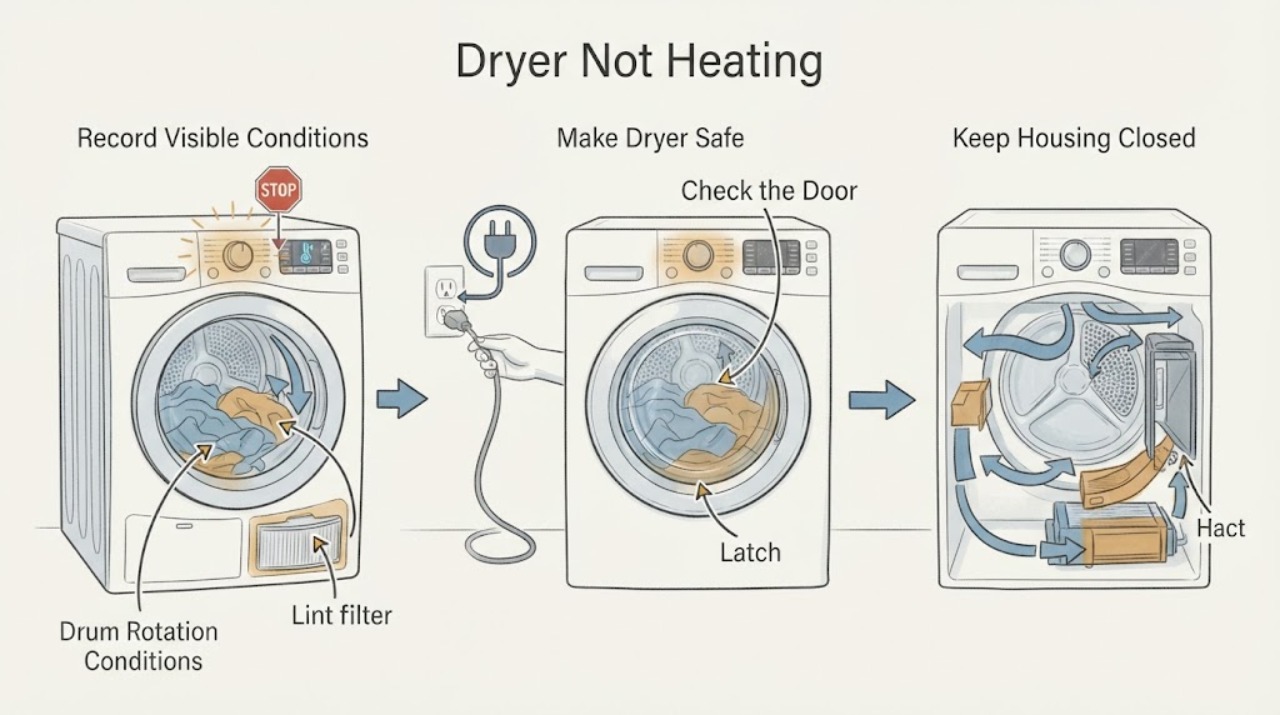
Work through in order
Diagnostic checks
Use only checks that match the exact appliance or system and its official guide.
-
Check 1
Stop the programme and inspect the dryer and surrounding area from a safe position without opening panels or reaching into a hot drum.
Expected result: Record smoke, burning or hot electrical smell, visible arcing, severe heat, water near the appliance or outlet, damaged cord or outlet, a domestic fuse trip, or a drum that is dangerously noisy or stationary.
Next step: Leave the dryer off and arrange appropriate emergency, electrical, water, or qualified appliance service from a safe location when a hazard is present; otherwise photograph the display and rating plate.
Stop if: Do not touch wet electrical parts, operate the dryer, open the cabinet, or continue testing after smoke, burning odor, arcing, severe overheating, or a power trip.
Why this matters
Why: Smoke, burning odor, arcing, severe heat, water near electricity, visible damage, or repeated fuse trips is a safety stop rather than a no-heat troubleshooting step. A cool, dry dryer with no damage can proceed to identity and external checks.
-
Check 2
Read the complete Siemens E-Nr from the rating plate or door area from ordinary safe access and record the selected programme, load type, load size, and any display or indicator message.
Expected result: Record the E-Nr including its revision suffix, dryer type if stated, whether the drum turns, whether the programme ends early, and whether a filter, water, door, or fuse indicator is shown.
Next step: Use the exact E-Nr support record and manual before changing a setting or cleaning a component; if the label cannot be read safely, provide a photo to service.
Stop if: Do not move a built-in or stacked dryer, remove trim, or reach behind hot, wet, or damaged equipment to obtain the label.
Why this matters
Why: The E-Nr determines which manual and troubleshooting branches apply. A heat-pump, condenser, and vented model cannot be assumed to share the same air path, condensate system, programme behavior, or component meaning.
-
Check 3
Compare the selected programme, temperature or dryness option, delay or pause state, and door closure with the exact Siemens manual; close the door normally without forcing the latch.
Expected result: Record whether the programme is a no-heat or low-heat option, Delay or pause is active, the door latches, the drum begins turning, or the dryer stops with a door or programme-sequence warning.
Next step: Choose only a model-documented warm programme and start it once with a suitable load; if the door will not latch or the correct programme still does not heat, stop and arrange service.
Stop if: Do not bypass the door switch, run with a damaged seal or latch, or continue if the dryer starts unexpectedly or shows an unsafe condition.
Why this matters
Why: A programme setting or control state can produce little or no heat by design, while a door that is not confirmed closed can prevent normal operation. A correct programme and latched door with cold output shifts attention to airflow, condensate, power, or the heating system.
-
Check 4
With the dryer cool and stopped, remove and clean only the user-accessible lint filter and inspect the visible air inlet or vent route named by the exact manual.
Expected result: Record whether the filter is packed with lint, wet, damaged, missing, correctly seated, or clean but accompanied by a filter warning; note whether the visible inlet or vent route is blocked.
Next step: Restore the filter exactly as instructed and retry one appropriate programme only when the dryer is otherwise safe; arrange service if the warning or no-heat symptom remains.
Stop if: Do not operate without the required filter, push tools into the air path or heat exchanger, use compressed air into inaccessible areas, or open the cabinet.
Why this matters
Why: A dirty or incorrectly seated filter can restrict airflow and reduce drying performance. A clean filter with a persistent warning, no airflow, or cold operation points to a concealed path, sensor, fan, or heating fault rather than permission to dismantle the dryer.
-
Check 5
On a condenser or heat-pump model, check the condensate container, indicator, and user-serviceable heat-exchanger or condensate-filter area only as the exact Siemens manual directs; do not reach into a pump or sealed heat circuit.
Expected result: Record whether the container is full or not seated, a connected drain hose is kinked, the condensate filter or heat-exchanger access area is visibly blocked where the manual permits cleaning, or the warning remains after the permitted check.
Next step: Empty, reseat, or clean only the model-approved user-accessible part, then retry once if safe; if water leaks, the warning returns, or the path is inaccessible, leave the dryer off and call service.
Stop if: Do not tip the dryer, detach water-filled hoses, pierce or bend a heat exchanger, use unapproved chemicals, or work on sealed refrigerant or electrical circuits.
Why this matters
Why: Condensation that cannot leave the appliance can stop or limit a drying programme, and a restricted heat-exchanger or condensate path can reduce heat transfer. A persistent warning or no-heat symptom after the external check indicates a concealed pump, sensor, compressor, fan, or control issue.
-
Check 6
From a dry, safe position, check the labelled outlet or domestic fuse condition and record all error codes or warning indicators without opening an electrical enclosure.
Expected result: Record whether the display is blank, a domestic fuse trips, a filter or water indicator remains on, the drum turns but stays cold, or a model-specific error appears at startup or after heating begins.
Next step: Match the complete code and E-Nr to the exact Siemens manual; if power does not stay on, the display is unresponsive, or a fault returns, leave the dryer off and arrange qualified service.
Stop if: Do not repeatedly reset a tripping fuse, use an extension cord as a repair, open the outlet or dryer control area, or make live electrical measurements.
Why this matters
Why: Siemens support treats not heating, domestic-fuse trips, filter, door, drum, and programme-sequence issues as separate model-specific categories. A code or power symptom cannot be converted into a universal heater, sensor, or control diagnosis.
-
Check 7
Only when the dryer is cool, dry, and free of smoke, burning odor, severe heat, leaks, or power instability, follow the exact Siemens manual's single restart or reset instruction.
Expected result: Record whether the display clears, the drum starts but output remains cold, a filter or water warning returns, the same error appears, or the domestic fuse trips again.
Next step: If the error or cold output returns, leave the dryer off and provide the E-Nr and reset result to service. If the result is normal, monitor one suitable programme without repeating the reset.
Stop if: Do not repeat resets, restore power after a trip, or restart after smoke, burning smell, severe heat, arcing, water contact, or a damaged cord or outlet.
Why this matters
Why: A normal restart can clear a transient control state but does not prove that the heater, heat-pump circuit, sensor, filter system, condensate pump, or control is healthy. A returning warning or no-heat result is an unresolved fault.
-
Check 8
If the external checks and single restart are normal, run one model-appropriate programme with a suitable load while remaining nearby and observing the drum, airflow, heat, condensate behavior, and display.
Expected result: Record whether the programme heats and progresses normally, ends early, remains cold, displays an error after warm-up, produces abnormal heat or sound, leaks, or trips power.
Next step: Stop the programme and arrange qualified service for any abnormal result; if it remains normal, keep the original record and monitor rather than repeatedly testing.
Stop if: Stop immediately for smoke, burning odor, severe heat, arcing, damaged power, water near electricity, loud mechanical noise, or a domestic fuse trip.
Why this matters
Why: A stable programme supports a setting, load, airflow, condensate, or transient control issue. Persistent cold output, a returning code, abnormal heat, a leak, or a power event requires internal diagnosis.
-
Check 9
For a persistent or returning no-heat condition, leave the dryer off and prepare a complete service record instead of opening the cabinet or ordering a part.
Expected result: Provide the complete E-Nr and revision, dryer type, programme and load, display or code, door state, filter and air-path result, condensate and heat-exchanger result, reset result, drum behavior, power events, and any smell, smoke, heat, leak, or sound observation.
Next step: Contact Siemens support or a qualified appliance technician and keep the dryer out of service until the heating system and safety controls are checked.
Stop if: Do not open panels, work on sealed refrigerant circuits, bypass thermal protection, make live measurements, or replace a component from a generic no-heat symptom.
Why this matters
Why: The heating path may include a heater, thermostat, sensor, heat-pump or compressor circuit, fan, control, or supply, and the correct diagnosis depends on the model. Siemens support lists these as distinct troubleshooting categories and supplies model manuals and service routes.
Use your observations
Decision map
Find the observation that best matches what you see, then follow the next safe action.
-
PATH 01Safety boundary
What you see
Smoke, burning or hot electrical smell, arcing, severe overheating, water near electricity, damaged power, or a repeated fuse trip is present.
Do this next
Stop using the dryer, move away, and arrange emergency, electrical, water, or qualified appliance service from a safe location.
Why this path and its safety boundary
Why it matters: The no-heat complaint is secondary to an immediate fire, electrical, heat, or water hazard.
Safety stop: Do not touch wet electrical parts, restart the dryer, or continue the diagnosis.
-
PATH 02Safety boundary
What you see
The selected programme or option is a low-heat, air, timed, delayed, or otherwise model-documented setting that does not match the expected result.
Do this next
Choose a model-documented warm programme and appropriate load once, then compare the result; service the dryer if the correct programme remains cold.
Why this path and its safety boundary
Why it matters: Little or no heat may be normal for that programme rather than a failed heating component.
Safety stop: Do not override a programme safety setting or continue when heat or odor is abnormal.
-
PATH 03Safety boundary
What you see
The lint filter or visible air inlet is blocked, missing, incorrectly seated, or its warning remains lit.
Do this next
Clean and reseat only the user-accessible filter named by the exact manual, then retry once if safe; call service if the warning or cold output remains.
Why this path and its safety boundary
Why it matters: Restricted airflow can reduce drying performance and may cause a cycle to stop or protect the appliance.
Safety stop: Do not operate without required filtration or push tools into the heat exchanger or sealed air path.
-
PATH 04Safety boundary
What you see
A condenser or heat-pump dryer has a full or unseated water container, visible condensate restriction, or a user-serviceable heat-exchanger warning.
Do this next
Empty, reseat, or clean only the exact manual-approved user-accessible part; service the dryer if the warning returns, a leak appears, or the path is concealed.
Why this path and its safety boundary
Why it matters: Water removal or heat transfer may be restricted, so the dryer may limit or stop the cycle.
Safety stop: Do not tip the appliance, detach water-filled hoses, pierce the heat exchanger, or open the sealed heat-pump circuit.
-
PATH 05Safety boundary
What you see
The door does not latch, the drum does not turn, or the dryer stops in the programme sequence before heating can be evaluated.
Do this next
Remove only an obvious visible obstruction and close the door normally once; if the drum or latch remains abnormal, leave the dryer off for service.
Why this path and its safety boundary
Why it matters: A door or drive condition can prevent normal programme operation and is separate from a heater diagnosis.
Safety stop: Do not bypass the door interlock, reach into moving parts, or run with a damaged seal or latch.
-
PATH 06Safety boundary
What you see
The display is blank, a domestic fuse trips, or a complete model-specific error appears at startup or after heating begins.
Do this next
Record the complete code and E-Nr, check only the labelled supply from a dry safe position, and arrange qualified service if the issue persists.
Why this path and its safety boundary
Why it matters: The supply or a model-specific electrical/control condition may be preventing heat; the code cannot be interpreted across dryers.
Safety stop: Do not repeatedly reset a fuse or open electrical enclosures.
-
PATH 07Safety boundary
What you see
One exact-model restart clears the warning and one controlled programme heats and progresses normally.
Do this next
Keep the code and E-Nr record, use the dryer normally while stable, and stop if the no-heat symptom or warning returns.
Why this path and its safety boundary
Why it matters: A transient programme or control state is plausible, but hidden component health is not proven.
Safety stop: Do not repeat resets as preventive maintenance.
-
PATH 08Safety boundary
What you see
The correct programme remains cold after the filter, airflow, condensate, power, and single restart checks, or the code returns.
Do this next
Leave the dryer off and request qualified Siemens appliance service with the complete record.
Why this path and its safety boundary
Why it matters: An internal heater, heat-pump, compressor, fan, sensor, thermal, control, or supply fault needs model-specific diagnosis.
Safety stop: Do not open panels, make live measurements, bypass protection, or replace a part from a generic symptom.
Helpful context
Understand the symptom
Identify the dryer before diagnosing heat
Siemens support pages identify a dryer by its E-Nr and separate heat-related malfunction from filter, door, drum, fuse, and programme-sequence problems. A vented dryer, condenser dryer, and heat-pump dryer can have different user-accessible filters, condensate handling, heat exchangers, and normal outlet-air temperatures. Photograph the rating plate and display, then use the exact manual instead of transferring a check or code from another model.
Start with air, water, programme, and load checks
A blocked lint filter or air inlet can reduce airflow and make a cycle appear cold or take too long. A full condensate container can stop a condenser or heat-pump dryer, while an incorrectly selected programme or a small sensor-controlled load can change how warm the air feels. Clean or empty only the locations named by the exact manual; do not push tools into a heat exchanger or bypass a warning.
No heat after safe external checks is a service boundary
Heating circuits, temperature sensors, compressors, control boards, and thermal protection are inside the appliance and are not ordinary user checks. If the dryer remains cold after the documented external checks and one permitted restart, preserve the E-Nr, programme, warning, and observations for a technician. Stop sooner for smoke, burning smell, unusual heat, arcing, leaks near electricity, or a fuse trip.
Only after diagnosis
Potential parts
- lint filter or filter housing
Consider this only when the exact E-Nr manual and qualified diagnosis identify a damaged filter or housing after ordinary cleaning and reseating do not resolve the warning.
Verify the complete E-Nr and revision before replacement; a no-heat symptom does not establish filter failure. - condensate pump or water-level sensor
Consider this only for a condenser or heat-pump model when the container and visible drain path are correct but a technician confirms a concealed water-path fault.
Dryer type and E-Nr determine compatibility; do not dismantle the condensate system from a warning alone. - heater or thermal protection component
Consider this only after safe external checks pass and qualified diagnosis confirms an internal heater or thermal-protection fault.
Confirm the E-Nr and service procedure; do not open the cabinet or treat cold output as proof of a particular heater part. - moisture or temperature sensor
Consider this only when the exact code or drying behavior and qualified diagnosis identify a sensor or sensor circuit after filter and condensate checks pass.
Do not infer sensor failure or fit from a generic no-heat complaint; verify model-specific information. - electronic control module or heat-pump component
Consider this only when a qualified technician rules out programme, airflow, condensate, sensor, heater, motor, and supply causes and identifies the control or sealed heat-pump circuit.
Confirm the complete E-Nr and revision; sealed refrigerant and electrical work is professional service, not a user repair.
When checks do not resolve it
Need a professional?
Safety scope: This article supports ordinary safe observations and one model-approved restart only when the dryer is cool and dry. Do not open panels, work on energized wiring or sealed heat-pump circuits, bypass door or thermal protection, tip the appliance, or continue after smoke, burning odor, severe heat, water near electricity, arcing, or repeated fuse trips.
Common questions
FAQ
Why is my Siemens dryer running but not heating?
Check the exact programme first, then the user-accessible lint filter and air path. On condenser or heat-pump models also check the condensate container and permitted heat-exchanger or condensate-filter area. If the correct programme remains cold after one model-directed restart, leave the dryer off for service.
Do Siemens vented and heat-pump dryers use the same no-heat checks?
No. Vented, condenser, and heat-pump designs have different air, water, and heat-transfer paths. Record the complete E-Nr and use that model's manual; do not open the cabinet or apply a heat-pump check to a vented model.
Can a full condensate container stop a Siemens dryer from heating?
A full container can stop or limit a condenser or heat-pump drying programme because condensation cannot leave the appliance. Empty or reseat it only as the exact manual permits. A returning warning, leak, or concealed water-path issue needs service.
Should I keep resetting a Siemens dryer that has no heat?
No. When the dryer is cool and safe, follow the exact model's restart instruction once. If the warning returns, the correct programme stays cold, power trips, or abnormal heat or odor appears, leave the dryer off and arrange qualified service.
Does a clean lint filter prove the heater has failed?
No. A clean filter only removes one possible airflow restriction. Programme choice, condensate handling, door or drum operation, supply, sensors, thermal protection, controls, and the heater or heat-pump circuit can all affect heat. Use the E-Nr-specific diagnosis before considering a part.
Read the exact guide
Official sources
- Model WT14V100EE/01: User manuals, spare parts, accessoriesSiemens Home Appliances · Opened Siemens support page for the WT14V100EE/01 SIWATHERM V14.10 vented tumble dryer; use it as model-specific evidence and verify any other E-Nr before applying a procedure.
- Model WTXD5500UC/01: User manuals, spare parts, accessoriesSiemens Home Appliances · Opened Siemens support page for the WTXD5500UC/01 tumble dryer; use it to illustrate model-specific categories and verify the exact E-Nr and dryer design before applying any check.
Community feedback
Share a repair observation
Share a plain-text repair observation. Accepted observations are published automatically; this page may take a moment to update.