
On this page
Start here
Quick answer
A Siemens dryer door can remain locked while a programme is running, while the drum or laundry is still hot, or when the exact model’s safety state has not cleared. First record the E-Nr. from the door area or rear rating plate and note the display, whether the drum is still moving, and whether the door is hot. If the display or matching manual indicates high temperature, leave the door closed and allow the documented cooling process to finish; do not pull the handle, pry the door, bypass the lock or reach into a moving drum. Once the dryer is cool and the programme has ended, use only the normal model-specific stop/open sequence. If the lock remains engaged, the cord or door is damaged, or the display returns a fault, leave the appliance off and arrange Siemens service. The published Siemens washer-dryer manuals show that release behavior varies by model, so an emergency release is never a universal dryer instruction.
Before you begin
Safety first
- Do not pry the door, bypass the interlock, reach into a moving or hot drum, open the cabinet, test live wiring or copy an emergency-release step from another model. Disconnect only when safe and keep the appliance off for damage, smoke, burning odor or electrical symptoms.
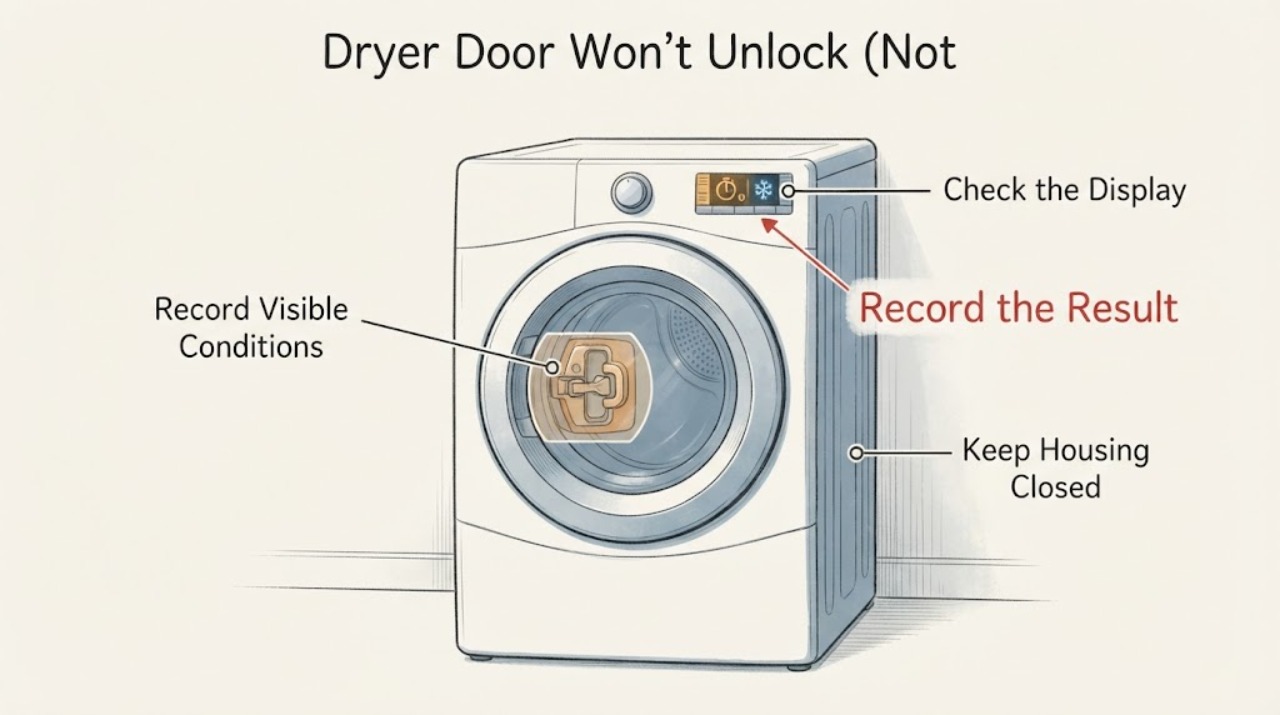
Work through in order
Diagnostic checks
Use only checks that match the exact appliance or system and its official guide.
-
Check 1
Read the E-Nr. from the inside of the dryer door or rear rating plate and record the display, programme state, whether the drum is moving, and whether the door feels hot. Do not pull the handle while the drum is moving.
Expected result: The programme is active, the display shows a hot/cooling or lock state, the drum is stopped but the door is hot, or the programme has ended and the appliance is cool.
Next step: Follow the matching branch below; do not use a release procedure from a different Siemens dryer or washer-dryer.
Why this matters
Why: Siemens identifies the E-Nr. as necessary to return the correct appliance information. Heat and motion are safety states, while a cool ended programme is the point at which the model’s normal opening sequence can be assessed.
-
Check 2
If drying is active, the door is hot, or the display indicates high temperature/cooling, keep the door closed and allow the documented cooling process to finish. Use a model-approved cooling or end sequence only if the exact E-Nr. manual shows it; do not pry or repeatedly interrupt power to hurry the release.
Expected result: The display clears and the door cools, or the high-temperature/lock state remains or returns.
Next step: Once the exact model indicates the safety state has cleared, try only the normal open control. If it remains locked, stop and arrange service.
Why this matters
Why: Siemens documentation says a dryer door and drum may be hot, and the opened washer-dryer manual keeps the door locked until the cooling process clears. This does not provide a universal wait time for an unspecified dryer.
-
Check 3
When the programme has ended and the appliance is cool, set the selector and controls to the exact model’s normal end/off state and check for an obvious accessible obstruction at the door edge without inserting tools or forcing the handle.
Expected result: The door opens normally, a garment or object is visibly caught at the edge, or the door remains locked with no visible obstruction.
Next step: Remove only a loose, visible obstruction without force. If the door stays locked, leave the dryer off and contact Siemens service with the E-Nr. and display state.
Why this matters
Why: A normal end state and clear door edge remove simple user-level conditions; persistent locking then requires model-specific lock/service assessment. Do not infer a failed latch or board from the handle symptom.
-
Check 4
Check the appliance only from the outside for a damaged door, broken handle, damaged cord or a display fault; do not remove the top, front panel or lock assembly and do not test live wiring.
Expected result: There is visible damage, a recurring fault display, a tripped supply, or no visible external damage but the door still will not unlock.
Next step: Stop use for damage or electrical symptoms and arrange qualified Siemens service. Keep the door closed if the drum or laundry may still be hot.
Why this matters
Why: Siemens’ support and manuals place unresolved faults and repairs with after-sales service; an external symptom does not identify the internal lock mechanism or control safely.
-
Check 5
Do not pry the door, bypass the lock, insert a tool through the seal, reach into a moving or hot drum, or apply an emergency-release procedure from another model. If the exact manual explicitly provides an emergency release, use it only under that manual’s power-off, stopped-drum and heat/water conditions.
Expected result: The door remains locked after the documented cooling/end state, or a hazard, hot laundry, water, smoke or electrical damage is present.
Next step: Leave the appliance off when safe, keep people away from the hot or damaged appliance, and contact Siemens service with the E-Nr., display, programme and temperature observations.
Why this matters
Why: Door interlocks protect against movement, heat and, on combination appliances, water. Siemens publishes model-specific release instructions and directs unresolved faults to service; the assigned dryer has no model number to justify a universal mechanical release.
Use your observations
Decision map
Find the observation that best matches what you see, then follow the next safe action.
-
PATH 01Next step
What you see
The display shows drying/cooling or the door/drum is still hot, even if the programme appears nearly finished.
Do this next
Keep the door closed and let the exact model’s cooling process clear. Open only when the model indicates the safety state has ended.
Why this path and its safety boundary
Why it matters: The lock may be holding the door for temperature safety; this is not evidence of a broken latch.
-
PATH 02Next step
What you see
The exact model shows the programme ended, the appliance is cool and the door opens with the normal control sequence.
Do this next
Remove laundry normally and record the E-Nr. and display if the symptom returns; do not modify the lock.
Why this path and its safety boundary
Why it matters: The earlier lock was consistent with a temporary programme or temperature state.
-
PATH 03Next step
What you see
The appliance is cool and the programme has ended, but the door remains locked or a door fault returns.
Do this next
Leave the dryer off and arrange Siemens service using the E-Nr. and production number. Do not pry or open the cabinet.
Why this path and its safety boundary
Why it matters: The user-level cooling/end checks have not restored the lock; the symptom does not identify a specific latch, actuator or control failure.
-
PATH 04Next step
What you see
The door or cord is damaged, there is smoke/burning odor, the appliance is unusually hot, the drum is moving, or water/hot liquid is visible in a combination appliance.
Do this next
Stop use, disconnect only when safe, keep the door closed and obtain qualified Siemens service; do not attempt the emergency release unless the exact model manual explicitly makes it applicable.
Why this path and its safety boundary
Why it matters: There is a hazard beyond a normal unlock delay. Opening or bypassing the lock could cause burns, electrical injury, water damage or contact with moving parts.
Helpful context
Understand the symptom
“Not unhooking” is treated here as a Siemens dryer door that will not unlock. The immediate question is whether the lock is still protecting a hot or moving appliance, not which latch part to replace. Siemens’ dryer support asks for the E-Nr. because the door, display and service behavior can differ by model. A Siemens washer-dryer manual opened for this research explicitly keeps the door locked while temperature is high and releases it only after cooling; that evidence is a model-family example, not a universal timing rule for every standalone dryer.
Identify the exact appliance before using a release instruction
Find the E-Nr. on the inside of the dryer door or on the rear rating plate and record the display text or symbol. Siemens’ troubleshooting hub says the E-Nr. is needed to identify the appliance and retrieve the correct information. Do not copy a washer, washer-dryer or another Siemens dryer’s emergency-release steps just because the handle looks similar.
Let heat and motion clear safely
A Siemens dryer manual states that the drum and door may be hot during or after drying and that a drying programme includes a cooling period. The opened Siemens washer-dryer manual states that a high-temperature door lock remains unavailable until the cooling process clears. Keep the door closed while the drum is moving or the door is hot, and follow the exact model’s display and cooling instructions rather than pulling the handle or repeatedly interrupting power.
Use the normal end-of-programme path
When the display shows the programme has ended and the appliance is cool, use the model’s normal selector and door controls. The standalone dryer manual directs unresolved faults to after-sales service and asks the owner to provide the product and production numbers. A door that stays locked after the safety state has cleared needs that model-specific assessment; a symptom alone does not prove a broken latch, actuator or control board.
Treat emergency release as model-specific service information
Some Siemens washer-dryer manuals describe an emergency release only after the appliance is switched off and unplugged, the drum has stopped, and water or hot solution hazards have been excluded. That procedure is not automatically applicable to a standalone dryer. If the exact dryer manual does not explicitly provide a release, do not insert tools, remove panels or bypass the interlock; use Siemens service.
When checks do not resolve it
Need a professional?
Safety scope: Do not pry the door, bypass the interlock, reach into a moving or hot drum, open the cabinet, test live wiring or copy an emergency-release step from another model. Disconnect only when safe and keep the appliance off for damage, smoke, burning odor or electrical symptoms.
Have this ready
- Exact E-Nr. and FD/production number, standalone dryer or washer-dryer identity, display text/symbol, programme and phase, whether the drum and door are hot, whether cooling completed, whether the door/cord is damaged, and whether water is visible in any combination appliance.
Common questions
FAQ
Why will my Siemens dryer door not unlock after drying?
The door may still be locked while the laundry or lock is hot and the cooling state has not cleared. Wait for the exact model’s documented cooling/end state; if the appliance is cool and the programme ended but the lock remains, arrange Siemens service rather than forcing it.
Can I force open a Siemens dryer door?
No. Do not pull the handle, pry the seal, bypass the interlock or insert a tool. Emergency-release procedures are model-specific and should only be used when the exact manual provides them and its power, stopped-drum and heat/water conditions are satisfied.
How do I find the right Siemens unlock instructions?
Find the E-Nr. on the inside of the door or the rating plate at the rear, then use Siemens support to retrieve the matching manual and troubleshooting path. The title “Siemens dryer” alone is not enough to select a mechanical release.
When is a locked Siemens dryer door a service problem?
Treat it as a service problem when the appliance is cool, the programme has ended, the normal controls do not release the door, a door fault returns, or there is visible door/cord damage or an electrical symptom. Keep the appliance off and provide the E-Nr. and display information to Siemens.
Read the exact guide
Official sources
- Washer dryer — operating instructions (WVH28440)Siemens Home Appliances / BSH · Opened Siemens-hosted WVH28440 washer-dryer manual; used only as an explicit BSH/Siemens example that high door-lock temperature keeps the door locked until cooling clears and that emergency release requires power-off, drained/no-water and stopped-drum conditions. It is not a universal standalone-dryer procedure and is prominently model-gated in the article.
- Operating and installation instructions — SIEMENS Tumble dryer WT44C102TIHSiemens Home Appliances / BSH · Opened Siemens-hosted standalone dryer manual; supports that the door/drum may be hot, drying includes a cooling period, the rating plate/E-Nr. is needed, and unresolved faults go to after-sales service. It is not the assigned exact model, so no model-specific latch procedure is generalized.
- Tumble dryer troubleshooting | Siemens HomeSiemens Home Appliances · Opened Siemens troubleshooting hub for tumble dryers; it identifies the dryer door as a module, says models differ, requires the E-Nr. to retrieve correct information and links to manuals and repair services. It does not define a universal mechanical release.
Community feedback
Share a repair observation
Share a plain-text repair observation. Accepted observations are published automatically; this page may take a moment to update.