
On this page
Start here
Quick answer
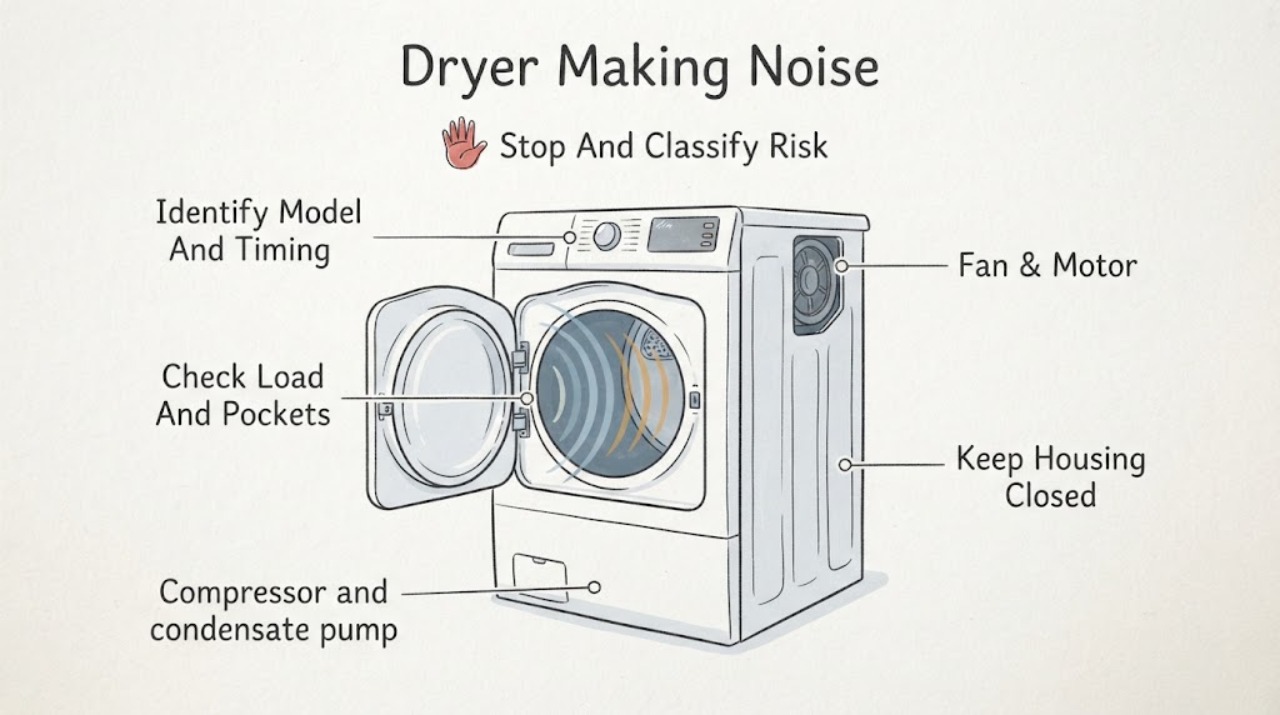
Start by recording when the Siemens dryer makes noise and whether the drum contains laundry. On heat-pump or condenser models, a compressor hum, condensate-pump sound, compressor ventilation whir, or automatic-cleaning click can be normal; model design and programme change what you hear. Rattling, thumping, or scraping can come from pockets, a bunched load, contact with the cabinet, an unlevel dryer, or an accessible foreign object. Stop immediately for smoke, a burning or melting smell, a hot connection, repeated breaker trips, severe vibration, a grinding sound that continues with a normal load, or any suspected damage. Keep the dryer off and use qualified Siemens service when a cool, empty-drum check still produces an abnormal sound or when internal access would be needed.
Before you begin
Safety first
- This article supports cool external observation, pocket and load checks, stable-cabinet observations, model identification, and limited accessible care described by the manual only. A qualified professional should handle panels, drum supports, drive parts, compressors, pumps, fans, refrigerant, gas connections, wiring, and damaged electrical or structural parts.
Work through in order
Diagnostic checks
Use only checks that match the exact appliance or system and its official guide.
-
Check 1
Stop the Siemens dryer and let the drum, laundry, door, and cabinet cool before touching them; if smoke, a burning or melting odor, a hot connection, arcing, water near electrics, severe movement, or visible damage is present, use the emergency or service branch.
Expected result: Record the sound as humming, whirring, pumping, clicking, rattling, thumping, scraping, squealing, grinding, or impact, and note any odor, heat, smoke, error, water, damaged cord, or breaker event.
Next step: For smoke or active fire, leave and use local emergency help from a safe location; otherwise keep the dryer off until it is cool and safe for external observation.
Stop if: Do not restart to reproduce smoke, use a damaged connection, touch a hot or unstable cabinet, or continue if the drum can move unexpectedly.
Why this matters
Why: A smooth sound tied to a programme or cool-down may be normal, while a harsh sound with heat, smoke, damage, or electrical symptoms is a fire, mechanical, or electrical boundary.
-
Check 2
With the dryer off, record the Siemens E-Nr., whether it is heat pump, condenser, or vented, the programme and load, and the point in the cycle when the sound begins or ends.
Expected result: Classify the timing as drum rotation, initial start, heating, compressor operation, condensate pumping, automatic cleaning, cool-down, or noise with the drum stopped; note whether the sound is present with no laundry.
Next step: Use the exact Siemens manual and the matching normal-sound or mechanical-noise branch, and keep the E-Nr. ready if service is needed.
Stop if: Do not choose a repair part or apply another model's maintenance interval or sound description.
Why this matters
Why: A Siemens model and cycle determine whether compressor, pump, fan, or cleaning sounds are expected; noise from an empty drum or a sound independent of the programme is more useful evidence of a mechanical fault.
-
Check 3
With the dryer off and cool, remove the laundry, empty every pocket, check zips, buckles, buttons, and hard items, and loosen any sheet or large garment that has bunched together; do not reach into a moving drum.
Expected result: Look for a coin or other loose object, a hard garment fitting, a tangled load, a very heavy load, or no identifiable load-related cause; compare the sound during the prior loaded cycle with the empty, stationary drum.
Next step: Remove the object or redistribute the load and use the model's loading guidance; arrange service if the same noise returns with a normal load or occurs with the drum empty.
Stop if: Do not force an object from a seam, run with a loose metal item, or use the dryer when a load has caused severe shaking or damage.
Why this matters
Why: A noise that follows a hard item or bunched load supports a load-source explanation, while no object and a persistent sound with an ordinary load shifts attention to leveling or internal service.
-
Check 4
With the dryer empty and off, check from the outside that it stands steadily on all feet, is not touching a wall or neighboring appliance, and has no object on top, beside it, or in an accessible pedestal; check only accessible vent or drain contact without moving a gas-connected appliance.
Expected result: Note a rocking cabinet, missing or uneven foot, a vent or cord touching the cabinet, an object leaning against it, a pedestal item, or no external source for the vibration; note whether the sound is cabinet rattle rather than drum impact.
Next step: Clear external contact and use the exact installation instructions for leveling; if leveling or access requires moving the appliance, or the noise remains, arrange service.
Stop if: Do not tip or move the dryer alone, alter a gas or electrical connection, or place weight on the cabinet to suppress vibration.
Why this matters
Why: An unstable base or external contact can amplify vibration, while a steady, clear cabinet with internal scraping or grinding points toward a service diagnosis.
-
Check 5
After disconnecting operation and allowing the dryer to cool, inspect only the visible drum opening, door seal, lint-filter area, and front or rear drum edge for a loose object or rubbing mark; follow the Siemens manual for any permitted filter or condenser care.
Expected result: Record a visible coin, clip, screw, lint buildup, torn seal, shiny rub mark, loose trim, or no accessible cause; distinguish a one-time object tap from a repeating scrape at every drum rotation.
Next step: Remove only a loose object that is fully accessible without tools if the manual permits; keep the dryer off and arrange service for rubbing, damage, a trapped object, or any need to open the cabinet.
Stop if: Do not insert tools into the drum seam or lint chute, reach past guards, remove panels, or touch a component that is still hot or moving.
Why this matters
Why: A removable external object may explain a tap or rattle, but a repeating scrape, damaged seal, loose trim, or inaccessible object can damage the drum and needs service.
-
Check 6
If no hazard or damage is present, compare the recorded sound with the exact Siemens manual during one supervised cycle or cool-down only; do not add a high heat or heavy load merely to make the sound recur.
Expected result: Classify a compressor hum, condensate-pump sound, compressor ventilation whir, automatic-cleaning click, or smooth airflow as programme-linked, versus a grinding, squealing, scraping, impact, or harsh rattling sound that persists with a normal load or empty drum.
Next step: Continue only with a sound that matches the model guidance and has no warning symptom; otherwise keep the Siemens dryer off and arrange qualified service with the E-Nr. and recording.
Stop if: Do not run an unattended test, dismantle the dryer, bypass a safety device, or replace a belt, roller, bearing, motor, compressor, pump, or fan based only on sound.
Why this matters
Why: Programme-linked system sounds can be normal for a heat-pump or condenser design, but persistent mechanical noise, severe vibration, or noise with poor drying or power symptoms requires professional diagnosis.
Use your observations
Decision map
Find the observation that best matches what you see, then follow the next safe action.
-
PATH 01Safety boundary
What you see
A hum, pump sound, whir, or click occurs only at a documented programme stage and the dryer heats, tumbles, drains, and controls normally.
Do this next
Use the exact Siemens manual to confirm the model's sound and keep ventilation, filter, and condensate paths maintained as instructed.
Why this path and its safety boundary
Why it matters: The sound is consistent with compressor, condensate-pump, ventilation, automatic-cleaning, or airflow operation for the applicable design.
Safety stop: Stop if the sound becomes harsh, unusually loud, continuous outside the programme, or is joined by odor, smoke, heat, error, poor drying, or power loss.
-
PATH 02Safety boundary
What you see
Rattling, tapping, or thumping changes or disappears after pockets are emptied and the load is loosened or reduced.
Do this next
Use the Siemens load guidance, check pockets before each cycle, and keep hard items or unsuitable footwear out unless the manual specifically supports them.
Why this path and its safety boundary
Why it matters: The load or a hard garment item is the most likely source, rather than proof of a failed internal part.
Safety stop: Do not operate with a loose metal object, severely bunched load, or fabric damage caused by contact.
-
PATH 03Safety boundary
What you see
The dryer rocks, has a missing or uneven foot, touches a wall or another appliance, or an external cord, vent, pedestal, or object rattles against it.
Do this next
Clear safe external contact and follow the model installation guidance for leveling; arrange service if moving the appliance or changing a connection is required.
Why this path and its safety boundary
Why it matters: External installation or contact is amplifying vibration and can be checked without opening the cabinet.
Safety stop: Do not tip the dryer alone, move a gas-connected unit, or use an object to brace the cabinet.
-
PATH 04Safety boundary
What you see
A coin, clip, screw, trim piece, seal, or other object is visible at an accessible edge, or a repeating scrape follows each drum rotation.
Do this next
Remove only a loose, fully accessible object when the manual permits; keep the dryer off and arrange service for trapped objects, rubbing marks, a damaged seal, or any internal access.
Why this path and its safety boundary
Why it matters: An object or rubbing interface may damage the drum or seal; a repeating rub is not a normal programme sound.
Safety stop: Do not pry the seam, reach behind guards, operate with a torn seal, or dismantle the dryer.
-
PATH 05Safety boundary
What you see
Grinding, squealing, scraping, impact, or severe vibration remains with a normal load or an empty drum, or the dryer has poor drying, a new error, or drum movement problems.
Do this next
Keep the Siemens dryer off and arrange qualified appliance service with the E-Nr., sound recording, cycle stage, load status, and any secondary symptom.
Why this path and its safety boundary
Why it matters: A roller, bearing, belt, motor, fan, compressor, pump, drum support, or control fault remains possible and cannot be identified safely by sound alone.
Safety stop: Do not open panels, reach into the cabinet, bypass a safety, or order an internal component solely from the sound.
-
PATH 06Safety boundary
What you see
Smoke, a burning or melting odor, a hot or damaged cord or outlet, arcing, repeated breaker trips, water near electrics, or uncontrolled heat is present.
Do this next
Stop use and leave for active smoke or fire; use local emergency help from a safe location. For a safe, inactive appliance, arrange qualified electrical or appliance service before any further test.
Why this path and its safety boundary
Why it matters: The dryer presents a fire, electrical, thermal, or water-contact hazard rather than an ordinary noise issue.
Safety stop: Do not reset the breaker repeatedly, touch a hot connection, use the dryer, or return to an area with smoke or suspected fire until safe.
Helpful context
Understand the symptom
Identify the dryer design before judging the sound
A Siemens dryer may be vented, condenser, or heat pump, and the internal sound profile is not identical across those designs. A heat-pump model can make compressor and condensate-pump sounds, while airflow or a fan can continue during a cooling phase. Siemens provides model-specific manuals and self-help categories, so record the E-Nr. from the appliance and use the manual for the actual model rather than treating every hum as a failed motor.
The load often explains rattling or thumping
Coins, zips, buttons, clips, and other hard items can strike the drum. Sheets and other large items can bunch into a ball, and a heavy or uneven load can make a thump or vibration. A light thump during the first minutes after a long period unused can also be associated with temporarily flattened support rollers on some dryer designs. Empty pockets, loosen large items, and check that the cabinet is stable before considering internal hardware.
Stop before opening the cabinet
A cool, empty-drum observation can separate a load or accessible-object noise from a fault, but it cannot identify a belt, bearing, roller, motor, compressor, pump, or fan safely. Do not remove panels, reach around moving parts, or work on refrigerant, condensate, gas, or live electrical components. Smoke, a scorched smell, unusual heat, a damaged cord, water near electrics, or repeated power trips is a stop condition.
Safety boundary
Stop conditions
- Stop immediately for smoke, flame, a burning or melting smell, a hot or damaged cord or outlet, arcing, repeated breaker trips, or uncontrolled heat.
- Keep the dryer off for severe vibration, a falling or unstable cabinet, a repeating scrape, grinding with a normal load or empty drum, or damage to the drum, seal, cord, or cabinet.
- Do not move a gas-connected dryer, open panels, reach behind guards, work on live electrical parts, or handle refrigerant, compressor, pump, or motor components as a household check.
- Do not run with a missing lint filter, trapped metal object, torn seal, blocked or disconnected model-required path, or water near electrical parts.
- Arrange qualified Siemens service when safe load, external-contact, model-identification, and accessible-object checks do not explain the sound.
Only after diagnosis
Potential parts
- dryer drum support roller or bearing
Consider this category only after a qualified diagnosis confirms a worn support or bearing as the source of a persistent rotation-related noise.
Confirm the exact Siemens E-Nr. and professional diagnosis; do not open the cabinet or select a support part from the sound alone. - dryer drive belt or motor component
Consider this category only when a qualified technician confirms a drive fault after load, drum, and external-contact checks.
Confirm the exact E-Nr. and diagnosis; drive access and moving-part repair require qualified service. - heat-pump compressor, condensate pump, or fan component
Consider this category only when the exact model design and a qualified diagnosis link a persistent programme-related sound to the compressor, pump, or fan.
Confirm whether the model has the named system and use qualified service for refrigerant, pump, fan, or electrical access.
When checks do not resolve it
Need a professional?
Arrange qualified Siemens appliance service for a new or persistent grinding, squealing, scraping, impact, or harsh rattling sound; noise with an empty drum; severe vibration; poor drying or drum movement; a returning error; a damaged seal or cabinet; a compressor, pump, fan, belt, bearing, or motor suspicion; or any need to open the cabinet. Use emergency help from a safe location for smoke or active fire, and use qualified electrical help for a hot connection, arcing, or repeated breaker trip.
Safety scope: This article supports cool external observation, pocket and load checks, stable-cabinet observations, model identification, and limited accessible care described by the manual only. A qualified professional should handle panels, drum supports, drive parts, compressors, pumps, fans, refrigerant, gas connections, wiring, and damaged electrical or structural parts.
Common questions
FAQ
Is a humming sound normal on a Siemens heat-pump dryer?
It can be. A compressor or condensate pump may hum, and compressor ventilation or airflow may whir during a programme. Check the exact Siemens manual and stop for a harsh or new sound, smoke, odor, abnormal heat, poor drying, or an error.
Why is my Siemens dryer thumping or rattling?
Check pockets, zips, buttons, loose items, bunched sheets, load weight, cabinet contact, and leveling with the dryer off and cool. If the sound remains with a normal or empty drum, keep it off and arrange service.
Why does my Siemens dryer make a pumping or clicking sound?
On applicable heat-pump or condenser designs, condensate pumping and automatic-cleaning clicks can be normal at particular programme stages. Use the exact E-Nr. manual to confirm the design; a pump sound with leaking water, an error, or a harsh mechanical change needs service.
What if the dryer makes a grinding or scraping noise when empty?
An empty-drum grinding or repeating scrape is not explained by laundry or pockets. Stop the dryer and arrange qualified Siemens service; do not open the cabinet or try to identify a belt, roller, bearing, motor, fan, pump, or compressor yourself.
When should I stop using a noisy Siemens dryer?
Stop for smoke, a burning or melting odor, a hot connection, arcing, repeated breaker trips, severe vibration, a damaged seal or cord, water near electrics, uncontrolled heat, or a persistent harsh sound. Use emergency help from a safe location for active smoke or fire and qualified service for the appliance.
Read the exact guide
Official sources
- Sounds or Noises in a Dryer - Product Help | WhirlpoolWhirlpool Corporation · Official manufacturer dryer noise guidance used for general external checks; exact Siemens design and manual control.
- Samsung dryer is too noisySamsung Electronics · Official Samsung dryer noise guidance used for general symptom classification; Siemens model instructions control.
- Normal noisesBSH Home Appliances · Official BSH owner manual for a documented heat-pump dryer design; Siemens model instructions control when construction differs.
- Siemens HausgeräteSiemens Home Appliances · Official Siemens support category for tumble dryers; language and available troubleshooting options vary by country and exact E-Nr.
Community feedback
Share a repair observation
Share a plain-text repair observation. Accepted observations are published automatically; this page may take a moment to update.