
On this page
Start here
Quick answer
A Siemens dryer may feel warm during a normal programme, and a heat-pump or sensor programme can run for a long time while it manages moisture. That is different from clothes or the cabinet becoming abnormally hot, a cycle heating without control, a filter or airflow warning, scorching, smoke, or an electrical connection heating up. Stop the dryer for burning smell, smoke, singed fabric, visible damage, arcing, repeated trips, or unsafe heat. When the appliance is cool and safe, record the model and exact display, clean the user-accessible fluff filter, confirm ventilation and the applicable condenser or heat-exchanger care, check the load and programme, and use only one supervised confirmation run.
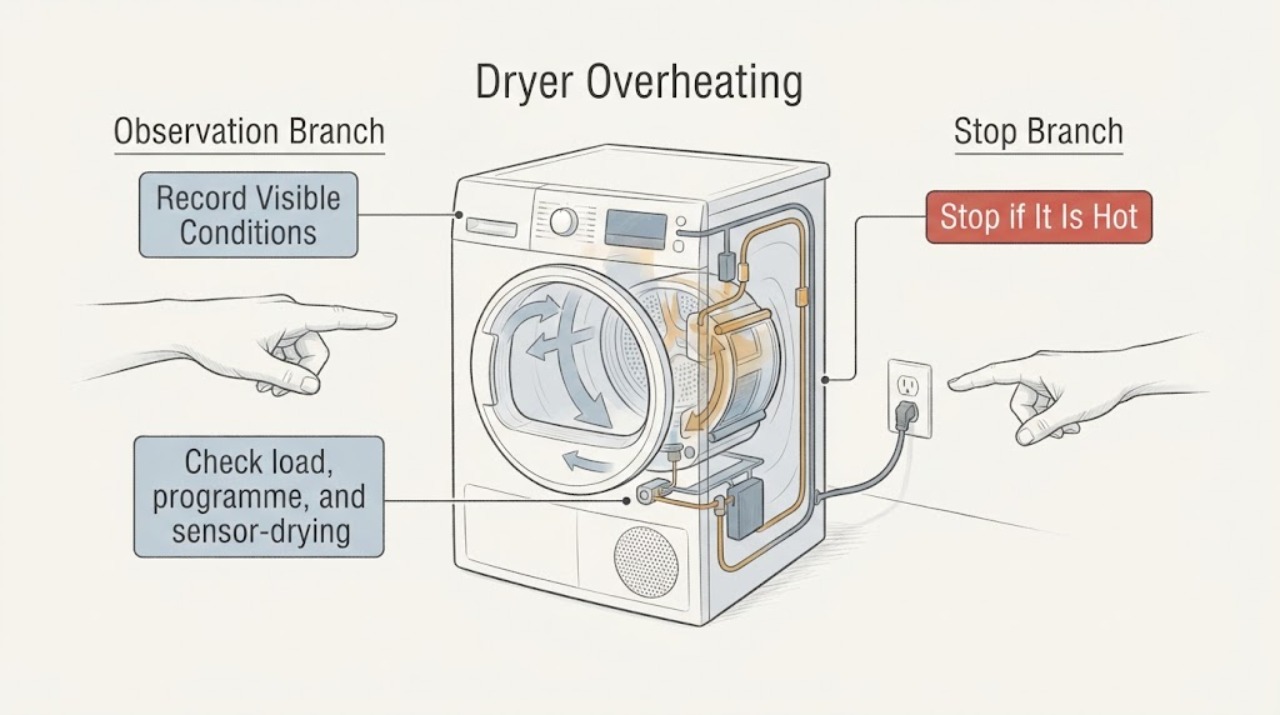
Work through in order
Diagnostic checks
Use only checks that match the exact appliance or system and its official guide.
-
Classify the heat and record the exact model evidence
When the dryer is stopped and cool enough to approach, record the E-Nr/model, dryer design if known, programme, load fabric, displayed time, and any exact code or symbol. Describe whether the heat is a normal warm surface, hot air, unusually hot clothes, a hot plug or cabinet, or heat that continues after the controls are off.
Expected result: Warmth with normal drum operation and no odor is a different starting point from scorching, smoke, uncontrolled heat, a warning symbol, or a connection that is hot or discolored. A long sensor or heat-pump cycle without excessive heat is not by itself proof of an overheat fault.
Next step: If any fire or electrical warning is present, stop and arrange service. Otherwise continue only with the cool-appliance checks and keep the exact model details for the manual.
Why this matters
Why: Siemens support is organized by model and separates filter, error, door, programme-sequence, and drying-time problems. The E-Nr and the location and timing of heat select the safe branch.
-
Check load, programme, and sensor-drying behavior
Remove excess items and separate heavy towels from light fabrics. Select the programme and dryness target that the exact manual assigns to the load, and do not pack the drum tightly. On a cool machine, wipe the accessible moisture-sensing surfaces with a soft cloth only if the manual allows it; do not scrape, sand, or spray cleaner into the drum.
Expected result: A smaller, correctly matched load that dries without extreme heat supports a load or programme issue. Clothes that scorch, a sensor programme that keeps heating without regulating, or the same heat symptom with a modest compatible load points away from simple loading.
Next step: Use one compatible load for a supervised comparison only after the safe airflow checks. Stop if the clothes become too hot, an odor appears, or the dryer does not regulate heat.
Why this matters
Why: Siemens identifies load size, programme selection, warm laundry, and residue on moisture sensors as factors in drying behavior. A longer cycle is not the same as a temperature-control failure, but persistent excessive heat needs service.
-
Restore the user-accessible fluff filter and ventilation path
Switch off and allow the dryer to cool. Remove fluff from the door and accessible filter housing, clean the filter as the Siemens guide describes, let a washed filter dry completely, and refit it before operation. Check that the room air inlet, grille, and any external exhaust route are unobstructed; do not insert tools into the fan path.
Expected result: A filter packed with lint, a blocked grille, or a restricted exhaust route can reduce airflow, extend drying, and make heat build up. If the filter is clean but the air path is weak, the cabinet remains abnormally hot, or the fan stalls or scrapes, the restriction may be internal.
Next step: Refit the dry filter exactly as instructed and make one supervised test only if no safety symptom exists. Persistent heat, a returning filter indication, or abnormal fan behavior requires service.
Why this matters
Why: Siemens states that a dirty fluff filter reduces air flow and performance and warns not to operate without a proper filter. Heat management cannot be judged from the filter light alone.
-
Apply the correct condenser or heat-exchanger care
Identify whether the E-Nr manual describes a user-cleanable condenser or heat exchanger, a self-cleaning condenser, or a different design. If cleaning is explicitly user-accessible, follow that manual sequence with the appliance cool and disconnected from power; otherwise inspect only the cover and visible lint and do not remove panels, the fan, or sealed heat-pump parts.
Expected result: A visibly dirty user-accessible condenser or heat-exchanger area can reduce heat transfer and extend a cycle. A self-cleaning design, a clean accessible area, or heat that remains excessive after care means the cause cannot be assigned to the condenser without diagnosis.
Next step: Use only the E-Nr-specific care procedure. If the dryer overheats, shows a fault, or has restricted airflow after the permitted care, keep it off and arrange qualified service.
Why this matters
Why: Siemens publishes different condenser, air-cooler, sensor, and maintenance instructions by region and model family. A cleaning interval or access method from one machine must not be treated as universal.
-
Check condensate and water-related restrictions where fitted
For a condenser or heat-pump dryer, empty the condensate container when cool if it is full, reseat it, and inspect only the visible drain hose for a kink or leak. If the model has a removable container filter, clean it only as the manual directs. Keep collected condensate away from food and electrical connections, and do not open a pump housing.
Expected result: A full container or restricted water path can stop or lengthen a programme, while a leak near electrics is an immediate stop. A recurring water warning with normal airflow may point to the condensate sensor, pump, hose, or control path rather than overheating alone.
Next step: After safe emptying and refitting, test once only if no heat or water hazard exists. A recurring warning, leak, or pump symptom needs qualified service.
Why this matters
Why: Siemens explains that condensation can collect in the container and that a full container can stop drying before completion; its container filter supports the water path. This is model-dependent and does not authorize internal pump work.
-
Separate an error, supply, or control problem
Capture the full display message, alternating characters, filter or water symbol, and the point in the programme where it appears. Check only that the visible plug, cord, and socket are dry and undamaged; do not measure live voltage, open the control area, or repeatedly reset a breaker.
Expected result: A model-specific code, repeated stop at the same stage, failed door indication, or supply trip changes the case to a documented fault path. A hot connection, burning odor, smoke, arcing, or repeat trip is a safety stop regardless of whether the display later clears.
Next step: Follow one manual-approved reset only when no hazard exists. If the code returns or the supply shows heat damage, leave the dryer off and arrange qualified appliance or electrical service.
Why this matters
Why: Siemens model support lists separate error-display, door, filter, programme-sequence, and supply-related categories. The display is evidence to preserve, not a reason to guess at a heater, sensor, or control board.
-
Run one supervised confirmation and stop on recurrence
After the user-level checks, run one small, compatible load while staying nearby. Record start temperature impression, drum motion, airflow, displayed time, programme stage, and whether heat reduces or remains excessive. Stop immediately for scorching, smoke, odor, abnormal cabinet heat, a hot connection, a trip, or an error.
Expected result: A normal completion after a cleared filter or corrected load supports a setup or maintenance cause. Repeated excessive heat with a clean filter, suitable load, clear ventilation, and stable supply points toward temperature sensing, heater control, fan, heat exchanger, or another internal fault.
Next step: Stop after one recurrence and provide service with the E-Nr, programme, load, code, filter and condenser findings, heat location, and exact safety symptom. Do not continue cycling the dryer to gather more evidence.
Why this matters
Why: A confirmation run shows whether the symptom changed; it cannot prove which internal component failed. Siemens directs users to model documentation and service for unresolved appliance faults.
Use your observations
Decision map
Find the observation that best matches what you see, then follow the next safe action.
-
PATH 01Safety boundary
What you see
The dryer is warm during a documented programme, with normal drum operation, no odor, no damage, and no warning.
Do this next
Use one supervised compatible load only; stop if heat does not regulate or the clothes are damaged.
Why this path and its safety boundary
Safety stop: Extreme heat, scorching, smoke, a fault, or a hot electrical connection belongs to the safety or service branch.
-
PATH 02Safety boundary
What you see
A sensor or heat-pump programme runs longer than expected but the dryer is not producing scorching, smoke, abnormal cabinet heat, or a fault.
Do this next
If the duration remains abnormal after user-level care, provide the exact model and programme history to service.
Why this path and its safety boundary
Safety stop: A long cycle combined with extreme heat or a warning is not a normal-duration question; stop and escalate.
-
PATH 03Safety boundary
What you see
Lint, a wet filter, a blocked grille, or a restricted exhaust or condenser area is visible.
Do this next
Stop for returning restriction, weak airflow, scraping fan, or abnormal heat and arrange service.
Why this path and its safety boundary
Safety stop: A clear accessible path does not rule out an internal fan, heat exchanger, or control fault when heat is excessive.
-
PATH 04Safety boundary
What you see
A full container, water symbol, drain restriction, or condensate leak accompanies the heat or incomplete cycle.
Do this next
A repeated water warning, leak, or pump symptom needs qualified service rather than internal access.
Why this path and its safety boundary
Safety stop: Do not attribute excessive heat to condensate handling without a water symptom.
-
PATH 05Safety boundary
What you see
An exact code, heat-related warning, door or filter indication, hot plug, or electrical trip appears.
Do this next
A returning code or any heat damage requires qualified appliance or electrical service.
Why this path and its safety boundary
Safety stop: Continue with the non-invasive load, airflow, condenser, and condensate checks.
-
PATH 06Safety boundary
What you see
Clothes scorch, smoke or flame appears, a burning smell persists, the cabinet is abnormally hot, or arcing or repeated trips occur.
Do this next
Do not restart after a fire, smoke, electrical, or heat-damage event just to see whether the symptom returns.
Why this path and its safety boundary
Safety stop: One supervised confirmation run may follow a simple load or filter correction.
Helpful context
Understand the symptom
“Overheating” can mean several different observations: a warm outer panel, a heat-pump cycle that takes longer, hot clothes after a completed programme, a cycle that never regulates its heat, or a real fire risk. Note the dryer type, E-Nr/model, selected programme, load, filter or water indicators, and whether the heat is at the drum, door, cabinet, plug, or exhaust area. Siemens uses different care and fault paths across model families, so do not apply a code or cleaning interval from another dryer.
Immediate safety boundary
Stop the programme, keep the door closed if smoke or flame is present, and move away from the appliance. For a burning smell, smoke, singed fabric, visible melting, arcing, a hot or damaged plug, repeated breaker trips, or a cabinet too hot to approach safely, do not restart the dryer. Disconnect power only from a dry, safe position and arrange qualified appliance or electrical service. Do not use water on an energized appliance, remove panels, bypass a thermal control, or run repeated tests.
Safety boundary
Stop conditions
- Stop immediately for smoke, flame, scorching or singed fabric, burning or melted-plastic odor, visible melting, arcing, a hot or damaged plug, or a repeated electrical trip.
- Stop for a cabinet or connection that is abnormally hot, a fan that scrapes or stalls, a leak near electrics, or uncontrolled heating that continues after the controls are off.
- Do not remove panels, open the heat-pump circuit, heater, pump, fan, sensor, or control area; do not bypass a thermal control or door interlock.
- Do not run the dryer without the correct dry fluff filter or with a blocked air path, and do not continue testing after a safety event.
Only after diagnosis
Potential parts
- temperature sensor or sensor harness
Consider this category only after the exact model manual and qualified diagnosis identify a sensing fault following load, filter, ventilation, and heat checks.
Temperature sensors and harnesses vary by Siemens model and dryer design; confirm the E-Nr before any part decision. - heater or heater control assembly
Consider this category only when a qualified technician confirms uncontrolled or incorrect heating after airflow and sensor causes are excluded.
Do not infer heater failure from a warm cabinet or long programme; model-specific diagnosis and safe installation are required. - fan or heat-exchanger assembly
Consider this category only if a qualified diagnosis finds restricted internal airflow, a stalled fan, or a heat-exchanger fault after user-accessible care.
Condenser, heat-pump, and vented designs differ; do not remove sealed covers or assume a shared fit. - condensate pump or container filter
Consider this category only for a recurring water warning, leak, or poor condensate movement confirmed by a qualified technician.
Verify the full Siemens E-Nr and drain configuration; do not open the pump housing as a heat check.
When checks do not resolve it
Need a professional?
Arrange qualified Siemens appliance service when excessive heat returns after a correct load and user-accessible filter or condenser care, when a code or warning returns, when airflow or condensate behavior remains abnormal, or when temperature sensing, heater control, fan, pump, or heat-exchanger faults are suspected. Use qualified electrical service for a damaged supply or repeated trip and leave the dryer off after smoke, scorching, or an electrical event.
Common questions
FAQ
Is a warm Siemens dryer cabinet always overheating?
No. Warmth during a normal programme can be different from extreme heat, scorching, smoke, a persistent burning odor, or a hot electrical connection. Compare the behavior with the exact E-Nr manual, check load and airflow, and stop for any safety symptom.
Can a dirty filter make a Siemens dryer run hot?
A blocked or dirty fluff filter restricts airflow and reduces dryer performance, which can lengthen drying and contribute to heat buildup. Cool the dryer, clean and dry the correct filter, refit it, and stop if heat remains excessive or the filter warning returns.
Why does my Siemens heat-pump dryer take a long time?
Cycle duration can depend on the load, programme, moisture sensing, filter, ventilation, condenser care, and model design. A long cycle without extreme heat is a different branch from scorching or uncontrolled heating; use the E-Nr manual and arrange service if a correct small load remains abnormal.
Should I keep testing a Siemens dryer after a burning smell?
No. Stop immediately for burning or melted-plastic odor, smoke, scorching, arcing, a hot connection, or a repeated trip. Disconnect only from a dry, safe position and arrange qualified appliance or electrical service; do not restart to reproduce the symptom.
Can I clean every Siemens dryer condenser myself?
No. Condenser, heat-pump, self-cleaning, and vented designs can expose different user-care points. Follow the exact E-Nr manual; do not remove sealed covers, open the fan or heat-pump circuit, or use an unrelated cleaning interval.
Read the exact guide
Official sources
- Appliance category Laundry Care: Tumble dryers | Siemens HomeSiemens Home Appliances · Siemens tumble dryer model-specific troubleshooting, condenser, lint-filter, moisture-sensor, and support guidance
- How to clean your dryer lint filter | Siemens HomeSiemens Home Appliances · Siemens tumble dryer fluff-filter cleaning, airflow, and filter safety
- Condensate container: How to empty it the right way | Siemens HomeSiemens Home Appliances · Siemens tumble dryer condensate container, container filter, and full-container stop guidance
- Comment bien utiliser un sèche-linge ? Programme, entretien et nettoyageSiemens Home · Siemens tumble dryer programmes, load, filters, condenser, moisture sensors, ventilation, and maintenance
Community feedback
Share a repair observation
Share a plain-text repair observation. Accepted observations are published automatically; this page may take a moment to update.