
On this page
Start here
Quick answer
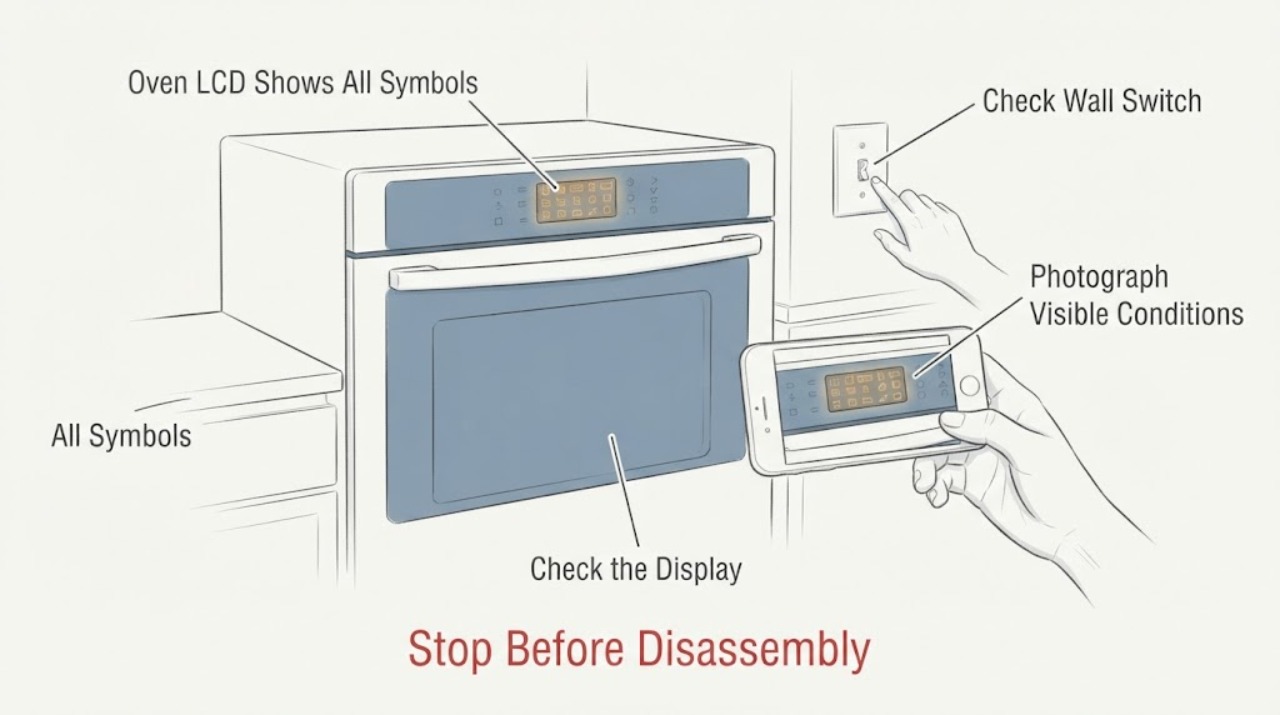
The Siemens HB63AB551B instruction manual says the display symbols do not all appear at the same time during normal operation. If every symbol stays lit while the oven still heats, stop relying on the display to confirm a cooking or safety setting, record the full E-Nr suffix and use the exact Siemens support page or manual. A single model-appropriate power or clock check may be considered only through the accessible isolator or circuit breaker and only when safe; do not pull a built-in oven from the cabinet, remove the control panel, or infer a failed control board from the display alone. Stop using it and arrange service if controls do not respond, heating is unexpected, the breaker trips, or there is smoke or a burning smell.
Work through in order
Diagnostic checks
Use only checks that match the exact appliance or system and its official guide.
-
Check 1
Turn the function selector to the off position and stop using the oven if the display cannot show or confirm the selected mode or time. If there is smoke, a burning smell, unexpected heating or a tripped breaker, switch off the circuit at the accessible breaker or isolator only if safe; do not touch the built-in wiring.
Expected result: The oven can be placed in the documented off position with no heat or warning signs, or the display/control state is unclear, the oven heats unexpectedly, or a safety symptom is present.
Next step: For any safety symptom or unclear off state, leave the circuit off and arrange Siemens or qualified appliance service. If the oven is safely off, continue only with identification and the model-specific documentation check.
Why this matters
Why: A working heating element does not make an unreliable display safe to use for confirming settings. Siemens’ manual treats smoke, improper repairs and electrical faults as reasons to switch off and use trained service.
-
Check 2
Photograph the display and record the full E-Nr, including the slash suffix and FD number, from the rating plate at the oven door area. Do not remove the oven from the cabinet to reach wiring or a hidden board.
Expected result: The label confirms HB63AB551B with a suffix such as /35, /45 or /61, or the label cannot be read while the display remains abnormal.
Next step: Use the exact E-Nr on Siemens’ support page and provide the photograph to service. Do not select a different suffix or order a display part from the unsuffixed model name alone.
Why this matters
Why: Siemens lists multiple HB63AB551B variants and its support page uses the E-Nr to select the correct documentation. The suffix matters for manuals and service; the unsuffixed product identity does not prove that every variant has identical display behavior.
-
Check 3
With the oven off and only through the front controls, compare the display with the manual’s normal clock/time-setting behavior. After a known power interruption, the manual says the clock symbol and zeros appear and the clock can be reset; do not repeat power cycling as a diagnostic experiment, and do not do this at a hidden plug or live terminal.
Expected result: The display returns to the documented clock state and responds normally, or all symbols return, the clock cannot be set, or controls remain unresponsive.
Next step: If the abnormal display returns or controls do not respond, stop using the oven and give service the timing, photograph and full E-Nr. Do not open the control panel or attempt live electrical measurements.
Why this matters
Why: A normal clock response may indicate a transient power/time setting state, but recurring all-symbol illumination is not explained as normal in the manual. It does not identify an LCD, board or wiring failure.
-
Check 4
Check only visible external conditions: the selector and buttons are not physically stuck or covered, the door closes normally, and no breaker, smoke, odor or heat damage is present. Do not remove the fascia, door electronics or control housing to inspect the display circuit.
Expected result: A button is visibly jammed/soiled, the door or selector is damaged, or the exterior is normal but the all-symbol display persists.
Next step: Clean only a cool, accessible control surface as allowed by the manual. For persistent illumination, a damaged control or any electrical symptom, keep the oven off and arrange qualified service.
Why this matters
Why: The Siemens manual provides a limited user check for a covered or jammed button and otherwise routes persistent faults to trained after-sales engineers. A clean exterior with a persistent display fault does not support a component diagnosis.
Use your observations
Decision map
Find the observation that best matches what you see, then follow the next safe action.
-
PATH 01Next step
What you see
The oven heats unexpectedly, the display prevents a reliable off/setting decision, the breaker trips, or smoke, burning odor or heat damage appears.
Do this next
Switch off the accessible circuit or isolator if safe, keep the oven unused and contact Siemens or a qualified appliance electrician. Do not pull the built-in oven out or open the panel.
Why this path and its safety boundary
Why it matters: The display fault is now accompanied by an electrical or thermal safety concern; continued cooking is not an appropriate diagnostic step.
-
PATH 02Next step
What you see
The oven is safely off, the display returns to the manual’s clock state after a known power interruption and the buttons respond normally.
Do this next
Record the recurrence and use the exact E-Nr support page. Do not keep cycling power or continue cooking whenever the display again becomes unreliable.
Why this path and its safety boundary
Why it matters: The immediate symptom may have involved a power/time-setting state, but a later return to all symbols remains outside the manual’s normal display behavior.
-
PATH 03Next step
What you see
All symbols remain lit, the clock cannot be set, the controls do not respond, or the fault returns after the limited documented check.
Do this next
Keep the oven off and arrange model-specific Siemens service using the full E-Nr/FD numbers and display photographs. Do not diagnose or replace a board, LCD or wiring yourself.
Why this path and its safety boundary
Why it matters: The user-level documentation does not identify the failed display or control component, and the oven’s ability to heat does not prove the rest of its control functions are safe.
Helpful context
Understand the symptom
All symbols lit is outside the manual’s normal display behavior
The exact Reddit post identifies HB63AB551B and reports that the LCD is normal for about a minute after unplugging, then lights every symbol like a Christmas tree. Siemens’ opened HB63AB.51B manual says the display symbols do not all appear at the same time and explains that only the selected time-setting option should be in the foreground. The symptom therefore needs a model-specific service decision, not a guessed explanation for a board or LCD.
Treat a working oven as an incomplete safety signal
An oven can still heat while the display no longer reliably shows time, timer, cooking-time or other settings. The manual identifies the full E-Nr on the rating plate and provides limited clock and power-cut guidance, but the HB63AB551B product page says the appliance has no plug and is electrically connected by an electrician. Do not reach behind the built-in oven or disconnect hidden wiring.
Keep the next checks external
Record whether the display responds to the documented clock controls, whether the oven selector reaches the off position, and whether any heat, smoke, odor or breaker event accompanies the display fault. The Siemens support page for HB63AB551B/35 routes owners to the user and installation manuals and lists display/error, fuse and other-function problem categories; it does not authorize panel removal or component diagnosis.
Common questions
FAQ
Does every lit symbol prove the Siemens control board failed?
No. The HB63AB.51B manual says all symbols do not appear at the same time during normal operation, but it does not map this abnormal display to a specific board, LCD or wiring failure. Use the exact E-Nr support route and service boundary.
Can I keep cooking because the oven still heats?
Do not rely on heating alone when the display cannot reliably show settings or time. Stop using the oven if the off state is unclear, heating is unexpected, a breaker trips, or there is smoke or a burning smell.
Should I remove the control panel to inspect the LCD?
No. Siemens’ manual says improper repairs are dangerous and should be performed by trained after-sales engineers. Keep checks to the visible controls, exact model documentation and an accessible circuit isolator or breaker when safe.
Read the exact guide
Official sources
- User manual and appliance documentation | Siemens HomeSiemens Home Appliances / BSH · Opened Siemens documentation-routing page. It supports using the complete E-Nr/type-plate number to select the correct manual and does not supply unseen technical procedures.
- HB63AB551B Built-in oven | SIEMENS GBSiemens Home Appliances / BSH · Opened the exact Siemens product page. It identifies HB63AB551B as a built-in oven and states that it has no plug and is electrically connected by an electrician; it does not diagnose the display fault.
- HB63AB.51B Instruction manualSiemens Home Appliances / BSH · Opened the manufacturer-hosted manual linked from the HB63AB551B/35 support page. It supports user-level display, clock, power-cut, error and safety boundaries; it does not provide a display-board diagnosis or panel-repair procedure.
- Model HB63AB551B/35: User manuals, spare parts, accessories | Siemens HomeSiemens Home Appliances / BSH · Opened exact-family Siemens support page for the /35 variant. It confirms the E-Nr variant, lists display/error, fuse and other function problem categories, and links the instruction and installation manuals; no cross-variant part or board claim is made.
- Siemens oven LCD has all the symbols lit up, but the oven still works?Reddit r/appliancerepair · Exact opened Reddit post matching Siemens HB63AB551B and the all-symbol LCD symptom. It is used only as reported experience, not as manufacturer diagnosis or repair guidance.
Community feedback
Share a repair observation
Share a plain-text repair observation. Accepted observations are published automatically; this page may take a moment to update.