
On this page
Start here
Quick answer
When a Siemens oven does not heat, first identify the exact E-Nr/model, whether it is electric, gas, or a combination appliance, and whether the cavity, display, fan, or cooktop still works. Confirm the intended heating mode, temperature, clock or timer state, door closure, and any padlock or error display from the exact manual. A single affected mode can point toward that mode's setting or heating path; no heat in every mode, a domestic fuse trip, an error, a door that will not close, or a heating element or flame that does not behave normally needs Siemens service. Do not open the cabinet, probe live wiring, replace an element or igniter, or adjust gas. If you smell gas, see flame outside the normal burner pattern, smell burning insulation, see smoke or arcing, or the oven is dangerously hot, switch off only if it is safe, leave the area for gas or smoke emergencies, and obtain qualified help.
Before you begin
Safety first
- This article supports ordinary-access identification and control, door, rack, cavity, and supply observations plus one exact-manual-authorized reset when safe. It does not authorize cabinet or gas-line access, live electrical work, internal parts replacement, high-heat diagnostic cycles, lock or thermostat bypass, or reuse after a fire, combustion, CO, or electrical hazard.
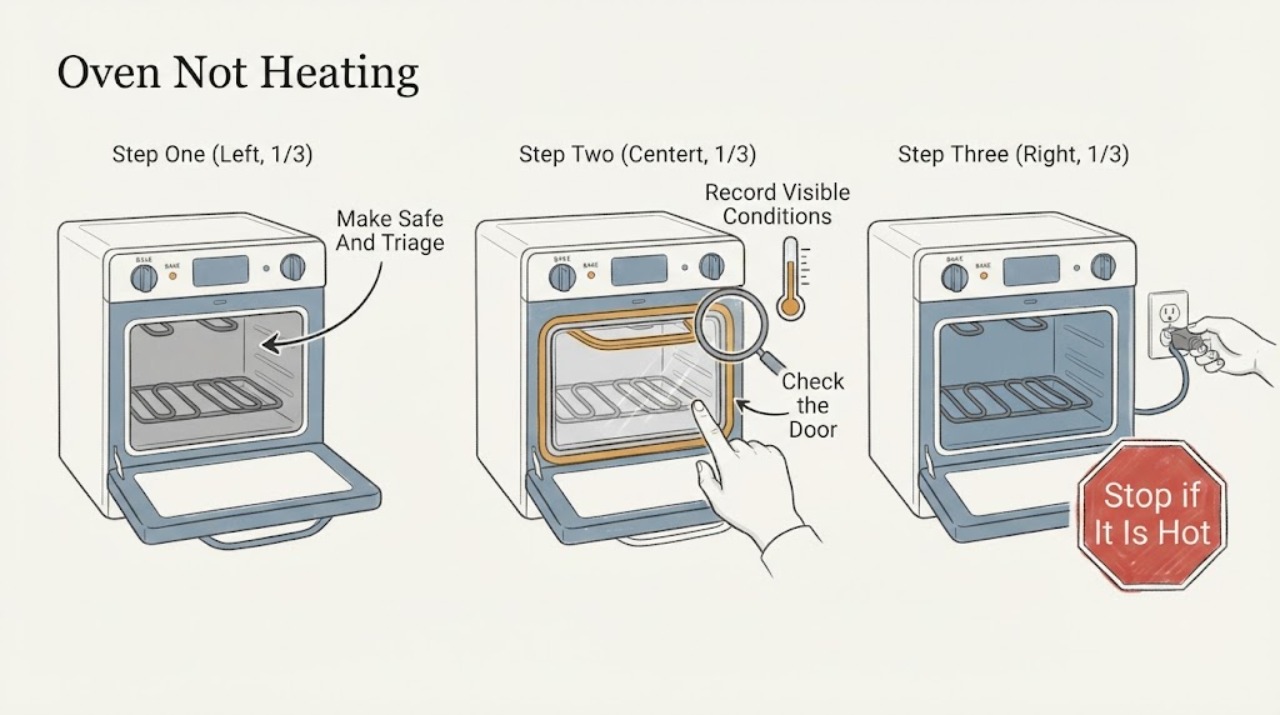
Work through in order
Diagnostic checks
Use only checks that match the exact appliance or system and its official guide.
-
Check 1
Stop the cooking attempt and assess the oven from a safe position; if controls respond and there is no immediate hazard, select the normal off state and keep people away from the hot door, racks, vent, and cavity.
Expected result: Record smoke, flame outside the normal burner pattern, gas odor, CO alarm or symptoms, burning insulation odor, arcing, shock, a hot or discolored connection, a domestic fuse trip, or an oven that is dangerously hot.
Next step: For gas odor, smoke, flame, or a CO alarm, leave the affected area and contact emergency or gas-safety help from a safe location. For electrical odor, arcing, shock, hot connections, or repeated fuse trips, stop using the appliance and arrange qualified electrical or appliance service.
Stop if: Do not open the door to inspect a fire, relight after a gas event, touch wet or hot electrical parts, repeatedly reset a fuse, or continue heating while a hazard is present.
Why this matters
Why: These observations indicate a fire, combustion, carbon-monoxide, burn, or electrical hazard rather than a simple mode setting. A cool oven with no safety warning can proceed to identity and control observations.
-
Check 2
Read the rating information and display from ordinary access and record the full Siemens E-Nr/model, electric or gas configuration, oven or combination type, selected heating mode, set temperature, clock or timer state, lock symbol, and complete error text.
Expected result: Classify the symptom as blank or dead display, display works but no heat, one mode affected, no heat in every mode, heat that stops early, a padlock or temperature warning, or a domestic fuse or error event.
Next step: Use the exact Siemens manual to confirm the mode-start sequence, timer or lock behavior, and code meaning. Photograph the display before any authorized reset and do not borrow an error explanation from another E-Nr.
Stop if: Stop if the display reports a persistent fault, the control panel is unusually hot, the door will not close, the appliance is damaged, or heating begins in an unexpected mode.
Why this matters
Why: A mode-specific or control-state symptom follows a different path from a whole-appliance power fault or a heating system that never energizes. Siemens support makes error, lock, fuse, temperature, door, and no-heat categories model-specific.
-
Check 3
When the oven is cool, verify the intended heating mode, temperature, clock or timer, childproof or control lock state, rack position, and that the door closes evenly against a clean, intact visible seal; remove only a loose, cool item that the manual permits.
Expected result: Record whether the mode is a non-heating function, the timer or lock prevents start, racks or cookware obstruct the door, the seal is dirty, displaced, torn, or missing, or the door remains open at one corner.
Next step: Correct only the documented mode, timer, lock, rack, or loose-residue condition; keep the seal and door intact. Request service for a damaged seal, latch, hinge, glass, or any door that cannot close normally.
Stop if: Do not remove the door or seal, force a latch, touch hot surfaces, cover the cavity floor with foil, or use the oven with a damaged or missing seal.
Why this matters
Why: A control state, incomplete closure, damaged seal, or an unsuitable mode can prevent or distort heating without proving an element or sensor failure. Siemens manuals warn not to operate with a damaged or missing seal and identify door function and door seal as separate service concerns.
-
Check 4
From a dry, ordinary-access position, inspect whether the display or other functions have power and whether the household fuse or breaker has operated; for a gas or dual-fuel model, confirm only that the home's gas supply is available without moving the appliance or opening a gas connection.
Expected result: Record blank display, a single fuse event, a recurring trip, a loose or hot plug or connection, a damaged cord, a gas odor, ignition clicks without a normal flame, delayed ignition, or an abnormal flame or soot.
Next step: Use only the exact manual's permitted power confirmation. If a fuse trips again, a connection is hot or damaged, a gas odor is present, or ignition is abnormal, stop and arrange qualified electrical, gas, or appliance service.
Stop if: Do not open the junction box, remove the rear cover, handle gas fittings, adjust pressure, relight after delayed ignition, extend power with an unapproved cord, or repeatedly reset a protective device.
Why this matters
Why: A power or gas-supply symptom changes the diagnosis and may create an electrical or combustion hazard. A working display with no heat can still have a mode-specific or internal heating fault; it does not justify cabinet access.
-
Check 5
With the cavity empty and the exact manual's normal mode selected, observe the display, preheat indicator, fan, and heat response from outside for one supervised confirmation; do not open the cabinet or use a high-heat cleaning function as a diagnostic.
Expected result: Record whether the display progresses normally, the oven warms in the selected mode, only one heating mode fails, the fan runs without heat, an error or lock returns, or the oven remains cold in every mode.
Next step: Stop after the single safe confirmation and provide the E-Nr, mode, temperature, display state, fan behavior, and result to Siemens or a qualified appliance technician. Do not repeat the cycle to reproduce a hazardous symptom.
Stop if: Stop immediately for smoke, gas odor, flame abnormality, burning odor, arcing, uncontrolled heating, severe heat at the controls, a fuse trip, or a door or lock that behaves abnormally.
Why this matters
Why: Heat in some modes but not others suggests a mode-specific setting or heating path. No heat across all appropriate modes, a persistent error, a fan or control anomaly, or an unexpected heating state indicates a service diagnosis rather than an ordinary setting correction.
-
Check 6
If the exact manual authorizes a single power reset for the recorded symptom and the oven has no gas, smoke, heat, or electrical hazard, follow that instruction once; otherwise skip the reset and request model-specific service.
Expected result: Record whether the display and heating return normally, the same error or no-heat symptom returns, the fuse trips again, or the door and controls remain locked or unresponsive.
Next step: Stop using the oven when the fault returns and give the technician the complete identity, mode, code, power and gas observations, door and seal result, and the reset result. Siemens manuals direct defective appliances to be disconnected safely and referred to trained after-sales technicians.
Stop if: Do not open panels, replace internal parts, probe live circuits, adjust gas, bypass locks or thermostats, or continue operating after a returning fault.
Why this matters
Why: A one-time recovery can indicate a temporary control state, but a returning fault points to a sensor, element, igniter, control, door, power, or wiring problem that cannot be safely isolated by repeated resets.
Use your observations
Decision map
Find the observation that best matches what you see, then follow the next safe action.
-
PATH 01Safety boundary
What you see
Gas odor, smoke, flame outside normal operation, CO alarm or symptoms, burning electrical odor, arcing, shock, dangerously hot controls, or a repeated fuse or breaker event is present.
Do this next
Leave for gas, smoke, flame, or CO danger and contact emergency help from outside or another safe location. For electrical warning signs, keep clear and obtain qualified electrical or appliance service.
Why this path and its safety boundary
Why it matters: This is an emergency or high-risk combustion, fire, burn, or electrical condition, not a user heating adjustment.
Safety stop: Do not relight, search for a gas leak, open the oven to inspect fire, repeatedly reset power, or re-use the appliance until qualified responders clear it.
-
PATH 02Safety boundary
What you see
The display works, no safety hazard is present, and the problem is associated with a timer, lock symbol, wrong heating mode, incomplete start sequence, or a model-specific warning.
Do this next
Follow the exact E-Nr manual for the mode, timer, lock, and warning; perform only one permitted start or reset confirmation.
Why this path and its safety boundary
Why it matters: The appliance may not have been commanded to heat, or the selected function may intentionally restrict heating.
Safety stop: Do not apply another model's button sequence, force a lock, or continue if heating starts unexpectedly or the panel becomes hot.
-
PATH 03Safety boundary
What you see
The door does not close evenly, a rack or divider obstructs it, or the visible seal is dirty, displaced, damaged, or missing.
Do this next
When cool, correct only a plainly visible rack or loose obstruction allowed by the manual; request service for the door, hinge, latch, glass, or seal.
Why this path and its safety boundary
Why it matters: The oven cannot be assumed to control or retain heat correctly, and Siemens treats door function and door seal as service-relevant conditions.
Safety stop: Do not remove the door or seal, force the latch, or operate with a damaged or missing seal.
-
PATH 04Safety boundary
What you see
The display is blank, a fuse or breaker has operated, the accessible connection is hot or damaged, or a gas/dual-fuel model has no safe gas supply or abnormal ignition.
Do this next
Use only safe external observations and the exact manual's supply guidance, then request qualified electrical, gas, or appliance service for a recurring or abnormal result.
Why this path and its safety boundary
Why it matters: The oven's supply path or combustion path is unresolved and may be unsafe; a heating-element diagnosis should wait for qualified assessment.
Safety stop: Do not open wiring or gas connections, adjust pressure, relight after delayed ignition, or repeatedly reset a protective device.
-
PATH 05Safety boundary
What you see
The oven powers on and heats in at least one appropriate mode, but one mode, temperature range, or heating stage remains cold.
Do this next
Record the affected mode, set temperature, preheat response, fan, and display state and request E-Nr-specific service if the manual checks do not restore it.
Why this path and its safety boundary
Why it matters: A mode-specific setting, control, heating element, ignition path, sensor, or fan condition is possible; the symptom does not identify a replaceable part by itself.
Safety stop: Do not run repeated high-heat cycles, remove panels, or replace an element, sensor, or igniter based solely on the mode symptom.
-
PATH 06Safety boundary
What you see
The oven remains cold in every appropriate mode, an error returns, a fuse trips again, a reset fails, or heating behaves unpredictably.
Do this next
Stop using the oven and request Siemens or qualified appliance service with the full E-Nr, energy type, modes, display code, power observations, door result, and safety symptoms.
Why this path and its safety boundary
Why it matters: An internal control, sensor, element, igniter, supply, wiring, fan, or safety-interlock fault remains possible and needs model-specific diagnosis.
Safety stop: Do not perform live electrical checks, adjust gas, bypass a lock or thermostat, or continue operation to reproduce the fault.
Helpful context
Understand the symptom
Identify the appliance before interpreting the symptom
Siemens sells several oven families and combination appliances, and controls and documents vary by E-Nr. Find the full E-Nr/model on the rating plate or the appliance documentation, then note whether the oven is electric, gas, dual-fuel, steam, or a combination model. Record the selected mode, temperature, clock or timer state, display message, preheat indicator, fan behavior, and whether the cooktop works. A support page for one Siemens model is evidence that the category exists, not permission to apply that model's error codes or repair steps to every Siemens oven.
Rule out a setting, door, or accessible cooking condition
An oven may appear not to heat when the wrong mode is selected, a timer or lock prevents normal start, the door is not closing, or the display is showing a model-specific warning. From ordinary access, check the mode, temperature, clock, lock symbol, door closure, rack position, and visible seal without removing the door or touching hot surfaces. Siemens' manual also warns that a dirty or damaged seal can prevent proper closure and that foil or cookware placed on the cavity floor can accumulate heat or damage the enamel.
Use the power and gas branches without opening the appliance
For an electric oven, a blank display, domestic fuse trip, repeated trip, hot connection, or burning electrical smell points to a power or appliance fault that requires qualified assessment. For a gas or dual-fuel oven, no ignition, delayed ignition, an abnormal flame, soot, or gas odor requires a gas-safe boundary; do not adjust pressure or relight after an unsafe event. If the oven is hard-wired, the Siemens manual says connection and repairs belong to trained after-sales technicians.
Treat an error or persistent no-heat condition as model-specific
Siemens support pages list error displays, padlock symbols, domestic fuse trips, temperature too high, door function, and oven does not heat up as separate troubleshooting categories. Record the complete display and the operating stage, then use the exact manual or Siemens support route for that E-Nr. A single documented power reset may clear a control glitch when the oven is otherwise safe, but a returning error or no heat in all modes should not be chased with repeated resets or guessed parts.
Safety boundary
Stop conditions
- Stop for gas odor, abnormal flame, delayed ignition, smoke, a CO alarm or symptoms, or fire; leave the area as appropriate and contact emergency or gas-safety help. Do not relight or search for a leak.
- Stop for burning electrical odor, arcing, shock, a hot or discolored connection, or a fuse or breaker that trips again; do not repeatedly reset or touch exposed electrical parts.
- Do not open the cabinet, junction box, rear cover, or gas connection; do not perform live electrical checks, adjust gas pressure, or bypass a lock, thermostat, or safety device.
- Do not force the door or latch, remove the door or seal, or use the oven with a damaged or missing door seal; allow hot parts to cool before ordinary inspection.
- Do not run Self Clean, Broil, or another high-heat function as a diagnostic for a no-heat fault, and do not leave a questionable oven unattended.
- Do not guess an error-code meaning or internal replacement part across Siemens E-Nr models; request trained after-sales or qualified appliance service when one safe manual-authorized check fails.
Only after diagnosis
Potential parts
- oven heating element
Consider this category only after E-Nr-specific qualified diagnosis identifies an electric heating element as failed and excludes a mode, power, control, sensor, or wiring cause.
Confirm the complete Siemens E-Nr and manufacturer fit information; do not infer an element failure from slow preheat or one cold mode alone. - oven temperature sensor
Consider this category only when an exact-model service diagnosis identifies a sensor fault causing a persistent temperature or no-heat symptom.
Confirm the E-Nr, sensor design, and manufacturer service procedure; do not perform live electrical checks or order from a generic oven description. - oven door seal
Consider this category only if the exact model and inspection confirm a damaged or missing seal that prevents safe closure or heat retention.
Confirm the exact E-Nr and installation instructions; do not operate the oven with a damaged seal or substitute an unverified seal.
When checks do not resolve it
Need a professional?
Request Siemens or qualified appliance service when the oven stays cold in all appropriate modes, one mode repeatedly fails, an error or lock returns, the door or seal is damaged, the fan or controls behave abnormally, a reset fails, or the appliance requires internal access. Use qualified electrical help for a blank display, damaged or hot connection, arcing, shock, or repeated fuse or breaker events. For gas odor, fire, smoke, abnormal combustion, a CO alarm, or possible CO symptoms, leave first and contact emergency or gas-safety responders.
Safety scope: This article supports ordinary-access identification and control, door, rack, cavity, and supply observations plus one exact-manual-authorized reset when safe. It does not authorize cabinet or gas-line access, live electrical work, internal parts replacement, high-heat diagnostic cycles, lock or thermostat bypass, or reuse after a fire, combustion, CO, or electrical hazard.
Common questions
FAQ
Why is my Siemens oven not heating even though the display works?
Check the exact mode, temperature, timer or lock state, door closure, and complete error display first. If the oven remains cold in every appropriate mode, or one mode repeatedly fails after the manual's ordinary checks, stop using it and request E-Nr-specific service rather than opening the cabinet or guessing an element.
Could the Siemens oven door or seal cause a no-heat problem?
An incomplete closure, obstructed rack, dirty seal, or damaged or missing seal can prevent safe heat retention and needs attention. Inspect only when cool and from ordinary access; do not remove the seal or operate with a damaged one. Request service for a door, hinge, latch, glass, or seal fault.
What should I record before calling Siemens about an oven that will not heat?
Record the full E-Nr/model, electric or gas configuration, selected mode and temperature, timer or lock state, preheat and fan behavior, exact error text, whether one or every mode is affected, power or fuse events, and any door, seal, smoke, gas, CO, or electrical symptom.
Can I replace a Siemens oven element or igniter myself?
Do not infer a failed part from the symptom. Siemens' manual says defective appliances and electrical repairs belong to trained after-sales technicians; gas ignition and pressure work also need qualified service. A part should be considered only after E-Nr-specific diagnosis confirms it.
What if the Siemens oven has no heat and keeps tripping the fuse?
Stop using it and do not repeatedly reset the fuse or breaker. A recurring protective-device event can indicate an appliance or wiring fault. Keep clear of hot or damaged connections and arrange qualified electrical or appliance service.
What should I do if a Siemens gas oven will not heat and I smell gas?
Leave the area and contact emergency or gas-safety help from outside or another safe location. Do not relight the oven, search for the leak, operate switches where gas may be present, or reuse the appliance until qualified personnel clear it.
Read the exact guide
Official sources
- CPSC Guide to Home Wiring HazardsU.S. Consumer Product Safety Commission · General household electrical-safety guidance used for stop conditions around an oven or range.
- Guidelines for Cleaning Safely After a DisasterCenters for Disease Control and Prevention · General public-safety guidance used only for gas, CO, and electrical emergency stop conditions.
- Model HB676GBS1/75: User manuals, spare parts, accessoriesSiemens Home Appliances · An official Siemens support page for one built-in oven model; it demonstrates the E-Nr-specific support structure and categories but does not establish behavior for every model.
- Built-in oven HB676GB.1en Instruction manualSiemens Home Appliances · Official manual for the HB676GB.1en family; use it for the cited safety and operating principles while following the exact manual for a different E-Nr.
Community feedback
Share a repair observation
Share a plain-text repair observation. Accepted observations are published automatically; this page may take a moment to update.