
On this page
Start here
Quick answer
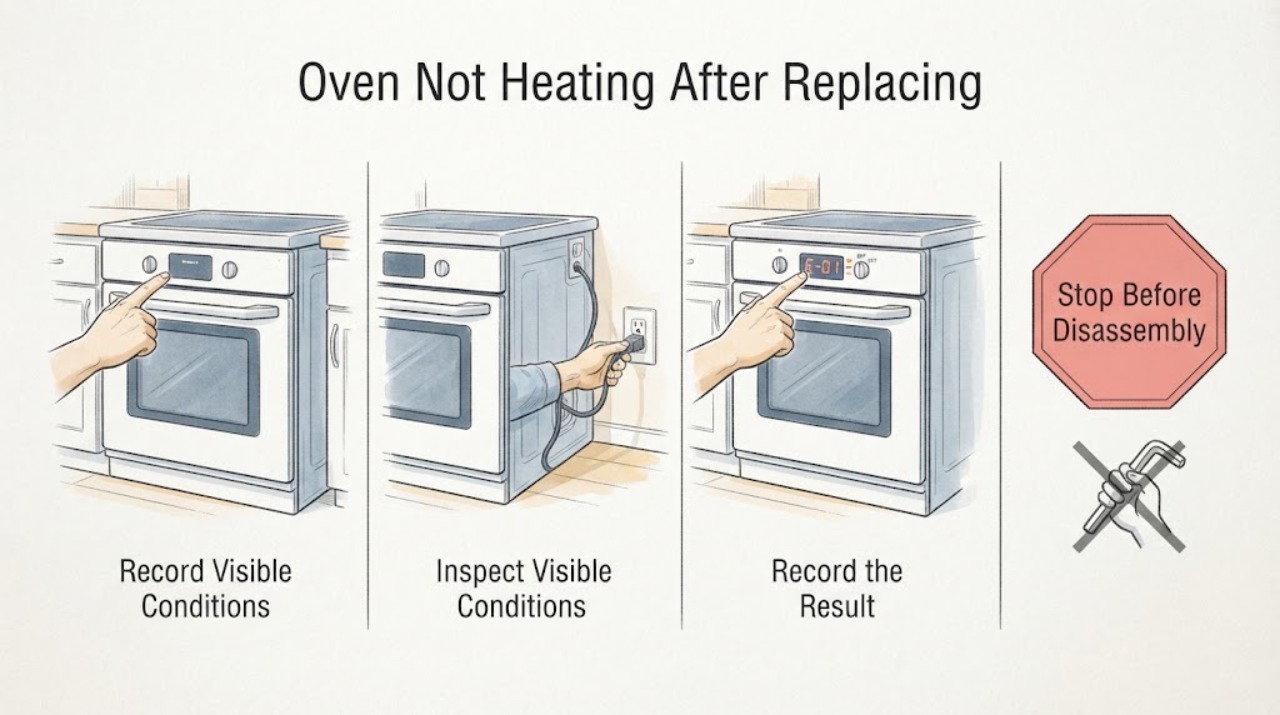
If a new Siemens oven will not heat after replacing an old oven in the UK, do not assume the old connection is suitable for the new appliance and do not rewire it yourself. First record the new oven's full E-Nr., installation instructions, power requirements, connection type, and whether the display has power. From ordinary safe access, also record whether the old appliance used a plug or a fixed connection and whether the cooker control or accessible connection shows heat or damage; do not remove covers or pull out a built-in appliance to inspect wiring. Siemens provides model-specific installation instructions and parts through its product support pages, while UK electrical-safety guidance says oven power requirements must be checked and installation should be carried out by a qualified electrician. If the display is blank, a fuse or breaker operates, a connection is hot or damaged, or the oven still does not heat after an electrician confirms the supply, leave it off and arrange Siemens or qualified appliance service.
Work through in order
Diagnostic checks
Use only checks that match the exact appliance or system and its official guide.
-
Check 1
Before disconnecting or connecting anything, record the new Siemens oven's complete E-Nr., appliance type, fuel type, installation instructions, connection arrangement, and display state from ordinary access.
Expected result: The E-Nr. is incomplete, the appliance type or fuel is uncertain, the installation instructions are missing, or the display is already blank.
Next step: Pause the work and obtain the correct Siemens documentation; have a qualified electrician assess the supply before connection or further heating tests.
Stop if: Do not guess from the product name, borrow another model's wiring instructions, or energise an unidentified appliance.
Why this matters
Why: The replacement identity or supply path is unresolved, so the old connection cannot be used as a safe installation guide.
-
Check 2
From a dry, ordinary-access position, note whether the old oven used a plug or fixed connection and look for accessible scorch marks, heat damage, or signs that a protective device operated.
Expected result: The connection is hot, discoloured, loose, damaged, wet, or the old appliance was associated with a fuse or breaker event.
Next step: Keep the appliance off and arrange qualified electrical inspection before removing covers, changing the connection, or testing the new oven.
Stop if: Do not touch damaged conductors, open a junction box, pull out a built-in appliance to inspect wiring, or repeatedly reset protection.
Why this matters
Why: The existing installation may have an unresolved electrical fault; its apparent connection type does not prove suitability for the Siemens replacement.
-
Check 3
Give the electrician the Siemens installation instructions and full E-Nr. together with the old connection record and information about other high-load kitchen appliances.
Expected result: The new Siemens instructions specify a different connection arrangement, the existing supply cannot be verified, or the electrician identifies changes to the circuit, isolation, earthing, or installation location.
Next step: Use the connection route and certification provided by the qualified electrician and follow the exact Siemens installation instructions for the identified E-Nr.
Stop if: Do not select a fuse, cable, socket, isolator, adapter, or circuit arrangement from an online answer or from the old oven's setup.
Why this matters
Why: The replacement requires an installation decision based on the new appliance and the home's wiring; a like-for-like assumption is unsafe.
-
Check 4
Once the supply has been checked and the oven is safely installed, record whether the display, light, fan, and controls work and whether heating is absent in every appropriate mode or only one.
Expected result: The display is blank, a fuse or breaker operates, the accessible connection becomes hot, or the oven remains cold in every appropriate mode.
Next step: Leave the oven off and provide the electrician or Siemens service technician with the E-Nr., installation result, mode, temperature selection, display state, and timing of the no-heat symptom.
Stop if: Do not repeat high-heat cycles, change protective devices, open panels, or replace an element, sensor, thermostat, or control based only on the symptom.
Why this matters
Why: The symptom remains consistent with an unresolved supply, control, heating, or appliance fault and cannot identify a replaceable part by itself.
-
Check 5
Check the finished installation only from normal user access: confirm that the appliance is seated as the Siemens instructions require, ventilation openings are not covered, and the plug or isolator remains accessible when the manual requires it.
Expected result: The cabinet, ventilation, clearances, cable route, or isolation arrangement does not match the Siemens instructions, or the appliance was damaged during delivery.
Next step: Stop use and have the installer correct or assess the installation before any further heating test.
Stop if: Do not force the appliance into the cabinet, trap or extend the cable, block ventilation, or operate a damaged appliance.
Why this matters
Why: The installation cannot be accepted as safe or as an explanation for the no-heat problem until the documented installation conditions are restored by a competent installer.
Use your observations
Decision map
Find the observation that best matches what you see, then follow the next safe action.
-
PATH 01Next step
What you see
The full Siemens E-Nr. and installation instructions are available, the old connection shows no accessible damage, and a qualified electrician confirms the existing supply and isolation are suitable for the replacement.
Do this next
Record the mode, display, fan, and heating result once, then contact Siemens or qualified appliance service if the oven remains cold.
Why this path and its safety boundary
Why it matters: The installation path has been checked for this appliance; a remaining no-heat symptom can be handed to appliance service without assuming the old connection caused it.
-
PATH 02Next step
What you see
The old connection is damaged, its capacity or protective arrangement cannot be verified, or the new Siemens instructions require a different installation arrangement.
Do this next
Keep the oven off and have a registered or otherwise suitably competent electrician assess and certify the required work before connection.
Why this path and its safety boundary
Why it matters: The existing installation cannot be treated as a like-for-like replacement path and may be unsafe under the new appliance load.
-
PATH 03Next step
What you see
The new oven has a blank display, trips protection, has a hot or scorched connection, or shows smoke, arcing, burning odor, or other electrical warning signs.
Do this next
Do not restore power or continue testing; keep clear and obtain qualified electrical or appliance help, using emergency response if there is active smoke or fire.
Why this path and its safety boundary
Why it matters: This is an electrical or fire-safety escalation rather than a normal no-heat setting issue.
-
PATH 04Next step
What you see
An electrician confirms the installation and supply, but the Siemens oven remains cold in every appropriate mode or an error returns.
Do this next
Stop using the oven and request Siemens or qualified appliance service with the full E-Nr., installation result, affected modes, display text, and timing.
Why this path and its safety boundary
Why it matters: An internal control, sensor, heating, fan, or safety-interlock fault remains possible; the installation check does not identify the failed part.
Helpful context
Understand the symptom
Pause the replacement and capture the correct Siemens identity
Before anyone changes the connection, write down the complete Siemens E-Nr. from the new oven and keep its installation instructions with the appliance. Record whether the replacement is an oven only or a combination appliance, whether it is electric or gas, what connection arrangement the manual specifies, and what the display does when the appliance is supplied. Siemens product support exposes installation instructions and spare-part information by product identifier, so a partial product name is not enough to choose a connection method or explain a no-heat symptom.
Treat the old connection as evidence, not as an installation specification
From ordinary safe access, note whether the old oven used a plug, a cooker control unit, or a fixed connection, and whether there are scorch marks, heat damage, a loose accessory, or a protective-device event. This record helps an electrician compare the existing installation with the new Siemens requirements. It does not establish that the circuit, protective device, cable, isolation, earthing, or cabinet arrangement is suitable for the replacement. Do not remove the old appliance, open a junction box, or expose conductors to find out.
Have a qualified electrician choose the connection route
Give the electrician the new Siemens installation instructions, the full E-Nr., the old connection observations, and any information about other large kitchen loads. The electrician should decide whether the existing arrangement can be retained, whether a correctly installed socket is permitted by the appliance instructions, or whether the installation needs a suitable fixed connection or other electrical work. UK safety guidance warns that some ovens need hardwiring or a dedicated circuit and that even a plug-in oven can overload existing kitchen wiring; the safe option depends on the appliance and the installation together.
Separate a supply problem from a heating problem
After the installation has been inspected by the electrician, record whether the Siemens display, light, fan, and controls have power and whether the oven remains cold in every appropriate mode or only one mode. A blank display or repeated protective-device event keeps the fault in the supply or installation path. A powered oven that still does not heat after the supply is confirmed needs Siemens or qualified appliance diagnosis; the symptom alone does not identify an element, sensor, thermostat, relay, or control board.
Keep installation and repair boundaries clear
Electrical installation work must be planned and carried out by someone competent for the task. Use the full Siemens E-Nr.-specific installation instructions for the connection details; UK guidance links registered electrical work with BS 7671 and certification. Do not fit a larger protective device, use an extension lead or multi-socket adapter, improvise a plug or cable, or energise the oven with panels removed. If the appliance was damaged in transit or the cabinet ventilation and clearances do not match the manual, stop before connection.
When checks do not resolve it
Need a professional?
Use a registered or suitably competent electrician for any new connection, circuit change, socket or cable work, or uncertainty about the existing installation. Keep the oven off and seek urgent qualified help for smoke, arcing, burning odor, hot or damaged connections, a repeated fuse or breaker event, or a damaged appliance. After the supply is confirmed, use Siemens or qualified appliance service for persistent no heat, an error, abnormal fan or controls, or any internal inspection.
Common questions
FAQ
Can I reuse the old oven's wiring for a new Siemens oven?
Only a qualified electrician can confirm that the existing supply and isolation meet the new Siemens appliance's exact installation instructions. The old connection type alone does not prove that it is suitable.
Should I add a plug if the new Siemens oven does not heat?
Do not improvise a plug, cable, adapter, or protective device. Check the full E-Nr. installation instructions and have a qualified electrician choose the permitted connection route.
What if the oven has power but still does not heat after replacement?
Record whether all appropriate modes are cold, whether the fan and display work, and whether an error returns. Once the installation is confirmed, stop testing and give those observations to Siemens or qualified appliance service; they do not prove which internal part failed.
Read the exact guide
Official sources
- Building work, replacements and repairs to your homeGOV.UK · Government guidance used to direct users to competent-person or Building Control routes when domestic electrical work is altered.
- Customer support for your home appliance | Siemens Home AppliancesSiemens Home Appliances · Official Siemens UK support hub used to route the exact oven E-Nr. to manuals and service.
- Work on electrical equipment, machinery or installations - HSEUK Health and Safety Executive · HSE guidance used for the boundary against unplanned electrical work, inadvertent re-energisation, and incompetent installation or repair.
- Electrical Safety Advice for Oven and Grills / Oven and Grills SafetyElectrical Safety First · UK guidance used for checking appliance power requirements, hardwiring or dedicated-circuit implications, qualified installation, and warning signs.
- Find a registered electricianElectrical Safety First · UK electrician-competence and certification guidance for oven installation or electrical remedial work.
- Service Page - Built-in oven | HB678GBS6B/28Siemens Home Appliances · Official Siemens UK product page used to establish that installation instructions and spare parts are selected at the product/E-Nr. level; it is not evidence for an unspecified replacement model's electrical rating.
Community feedback
Share a repair observation
Share a plain-text repair observation. Accepted observations are published automatically; this page may take a moment to update.