
On this page
Start here
Quick answer
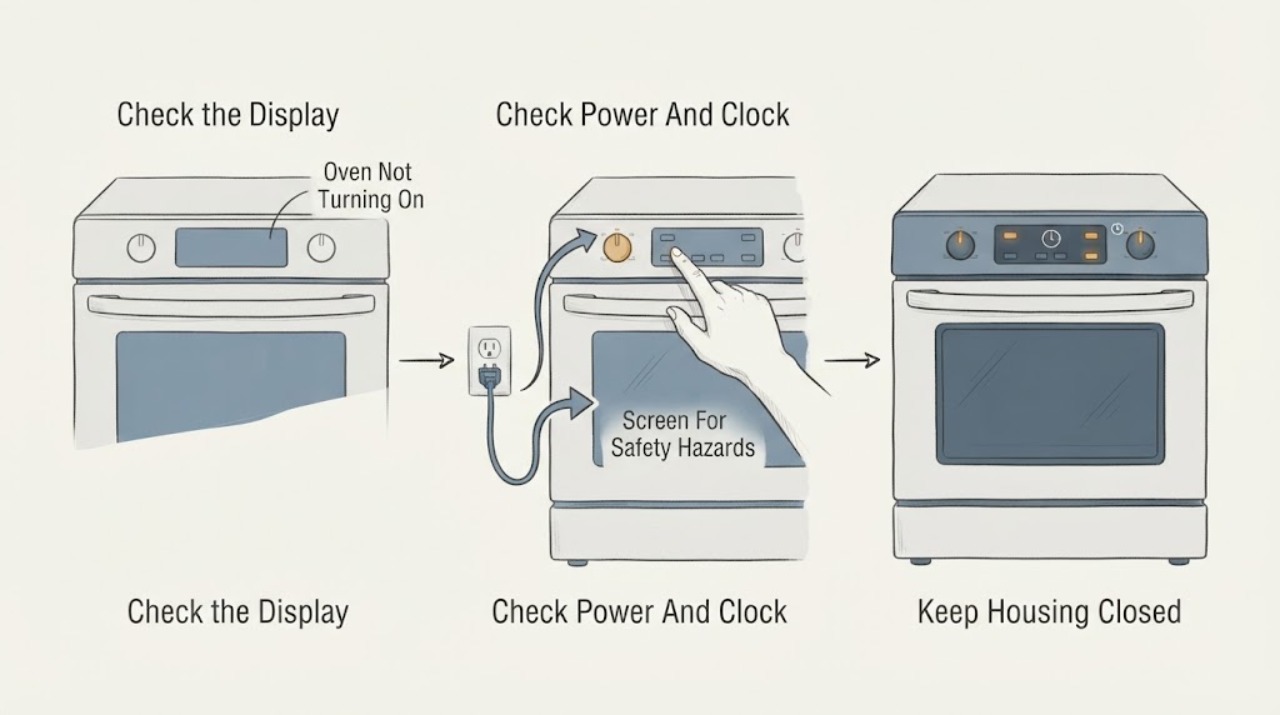
First separate a completely dead Siemens oven from an oven whose display works but whose cooking cycle will not start. Check the appliance's ordinary power connection, the household circuit status, the clock or time setting after a power cut, the selected mode, the door, and any childproof lock or Demo indication. Siemens manuals state that a circuit interruption or power cut can make the oven appear not to work, that a lock can prevent settings, and that a recurring electronics message needs after-sales service. If the model is gas or dual fuel, do not assume an electrical no-start symptom is an ignition fault: gas odor, an abnormal flame, delayed ignition, smoke, carbon-monoxide alarm, arcing, a hot connection, or repeated circuit trips requires immediate stopping and professional or emergency help. Never open the oven or bypass a door or safety lock.
Before you begin
Safety first
- This article supports ordinary-access observation and exact-manual controls only. Do not move the appliance, inspect gas connectors, open panels, bypass locks, manually ignite, adjust gas parts, or work on wiring.
Work through in order
Diagnostic checks
Use only checks that match the exact appliance or system and its official guide.
-
Check 1
Before trying to start the Siemens oven again, look from ordinary access for gas odor, an abnormal flame, delayed ignition or a bang, smoke, a carbon-monoxide alarm, visible arcing, a hot or damaged connection, water near electrics, or a circuit that trips again.
Expected result: Record whether any hazard is present and whether the oven is electric, gas, or dual fuel; do not move the appliance to inspect behind it.
Next step: Stop using the oven. For suspected gas, leave the area and contact the local gas or emergency response from a safe location; for smoke or fire, keep clear and use the appliance-off response only when safe. Arrange qualified inspection before reuse.
Stop if: Do not operate switches or flames near suspected gas, repeat ignition, move the appliance, touch wet electrics, or open panels.
Why this matters
Why: Any suspected gas leak, combustion problem, fire, smoke, carbon-monoxide warning, arcing, wet electrical condition, or repeat trip is outside a user start-up check.
-
Check 2
With the oven cool and safe, record the E-Nr. from the rating plate if it can be read without moving the appliance, then note whether the display is blank, the time flashes, a lock symbol appears, an error is shown, or settings are accepted.
Expected result: Classify the symptom as completely without power, powered but not accepting input, locked, showing a recurring message, or accepting a mode but not beginning heat; save the exact code and stage.
Next step: Open the exact Siemens manual or product support entry for the recorded E-Nr. and use its terminology when continuing or requesting service.
Stop if: Do not guess an error-code meaning from another model or remove the control panel to investigate.
Why this matters
Why: A blank display or flashing time supports a power or time-setting path; a lock supports a childproof or cleaning state; a recurring message supports model-specific electronics service. A powered display with no heat is not the same fault as a dead oven.
-
Check 3
From a safe position, check whether the oven's household circuit has opened and whether nearby kitchen lighting or another appliance also lost power; if the display shows a flashing time after a power cut, use the exact manual to set the time.
Expected result: Note whether the circuit appears open, the display returns, the time can be set, the oven accepts a mode, and the circuit stays on without heat, odor, or abnormal sound.
Next step: Restore a circuit only as permitted by the home's electrical safety practice and the appliance instructions; do not repeatedly reset it. If power is present but the oven remains unresponsive, request qualified service.
Stop if: Do not remove covers, touch wiring, reset a circuit that trips again, or continue after a hot connection, smoke, or burning odor.
Why this matters
Why: A household power interruption can explain a blank display or flashing clock. A circuit that opens again, a damaged cord, or a panel that remains dead is an installation or appliance fault requiring service.
-
Check 4
Use only the exact Siemens manual's ordinary controls to check the childproof or control lock, Demo mode, delayed or end-time setting, selected heating mode, and whether the door closes normally; do not force the door.
Expected result: Record whether a lock symbol or key indicator clears, Demo mode is identified, a delayed end time is active, the door closes without resistance, and a normal mode is accepted.
Next step: Clear only the documented setting, then try the normal mode once with the door closed; if it still will not start or the lock returns, leave the oven off and arrange after-sales service.
Stop if: Do not bypass a lock or interlock, pry the door, or run a cycle with a damaged seal, latch, or door glass.
Why this matters
Why: A lock, Demo state, delayed setting, open door, or incomplete mode selection can block a start without proving that the oven's heater or control board has failed. A bent door, stuck latch, or lock that remains after cooling needs service.
-
Check 5
If the E-Nr. confirms a gas or dual-fuel model and there is no hazard, follow only its user manual's ordinary gas-supply indication; do not move the appliance, inspect a connector, adjust a valve, or manually light the oven.
Expected result: Record whether the model is gas or dual fuel, whether there is any odor or abnormal flame, and whether the control sequence reaches an ignition attempt without a delayed bang or other unsafe sign.
Next step: For a normal but unsuccessful observation, stop user diagnosis and request licensed gas or appliance service. For odor, delayed ignition, bang, or abnormal flame, leave the appliance off and follow the emergency gas boundary.
Stop if: Do not test for a leak, move the range, adjust gas components, repeat ignition, or continue after an odor or abnormal flame.
Why this matters
Why: A gas-model no-start can involve supply, ignition, controls, or installation, but an odor, delayed ignition, bang, or abnormal flame is unsafe combustion evidence rather than a diagnosis to repeat.
-
Check 6
Compare the complete display message with the exact E-Nr. manual, then stop troubleshooting if the message returns, the panel stays blank or locked, the oven still does not start, or the circuit opens again.
Expected result: Provide the E-Nr., complete message, display and door state, selected mode, power and clock result, lock or Demo state, fuel type if relevant, and any safe symptom observed before the stop.
Next step: Arrange Siemens after-sales service or the appropriately licensed electrical or gas professional and leave the oven unused until the fault is diagnosed and safe operation is confirmed.
Stop if: Do not keep clearing a recurring code, bypass a safety circuit, or operate through smoke, odor, abnormal heat, or arcing.
Why this matters
Why: The record lets service distinguish power, clock, lock, door, settings, electronics, gas, and ignition paths without asking the user to open the appliance.
Use your observations
Decision map
Find the observation that best matches what you see, then follow the next safe action.
-
PATH 01Safety boundary
What you see
Gas odor, delayed ignition, a bang, abnormal flame, smoke, carbon-monoxide alarm, arcing, hot electrical connection, or repeated circuit trip is present.
Do this next
Stop using the oven, avoid ignition sources and electrical switches for suspected gas, leave when needed, and contact the local emergency, gas, electrical, or appliance response from a safe location.
Why this path and its safety boundary
Why it matters: This is an emergency or professional safety response, not a start-up diagnosis.
Safety stop: Do not retry, test for a leak, move the appliance, or open panels.
-
PATH 02Safety boundary
What you see
The display and controls are blank and there is no visible response.
Do this next
Check the household circuit and nearby power status from a safe position, then request service if power is present or the panel remains blank.
Why this path and its safety boundary
Why it matters: Power interruption, circuit, installation, or internal power-control issues are possible; the oven is not yet shown to have an ignition fault.
Safety stop: Do not remove covers or repeatedly reset a circuit that opens again.
-
PATH 03Safety boundary
What you see
The display works but a lock, Demo, delayed setting, door message, or flashing time prevents a normal start.
Do this next
Use only the exact E-Nr. manual's control sequence and try the normal mode once; request service if the block remains or returns.
Why this path and its safety boundary
Why it matters: A user setting, time state, door state, or safety lock may be blocking the cycle before heat begins.
Safety stop: Do not bypass the lock, force the door, or assume a code from another model.
-
PATH 04Safety boundary
What you see
A mode is accepted and the display remains active, but the oven does not heat or the cycle stops.
Do this next
Record the mode and any code, perform only the manual-authorized one-time reset if safe, then arrange qualified service if heating does not begin.
Why this path and its safety boundary
Why it matters: Heating, sensing, controls, door, power, or gas-specific conditions may remain; visible power alone does not prove safe operation.
Safety stop: Stop for smoke, odor, abnormal heat, a delayed ignition, flame change, or repeated electrical trip.
-
PATH 05Safety boundary
What you see
The exact E-Nr. identifies a gas or dual-fuel appliance and the user describes no ignition or no start.
Do this next
Follow only the manual's safe ordinary observation; use licensed gas or appliance service for a normal but unsuccessful ignition sequence.
Why this path and its safety boundary
Why it matters: Fuel supply and ignition are possible branches, but they require model-specific and professional boundaries.
Safety stop: For odor, abnormal flame, delayed ignition, or a bang, leave the area and follow the gas emergency response.
-
PATH 06Safety boundary
What you see
An electronics message returns after the manual's permitted one-time acknowledgement or reset.
Do this next
Keep the oven off and provide the exact message, E-Nr., display state, and event stage to service.
Why this path and its safety boundary
Why it matters: The fault is not resolved by a user control and needs Siemens after-sales diagnosis.
Safety stop: Do not continue operating through a recurring message or open the control area.
Helpful context
Understand the symptom
Define whether the oven is dead or only refusing a cycle
Pressing a control and seeing no response is different from seeing a clock or error message while the oven does not start. Record whether the display is blank, the time is flashing, the control accepts selections, a lock symbol is present, the door closes, and a cooking mode appears. After a power cut, some Siemens models require the clock to be set before normal use. Do not infer an internal part failure until these visible states are documented.
Power and settings are model-specific
A Siemens oven may be a built-in electric appliance or a gas or dual-fuel model with different installation and ignition systems. Check the household circuit only from a safe position and compare nearby lights or appliances if appropriate. Do not remove an oven from its cabinet or inspect a gas connector. A circuit that opens again, a damaged cord, a hot connection, smoke, or a burning odor is a stop condition, not a reason to keep resetting or testing.
Locks, Demo mode, and the door can prevent starting
A childproof lock can prevent settings, and a cleaning function or hot cavity can keep the door locked. Some Siemens manuals also identify Demo mode as a reason the appliance will not heat. Use only the exact model's documented control sequence. Never force the door or defeat the lock to make the oven start; if the lock does not clear after safe cooling and the manual's control step, request service.
Treat gas symptoms and recurring codes as service boundaries
If the oven is gas or dual fuel, a no-start complaint may involve fuel supply or ignition, but ordinary users should not adjust valves, move the appliance, test a connector, or manually light a burner. A complete error message and the appliance E-Nr. are more useful than a guessed code meaning. Siemens manuals recommend contacting after-sales service when an electronics fault returns.
Safety boundary
Stop conditions
- Stop immediately for gas odor, delayed ignition, a bang, abnormal flame, smoke, a carbon-monoxide alarm, visible arcing, or a hot or damaged electrical connection.
- Do not move the appliance to inspect a gas connector, test for a leak, adjust gas components, or manually light the oven.
- Do not bypass a childproof lock, door lock, or safety interlock; do not force a hot or damaged door.
- Do not remove panels, touch wiring, or repeatedly reset a circuit that opens again; recurring faults require trained service.
- Leave the oven unused if water, smoke, burning odor, abnormal heating, damaged glass, or a recurring error remains until qualified service confirms safe operation.
Only after diagnosis
Potential parts
- model-specific oven control assembly
Consider this category only when an exact E-Nr. diagnosis confirms a control or display fault; a blank panel can also result from installation or circuit conditions.
Match the exact E-Nr., revision, safety circuit, and manufacturer-approved repair; do not open or replace the control as a user check. - model-specific heating or ignition assembly
Consider only after qualified diagnosis confirms whether the appliance is electric, gas, or dual fuel and identifies the relevant heating or ignition component.
Exact fuel system, model, connector, and safety requirements must be confirmed by trained service; do not manually test or adjust the assembly. - door latch or door-sensing assembly
Consider only if the exact manual and service diagnosis link the no-start or lock symptom to door hardware or sensing.
Do not bypass or substitute a lock or door-sensing component; match the exact model and safety design through qualified service.
When checks do not resolve it
Need a professional?
Arrange Siemens after-sales service when power is present but the panel stays blank, the oven accepts a mode but will not start or heat, the clock or lock state cannot be cleared, the door or latch is damaged, an electronics message returns, the circuit opens again, or a gas-model ignition observation is unsuccessful. Use a licensed gas professional for supply or combustion concerns, an electrical professional for wiring or repeated circuit protection issues, and emergency services for gas, smoke, fire, or carbon-monoxide danger.
Safety scope: This article supports ordinary-access observation and exact-manual controls only. Do not move the appliance, inspect gas connectors, open panels, bypass locks, manually ignite, adjust gas parts, or work on wiring.
Common questions
FAQ
Why is my Siemens oven completely blank?
Start with the household circuit and whether nearby kitchen lighting or another appliance also lost power. A power cut or circuit interruption can leave the display blank. Do not open the oven; if power is present but the display remains blank, arrange qualified service.
Why does the Siemens oven display work but not start?
Check the exact model's clock, selected mode, delayed or end-time setting, door closure, childproof lock, and Demo indication. A powered display does not prove that the start conditions are satisfied. If the settings are correct and the oven still will not start, request service.
Can Demo mode stop a Siemens oven from heating?
Yes, Siemens manuals identify Demo mode as a possible reason the appliance will not heat on supported models. Use only the exact E-Nr. manual to deactivate it; do not borrow a control sequence from another model.
What does a flashing lock or key symbol mean on a Siemens oven?
It can indicate that the childproof or control lock is active, while a cleaning function or a hot cavity can also keep a door locked. Let the oven cool and use the documented control. Never force the door or bypass the lock.
What should I do if my gas Siemens oven smells of gas?
Stop using it, avoid flames and electrical switches, leave the area immediately when gas is suspected, and contact the local gas or emergency response from a safe location. Do not move the appliance, test for a leak, or retry ignition.
What information does Siemens service need?
Provide the exact E-Nr. and production information, complete error message, display and door state, selected mode, clock and lock state, fuel type if relevant, the circuit result, and the stage at which the oven stopped.
Read the exact guide
Official sources
- Siemens support and troubleshootingSiemens · Official Siemens support portal; product and country selection determines the relevant home-appliance resource.
- Service Page - Siemens Home Appliance supportSiemens Home Appliances · Official Siemens product-support page; select the exact appliance and country before applying a document or arranging service.
- User manual and installation instructions HB317GT.0Siemens Home Appliances · Official Siemens manual for the identified HB317GT.0 model family; use the exact E-Nr. manual for another appliance.
- User manual and installation instructions HB273AB.0SSiemens Home Appliances · Official Siemens manual for the identified HB273AB.0S model family; procedures and symbols vary by exact E-Nr.
- Gas Appliance SafetyU.S. Consumer Product Safety Commission · U.S. CPSC gas-safety guidance; local gas utility and emergency instructions control a particular location.
Community feedback
Share a repair observation
Share a plain-text repair observation. Accepted observations are published automatically; this page may take a moment to update.