
On this page
Start here
Quick answer
Do not slam or force a Siemens washing-machine door. First remove any visible garment or foreign object caught between the door and housing, and reduce an overloaded drum enough for the door to sit squarely. Inspect the visible seal, hinge, latch, and frame without dismantling them, then record the exact error code and whether water remains or the program is still active. A door may not close or lock when the drum is overfilled, the seal is folded, the latch is misaligned, Child Lock or a program state is active, or the lock mechanism has failed. If water is present, a leak appears, the glass or frame is damaged, or there is smoke, burning smell, heat, or electrical damage, stop. A door that still will not close after the safe checks needs qualified Siemens service.
Before you begin
Safety first
- This article covers visible obstruction and condition checks, labeled controls, waiting, and model-documented drain or restart steps only. A qualified professional must handle the lock, latch, hinge, seal, pump, water, wiring, cabinet, and electrical work.
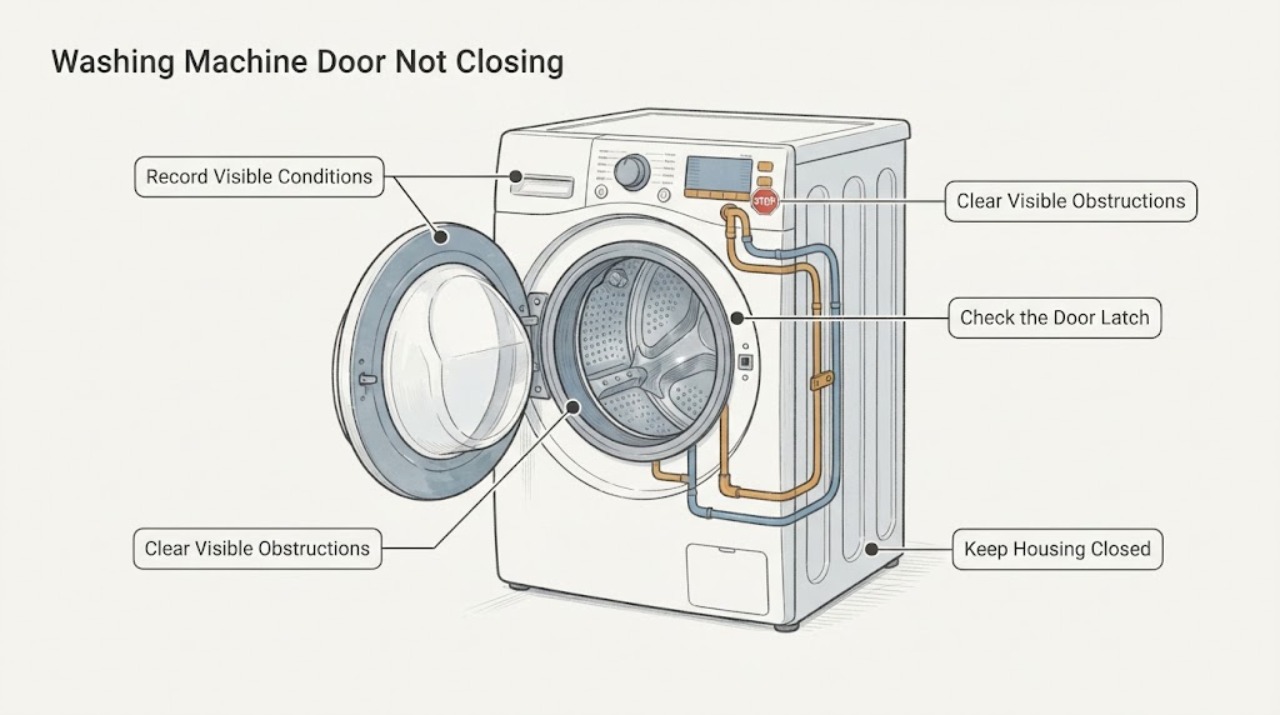
Work through in order
Diagnostic checks
Use only checks that match the exact appliance or system and its official guide.
-
Check 1
Stop the program using the normal control if it responds, keep hands away from the gap, and observe the door, seal, drum load, lock symbol, water level, and exact display or light pattern from a dry position.
Expected result: Record whether the door is physically open, almost closed but springing back, blocked by laundry, held by a full drum, locked during a running program, or associated with visible water or an error code.
Next step: Use the matching checks below and preserve the model, program stage, code, and photographs of visible damage.
Stop if: Stop for a leak, hot water, steam, broken glass, sharp metal, smoke, burning smell, sparks, a hot plug, or water near electricity.
Why this matters
Why: A physical obstruction or overfill is different from a program or water-safety lock. A code and water level identify a different next step from a door that simply does not align.
-
Check 2
With the washer off and the door supported normally, remove only loose visible laundry or foreign material from the seal contact area and remove enough laundry to avoid a packed drum; do not use a tool or force the door.
Expected result: The door closes with an audible click, the same item remains trapped, the drum is still overfilled, or the door still springs open or sits unevenly.
Next step: If the door closes normally, continue with the code and program checks; if it does not, leave the washer unused and request service.
Stop if: Do not slam, pry, pull the gasket, bend the hinge, force the handle, or run the machine with a gap.
Why this matters
Why: A clear door that closes normally supports an obstruction or load-size cause. A persistent gap or uneven fit points to the seal, hinge, latch, frame, or lock rather than the amount of laundry.
-
Check 3
Inspect the visible rubber seal, glass, hinge area, latch opening, and front frame for a fold, tear, displaced seal, loose-looking hinge, crack, bent metal, or damaged latch; do not dismantle the door or lock.
Expected result: The seal is intact and seated, an item or debris is visible, the glass or frame is damaged, the hinge is loose or bent, or the latch does not line up with the opening.
Next step: Remove only loose visible debris without tools; document any damage and arrange Siemens service for a seal, hinge, latch, frame, or glass fault.
Stop if: Do not glue or stretch the seal, bend metal, remove the door, or operate with damaged glass, frame, hinge, latch, or a sharp edge.
Why this matters
Why: An intact, clear seal with correct alignment supports a program, load, or lock-state branch. Physical damage or latch misalignment can prevent a safe closure and needs qualified repair.
-
Check 4
Read the complete error code or symbol and compare it with the exact Siemens manual; check whether Child Lock is active and whether the program is paused, complete, or waiting for a safe water state, using only the documented controls.
Expected result: The display identifies a door code such as E16, F16, or E34, a key or Child Lock symbol, a water or drain code, an unlisted code, or no code at all.
Next step: Apply only the model-specific documented control step once; if the code persists or the door cannot close mechanically, stop and request service.
Stop if: Do not bypass the door lock, hold the latch, insert objects into the lock, or run a program with a door error.
Why this matters
Why: Siemens uses door codes for a door that is not locked properly and separates water-supply, drain, leak, and sensor faults. Child Lock can remain active after power is removed on some models, so a restart alone may not change it.
-
Check 5
If water is visible or a program stopped before draining, keep the door closed, close the supply tap if water is still entering, and use only the exact model's documented drain procedure after hot water has cooled; do not open the door against water pressure.
Expected result: The drum is empty, water drains through the documented path, the drain hose or filter area is blocked or leaking, or water remains after the permitted procedure.
Next step: Once the water is safely removed, perform no more than the model-approved restart and check whether the door closes and locks; request service if water or the lock problem returns.
Stop if: Do not handle hot water, open a pressurized filter, spill water near electricity, tilt the washer, or remove panels.
Why this matters
Why: A water or drain state can keep the door locked for safety and can produce a code that is not a mechanical door fault. A blocked, leaking, or inaccessible drain path needs service rather than forced opening.
-
Check 6
Only when the door, floor, plug, and controls are dry, the drum is safe, no damage is visible, and the water state is safe, switch the washer off and on once using the model guide, then attempt one normal start without forcing the door.
Expected result: The door closes and locks, the same code returns, the door remains misaligned, water enters or leaks, or the washer does not start.
Next step: Leave the washer unused after a failed retry and provide service with the model, code, load, door photos, water state, and actions already taken.
Stop if: Do not repeat resets, bypass an interlock, run with a door gap, or continue after smoke, smell, sparks, water, heat, or a breaker trip.
Why this matters
Why: A successful restart can clear a temporary program or control state. A recurring code, persistent mechanical gap, retained water, or failed lock points to a door, drain, sensor, control, or electrical fault requiring service.
Use your observations
Decision map
Find the observation that best matches what you see, then follow the next safe action.
-
PATH 01Safety boundary
What you see
Laundry or a foreign object is caught between the door and housing, or the drum is too full for the door to sit squarely.
Do this next
Remove only loose visible items and reduce the load; close the door normally and listen for the click.
Why this path and its safety boundary
Why it matters: The physical closure is obstructed before the lock can engage.
Safety stop: Do not pry, slam, pull the gasket, or use the washer with a gap.
-
PATH 02Safety boundary
What you see
The door remains uneven or open after the visible load and obstruction are corrected, or the seal, hinge, latch, frame, or glass is damaged.
Do this next
Leave the washer unused and request qualified Siemens service; provide clear photos and the model number.
Why this path and its safety boundary
Why it matters: The door cannot establish a safe mechanical closure and may need an exact model repair.
Safety stop: Do not bend, glue, stretch, remove, or force any door component.
-
PATH 03Safety boundary
What you see
A key or Child Lock symbol is present, or a program is active, paused, or waiting for the normal door-lock state.
Do this next
Use the exact model manual to clear Child Lock or finish/cancel the program, then wait for the documented safe state.
Why this path and its safety boundary
Why it matters: The control state may prevent a start or opening even when the door hardware is intact.
Safety stop: Do not defeat the lock, hold the latch, or pull the door while the lock symbol is active.
-
PATH 04Safety boundary
What you see
Water remains in the drum or a water, leak, or drain code accompanies the door problem.
Do this next
Close the supply tap if needed, allow hot water to cool, and follow only the model-specific drain procedure; request service if water remains.
Why this path and its safety boundary
Why it matters: The door may be held closed to contain water; the primary next step is safe water management.
Safety stop: Do not force the door, open a hot or pressurized filter, tilt the washer, or work near wet electricity.
-
PATH 05Safety boundary
What you see
A door code such as E16, F16, or E34 returns after visible obstruction and load checks, or the door closes but is not detected as locked.
Do this next
Stop using the washer and arrange qualified Siemens service.
Why this path and its safety boundary
Why it matters: The latch, door lock, sensor, alignment, or control may be faulty; the code does not identify which part.
Safety stop: Do not bypass the lock or run a cycle with a persistent door code.
-
PATH 06Safety boundary
What you see
An unlisted code, blinking pattern, or control fault returns after the exact model's documented single restart.
Do this next
Leave the washer unused and provide the complete code and timing to Siemens service.
Why this path and its safety boundary
Why it matters: A sensor, control, power, water, or lock fault needs model-specific diagnosis.
Safety stop: Do not guess at a component, repeatedly reset, or open the control enclosure.
-
PATH 07Safety boundary
What you see
There is a leak, hot water or steam, broken glass, smoke, burning smell, sparks, a hot plug or outlet, exposed wiring, or a breaker trip.
Do this next
Keep clear, close the supply tap only from a dry safe position if possible, and use the appropriate emergency or qualified service path.
Why this path and its safety boundary
Why it matters: Water, burn, fire, and electrical safety take priority over recovering laundry or diagnosing the door.
Safety stop: Do not touch wet electrical parts, reconnect power, reset a breaker, move the washer, or force the door.
Helpful context
Understand the symptom
Find what prevents the door from sitting squarely
A small sock or other item can be trapped between the door and housing, while too much laundry can push the seal outward. A folded or damaged seal, loose hinge, bent frame, or latch that does not align is a different service path. Look for the first physical obstruction before changing settings or attempting to start a program.
Door closure and door locking are related but not identical
The door must close mechanically before the lock can confirm a safe state. A locked program, Child Lock, retained water, or a door code can keep the machine from starting even when the door looks nearly closed. Record the exact model and code because Siemens procedures vary by appliance and region.
Safety boundary
Stop conditions
- Do not slam, pry, pull, wedge, or force the Siemens washer door; do not bypass, tape, or hold the latch or lock.
- Do not run the washer with a door gap, damaged seal, broken glass, bent frame, loose hinge, damaged latch, or sharp edge.
- If water is present, allow hot water to cool before documented drain access; do not open a hot or pressurized filter or spill water near electricity.
- Do not tilt the washer, remove panels, handle internal wiring, or open the door-lock assembly.
- Stop immediately for leaks, smoke, burning smell, sparks, a hot or damaged cord or outlet, exposed wiring, or repeated breaker trips.
Only after diagnosis
Potential parts
- washing-machine door lock or latch
Consider this category only when qualified diagnosis confirms the door is aligned and intact but the model-specific lock or latch does not report a secure closure.
Confirm exact model and revision with Siemens or a qualified technician; do not bypass the safety lock. - front-load door gasket
Consider this category only when the first physical wet or contact point is the door seal and qualified diagnosis confirms a torn or distorted gasket.
Confirm exact model and door configuration; do not stretch, glue, or substitute a seal to force closure. - drain pump or filter component
Consider this category only when qualified diagnosis confirms retained water is caused by the model-specific pump or filter path after safe drain-hose checks.
Confirm exact model, filter arrangement, and water-safety procedure before replacement; do not open a hot or pressurized path.
When checks do not resolve it
Need a professional?
Request qualified Siemens appliance service when the door remains physically misaligned after visible load and obstruction checks; when the seal, hinge, latch, frame, or glass is damaged; when a door code returns; when water will not drain; or when one model-approved restart does not restore a safe closure. Use household plumbing service for a building-drain overflow and urgent local safety or electrical service for water near electricity, smoke, sparks, heat, or repeated trips.
Safety scope: This article covers visible obstruction and condition checks, labeled controls, waiting, and model-documented drain or restart steps only. A qualified professional must handle the lock, latch, hinge, seal, pump, water, wiring, cabinet, and electrical work.
Common questions
FAQ
Why will my Siemens washing-machine door not close?
Check for trapped laundry or debris between the door and housing, an overfilled drum, a folded or damaged seal, and visible hinge, latch, frame, or glass damage. A door that remains uneven after the load is reduced needs service; do not force it.
Can an overloaded Siemens washer prevent the door from closing?
Yes. Siemens notes that a full drum can prevent the door from closing properly. Remove enough laundry to let the door sit squarely, remove only loose visible items from the seal, and stop if the door still will not click shut.
What does an E16, F16, or E34 Siemens washer code mean?
Siemens uses these door-related codes when the door is not locked properly or the washer cannot confirm a safe closure. Check only visible laundry and normal closure, then follow the exact model guide. A returning code or damaged latch needs service.
Could water in the drum keep the Siemens washer door from closing or opening?
Retained water can keep a door locked for safety and can accompany a drain or water code. Keep the door closed, allow hot water to cool, and use only the exact model's documented drain procedure. Do not force the door or open a hot or pressurized filter.
Does Child Lock affect a Siemens washing-machine door?
Child Lock can prevent normal control changes and may keep the appliance from starting. Check the key symbol and use the exact model's documented control combination. Do not bypass the lock, and remember that a water state or unfinished program can still keep the door secured.
When is a Siemens washer door problem an urgent safety issue?
Stop immediately for a leak, hot water or steam, broken glass, sharp metal, smoke, burning smell, sparks, a hot plug or outlet, exposed wiring, or a breaker trip. Do not reconnect power, reset, move the machine, or force the door; use the appropriate emergency or qualified service path.
Read the exact guide
Official sources
- Pralka nie pobiera wody - jak to naprawić? | Siemens HomeSiemens Home Appliances · Official Siemens washer guidance in Polish; the physical door and water checks are applicable concepts, while exact controls vary by model and market.
- La Lavadora No Desagua, ¿Qué hacer? | SIEMENSSiemens Home Appliances · Official Siemens drain guidance in Spanish; emergency access and filter steps vary by model and market.
- Error codes and messages of washing machines | Siemens HomeSiemens Home Appliances · Official Siemens washing-machine error-code guide; code meanings and solutions vary by model and market.
Community feedback
Share a repair observation
Share a plain-text repair observation. Accepted observations are published automatically; this page may take a moment to update.