
On this page
Start here
Quick answer
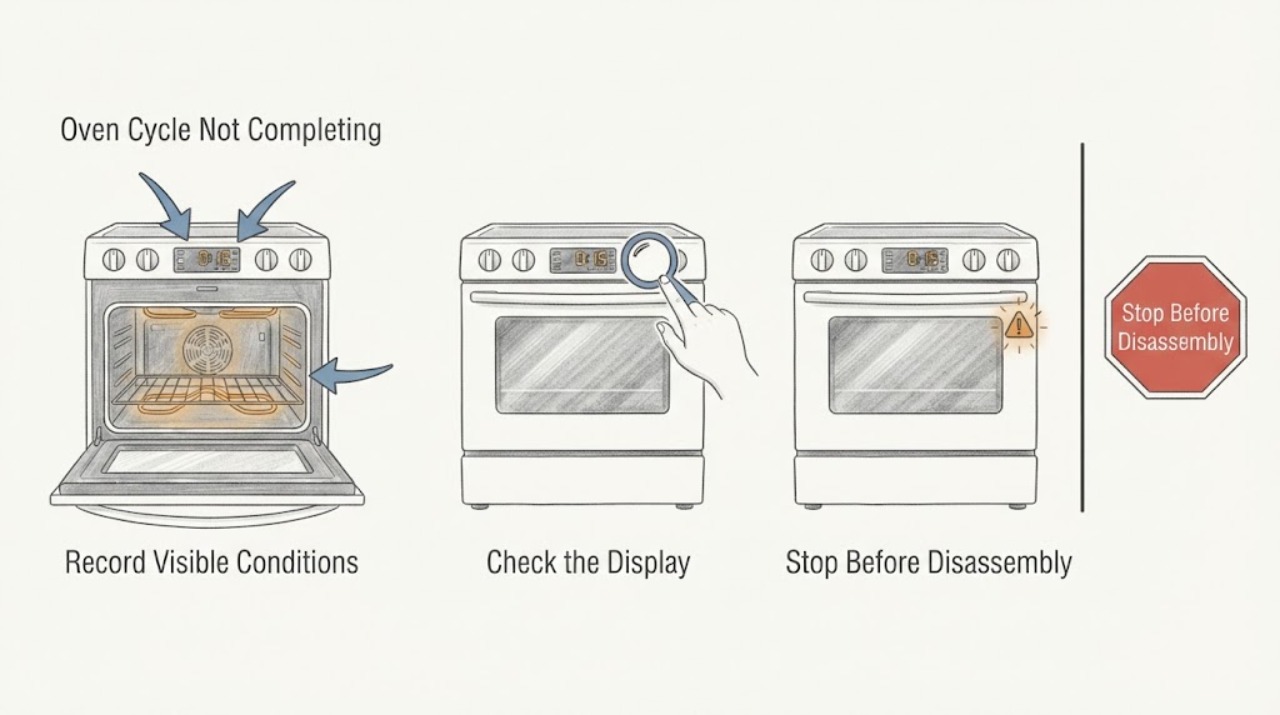
First record the exact Smeg model, function, display message, and point at which the programme stops. A cycle that appears stuck may actually be waiting for a delayed start, an automatic end time, a cooling fan period, or a locked pyrolytic-cleaning phase. Check the timer and programme state, door closure, and the model manual before trying one safe reset. If the oven keeps heating, cannot be stopped, shows smoke or a burning smell, trips the electrical supply, has damaged glass, or is a gas model with a gas odor or abnormal flame, stop using it and arrange qualified service. Do not force a locked door, repeatedly reset the supply, or open the appliance.
Work through in order
Diagnostic checks
Use only checks that match the exact appliance or system and its official guide.
-
Check 1
Record the exact Smeg model or product code, the selected function, the displayed time or message, and the phase where the cycle stops: before heating, during preheat, during cooking, at automatic end, during cleaning, or while cooling.
Expected result: The display is counting down, waiting to start, showing an end or lock state, showing an error, or becoming blank while heat or the fan continues.
Next step: Use the matching branch and include the model, function, phase, and exact display text in any service request.
Why this matters
Why: The stop stage separates a timer or lock setting from a power, heating, temperature-control, or safety fault; model behavior cannot be inferred from the symptom alone.
-
Check 2
From the normal control interface, check whether delayed start, automatic end-of-cooking, a minute minder, a temperature-probe programme, or a child or control lock is active; use the exact manual for the model rather than changing several settings at once.
Expected result: A delayed start or end time is active, the oven is waiting for a start confirmation, a lock symbol is shown, or no timer or lock explains the stop.
Next step: Cancel or correct only the setting the manual identifies. If the cycle still will not complete, leave the oven off and continue with the external checks.
Why this matters
Why: A programmed time or lock can make the oven wait or finish without indicating a component failure; an unexplained stop moves the check toward power, temperature, or control behavior.
-
Check 3
If the cycle is pyrolytic or the door is locked, verify from outside that the oven is cooling and that the programme has reached its end; do not pull the handle or try to defeat the lock.
Expected result: The door remains locked while the cavity is hot, the fan is running after the heat stops, or the door remains locked after the oven is cool and the programmed cycle should be finished.
Next step: Allow the oven to cool naturally. If the lock or heat state does not resolve as the manual describes, keep the appliance out of service and request qualified help.
Why this matters
Why: Smeg describes the pyrolytic lock as a safety condition that releases after the cycle and cooling period; a lock that persists after cooling may need model-specific service.
-
Check 4
With the oven off and cool, inspect the visible door seal, door alignment, control surface, and ventilation openings without removing panels or touching heating parts.
Expected result: The door is not closing evenly, the seal is displaced or damaged, a control is unresponsive, or vents are blocked by an external object; alternatively, the exterior looks normal.
Next step: Remove only an obvious external obstruction when the oven is cool. Do not force the door or continue a cycle with a damaged seal, persistent control problem, or unexplained stop.
Why this matters
Why: A door or airflow problem can affect heating and safe completion, while an unchanged exterior does not rule out an internal sensor, control, or element fault.
-
Check 5
Read and record any error code, flashing indicator, or blank-display behavior, along with whether the household electrical supply or breaker changed when the cycle stopped.
Expected result: The same message returns, the display is blank or erratic, the breaker trips, or the oven remains powered with no code.
Next step: Do not repeatedly reset the supply. Keep the oven off and provide the exact code and sequence to Smeg support or a qualified appliance technician.
Why this matters
Why: A returning code, abnormal display, or trip points toward a control, supply, heating, or sensor fault; no code does not make an oven that keeps heating safe.
-
Check 6
If there is no gas odor, smoke, active fire, uncontrolled heat, damaged glass, or repeated trip, perform at most one model-approved power reset using the manual or the accessible supply control; do not open the cabinet.
Expected result: The display returns and the oven remains off until a new programme is selected, or the incomplete-cycle symptom, error, heat, or trip returns.
Next step: If any symptom returns, leave the oven off and arrange service rather than repeating the reset or starting another cycle.
Why this matters
Why: A reset can clear a temporary control state but cannot prove a timer, sensor, element, wiring, or lock fault is repaired.
-
Check 7
For a Smeg model that uses gas for any oven or burner function, identify the fuel type from the model documentation and make only safe external observations of the control state and flame; do not relight or adjust gas components.
Expected result: There is no gas odor and the flame is normal where the manual says one should be present, or there is gas odor, delayed ignition, an abnormal flame, or repeated ignition failure.
Next step: For any gas warning, stop using the appliance, leave the area without operating switches, and seek gas or emergency help from outside. Otherwise provide the fuel type and symptom to qualified service.
Why this matters
Why: Gas behavior is model-specific. Odor, delayed ignition, or an abnormal flame is a fuel-safety condition, not a timer problem.
Use your observations
Decision map
Find the observation that best matches what you see, then follow the next safe action.
-
PATH 01Next step
What you see
The programme has a delayed start, automatic end time, minute minder, probe option, or lock symbol active.
Do this next
Use the exact model manual to cancel or complete that setting once, then request service if the display or cycle remains incorrect.
Why this path and its safety boundary
Why it matters: The oven may be waiting or finishing according to a programmed state rather than failing to run.
-
PATH 02Next step
What you see
The oven is in pyrolytic cleaning and is still hot or the cooling fan is running.
Do this next
Keep the door closed and allow the oven to cool. If it remains locked or hot beyond the model guidance, stop using it and request service.
Why this path and its safety boundary
Why it matters: The locked door and fan may be part of the normal safety and cool-down sequence.
-
PATH 03Next step
What you see
The cycle stops during heating or cooking, the display becomes abnormal, or an error returns.
Do this next
Do not keep resetting or running cycles. Keep the oven off and give the technician the model, function, phase, and display message.
Why this path and its safety boundary
Why it matters: A power, control, temperature sensor, heating element, or door-related fault is more likely than a simple timer state.
-
PATH 04Next step
What you see
The oven keeps heating after the controls indicate off, cannot be stopped, or becomes excessively hot.
Do this next
Stop use and isolate power only if it is safe and accessible; do not open the oven or cabinet, and request qualified service.
Why this path and its safety boundary
Why it matters: Treat this as an immediate control or heating safety fault.
-
PATH 05Next step
What you see
There is smoke, a burning smell, a fire, damaged glass, repeated electrical tripping, or water near the electrical supply.
Do this next
Stop immediately, keep clear, and use the appropriate local emergency or qualified service route; do not run another cycle.
Why this path and its safety boundary
Why it matters: The appliance has a fire, shock, or heat-damage risk that should not be diagnosed by repeated operation.
-
PATH 06Next step
What you see
A gas-enabled model has a gas odor, delayed ignition, an abnormal flame, or repeated ignition failure.
Do this next
Do not relight or adjust the appliance. Leave the area without operating electrical switches and seek gas or emergency help from outside.
Why this path and its safety boundary
Why it matters: This is a gas-safety condition, not a normal incomplete programme.
Helpful context
Understand the symptom
A stopped cycle is not always a failed cycle
Smeg ovens vary by model and may have manual cooking, automatic end times, delayed starts, child or control locks, pyrolytic cleaning, temperature probes, and cooling fans. Note the function shown on the display and whether the oven is still heating, merely displaying a timer, cooling, or waiting for a door-unlock condition. This prevents a normal end or cool-down from being mistaken for a control failure.
Check the stop stage before changing settings
If the programme stops during setup, inspect the timer and start state. If it stops when the food should be done, inspect automatic end settings and probe-related options where fitted. If it stops during pyrolytic cleaning, keep the door closed until the oven is cool and the lock releases. If it stops during heating with a blank display, error message, smoke, or repeated trip, treat that as a fault rather than a timing issue.
Keep the boundary safe
Only external controls, the display, a cool door, and visible seals or vents are user-level observations. Do not remove panels, touch heating or gas components, force a door lock, or work inside a hard-wired oven. A persistent cycle fault, uncontrolled heat, or a safety symptom needs a technician with the exact model information.
Safety boundary
Stop conditions
- Stop immediately if the oven keeps heating when it should be off, cannot be stopped, shows smoke or fire, or develops a burning or electrical smell.
- Stop for a gas odor, delayed ignition, abnormal flame, damaged glass, repeated breaker trip, water near the electrical supply, or a door that cannot close safely.
- Do not force a locked door, open panels, touch heating or gas parts, bypass a lock or safety device, or repeatedly reset the supply.
- Do not move or tilt a built-in oven to investigate a fault; keep children away from a hot or malfunctioning appliance.
Only after diagnosis
Potential parts
- timer or control assembly
Consider only if a technician links the incomplete programme or recurring display fault to the timer or control.
Confirm the complete product code and model-specific fit through Smeg or qualified service before selecting a component. - door lock or latch component
Consider only when the model-specific diagnosis confirms a lock that remains engaged after a completed and cooled cleaning cycle.
Do not force or bypass the lock; fitment and replacement require model-specific service information. - temperature sensor or heating element
Consider only if the oven stops during heating and qualified diagnosis identifies a sensor or element fault.
Do not infer a failed component from timing alone; verify the exact model and safe repair procedure.
When checks do not resolve it
Need a professional?
Request qualified Smeg appliance service when a programme stops during heating, a display or error returns, a timer or lock state cannot be cleared using the model manual, the oven remains hot or locked after its expected cool-down, or any safety symptom occurs.
Common questions
FAQ
Why does my Smeg oven seem stuck at the end of a cycle?
Check whether an automatic end time, temperature-probe programme, cooling fan, or pyrolytic door lock is active. A hot cleaning cycle can keep the door locked until it cools; a persistent lock or heat state needs service.
Is it normal for a Smeg oven fan to keep running after it is off?
Smeg says its oven cooling fan can continue for around 20 minutes after switch-off. If the oven keeps heating, the fan never settles, or smoke or an unusual smell appears, stop using it and request service.
What should I record when a Smeg cooking programme stops early?
Record the exact model or product code, function, programmed time, point of interruption, display message, and whether the oven was heating, cooling, locked, or tripping the supply. These details distinguish a setting from a component fault.
Can I reset a Smeg oven that will not complete its cycle?
Only use one reset described for the exact model, and only when there is no gas odor, smoke, uncontrolled heat, damaged glass, water near the supply, or repeated trip. A returning symptom means keep the oven off and arrange qualified service.
Read the exact guide
Official sources
- SMEG SOP6604TPNR 60 cm Black oven | Dolce Stil NovoSmeg · Smeg oven programme, timer, automatic-end, lock, heating, cooling, and model-specific feature context
- User manualsSmeg · Smeg product-code-specific user manuals and language selection
- Oven FAQSmeg · Smeg oven pyrolytic cycle, door lock, cooling fan, and model guidance
Community feedback
Share a repair observation
Share a plain-text repair observation. Accepted observations are published automatically; this page may take a moment to update.