
On this page
Start here
Quick answer
A Speed Queen dryer may tumble briefly after the heat ends because its cool-down or anti-wrinkle option is running. Check the status light, display, timer, selected cycle, and whether the drum is turning with heat or without heat. A timed cycle should end at its selected time, while automatic cycles can vary with load and moisture. If the drum or heat continues after the expected end, the controls do not respond, or there is smoke, a burning odor, gas odor, sparking, severe heat, or repeated breaker trips, stop using the dryer. Do not keep restarting it, bypass the door switch, or open the cabinet; use the exact model manual and arrange qualified service.
Work through in order
Diagnostic checks
Use only checks that match the exact appliance or system and its official guide.
-
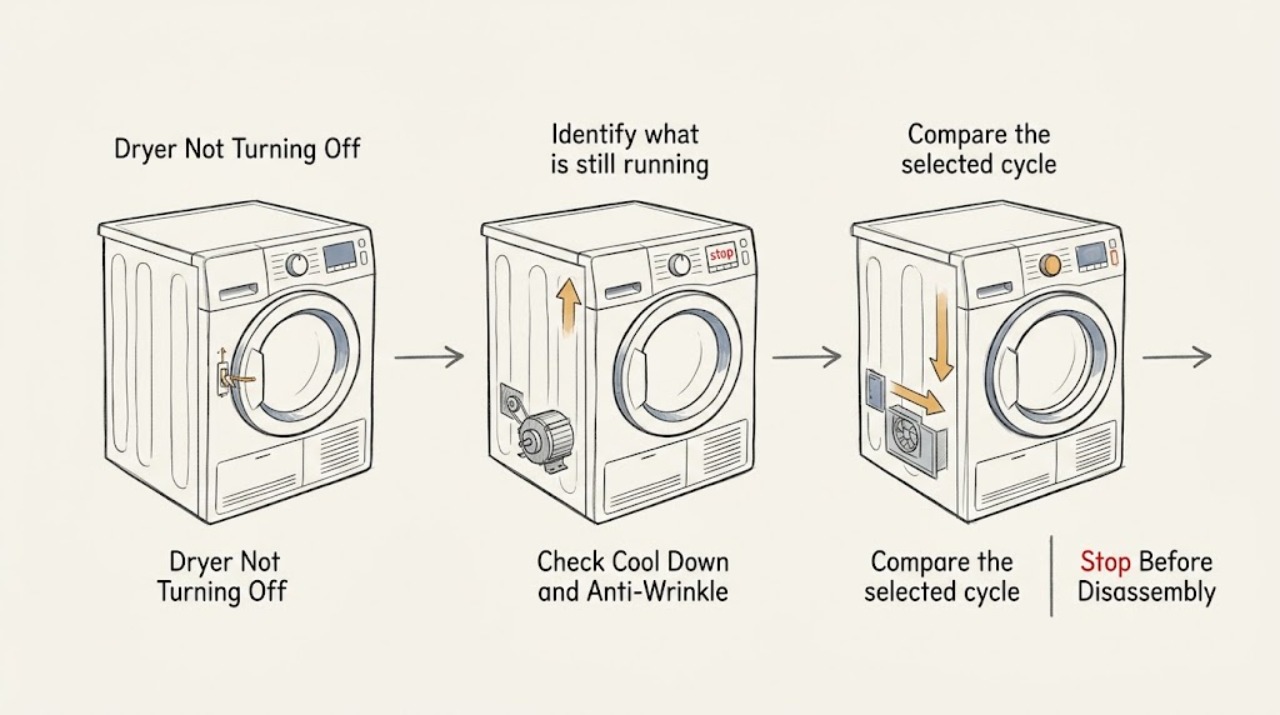
Identify what is still running
Without starting another cycle, note whether the drum is turning, whether the Heating or Cooling status is lit, whether the display is counting down, and whether the selected cycle is Auto-Sensing, Time Dry, Cool Down, or an extended wrinkle option. Note whether the controls respond and whether the heat stops before the drum stops.
Expected result: The drum tumbles with Cooling or Extended status and no heat, or it continues tumbling with Heating lit or after the selected time has ended.
Next step: If there is any smoke, burning odor, gas odor, sparking, severe heat, or a trip, stop immediately. Otherwise continue with the matching control and cycle checks, without running a new test load.
Why this matters
Why: Cooling and anti-wrinkle functions can deliberately keep the drum moving after the main heated portion. Continued heat, an expired timed cycle, or a control that cannot stop the motor is a fault pattern rather than normal wrinkle care.
-
Check Cool Down and Anti-Wrinkle behavior
Read the status indicators and remaining-time display while the dryer is safe to observe. On supported electronic models, check for Cooling or Extended; on timer models, see whether the control is in a Cool Down position or the timer has reached its expected end. Do not force the door or reach into a moving drum.
Expected result: The dryer is in a no-heat cooling period or an Anti-Wrinkle extension, the door is opened and motion stops, or the timer has ended but the motor or heat continues.
Next step: Allow a normal no-heat extension to finish or follow the model manual for a safe stop. If the dryer continues beyond the documented behavior, remains hot, or does not stop when the door is opened, keep it out of service and arrange diagnosis.
Why this matters
Why: Speed Queen manuals describe a no-heat cool-down portion and an Anti-Wrinkle option that can tumble clothes after the main cycle. If opening the door stops a normal extension, that supports an expected option; if heat remains or the dryer ignores the door, it needs service.
-
Compare the selected cycle with the elapsed behavior
Record the exact cycle and time setting without changing the dryer. For an automatic cycle, note whether the display is an estimate and whether the load was unusually small, large, wet, or mixed. For a manual cycle, note the selected time and whether the timer or display advances. Do not use a long cycle as a way to test a suspected fault.
Expected result: An automatic cycle changes its estimate, a manual timer reaches its end, the timer does not advance, or the cycle runs far beyond the documented setting.
Next step: If the behavior is only an automatic estimate or a documented no-heat extension, use the model manual for normal operation. If the timer is stuck, the motor continues past the end, or heat remains after the end, stop using the dryer and request service.
Why this matters
Why: Speed Queen states that Auto-Sensing time varies with load, fabric, moisture, airflow, and room conditions, while manual cycles run for the displayed or selected time. A timer that fails to advance or a cycle that continues past its model-defined end is not explained by ordinary load variation.
-
Check the door response without bypassing the switch
With the dryer operating only if there is no hazard and the manual permits normal observation, open the loading door normally and note whether the drum stops. Do not wedge the switch, hold it closed, reach into a moving drum, or remove any panel. If the dryer is already unsafe, leave it disconnected and skip this check.
Expected result: Opening the door stops the drum as expected, or the drum and heat continue with the door open or the door does not control the cycle.
Next step: Do not use a dryer that ignores the door or requires the switch to be manipulated. Keep it out of service and have a qualified technician inspect the door-switch and control circuit.
Why this matters
Why: Speed Queen guides identify the loading door as an operating interlock on covered models. Failure to stop at the door, a loose or damaged latch area, or continued heat with the door open indicates a safety-control problem.
-
Check the status, lock, and control response
Record any Control Lock indicator, diagnostic code, flashing display, or unresponsive keypad. Compare the control behavior with the exact Speed Queen manual for the model and region. Use only a documented Power/Cancel or Start/Pause action that is safe for the current state; do not repeatedly press controls or repeatedly restore power.
Expected result: A control lock is active, the display shows a diagnostic code, the display is blank, or the dryer ignores the documented stop control.
Next step: If the manual gives a safe unlock or stop sequence and there is no heat or other hazard, use it once. If the dryer remains active, the code returns, or the display is abnormal, leave it out of service and arrange qualified service.
Why this matters
Why: A lock can prevent keypads from responding, while a code or blank display can indicate a control or power condition. A dryer that ignores a normal stop command cannot be treated as an ordinary cycle extension.
-
Separate airflow and load clues from an active heating fault
After the dryer has stopped and cooled, inspect only the accessible lint-filter area and the visible load condition. Note excessive lint, an overloaded or oil-affected load, clothes that are unusually hot, or a vent-flow concern. Do not run the dryer to see whether cleaning changes a continuous-run symptom, and do not dry solvents or items with a flammable residue.
Expected result: The load or lint path suggests restricted airflow or a heat-retaining load, or the dryer was empty and still continued heating or tumbling.
Next step: Clean the accessible lint filter only as directed by the manual and keep unsafe loads out of the dryer. If the cabinet or clothing was excessively hot, or the dryer continues to heat, stop use and request service; do not open the cabinet or vent system for internal repair.
Why this matters
Why: Lint, airflow, load size, and oil-affected fabrics can affect drying and fire risk, but they do not prove a failed timer, motor, thermostat, or control. Continued operation with no load or after the selected end is a stronger service signal.
-
Use the one-time recovery only if the exact manual permits it
Write down the model, cycle, status, remaining time, temperature behavior, and any code. If the dryer is fully cool, there is no odor or damage, and the exact manual documents a one-time power or control recovery, perform that recovery once only. Do not reset a tripped protection device repeatedly or run a confirmation load.
Expected result: The dryer returns to a normal stopped state, or it continues running, reheats, shows the same code, or ignores the stop command.
Next step: If the symptom returns or any hazard appears, disconnect or isolate the dryer only from a safe position and arrange qualified service. Do not remove covers, bypass the door switch, or perform live electrical or gas tests.
Why this matters
Why: A one-time documented recovery can clear a control state, but it cannot establish that a stuck relay, motor circuit, heater, door interlock, or gas control is safe. A returning symptom confirms the need for service.
-
Stop immediately for heat, fire, gas, or electrical danger
Stop using the dryer immediately if the drum or heater will not stop, clothing or the cabinet is dangerously hot, or there is smoke, a burning odor, gas odor, sparking, arcing, or a breaker trip. Do not open the cabinet, continue the cycle, or restore power for another test.
Expected result: The hazard clears only after the dryer is isolated, or smoke, fire, gas odor, or electrical danger remains.
Next step: Leave the area for fire or suspected gas danger and contact emergency or gas assistance from a safe location. For a non-emergency persistent fault, keep the dryer out of service and arrange qualified appliance and electrical service.
Why this matters
Why: A dryer that keeps heating or runs with a safety symptom can create a fire, gas, or shock hazard. Normal cooling or wrinkle-care behavior never includes persistent heat, smoke, gas odor, or visible arcing.
Use your observations
Decision map
Find the observation that best matches what you see, then follow the next safe action.
-
PATH 01Next step
What you see
The drum tumbles with Cooling or Extended status and no heat, or a timer model is in its documented Cool Down position.
Do this next
Treat this as a possible normal cycle extension, allow the no-heat period to finish, and use the exact model manual for the expected stop behavior.
-
PATH 02Next step
What you see
The dryer is in Anti-Wrinkle or another post-cycle tumble option, and opening the door stops the motion normally.
Do this next
Remove the load or let the documented extension end. If heat remains, the option never ends, or the door does not stop the drum, stop use and request service.
-
PATH 03Next step
What you see
An Auto-Sensing cycle's estimate changes with load or moisture, but the dryer stops heat and ends normally.
Do this next
Use the cycle and load guidance in the model manual. Do not interpret a changing estimate as a stuck timer unless the dryer continues beyond the documented behavior.
-
PATH 04Next step
What you see
A manual or timed cycle reaches its selected end while the motor, drum, or heat continues, or the timer does not advance.
Do this next
Do not start another load. Leave the dryer out of service and arrange qualified diagnosis of the timer, motor, heater, controls, and door interlock.
-
PATH 05Next step
What you see
The control lock, code, blank display, or an unresponsive stop control prevents normal operation.
Do this next
Use one model-specific safe unlock or recovery only if the exact manual documents it and there is no hazard. If the fault persists or returns, request service without opening the cabinet.
-
PATH 06Next step
What you see
The dryer continues heating after Off, clothing or the cabinet is excessively hot, or there is smoke, a burning odor, gas odor, sparking, arcing, or a breaker trip.
Do this next
Stop immediately and do not re-energize. Leave the area for fire or suspected gas danger and contact emergency assistance from a safe location; otherwise arrange qualified appliance and electrical service.
Helpful context
Understand the symptom
“Not turning off” has two very different meanings on a Speed Queen dryer. A drum that tumbles with no heat during Cool Down or Anti-Wrinkle may be following the selected cycle. A drum that keeps heating, runs indefinitely beyond a timed setting, or ignores Power/Cancel or the door is not a normal wrinkle-care state. Record the status and cycle before deciding which branch applies.
Speed Queen uses different control layouts across electronic, hybrid, and timer models. Automatic cycles use moisture and load conditions, while manual or timer cycles use a selected time. The model number is needed before interpreting a display, an option, a control-lock state, or a reset sequence.
Do not continue a dryer that smells of gas, produces smoke or a burning smell, sparks, trips a breaker, or makes the cabinet or clothes dangerously hot. Keep the door closed for an active fire unless leaving it is required for safety, leave the area for a gas hazard, and obtain emergency or qualified help from a safe location.
Only after diagnosis
Potential parts
- timer or electronic control
Only relevant after qualified diagnosis finds that the timer or control fails to end the cycle or respond to a documented stop command.
Confirm the exact Speed Queen model and control revision before any part decision. - door switch or latch assembly
Only relevant when the drum does not stop with normal door opening or the door-interlock condition is confirmed by qualified service.
Do not bypass the switch or infer fit from the symptom. - heating element or gas heat-control assembly
Only relevant if qualified diagnosis links persistent heat to the applicable electric or gas heating circuit.
Electric and gas models use different systems; verify model, fuel type, and diagnosis before any part decision. - drive motor or motor-control circuit
Only relevant if the motor continues after the documented cycle end or fails to stop under a confirmed control condition.
Internal electrical diagnosis and replacement require qualified service.
When checks do not resolve it
Need a professional?
Request qualified service when a Speed Queen dryer continues tumbling or heating beyond its documented cycle, ignores the door or stop control, has a stuck timer, returns a code after one documented recovery, or has a blank or abnormal display. Stop immediately for smoke, burning odor, gas odor, sparking, arcing, severe heat, damaged clothing, or a breaker trip; use emergency or gas-safety assistance as appropriate. Do not bypass the door switch, open the cabinet, or perform live electrical or gas work.
Common questions
FAQ
Is it normal for a Speed Queen dryer to keep tumbling after the heat stops?
It can be normal during Cool Down or an Anti-Wrinkle extension when the drum tumbles without heat. Check the Cooling or Extended status, timer position, and model manual. Continued heat or a cycle that never ends is not normal.
Why does my Speed Queen dryer keep running on an automatic cycle?
Auto-Sensing time can vary with load size, fabric, moisture, airflow, and room conditions. If the dryer is cooling or sensing normally, follow the model guide. If the motor or heat continues beyond the documented behavior, stop using it and request service.
What if the dryer keeps heating after I turn it off?
Stop using it immediately. Persistent heat after Off is different from no-heat Cool Down and may indicate a control, heater, gas-control, or safety problem. Do not run another load or open the cabinet.
Should opening the Speed Queen dryer door stop the drum?
On the covered Speed Queen guides, normal door opening stops operation. Do not bypass or hold the door switch. If the drum or heat continues with the door open, leave the dryer out of service and arrange qualified repair.
Can I reset a Speed Queen dryer that will not turn off?
Only use a one-time power or control recovery if the exact model manual documents it, the dryer is cool, and there is no hazard. Do not repeatedly restore power or run a confirmation load. A returning symptom requires service.
When is a dryer that will not turn off an emergency?
Smoke, a burning odor, gas odor, sparking, arcing, severe heat, damaged clothing, or a breaker trip requires immediate stop-use action. Leave for fire or suspected gas danger and contact emergency assistance from a safe location.
Read the exact guide
Official sources
- Speed Queen | DryerSpeed Queen by Alliance Laundry Systems · Current Speed Queen DC5 and DR3 product information; features differ among models and configurations.
- User's GuideSpeed Queen by Alliance Laundry Systems · ADE3TR and ADG3TR timer dryer guide represented by the document; other Speed Queen models may use different timers and cycle options.
- Speed Queen | Manuals & DownloadsSpeed Queen by Alliance Laundry Systems · Speed Queen residential and commercial washers and dryers; controls, options, and safety instructions depend on the complete model number.
- User's GuideSpeed Queen by Alliance Laundry Systems · ADEE9R and ADGE9R electronic dryer guide represented by the document; other Speed Queen models may use different controls and options.
Community feedback
Share a repair observation
Share a plain-text repair observation. Accepted observations are published automatically; this page may take a moment to update.