
On this page
Start here
Quick answer
First separate a completely dead control panel from a washer or dryer that has power but will not start. Keep hands and feet dry, look for water around the appliance, and do not operate it with a damaged cord, burning smell, sparking, or repeated breaker trip. Check the plug and accessible breaker/GFCI once, then verify the loading door, cycle controls, Start/Pause control, and control-lock or delay settings described by the model's manual. If the panel remains blank, water has reached electrical parts, or power drops again, leave the Speed Queen washer-dryer disconnected and arrange model-specific service.
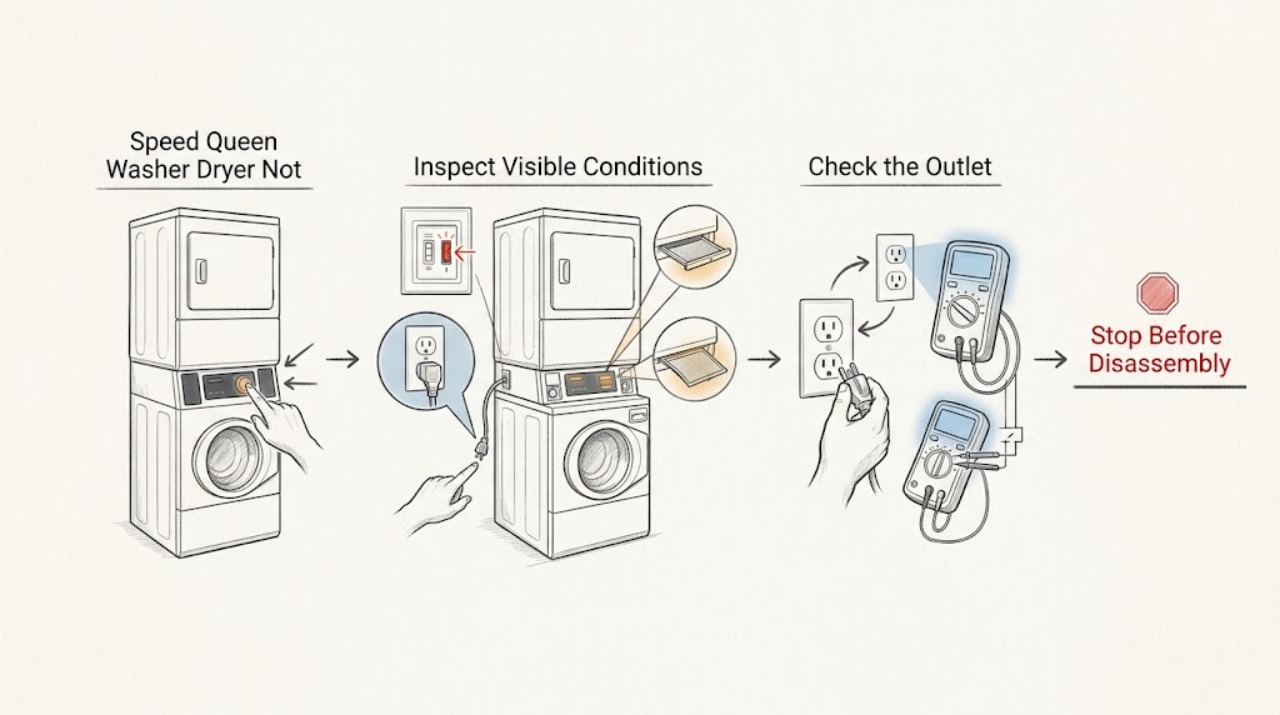
Work through in order
Diagnostic checks
Use only checks that match the exact appliance or system and its official guide.
-
Check 1
Stand on a dry surface and check whether the washer section, dryer section, or both are unresponsive. Look at the accessible plug, cord, wall switch, and outlet without moving the stacked unit or removing a cover.
Expected result: Both control areas are blank, only one section is blank, or a display/light is present but the machine does not respond.
Next step: Record which section is affected and continue only with the matching accessible checks; do not assume a single shared fault.
Why this matters
Why: A blank panel points first to supply power, a switch, fuse/breaker, or internal power path. A lit panel that will not start points instead toward settings, door/lid interlock, control lock, or a start-control fault.
-
Check 2
Inspect the laundry area for water, a wet plug or outlet, a damaged cord, burning odor, smoke, buzzing, melted plastic, or signs of arcing. Do not touch wet electrical equipment or pull a wet plug.
Expected result: Water or heat/damage evidence is present, or the area and cord are dry and intact.
Next step: If any wetness or damage is present, leave the machine off and obtain qualified help. If safe, stop the water source without touching energized wet equipment.
Why this matters
Why: Water and damaged electrical insulation can create a shock or fire path. A dry, intact area permits the limited power checks below, but it does not clear an internal fault.
-
Check 3
From the outside of the electrical panel, check the laundry-room breaker or fuse and any accessible GFCI reset indicator. If the circuit is tripped and there is no wetness, smoke, or visible damage, reset it only once; do not remove the panel or replace a fuse with a different type.
Expected result: The breaker/GFCI was tripped and stays on, it trips again immediately, or no breaker/GFCI change restores the machine.
Next step: Leave a repeated-trip circuit off and call qualified appliance/electrical service. If power appears normal, reconnect or power up only according to the model manual and continue with control checks.
Why this matters
Why: A one-time trip may explain a blank control, but a repeat trip indicates an unresolved appliance or circuit fault. No change points toward the outlet, cord, control, interlock, or internal supply path.
-
Check 4
With the panel powered and the area dry, close the washer door or lid firmly, verify the selected cycle and options, turn off Control Lock if the model uses it, and press Start/Pause as the manual describes. For a dryer section, make sure its loading door is fully closed before pressing Start/Pause.
Expected result: The panel responds after the door/lid is closed or the start control is pressed, a lock indicator remains, or the panel still ignores all controls.
Next step: Do not bypass a door/lid lock. Use the exact model guide for Control Lock or delay settings; arrange service if the lock or controls do not respond normally.
Why this matters
Why: Speed Queen's guide treats door/lid closure, control settings, and Start/Pause as prerequisites for starting. A persistent lock indicator or unresponsive panel suggests an interlock or control problem rather than a simple power reset.
-
Check 5
If the washer contains water or the unit recently leaked, inspect only the visible fill hoses, drain hose, drain receptacle, and door gasket for a kink, loose connection, tear, or standing water. Do not remove a pump cover or reach into the machine while it is energized.
Expected result: A hose, gasket, drain path, or floor is wet; water remains in the drum; or the visible plumbing is dry.
Next step: Close the supply taps if clearly identified and safe, keep the machine off, and arrange service for any leak or water remaining inside. Do not restart just to see whether it drains.
Why this matters
Why: A leak or water-left condition can be the event that preceded the no-start symptom and can make continued operation unsafe. Dry visible plumbing does not rule out an internal leak or control fault.
-
Check 6
Write down the model and serial information, which section failed, the display state, any indicator or error text, the breaker/GFCI result, water evidence, and whether the failure followed a load, leak, odor, or power event. Use the official Speed Queen support portal to obtain model-specific documentation or service routing.
Expected result: The failure repeats, the panel remains blank, a fault indicator returns, or the machine works only after repeated resets.
Next step: Keep the affected section off and give the record to a qualified Speed Queen appliance servicer. Do not open the cabinet or test live voltage.
Why this matters
Why: A recurring or intermittent no-start condition needs a traceable diagnosis; repeated resets can conceal an electrical, interlock, drain, or control failure.
Use your observations
Decision map
Find the observation that best matches what you see, then follow the next safe action.
-
PATH 01Next step
What you see
Both washer and dryer controls are blank but the area is dry and the accessible breaker/GFCI had tripped once
Do this next
A supply interruption is plausible, but a reset is only a diagnostic observation.
-
PATH 02Next step
What you see
The panel is lit but Start/Pause does nothing or a door/lid indicator remains
Do this next
Treat the closure, latch, control-lock, delay, and cycle prerequisites as unresolved.
-
PATH 03Next step
What you see
Water, a wet electrical area, burning odor, damaged cord, smoke, sparking, or a repeated breaker trip is present
Do this next
Do not power the machine or reach into the wet area.
-
PATH 04Next step
What you see
A washer has water remaining after the no-start event or visible hoses/drain/gasket leak
Do this next
Treat the event as a water-path fault as well as a no-start problem.
-
PATH 05Next step
What you see
Power, door/lid closure, controls, and visible plumbing appear normal but the machine still will not start
Do this next
An internal control, interlock, motor, or power-distribution fault remains possible and cannot be identified from external checks.
Helpful context
Understand the symptom
“Not turning on” can mean a blank display, a lit panel that ignores Start, or one section of a stacked machine that has stopped while the other still works. Speed Queen lists stacked washer-dryers as a product category and directs owners to use the model number to obtain the appropriate washer and dryer literature. The steps below therefore stay at the accessible control, power, door, and leak checks that apply across configurations; do not assume the washer and dryer share one fault or one circuit.
Make the area safe before restoring power
If water is on the floor, inside a control area, or around the plug, do not reach through it or repeatedly energize the machine. A burning odor, smoke, arcing, melted insulation, or a breaker that trips again is a stop condition. Keep the doors closed enough to prevent a further spill, turn off an obvious accessible water shutoff if it is safe, and arrange qualified appliance or electrical help.
Use the exact manual once you identify the model
The model number matters because controls, door/lid locks, electrical connections, and service access differ between Speed Queen products. Use the official manuals portal to locate the literature for the machine before trying a reset or opening anything. A successful power-up after a reset does not prove that a wet, overheated, or tripping condition is repaired.
Safety boundary
Stop conditions
- Stop immediately for water near the plug, outlet, controls, wiring, or motor area; a damaged cord; burning smell; smoke; arcing; or a repeated breaker/GFCI trip.
- Do not remove covers, test live voltage, bypass a door/lid lock, reach into a powered machine, or repeatedly reset a tripping circuit.
- Do not restart a washer with water remaining or a visible hose, drain, gasket, or floor leak until the water path has been made safe and inspected.
Only after diagnosis
Potential parts
- door or lid latch/interlock
Only if service confirms that the door/lid is closed but the interlock does not register it.
Match the exact Speed Queen model and section; never bypass the interlock or order from a blank-panel symptom alone. - power cord or terminal component
Only if qualified service identifies damaged cord, connection, or terminal hardware and the installation requirements support replacement.
Electrical connection work requires the exact model and installation specification; do not open the cabinet or select a substitute by appearance. - control or user-interface assembly
Only after power, lock, settings, and wiring checks isolate a control or interface failure.
Confirm model, revision, and technician diagnosis before any part decision; no-start alone does not establish a failed board.
When checks do not resolve it
Need a professional?
Call qualified appliance service when the panel stays blank after one safe power check, Start/Pause remains unresponsive, a door/lid lock will not verify, or the fault returns., Request appliance/electrical help for a repeated breaker/GFCI trip, damaged cord, burning odor, smoke, sparking, or water near electrical parts., Have the model and serial information available; Speed Queen's official support materials use the model number to locate the correct manual and service path.
Common questions
FAQ
Why is my Speed Queen washer-dryer completely blank?
Check only the accessible plug, outlet, and laundry-room breaker/GFCI if the area is dry and undamaged. A blank panel that remains after one safe check needs model-specific service.
Why does the panel light up but the washer will not start?
Verify the door or lid is closed, the controls and cycle are set, Control Lock or delay is not preventing a start, and press Start/Pause as the model guide describes. Do not bypass the lock.
Should I reset the breaker again if the washer-dryer trips it?
No. At most, make one safe reset when the area is dry and there is no damage. If it trips again, leave it off and obtain qualified appliance or electrical service.
Can I use the washer-dryer if there is water on the floor?
Do not operate it until the water and electrical risks are controlled. Close an obvious water shutoff only if safe, keep away from wet electrical parts, and arrange service for the leak.
Read the exact guide
Official sources
- Manuals & DownloadsSpeed Queen · model-number lookup for washer, dryer, and stacked washer-dryer manuals and support documents
- Speed Queen Washer User's GuideSpeed Queen / Alliance Laundry Systems · washer start prerequisites, power and breaker checks, door/lid lock behavior, water leaks, and water-left troubleshooting in the documented guide
- GFCI Fact SheetU.S. Consumer Product Safety Commission · shock and fire hazards where electrical equipment is near water and the role of GFCI protection
- SF7008WE Stacked Washer-DryerSpeed Queen · Speed Queen stacked washer-dryer product identity, separate washer/dryer documentation, and model-specific support links
Community feedback
Share a repair observation
Share a plain-text repair observation. Accepted observations are published automatically; this page may take a moment to update.