
On this page
Start here
Quick answer
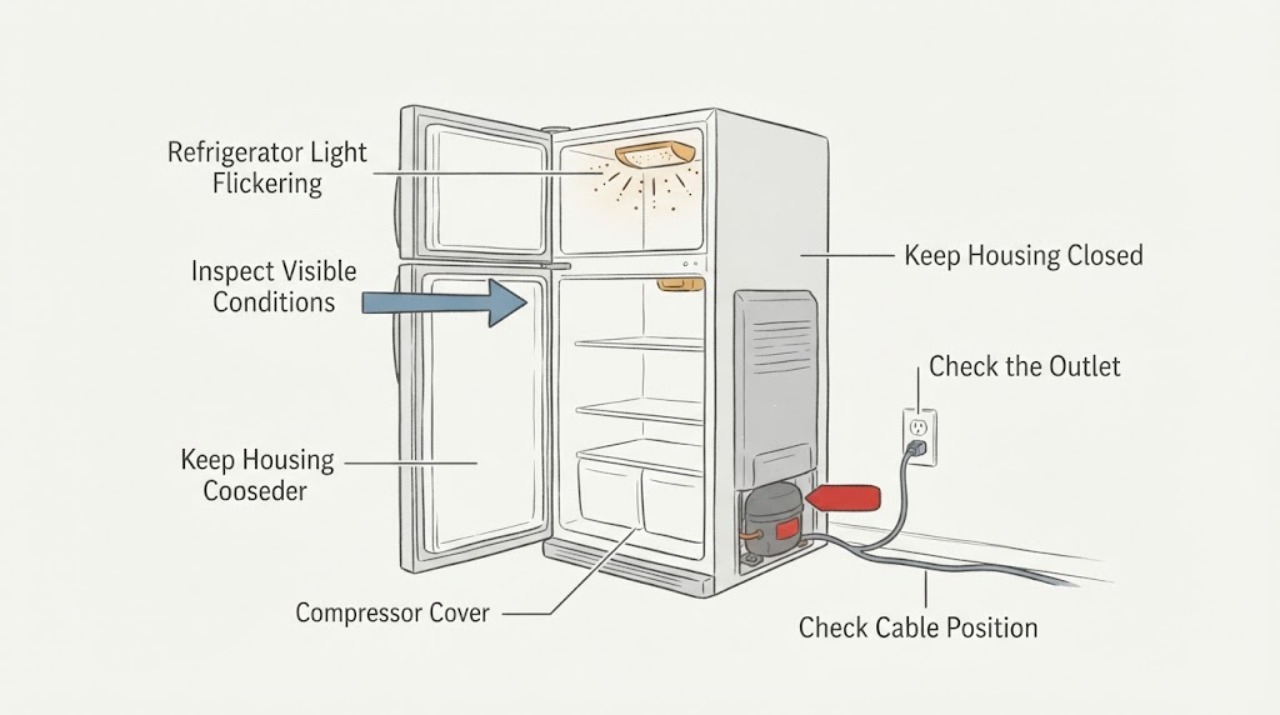
If the interior light in your Sub-Zero refrigerator is flickering or cycling on and off, first note whether one light or several lights are affected and whether the display, cooling, or other controls also change. Sub-Zero identifies a faulty light switch, control-board issue, or electrical-supply issue as possible causes. Confirm the power cord is securely connected, and if your model has an accessible light switch, gently move the switch only when the light is off; if the light returns, the switch becomes more likely. If the lights went out after a door was left open, the model may have activated its light-terminator safety feature. Use the serial tag and exact model instructions for that condition. If flickering persists, the controls are also affected, the model has no accessible switch, or there is heat, odor, smoke, or damaged wiring, stop using the unit and arrange Sub-Zero Factory Certified Service.
Before you begin
Safety first
- Do not pull light-switch wires, apply lubricant, open a control or lighting compartment, work on live wiring, or order a switch or LED assembly from flickering alone. Stop immediately for a hot or damaged light area, burning odor, smoke, water near an electrical connection, exposed wiring, or abnormal refrigerator operation.
Work through in order
Diagnostic checks
Use only checks that match the exact appliance or system and its official guide.
-
Check 1
Observe the flicker with the refrigerator door open for only as long as needed. Record whether one lamp or light strip flickers, all interior lights cycle together, the display or controls also dim, and whether the compressor or cooling operation changes. Record the serial-tag model before using any series-specific instructions.
Expected result: One light is affected; several interior lights flicker together; the display or controls also change; or only the lights change while cooling and controls remain normal.
Next step: Use the power, switch, and light-terminator checks below, and provide the model and exact pattern to Factory Certified Service if it continues.
Why this matters
Why: A single-light symptom makes the local bulb, light assembly, or switch more relevant. Several lights flickering together or a control-panel change makes a shared electrical supply or control-board issue more relevant. A light-only symptom keeps the door switch and light-terminator behavior in consideration, but the pattern does not identify a replacement part.
-
Check 2
From a dry, safe position, confirm that the refrigerator's power cord is securely plugged into its electrical outlet if the connection is accessible. Do not move a built-in unit to reach the rear, and do not touch a wet, frayed, hot, or damaged cord or outlet.
Expected result: The plug was loose, the connection is dry and secure, or the lights continue flickering with no safe external power issue visible.
Next step: If the cord or outlet is damaged, wet, hot, or inaccessible without moving the appliance, leave the refrigerator out of service and contact qualified electrical or Sub-Zero service. If the connection is secure, continue without opening the unit.
Why this matters
Why: A loose power connection can interrupt lighting, while a secure connection does not rule out an electrical-supply or control-board problem inside the unit. A damaged or wet connection is an electrical safety condition.
-
Check 3
Only if the exact model has an accessible mechanical light switch, wait until the light is off and gently move the switch in and out and side to side as Sub-Zero describes. Do not pry the switch, pull wires, use lubricant, or attempt this on a model whose switch is not designated accessible.
Expected result: The light returns or changes when the switch is moved, the switch feels stuck, or the light continues flickering without responding to the switch.
Next step: Record the model and switch response. Use the exact model instructions or arrange Factory Certified Service; do not order a switch based on the symptom alone because Sub-Zero switch access and part fit vary by series.
Why this matters
Why: A light that responds to switch movement makes a faulty or sticking light switch more likely. A nonresponsive switch test does not rule out the control board, electrical supply, bulb or light assembly, or a model-specific lighting circuit.
-
Check 4
Consider whether the door or drawer was left open for an extended period before the lights began cycling or went out. Close it and leave it closed while following the exact model's Light Terminator instructions; do not repeatedly open the door to test the light.
Expected result: The symptom began after a long-open door, the controls show a model-specific lock or light indication, or the lights flicker during ordinary short door openings with no extended-open event.
Next step: Keep the door closed for the model-specified period and retest once. If the lighting does not restore, the controls also fail, or the flicker occurs during normal use, arrange Factory Certified Service.
Why this matters
Why: Sub-Zero light terminators can turn off interior lights after prolonged door opening to limit heat, and the wait or reset behavior varies by series. A flicker during ordinary use without that pattern is less consistent with a light-terminator event and leaves the switch, supply, or control board in consideration.
-
Check 5
After the safe external checks, perform one normal door-open observation and record whether the flicker returns, whether the display remains stable, and whether the refrigerator continues cooling. Do not remove a light diffuser, LED module, control board, or grille unless the exact model guide explicitly assigns that task to the owner.
Expected result: The flicker stops, returns immediately, affects all lights, affects the controls, or remains limited to one light.
Next step: Stop repeated testing and arrange Factory Certified Service with the model, number of affected lights, switch response, door-open history, display behavior, and power-cord observations.
Why this matters
Why: A symptom that stops after a light-terminator interval is consistent with that model-specific safety feature. A persistent or widespread flicker leaves a light switch, lighting assembly, electrical supply, or control-board fault possible; the observation does not establish which part failed.
Use your observations
Decision map
Find the observation that best matches what you see, then follow the next safe action.
-
PATH 01Next step
What you see
One interior light flickers and the light changes when an accessible door switch is gently moved.
Do this next
Record the exact model and arrange the model-appropriate switch repair or Factory Certified Service. Do not pull switch wires or use lubricant.
Why this path and its safety boundary
Why it matters: A sticking or failing light switch is more likely than a whole-unit electrical-supply problem, although the switch response does not prove the correct replacement part.
-
PATH 02Next step
What you see
Several interior lights flicker together, or the control display and other controls dim or reset at the same time.
Do this next
Stop opening the door for tests and arrange Factory Certified Service. If the visible cord or outlet is damaged or hot, disconnect power only from a safe location and obtain qualified electrical help.
Why this path and its safety boundary
Why it matters: A shared electrical-supply or control-board issue is more likely than one local bulb or switch; the symptom cannot identify the board or wiring that needs service.
-
PATH 03Next step
What you see
The lights went out or began cycling after a door or drawer was left open for an extended period, while the refrigerator otherwise continues operating.
Do this next
Close the door or drawer and follow the exact model's Light Terminator instructions for the required wait. If the lights do not return, arrange Factory Certified Service.
Why this path and its safety boundary
Why it matters: The model's light-terminator safety feature may have disabled lighting to limit heat; Sub-Zero's wait and reset behavior differs by series.
-
PATH 04Next step
What you see
The cord and outlet appear secure, the flicker occurs during ordinary use, and the light does not respond to the accessible-switch check or the model has no accessible switch.
Do this next
Stop repeated switch or bulb experiments and contact Factory Certified Service with the serial-tag model and the observed lighting pattern.
Why this path and its safety boundary
Why it matters: A control-board, electrical-supply, LED or bulb assembly, or inaccessible switch fault remains possible. Sub-Zero requires service for switch replacement on several series.
-
PATH 05Next step
What you see
The light area is hot or damaged, or there is a burning odor, smoke, exposed wiring, water near the connection, or abnormal refrigerator behavior.
Do this next
Stop using the refrigerator, disconnect power only from a safe dry location, keep clear of damaged wiring, and arrange qualified electrical or Factory Certified Service. Do not open the light or control compartment.
Why this path and its safety boundary
Why it matters: This is an immediate electrical or appliance safety boundary rather than a lighting adjustment problem.
Helpful context
Understand the symptom
A flicker that changes when the door switch moves is a different decision from all lights flickering together with a dark or unstable control panel. Sub-Zero has several refrigeration series, and some use accessible switches while Designer, PRO, and Undercounter models require service for switch replacement. Identify the model from the serial tag before ordering a bulb or switch or following a series-specific wait or reset procedure.
Keep the checks external and low risk. Do not remove a grille or light assembly unless the exact model instructions say it is a user task, do not pull wires, apply lubricant to a switch, or work around live wiring. Stop immediately for a hot or damaged light area, burning odor, smoke, or electrical damage.
Only after diagnosis
Potential parts
- Sub-Zero refrigerator interior light switch or model-specific lighting assembly
Consider a part only after the exact model instructions or Factory Certified Service identifies a faulty switch, bulb, LED module, or lighting assembly. Flickering alone does not establish which part is defective.
Sub-Zero lighting technology and switch access vary by series; confirm the serial-tag model and the manufacturer's part information before ordering.
When checks do not resolve it
Need a professional?
Arrange Sub-Zero Factory Certified Service when the flicker persists after the secure power-connection and model-appropriate light-switch or light-terminator checks, when multiple lights or the control display are affected, or when the model has no accessible switch. Use qualified electrical service for a damaged or unsafe outlet or cord.
Safety scope: Do not pull light-switch wires, apply lubricant, open a control or lighting compartment, work on live wiring, or order a switch or LED assembly from flickering alone. Stop immediately for a hot or damaged light area, burning odor, smoke, water near an electrical connection, exposed wiring, or abnormal refrigerator operation.
Have this ready
- Provide the serial-tag model, whether one or several lights flicker, whether the display and cooling remain stable, whether moving an accessible switch changes the light, whether a door was open for an extended period, the visible power-cord condition, and any heat, odor, smoke, water, or wiring damage.
Common questions
FAQ
Why are the lights inside my Sub-Zero refrigerator flickering?
Sub-Zero identifies a faulty light switch, control-board issue, or electrical-supply issue as possible causes. Check the secure power-cord connection and, only on a model with an accessible switch, gently move the switch when the light is off. Persistent flickering needs Factory Certified Service.
Can leaving the Sub-Zero refrigerator door open turn the lights off?
Yes. Sub-Zero documents a light-terminator safety feature that can disable interior lights after a door or drawer is left open for an extended time. The wait and reset behavior varies by series, so close the door and follow the exact model instructions rather than using a generic timing.
Should I replace the Sub-Zero light switch or bulb when the light flickers?
Not from the flicker alone. Sub-Zero says lighting technology and switch access vary by series; some models require service for switch replacement, and light bulb or LED information is model-specific. Confirm the serial-tag model and have the failed lighting component identified before ordering a part.
What if the Sub-Zero light flickers and the display also goes dark?
A shared electrical-supply or control issue becomes more concerning than a single local light. Confirm the visible power connection only if it is safe and accessible, then stop repeated tests and arrange Factory Certified Service. Do not open the control compartment.
Read the exact guide
Official sources
- Sub-Zero Light TerminatorsSub-Zero Group, Inc. · Sub-Zero refrigerator and freezer light-terminator safety feature and series-specific recovery behavior
- Sub-Zero Interior Lights Flickering or Cycling On and OffSub-Zero Group, Inc. · Sub-Zero refrigerator and freezer interior lights flickering or cycling on and off
- Sub-Zero Refrigerator or Freezer Light Switch ReplacementSub-Zero Group, Inc. · Sub-Zero refrigerator and freezer light-switch model identification, access, and service boundary
- Sub-Zero Interior Lights Turned OffSub-Zero Group, Inc. · Sub-Zero refrigerator and freezer no-light power, light-terminator, switch-access, and service guidance
- Sub-Zero Control Display Is DarkSub-Zero Group, Inc. · Sub-Zero refrigerator control-panel dark or dim symptoms and service routing
- Sub-Zero Light BulbsSub-Zero Group, Inc. · Sub-Zero refrigerator lighting technology and model-specific bulb or LED information
Community feedback
Share a repair observation
Share a plain-text repair observation. Accepted observations are published automatically; this page may take a moment to update.