
On this page
Start here
Quick answer
A Thermador dishwasher that will not start should be separated into a dark-panel power issue, a control or delay state, a door-latch condition, or a water or drain fault. Check the safe power path, use the exact model's cycle and reset sequence, latch the door, and verify visible water and drain conditions. Stop for a recurring code, leak, power trip, damaged cord, or failure after these external checks.
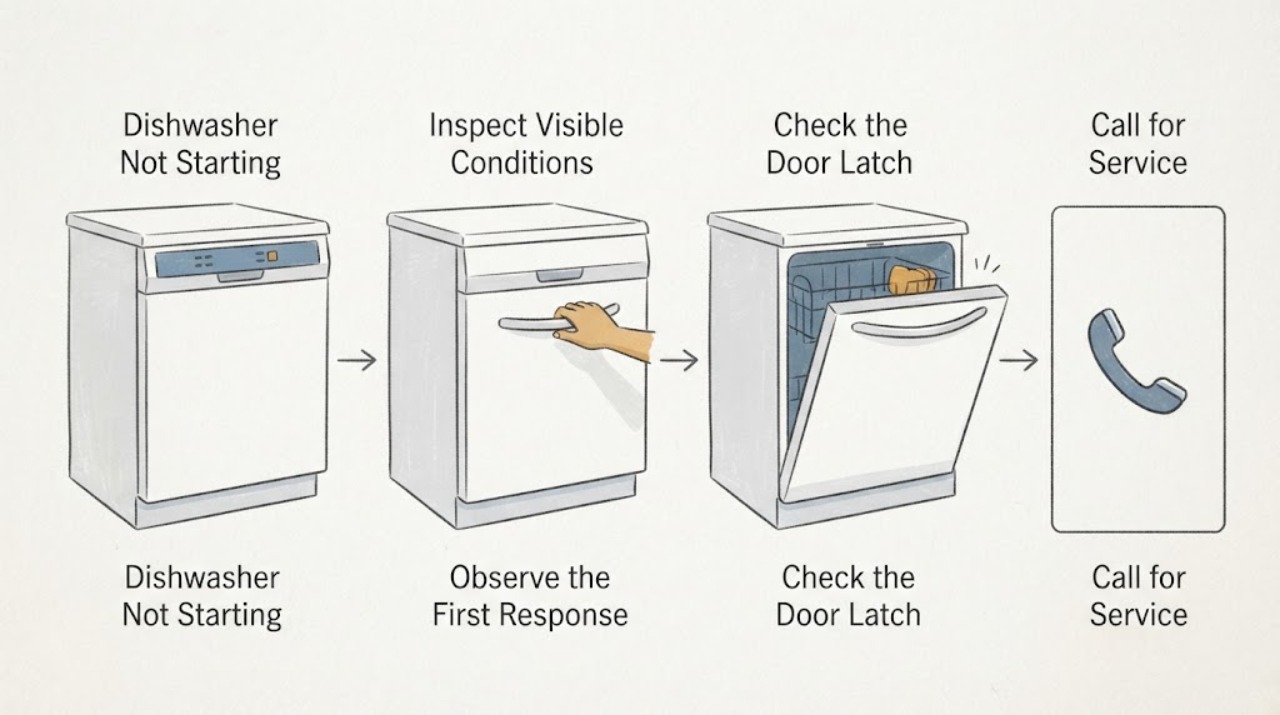
Work through in order
Diagnostic checks
Use only checks that match the exact appliance or system and its official guide.
-
Check 1
Identify the exact Thermador model and observe whether the control panel is completely dark, lights up but ignores Start, shows a delay or lock state, or displays an error code. For top-control models, open the door only as the manual permits so the controls become visible.
Expected result: The panel has no lights, the display appears only with a particular door position, a prior cycle or delay is shown, or a code is present.
Next step: Record the model and exact indication, then follow the matching checks below; do not guess a part from a dark panel or code.
Why this matters
Why: Thermador notes that display behavior depends on control placement and that a previous cycle or delay can prevent a new start. An error may identify a door, water, leakage, voltage, or control path, but only the exact model documentation defines it.
-
Check 2
From a dry, safe location, check the dishwasher plug or approved disconnect, the outlet or wall switch, and the accessible household breaker or fuse. Look for a damaged cord, heat, or moisture without removing a cover or pulling the dishwasher from its cabinet.
Expected result: The outlet or breaker has no power, the cord or connection is damaged, the panel returns after a safe power correction, or the panel remains dark while household power is normal.
Next step: Stop for heat, moisture, damage, or another trip and arrange qualified service. Continue only if the supply is safe and the controls respond.
Why this matters
Why: A no-light display can result from the power switch or supply, while persistent darkness with a safe, working supply points to an appliance-side fault. Repeated breaker trips are an electrical fault boundary.
-
Check 3
Select a valid cycle and press Start once according to the exact manual. Cancel a delay or prior cycle only with the model's documented control sequence, then close the door firmly until the latch engages; do not bypass the door sensor.
Expected result: The cycle starts, a delay or prior program clears, the door will not latch, or the dishwasher shows a door-sensor or door-open indication.
Next step: Use one model-approved reset or unlock sequence and retry once. Arrange service for a latch that will not engage or a recurring door-sensor code.
Why this matters
Why: Thermador identifies cycle state, delay start, and door position as separate reasons a powered dishwasher may not start. A persistent door indication makes latch alignment or door-sensor service more likely than a water setting.
-
Check 4
Verify the visible water supply valve is open and the inlet hose is not kinked or damaged. If a water or fill code appears, keep the connection external and dry; do not disconnect a pressurized hose unless the manual specifically directs a safe procedure.
Expected result: The valve is closed, the hose is kinked, the machine has a water-flow or low-level indication, or the visible water supply is normal but the dishwasher still will not start.
Next step: Correct only an accessible valve or hose condition and perform one supervised retry. Stop for a leak or recurring fill indication and arrange qualified service.
Why this matters
Why: Thermador lists blocked water supply, kinked inlet hose, delay state, and water-flow faults as distinct conditions. Normal visible supply does not prove the inlet valve or internal fill system is healthy.
-
Check 5
If the display shows a drain, overflow, or leakage-related code, stop adding water and inspect only the visible sink, air gap, and drain-hose route for an obvious blockage or sharp kink. Do not reach into the pump or remove the dishwasher base.
Expected result: The external drain route is blocked or kinked, standing water remains, a leakage-protection indication appears, or no visible drain issue is found.
Next step: Clear only an obvious external blockage if safe; turn off the water for a leak or overflow. Arrange qualified service for a persistent code, pump fault, or water in the base.
Why this matters
Why: Thermador links drain codes with filters, pump covers, hoses, and air gaps, and identifies base water as a leakage-protection condition. These symptoms can inhibit starting and require different service from a dead control panel.
-
Check 6
Run one supervised test after a permitted correction and record whether the panel stays on, the door remains latched, the dishwasher fills, and the code clears. Keep enclosure panels in place and stop if there is water, heat, smoke, or an unusual electrical sound.
Expected result: The cycle starts normally, the same no-start or code returns, the panel resets, or a leak, overflow, or power trip occurs.
Next step: Stop repeated testing and give Thermador service the model, code, door state, power result, and water or drain observations.
Why this matters
Why: A stable cycle supports an external control, door, supply, or drain condition. A repeat failure indicates a model-specific internal fault without proving the board, latch, valve, or pump.
Use your observations
Decision map
Find the observation that best matches what you see, then follow the next safe action.
-
PATH 01Next step
What you see
The panel is dark, the breaker trips again, or the cord, outlet, and area are damaged or wet.
Do this next
Stop use and arrange qualified electrical or appliance service; do not open the cabinet or keep resetting power.
Why this path and its safety boundary
Why it matters: An electrical or safety fault is more likely than a program setting.
-
PATH 02Next step
What you see
The panel responds but a delay, prior cycle, door-open state, or door-sensor code prevents Start.
Do this next
Use the exact manual's reset or delay sequence and close the door normally; service a recurring latch or sensor indication.
Why this path and its safety boundary
Why it matters: A control state or door interlock is inhibiting operation.
-
PATH 03Next step
What you see
A water-flow, low-level, overflow, leakage, or drain indication appears while power and door closure are normal.
Do this next
Check only visible supply and drain items allowed by the manual, turn off water for leakage, and arrange service for a persistent indication.
Why this path and its safety boundary
Why it matters: Water entry, base leakage protection, or drain conditions are more likely than a failed Start button.
-
PATH 04Next step
What you see
Power, controls, door, water, and visible drain checks are normal but the dishwasher still will not start or the fault returns.
Do this next
Stop repeated attempts and request qualified Thermador service with the model, code, and documented observations.
Why this path and its safety boundary
Why it matters: An internal control, sensor, valve, pump, wiring, or installation fault remains possible without identifying a replacement part.
Helpful context
Understand the symptom
Separate power from a blocked cycle
Thermador display placement varies: some controls illuminate with the door open and others with it closed. A powered panel can still be held by a previous cycle, delay, door interlock, or water condition, so note the exact display and sequence before assuming a failed control.
Use model-specific code guidance
Thermador publishes separate troubleshooting and error-code guidance. A code is useful only when matched to the exact appliance and current manual; do not infer a part from its label alone.
Only after diagnosis
Potential parts
- Thermador dishwasher door latch or door sensor
Consider only when the exact model and qualified diagnosis link a persistent door indication to the latch or sensor.
Confirm the complete model and revision before ordering. - Thermador dishwasher control module or inlet valve
Consider only after safe power, cycle, door, and water checks are normal and qualified diagnosis identifies the internal component.
Do not infer fit or failure from no-start alone.
When checks do not resolve it
Need a professional?
Use qualified Thermador service when a no-start remains after model-approved external checks or when diagnosis would require cabinet removal, wiring, door-sensor, valve, pump, or control access.
Have this ready
- Provide model and serial, panel state, exact code, selected cycle, door behavior, power result, water or drain observations, and any leak or reset.
Common questions
FAQ
Why is the dishwasher display dark only when the door is closed?
Thermador says display behavior depends on whether controls are on the top or face of the door. Check the model manual before treating a dark display as no power.
Can I bypass the door sensor?
No. Close and latch the door normally and arrange service for a recurring door indication or latch problem.
Should I keep resetting a breaker?
No. If the breaker trips again, stop using the dishwasher and arrange qualified electrical or appliance service.
Does a no-start symptom identify a control board?
No. Power, delay or prior-cycle state, door detection, water flow, leakage protection, and drain conditions can all inhibit starting.
Read the exact guide
Official sources
- Troubleshooting | Dishwashers Support | ThermadorThermador · Applies to Thermador dishwasher checks; controls vary by model.
- Customer Support, Service, Repair & Parts | ThermadorThermador · Use with the appliance model and symptom details when service is needed.
- Error Codes | Dishwashers Support | ThermadorThermador · Use only for the exact displayed code and model-specific service instructions.
Community feedback
Share a repair observation
Share a plain-text repair observation. Accepted observations are published automatically; this page may take a moment to update.