
On this page
Start here
Quick answer
The exact report describes a stacked Thermador oven set that takes about an hour to reach the desired temperature and varies far above and below the setting during cooking. First separate a long preheat or door-opening effect from a repeatable temperature-control fault: use the correct Thermador manual, remove unneeded pans and racks, keep the door closed during preheat, and record the mode, setpoint, preheat time and observed result. If food is consistently over- or underdone, Thermador documents a temperature-offset adjustment of up to ±35°F in 5°F steps on supported modes; persistent large swings or a mode that does not heat as expected should go to authorised service rather than an internal part replacement.
Work through in order
Diagnostic checks
Use only checks that match the exact appliance or system and its official guide.
-
Check 1
Identify the affected cavity and cooking mode from the rating label and the Thermador Owner's Manual. For one controlled preheat, remove unneeded pans and racks, set the same temperature, and keep the door closed until the oven indicates that preheat is complete; record how long it takes and whether the problem occurs in one cavity or both.
Expected result: Preheat is normal when the door stays closed and the cavity is unloaded, or the same cavity still takes unusually long and the cooking result remains wrong.
Next step: If the controlled preheat is normal, keep the documented loading and door practice. If it remains slow or the result is inconsistent, record the exact model, mode and timing and continue with the calibration check or service path rather than opening the oven.
Why this matters
Why: Thermador says extra pans or racks and opening the door can lengthen preheating. If the same cavity remains slow under a controlled setup, the symptom is less likely to be explained by loading or door opening, but it still does not identify a failed internal part.
-
Check 2
Compare one repeatable recipe or cooking test at the same mode and setpoint, without changing the rack position or opening the door unnecessarily. Record whether the result is consistently too dark, too light, undercooked or overcooked, and whether the issue follows one cavity or both; do not use community guesses as a component diagnosis.
Expected result: The result is consistently offset in one direction, or it changes widely between runs or cavities.
Next step: For a consistent one-direction result, check the manual for a supported temperature-offset function before changing it. For wide or cavity-specific swings, preserve the notes and arrange authorised service instead of selecting a sensor, element or control board.
Why this matters
Why: A consistent result offset is the type of symptom Thermador associates with considering calibration. Wide changes between runs or cavities need service assessment because they are not narrowed to a temperature-offset setting by the report alone.
-
Check 3
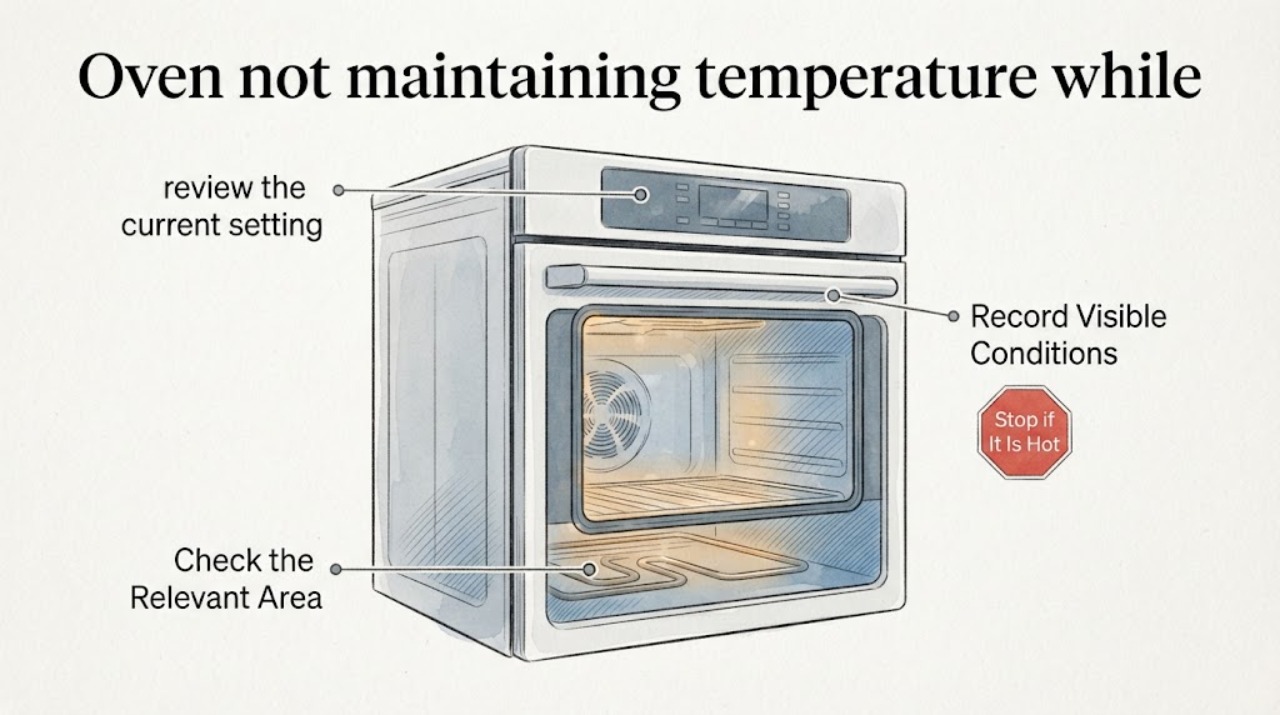
If the manual confirms that this oven supports Temperature Offset for the affected mode, review the current setting and make only a documented user-level adjustment. Thermador's published range is plus or minus 35°F in 5°F increments; do not keep increasing the offset to chase a large swing.
Expected result: The offset setting is available and a small, consistent cooking bias improves, or the setting is unavailable, already extreme, or does not change the repeatable problem.
Next step: Save the setting only if it matches the manual and the result is consistent. If the oven still varies substantially, restore the documented setting if needed and move to authorised service with the before-and-after notes.
Why this matters
Why: Thermador describes offset as fine-tuning for consistently overdone or underdone baking on select modes. An unavailable, ineffective or unusually large correction indicates that calibration is not a complete explanation of the fault.
-
Check 4
With the oven cool, inspect only visible conditions: keep the vent area unobstructed, note any unusual smoke or odour, and clean spills according to Thermador's oven-care guidance. Do not start self-cleaning as a diagnostic experiment, and do not remove panels, probe live wiring or replace heating parts.
Expected result: The vent is blocked or the cavity is visibly soiled, or visible conditions are normal while temperature control remains unreliable.
Next step: Correct only the visible cleaning or obstruction issue described by the manual and allow the oven to cool before any cleaning. If the symptom persists, stop troubleshooting at the cabinet boundary and request authorised service.
Why this matters
Why: Thermador says warm air and steam from the vent can be normal, that vents must not be blocked, and that the cavity should be cleaned only according to the manual. A clean, unobstructed exterior does not prove the heating or control system is sound.
Use your observations
Decision map
Find the observation that best matches what you see, then follow the next safe action.
-
PATH 01Next step
What you see
The oven reaches the setpoint normally when unloaded and the door remains closed, but cooking changes when extra pans are present or the door is opened repeatedly.
Do this next
Use the manual's rack and load guidance, keep the door closed during preheat, and repeat the same controlled test before treating the result as a repair fault.
Why this path and its safety boundary
Why it matters: Thermador identifies loading and door opening as factors that can lengthen preheating and lower the cavity temperature.
-
PATH 02Next step
What you see
One cavity consistently over- or undercooks at a stable setting, and the Owner's Manual exposes Temperature Offset for that cooking mode.
Do this next
Use only the manual's offset procedure and stay within Thermador's published ±35°F, 5°F-increment range. If the correction is large or the result still swings, stop adjusting and arrange service.
Why this path and its safety boundary
Why it matters: This fits Thermador's documented user-level calibration use case, which is intended to fine-tune a consistent cooking bias on supported modes.
-
PATH 03Next step
What you see
The oven takes about an hour to preheat or varies far above and below the setting across cooking, cavities or repeated runs after the controlled checks.
Do this next
Stop choosing internal parts from the symptom alone. Give authorised Thermador service the model/rating-label information, cavity, mode, setpoint, preheat time and recorded results.
Why this path and its safety boundary
Why it matters: The exact report describes this pattern, and it is broader than a documented offset adjustment. The evidence does not establish whether the cause is a sensor, element, control, power or installation issue.
-
PATH 04Next step
What you see
There is persistent smoke, a burning smell, damaged wiring or another electrical safety sign, or the oven trips protection.
Do this next
Stop using the oven, isolate it only through the normal household control if safe to do so, and arrange qualified service. Do not open the cabinet or attempt a live test.
Why this path and its safety boundary
Why it matters: This is a safety escalation rather than a calibration question; the oven should not be operated while the cause is unknown.
Helpful context
Understand the symptom
Start with the exact oven identity and the pattern of the variation
The supplied post does not give an E-Nr or model number; it describes a stacked Thermador set with two ovens. Thermador's manual finder requires the model number from the appliance rating label, and cooking modes and calibration availability can vary. Record which cavity, mode, set temperature, preheat time and repeatable cooking result are affected before applying a setting change.
Do not confuse normal heat cycling with a large, repeatable cooking error
An oven can cycle its heating system while regulating temperature, but the report describes a much larger practical problem: unusually long preheat and food over- and under-cooking. Use consistent mode and load conditions so that a door-opening or loading effect is not mistaken for a component diagnosis. Thermador's published adjustment is a user setting for supported modes, not proof that a sensor, element or control board is bad.
When checks do not resolve it
Need a professional?
Arrange authorised Thermador service when controlled preheating remains unusually slow, one cavity continues to vary substantially, the oven needs a correction beyond the documented offset range, the offset does not help, or any electrical or smoke warning appears.
Common questions
FAQ
Is a temperature swing automatically proof that the Thermador oven is broken?
Not by itself. Thermador says door opening and extra pans or racks can lengthen preheating, and the exact post does not include a model or controlled measurement method. Reproduce the symptom with a stable mode, load and closed door before deciding that an internal component has failed.
Can I calibrate a Thermador oven that cooks too hot or too cool?
Thermador documents Temperature Offset for select cooking modes, with an adjustment of plus or minus 35°F in 5°F increments. Check the exact Owner's Manual first; calibration is for a consistent bias and is not a substitute for service when the temperature swings widely.
Should I replace the sensor or heating element?
Do not choose an internal part from this symptom alone. The opened Thermador safety terms warn that internal components can be sharp or cause shock and recommend authorised service for technical work and parts replacement.
What information should I collect before service?
Find the model number on the rating label and record the cavity, mode, set temperature, preheat time, rack/load arrangement, door-opening pattern, cooking result and any visible warning. Thermador's manual system uses the model number to locate the applicable instructions.
Read the exact guide
Official sources
- Oven Troubleshooting for RangesThermador Support · Opened Thermador's official oven troubleshooting page. It says extra pans/racks and opening the door can lengthen preheating; for consistently over- or underdone baking it documents Temperature Offset of ±35°F in 5°F increments for select modes; it says not to block the vent and directs premature broiler shutdown to service. Exact availability depends on the Owner's Manual.
- Thermador ovens problemReddit, r/Appliances · Opened the exact supplied Reddit post. It reports a stacked Thermador oven set, roughly one-hour preheating, and temperature variation of about 75 to 85 degrees while cooking. It supplies no exact model number and no verified repair outcome; community replies are not used as technical diagnosis.
- Search for Owner ManualsThermador Support · Opened Thermador's official manual lookup page. It requires the appliance model number from the rating label and states that model-specific instructions are retrieved using that identifier; no exact model was present in the supplied Reddit post.
- How to Clean Your OvenThermador Support · Opened Thermador's official oven-care page. It instructs owners to follow the Owner's Manual for self-cleaning, not block vents during self-cleaning, and clean only after the oven has cooled; it also provides the support escalation path.
- Thermador repair terms and safety concernsThermador / BSH Home Appliances · Opened the official Thermador/BSH repair-terms PDF. It warns that owners should not perform technical work or replace parts and that internal components may be sharp or cause shock; the article uses it only for the service boundary, not as a diagnosis or warranty conclusion.
Community feedback
Share a repair observation
Share a plain-text repair observation. Accepted observations are published automatically; this page may take a moment to update.