
On this page
Start here
Quick answer
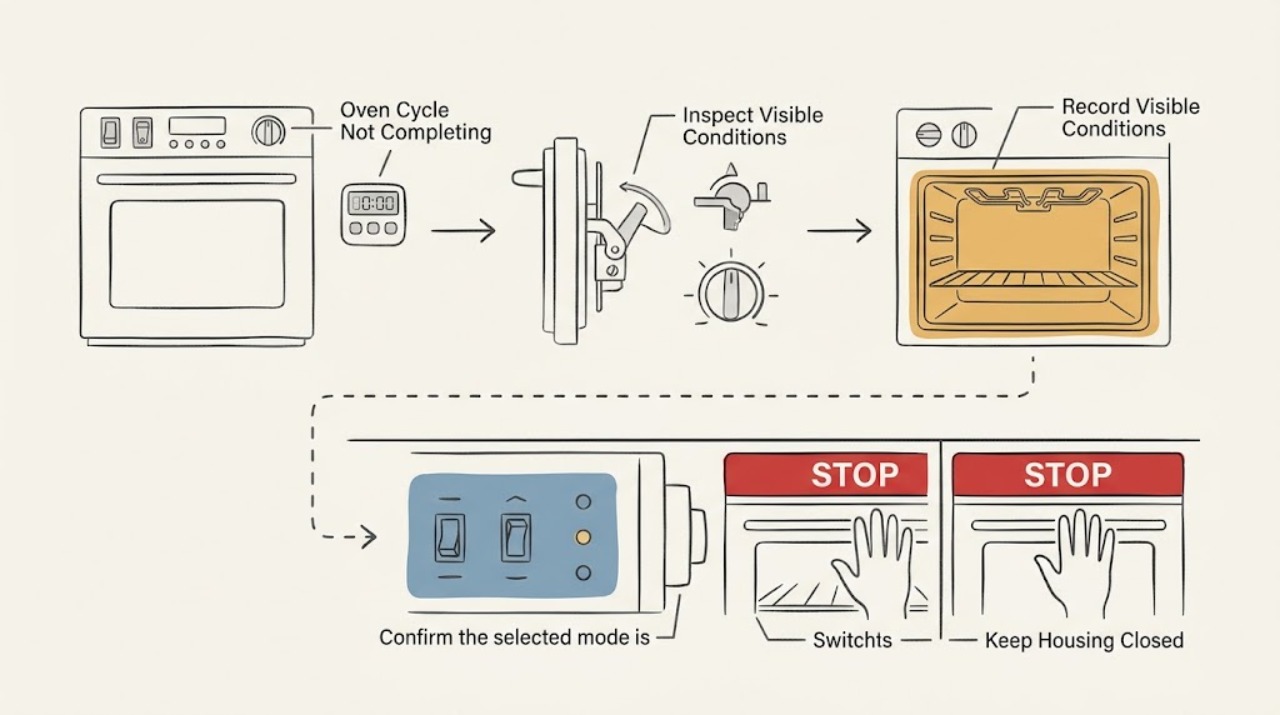
A Thermador oven cycle that will not complete should be diagnosed by the stage where it stops: timer or delayed-start state, door latch/self-clean lock, slow preheat or temperature control, power interruption, gas ignition on applicable models, or a returning error code. Record the exact model, mode, temperature, display, and stop stage. With the oven cool and no hazard present, check the documented controls and visible door/vent conditions, then make only one normal reset or restart authorized by the model manual. Thermador notes that frequent door opening lengthens preheating and warm air or steam at the vent can be part of cooling. Stop immediately for persistent heating after shutdown, gas odor, delayed ignition or a bang, abnormal flame, smoke, a CO alarm or symptoms, arcing, burning odor, a hot connection, or repeated breaker trips.
Work through in order
Diagnostic checks
Use only checks that match the exact appliance or system and its official guide.
-
Check 1
If the oven is hot, observe whether it is cooling normally or whether it keeps heating after an off command. Check from a safe position for smoke, fire, a carbon-monoxide alarm or symptoms, gas odor, an ignition bang, abnormal flame, arcing, burning odor, or a hot/damaged plug or outlet.
Expected result: Any warning sign is present, or the oven cannot be stopped normally.
Next step: Stop using the appliance. If gas is suspected, do not operate switches or create a flame; leave by a safe route and contact the gas supplier or emergency services from a safe location. For smoke, fire, or electrical danger, leave and contact emergency services. Do not return or reuse until cleared.
Stop if: Gas odor, delayed ignition/bang, abnormal flame, smoke, CO warning or symptoms, arcing, burning odor, hot connection, persistent heating, or repeated tripping means stop immediately; do not restart.
Why this matters
Why: This is a fire, combustion, carbon-monoxide, burn, or electrical hazard, not a routine timer or program issue.
-
Check 2
Once cool and safe, record the exact model and serial, cooking mode, target temperature, timer or delayed-start state, complete display message, door-lock symbol, and the precise point where the cycle stops: before heating, during preheat, during cooking, at timer completion, or during cool-down.
Expected result: The stop stage and display state are reproducible and documented.
Next step: Use the exact owner's manual and Thermador support page for that model and code. Do not infer a cause from the word “cycle” alone.
Stop if: Stop if documentation requires moving the range, touching hot parts, removing a cover, or continuing while any safety warning exists.
Why this matters
Why: A stop during preheat points toward heat or sensing; a stop at timer or door events points toward controls or latch logic; a persistent display code needs model-specific handling.
-
Check 3
Confirm the selected mode is a supported cooking mode rather than a timer-only, delayed-start, demonstration, self-clean, or other state that intentionally changes how the oven starts or ends. Confirm the target temperature and timer values, then make one normal start or cancel action documented for the exact model.
Expected result: The cycle starts or completes after the documented control correction, or it still stops at the same stage.
Next step: Observe one complete normal attempt with the door closed. If it stops again, leave it off and proceed to the relevant door, supply, heating, or error-code branch rather than repeatedly restarting.
Stop if: Stop if the oven ignores an off command, controls act erratically, a lockout returns, or smoke, gas, flame, or electrical warning appears.
Why this matters
Why: A control-state or timer condition may have interrupted the program. Repeating the same stop after a valid start makes an appliance or supply fault more likely.
-
Check 4
When fully cool, inspect the door from outside: confirm it closes without force, the latch is not visibly obstructed, and the gasket and hinge area are not visibly damaged. If the cycle was self-clean, allow the oven to cool and follow only the model's documented latch-release procedure.
Expected result: The door will not close or latch, remains locked after the documented cool-down, or has visible damage; alternatively, the door and latch appear normal.
Next step: Remove only a loose, cool obstruction that the exact manual permits. If the latch remains locked, the hinge is bent, or the door is damaged, leave the oven off and arrange service; never force the door.
Stop if: Stop for a hot or stuck door, damaged glass/hinge/gasket, a latch that will not retract, or any need to dismantle the door or lock.
Why this matters
Why: A door or latch state can prevent a cycle from starting or ending, and forcing it can cause injury or damage. A normal visible door does not rule out an internal latch or control fault.
-
Check 5
For a cycle that stalls during preheat or cooking, keep the door closed and observe whether the oven reaches the selected temperature, whether the fan/vent behaves normally, and whether the display advances. Check only visible, cool vent openings and remove extra pans or racks if the model instructions permit it.
Expected result: The cycle progresses when the door stays closed and airflow is clear, or it remains stalled with no normal heat progress.
Next step: Allow one model-appropriate preheat attempt. If the oven remains cold, stops early, or displays a fault, leave it off and arrange qualified service rather than adjusting internal components.
Stop if: Stop for smoke, scorching, abnormal heat, a fan or vent obstruction that requires disassembly, persistent heating after shutdown, or any electrical/gas warning.
Why this matters
Why: Frequent door opening can lengthen preheating, and blocked ventilation or excess cavity load can affect heat behavior. A persistent stall after those low-risk checks points to heating, sensing, control, or supply diagnosis.
-
Check 6
Without moving the appliance or opening a compartment, check the accessible electrical supply and, for a gas model only with no gas odor, the normal external gas-supply state. Note whether the display resets, a breaker has tripped, or other burners have a normal flame when safely observed.
Expected result: Power is interrupted, a breaker trips, the plug/outlet is hot or damaged, the gas supply is interrupted, or accessible supplies appear normal.
Next step: For a simple one-time breaker state with no damage, moisture, odor, or repeat trip, follow the home's normal reset procedure once. Otherwise leave the oven off and arrange qualified appliance, gas, or electrical service. Do not use an adapter/extension cord, adjust gas pressure, disconnect fittings, or probe live wiring.
Stop if: Stop for gas odor, a hot/damaged plug or outlet, wet electrical parts, arcing, repeated trips, or any need to access a gas or electrical compartment.
Why this matters
Why: An interruption can stop a cycle or prevent gas ignition, but a hot connection, repeated trip, uncertain gas fitting, or abnormal burner behavior is hazardous and not a user adjustment.
-
Check 7
If the display shows an error or the oven beeps, capture the complete code and stage, then use only the exact Thermador error-code or owner's-manual reset instruction once after the oven is cool and no stop condition exists.
Expected result: The code clears and one normal cycle completes, or the code returns, is not listed, or the cycle still stops.
Next step: Turn the oven off and arrange qualified service with the exact code, model, and stop-stage observations. Thermador directs service when a code continues or is not listed.
Stop if: Do not repeat resets, bypass a lockout, operate through a persistent fault, or remove panels for gas or electrical measurements.
Why this matters
Why: A one-time documented reset may clear a transient state; a returning or unlisted code requires model-specific service rather than a guessed component or cross-model explanation.
Use your observations
Decision map
Find the observation that best matches what you see, then follow the next safe action.
-
PATH 01Next step
What you see
The cycle ends its heat request, the display advances, and only warm air or steam/fan activity remains during cool-down
Do this next
Keep vents clear and allow the model-specific cool-down; arrange service if the display or latch remains stuck or the oven heats again without a request.
Why this path and its safety boundary
Why it matters: Normal cooling behavior is more likely than an incomplete cycle
-
PATH 02Next step
What you see
The cycle stops before heating, during preheat, or before reaching the selected temperature
Do this next
Use the recorded stage to guide qualified diagnosis after the safe external checks; do not repeatedly restart a gas ignition sequence.
Why this path and its safety boundary
Why it matters: A control/mode, supply, ignition, heating, or temperature-sensing issue remains possible
-
PATH 03Next step
What you see
The timer, delayed start, self-clean, control state, or door latch explains why the cycle is paused or locked
Do this next
Follow the exact model instructions once; service the appliance if the state returns, will not release after cooling, or the controls do not respond normally.
Why this path and its safety boundary
Why it matters: A documented operating state is more likely than an internal heating failure
-
PATH 04Next step
What you see
The door will not close/latch, remains locked after the documented cool-down, or has visible hinge, glass, or gasket damage
Do this next
Do not force the door or dismantle the latch; leave the oven off and arrange qualified appliance service.
Why this path and its safety boundary
Why it matters: A door or latch safety condition
-
PATH 05Next step
What you see
A gas model has no ignition, delayed ignition, a noisy/yellow/sooty or unstable flame, burn-back, or flame outside the intended area
Do this next
Stop, avoid relighting, isolate gas only if safely accessible, and contact qualified gas-appliance service; do not reuse until cleared.
Why this path and its safety boundary
Why it matters: Unsafe combustion or gas-control behavior
-
PATH 06Next step
What you see
Smoke, fire, CO alarm or symptoms, gas odor, arcing, burning odor, hot connection, wet electrical parts, persistent heating, or repeated trips occur
Do this next
Leave or isolate the hazard as appropriate, contact emergency, gas, or electrical professionals from a safe location, and do not return or reuse until cleared.
Why this path and its safety boundary
Why it matters: Emergency or high-risk condition
Helpful context
Understand the symptom
First identify the stop stage
“Cycle not completing” can mean different things: the oven never starts, preheat does not finish, cooking stops early, the timer keeps running, the door stays locked, or the oven continues heating after the controls say off. The next useful check depends on that stage. Thermador publishes support for multiple oven and range families, so do not apply a code, reset, or latch procedure from a different model.
A normal cooling period is not the same as a failed cycle
Warm air or steam at the vent can be part of cooling, and an oven may keep a fan running after a cooking request ends. A cycle is more concerning when the display or latch remains stuck, the oven stops before the expected stage, the temperature never reaches the setting, or heat continues after an off command.
Keep the diagnosis external
Allow hot surfaces and the door to cool before inspection. Do not force a locked door, remove panels, probe live wiring, adjust gas fittings, or bypass a latch, flame-safety control, or thermal protection. If a cycle failure involves gas, smoke, fire, carbon monoxide, or electrical danger, stop and use qualified emergency or appliance service.
Only after diagnosis
Potential parts
- oven door latch or latch actuator
Consider only if qualified diagnosis finds that the exact model's latch or actuator prevents the cycle from starting, completing, or releasing after cooling.
Confirm the complete Thermador model and manufacturer fit information before selecting a latch component. - oven temperature sensor or thermostat
Consider only when the cycle stalls or ends incorrectly and qualified diagnosis confirms a temperature-sensing or control problem.
Do not select a temperature part from a symptom alone; model, revision, and heating system must be verified. - gas oven igniter or flame-safety component
Consider only for a gas model after qualified service confirms an ignition, burner, flame-sensing, or gas-safety fault.
Gas parts are model- and configuration-dependent; do not substitute by appearance or attempt adjustment yourself.
Common questions
FAQ
Does warm air from a Thermador oven mean the cycle is stuck?
Not necessarily. Thermador says warm air or steam from the vent can be part of cooling. It is more concerning when the display or latch stays stuck, the oven stops before its expected stage, or it keeps heating after an off command.
Why does opening the door affect a Thermador oven cycle?
Thermador notes that frequent door opening lowers the cavity temperature and lengthens preheating. Keep the door closed during one normal preheat attempt unless the model instructions require otherwise.
What if the Thermador oven door stays locked after a cycle?
Let the oven cool and follow only the exact model's documented latch-release procedure. Do not force the door or dismantle the latch; service is needed if it remains locked, will not close, or is visibly damaged.
Can a gas-supply problem stop a Thermador oven cycle?
Yes, a gas model may stop before heating if fuel or ignition is unavailable, but no-flame, delayed ignition, abnormal flame, or gas odor must not be investigated by repeated relighting. Stop and arrange qualified gas-appliance service.
What should I do when a Thermador error code returns?
Record the complete code and model, use only the exact Thermador reset instruction once, and turn the oven off if the code returns or is not listed. Do not apply a code meaning from another model.
Read the exact guide
Official sources
- Error Codes | Ovens SupportThermador · Official Thermador oven error-code page; codes must not be generalized across models.
- Gas Cooktops & Rangetops - TroubleshootingThermador · Official Thermador gas-appliance guidance, primarily for cooktops/rangetops; gas safety boundaries are relevant while oven controls remain model-specific.
- Guidelines for Cleaning Safely After a DisasterCenters for Disease Control and Prevention · General public safety guidance; local emergency, gas-supplier, and electrical instructions apply.
- Guide to Home Wiring HazardsU.S. Consumer Product Safety Commission · General household electrical safety guidance, not a Thermador repair manual.
- Oven Troubleshooting for Ranges | SupportThermador · Official Thermador range-oven support; exact model manual controls model-specific modes and resets.
Community feedback
Share a repair observation
Share a plain-text repair observation. Accepted observations are published automatically; this page may take a moment to update.