
On this page
Start here
Quick answer
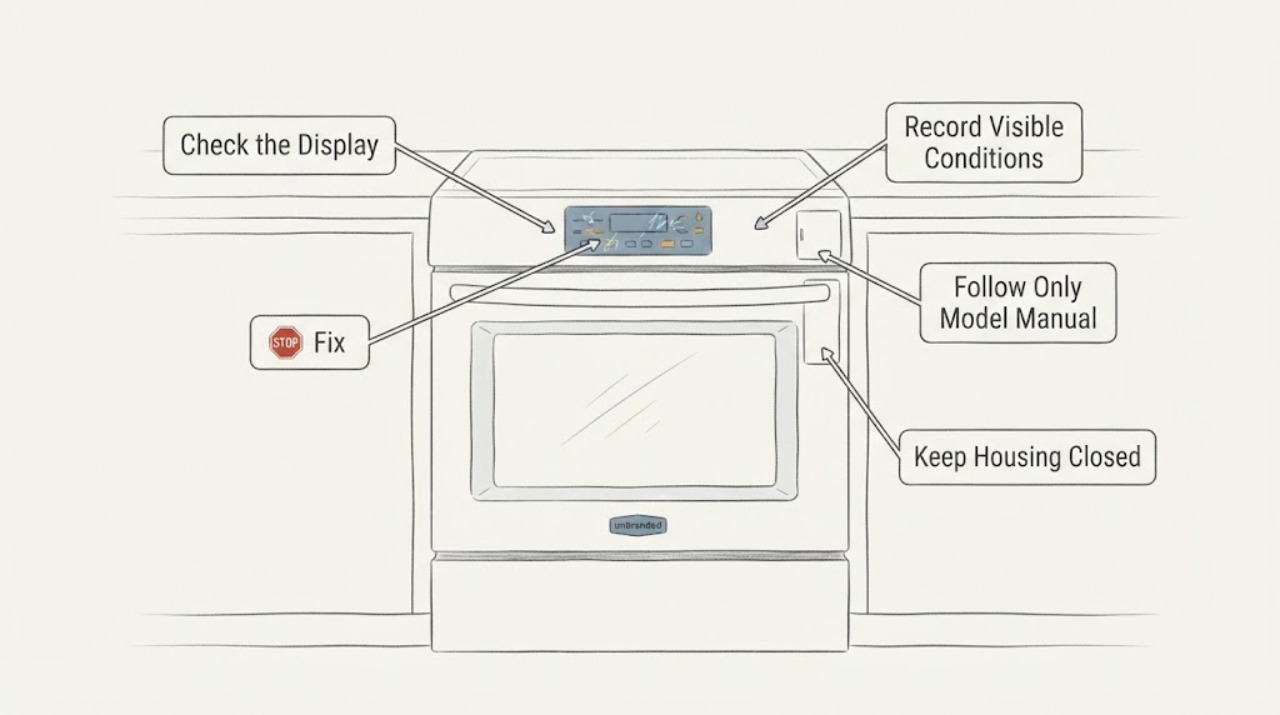
Classify the Viking oven display before trying buttons: blank, dim, locked, partially responsive, showing an alert, or changing while the oven heats are different conditions. Record the exact model and any visible message, then use Viking's product-documentation library to open the matching Use & Care manual; Viking lists multiple oven families and model-specific documents, so a sequence from another oven is not reliable. If the display is erratic, the oven heats without a normal command, or there is smoke, burning odor, sparking or damaged wiring, stop using the oven and arrange Viking authorized service. Do not remove the control panel, probe wiring, bypass a lock or order a board from the display symptom alone.
Work through in order
Diagnostic checks
Use only checks that match the exact appliance or system and its official guide.
-
Check 1
Without repeatedly pressing keys, record whether the display is blank, dim, locked, partially responsive, showing an alert, or changing without input; note whether heating or other oven functions occur at the same time.
Expected result: The display has a stable readable state, a model-specific message, partial response, spontaneous changes, or no visible response at all.
Next step: Keep the oven off if it heats unexpectedly or shows a hazard; otherwise record the model and use only the matching Viking manual for the next permitted external step.
Why this matters
Why: These states need different model-specific documentation and do not independently identify a failed display, keypad, board, wiring or power component.
-
Check 2
Read the complete Viking model/SKU from a safe accessible label or existing owner record and copy any alert exactly, including punctuation, letters and digits.
Expected result: A complete model and exact display message are available, or the model remains unknown/inaccessible.
Next step: Search Viking's product documentation library by the exact SKU. If the model cannot be confirmed, give the symptom and label information to authorized service instead of trying a generic sequence.
Why this matters
Why: Viking documentation and control behavior are model-specific; a partial model or an inferred family cannot establish the correct display procedure.
-
Check 3
Use the matching Viking Use & Care manual to check whether that exact oven documents a brightness, control-lock, demo, alert or user-level reset state; do not substitute another Viking model's key combination.
Expected result: The exact manual documents a user-level state and its permitted exit, or it does not document the observed behavior.
Next step: Follow only the exact manual's permitted external procedure. If it does not apply or the symptom returns, keep the oven off and use authorized service.
Why this matters
Why: A documented mode may explain a stable display state, but an undocumented or recurring symptom is not proof of a particular control part.
-
Check 4
From outside the control area, note whether the oven heats without a normal command or whether smoke, burning odor, sparking, shock, damaged wiring or a persistent warning accompanies the display problem; do not open the panel to investigate.
Expected result: The display problem is isolated and the oven remains safe, or a display/heating mismatch or electrical/thermal warning is present.
Next step: Stop using the oven, disconnect power only if it can be done safely without approaching a hazard, and arrange Viking authorized service; use emergency help for smoke or fire.
Why this matters
Why: A heating or electrical safety symptom raises the priority beyond a display-setting question and cannot be resolved by a generic reset.
-
Check 5
After the exact manual's permitted external check, document whether the display is fully stable, still blank/partial, or changing again during normal controls; do not remove panels or probe live circuits.
Expected result: The display remains stable and the oven responds normally, or the malfunction persists, recurs or requires internal access.
Next step: Keep the oven off when the symptom persists or is unsafe and contact Viking through its authorized support/service route.
Why this matters
Why: Persistence or recurrence cannot distinguish a display, keypad, control, wiring or power fault without model-specific service diagnosis.
Use your observations
Decision map
Find the observation that best matches what you see, then follow the next safe action.
-
PATH 01Next step
What you see
The exact manual identifies a lock, brightness, demo or alert state, and the documented user-level exit restores stable display behavior without unexpected heating.
Do this next
Keep the model manual with the appliance and use the oven only as that manual allows; arrange service if the state returns.
Why this path and its safety boundary
Why it matters: The observed state is consistent with a model-specific operating mode rather than proof of a failed display board.
-
PATH 02Next step
What you see
The display is blank or erratic while the oven heats, changes settings without input, or shows smoke, odor, sparks or damaged wiring.
Do this next
Stop using the oven, disconnect power only when safe, and contact Viking authorized service or emergency help for smoke/fire. Do not reopen or test the control area.
Why this path and its safety boundary
Why it matters: The display symptom is coupled to a heating or electrical safety condition and is outside a safe user reset path.
-
PATH 03Next step
What you see
The display is stable but one key, mode or message is unclear and the exact model is known.
Do this next
Use the exact SKU's Viking manual and stop if its procedure does not match the observed state.
Why this path and its safety boundary
Why it matters: A model-specific documentation lookup may resolve the behavior, but a generic Viking sequence would be unsupported.
-
PATH 04Next step
What you see
The display remains blank, partial or spontaneous after the exact manual's permitted check, or the model cannot be confirmed.
Do this next
Keep the oven off and use Viking's Contact and Support route to locate an authorized servicer; do not order a board or open the control panel from the symptom alone.
Why this path and its safety boundary
Why it matters: The available evidence cannot separate display, keypad, control, wiring or power causes.
Helpful context
Understand the symptom
A display symptom is a state to classify, not a board diagnosis
Write down whether the display is completely blank, dim, locked, partially responsive, showing an alert, or changing without input. Also note whether the oven is heating, whether the interior light responds, and whether smoke, odor, sparks or damaged wiring are present. These observations separate a documentation question from an unsafe control fault without claiming a failed component.
Use the exact Viking model documentation
Viking's documentation library is organized by SKU or product name and includes multiple oven families, active products and discontinued products. Find the complete model from the rating label or owner records, then use only that model's manual for display brightness, lock, demo, reset or alert instructions. Do not borrow a key sequence from a visually similar Viking oven.
Stop when the display and heating no longer agree
A blank or erratic display combined with unexpected heating, a persistent alert, smoke, burning odor, sparking or damaged wiring is a service condition. Keep the oven off and use Viking's authorized-service route. The public documentation pages do not support opening the control area or selecting a display board from the symptom alone.
When checks do not resolve it
Need a professional?
Contact Viking authorized service when the display remains blank or erratic after the exact manual's permitted external steps, the oven heats unexpectedly, an alert persists, or the next check would require opening the control area.
Have this ready
- Provide the complete Viking model/SKU, exact display text or behavior, whether heating occurs without a normal command, recent power interruption or installation history, and any smoke, odor, sparking or wiring concern.
Common questions
FAQ
Does a blank Viking oven display prove the control board failed?
No. The exact model, power state, display behavior and any heating or warning symptoms are needed before a cause can be narrowed. Use the matching Viking manual and authorized service route rather than selecting a board from the symptom alone.
Can I use another Viking oven's reset sequence?
No. Viking's documentation library covers multiple oven families and model-specific Use & Care manuals. Use the exact SKU's manual only; an undocumented sequence should not be improvised.
What if the oven display is wrong but the oven is still heating?
Keep the oven off if it heats without a normal command or the display is erratic. Treat the mismatch as a service condition and contact Viking authorized support; do not open the control area or continue cooking to test it.
How do I find a Viking authorized servicer?
Viking's owner FAQ directs owners to Contact and Support to find a factory-authorized service provider. Have the complete model/SKU and exact display behavior ready.
Read the exact guide
Official sources
- Viking Range, LLC | Support and Docs | Support CenterViking Range, LLC · Opened official Viking Support Center. It provides customer support, a product support request and a Find a Servicer route; it is used only for escalation, not as proof of a specific display component failure.
- Viking Range, LLC | Owners | Support FAQs for OwnersViking Range, LLC · Opened official Viking owner FAQ. It directs owners to the Product Documentation Library for specifications and to Contact and Support for a factory-authorized service provider; it does not define an unknown-model display fault.
- Viking Range, LLC | Support and Docs | DocumentationViking Range, LLC · Opened Viking's official Product Documentation archive. It explains that documents are organized by SKU/product name and includes model-specific Use & Care manuals for multiple oven families, active and discontinued.
Community feedback
Share a repair observation
Share a plain-text repair observation. Accepted observations are published automatically; this page may take a moment to update.