
On this page
Start here
Quick answer
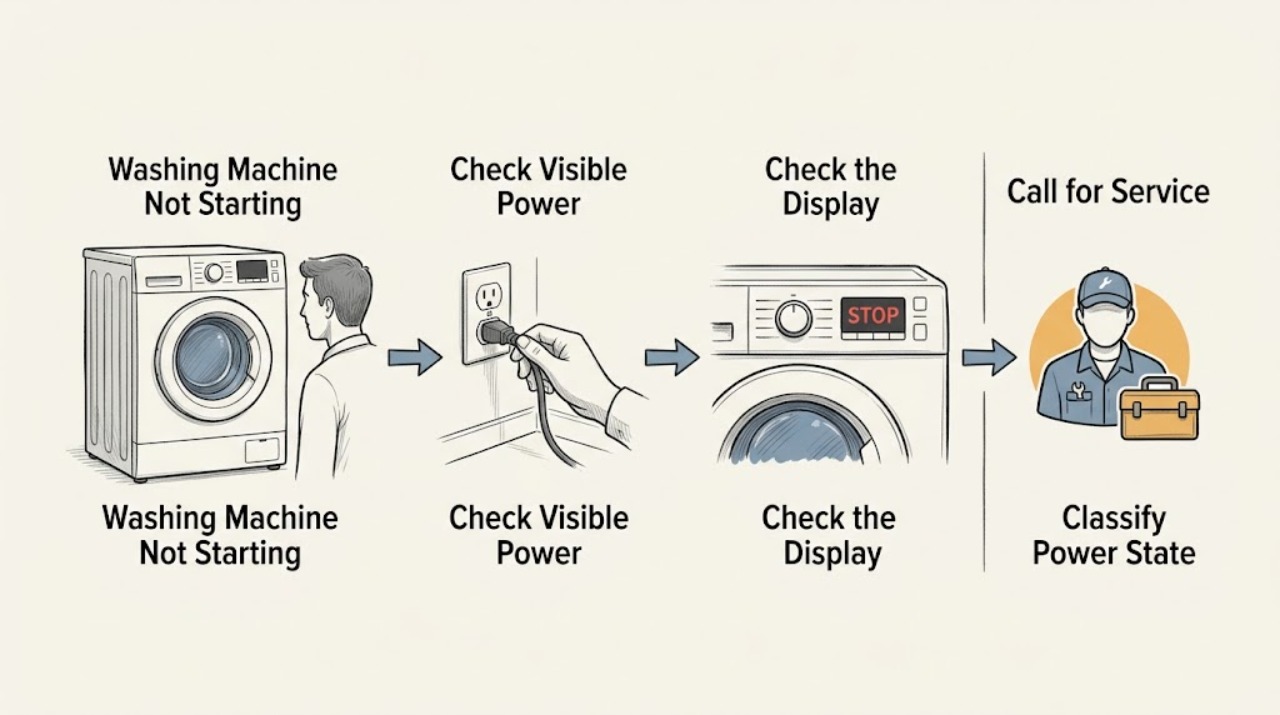
First decide whether the washer has no power at all or has power but will not begin a cycle. If the display is dark, check the plug, outlet, breaker, and any safe visible cord damage without opening the appliance. If the panel responds, check Control Lock or Child Lock, delay or pause, the selected cycle, and whether the door or lid is fully closed and latched. Many models require holding Start for a short period, and a front-load washer may wait for water to drain before its lock opens. Read the exact model manual for codes and reset steps. Stop for smoke, a hot outlet, burning smell, arcing, water near electricity, repeated trips, or a door or lid that cannot latch; do not bypass a lock or test live wiring.
Before you begin
Safety first
- A technician can separate a household supply issue from a door or lid interlock, control, drain, motor, or internal power fault without the user bypassing safety devices.
Work through in order
Diagnostic checks
Use only checks that match the exact appliance or system and its official guide.
-
Check 1
From a dry, safe position, press the washer's Power control once and observe the panel, outlet area, and cord without moving the machine or opening a panel. Note whether the panel stays dark, partially lights, or responds normally; record any burning smell, heat, crackling, or visible damage.
Expected result: The panel may be completely dark, the panel may light but ignore commands, or the washer may respond and show a cycle or warning.
Next step: If there is smoke, heat, arcing, a burning smell, a damaged cord, or a hot outlet, stop and use the electrical safety branch. Otherwise continue with a safe visible power check or the control-state check.
Why this matters
Why: A dark panel moves the diagnosis toward the household supply, plug, cord, fuse, or internal power path. A lit panel means the washer has at least some power and should be checked for locks, cycle state, door or lid, water, and displayed errors.
-
Check 2
If the panel is dark and the area is dry, confirm that the plug is fully seated and look at the household breaker or fuse indication without opening electrical equipment. Do not use an extension cord, increase a fuse rating, or repeatedly reset a breaker.
Expected result: The plug may be loose, the dedicated circuit may be off, a breaker may be tripped, or the supply may look normal while the washer remains dark.
Next step: Restore a safe visible connection only when there is no damage or moisture. If the breaker trips again, an outlet is hot, or the machine stays dark, leave it disconnected and arrange qualified electrical or appliance service.
Why this matters
Why: A simple supply interruption can explain a dark panel. A normal-looking supply with a dark washer does not justify cabinet disassembly; it leaves the cord, power entry, control, or another internal fault for a technician.
-
Check 3
With the panel lit, look for a padlock, key, Child Lock, or Control Lock indication and read the model manual for the matching release gesture. Use only the documented control sequence; do not press random combinations or try to defeat the lock mechanically.
Expected result: The lock symbol may clear and the controls may respond, or the symbol may remain and the buttons may stay inactive.
Next step: If the controls unlock, reselect the cycle and continue. If they remain locked or the display shows an unknown code, record the exact text and use the model-specific service path.
Why this matters
Why: A lock indication intentionally blocks ordinary commands. A persistent lock state after the documented release points to a model-specific control or keypad issue rather than a reason to open the panel.
-
Check 4
Cancel an unintended delay only as the manual permits, select a valid cycle, and press or hold Start for the time shown by that model. Check that the washer was not left idle in a selection state and that a normal pause or sensing message is not being mistaken for a failure.
Expected result: The cycle may begin after the required hold, remain in delay or pause, show a countdown, or display an error because the chosen position or state is invalid.
Next step: If the cycle begins, continue to the door or lid and water observations. If it remains inactive, preserve the exact display state and use the code or service branch.
Why this matters
Why: Start-button timing, delay, and cycle selection are control-state issues. A persistent error or inactive control after the documented sequence is evidence for service, not for repeated button combinations.
-
Check 5
Close the door or lid normally and inspect only the visible seal, rim, latch area, and load for a garment or residue preventing closure. Do not slam, force, pry, or bypass the lock, and do not reach into a locked drum.
Expected result: The door or lid may close and latch with a normal click, look closed but remain unlocked, show a lock warning, or fail to align.
Next step: If the latch does not engage normally, stop using the washer and arrange service. If it latches, note whether the washer next tries to fill or drain.
Why this matters
Why: A washer commonly will not begin a cycle until its safety interlock sees a closed door or lid. A clean, aligned closure with no latch response points to a lock, hinge, strike, or control diagnosis.
-
Check 6
Look at the accessible water valves, inlet hoses, and drain-hose outlet without moving the appliance. Confirm that water is available, the valves are open as required by the model, hoses are not kinked, and there is no standing water or visible leak. For a front loader, note whether water remains in the drum after a previous cycle.
Expected result: A valve may be closed, a hose may be kinked, the supply may be weak, the drain may be backed up, or water may remain and keep a door locked.
Next step: Do not disconnect hoses or attempt emergency draining unless the exact manual permits it and the area is dry and safe. For a supply, drain, leak, or retained-water problem, stop and arrange the appropriate appliance or plumbing service.
Why this matters
Why: Some machines will not proceed when water supply or drain conditions are not met. A locked front door can be a protective response to water inside, not proof that the lock should be forced.
-
Check 7
Only after the washer is dry, free of odor or heat, and not holding a hazardous amount of water, perform one power or cancel reset exactly as the model manual directs. Do not repeatedly reset the control, repeatedly reclose the breaker, or run repeated start tests.
Expected result: The panel may recover and start a cycle, or the same no-start state, lock indication, code, or breaker trip may return.
Next step: If the fault returns, keep the washer out of service and provide the model, exact code, power state, door or lid behavior, and water observations to a qualified technician.
Why this matters
Why: A single documented reset can clear a temporary control state. A returning symptom indicates a persistent interlock, supply, drain, control, or internal electrical fault that requires diagnosis.
Use your observations
Decision map
Find the observation that best matches what you see, then follow the next safe action.
-
PATH 01Next step
What you see
The panel remains dark and there is no safe sign of a normal standby state.
Do this next
Check only the visible plug and household breaker or fuse indication from a dry position; do not open electrical equipment or increase fuse capacity.
-
PATH 02Next step
What you see
There is smoke, a burning smell, heat at the outlet or plug, crackling, arcing, exposed damage, moisture at electrical parts, or a repeated trip.
Do this next
Stop using the washer and keep people away. Isolate power only from a dry safe location if that can be done without contact with damaged equipment.
-
PATH 03Next step
What you see
The panel lights but a lock symbol or Child Lock indication blocks the controls.
Do this next
Use only the exact manual instruction to release the control lock.
-
PATH 04Next step
What you see
A delay, countdown, pause, sensing message, or invalid cycle position is displayed.
Do this next
Read the model guide, cancel the delay if permitted, select a valid cycle, and hold Start as specified.
-
PATH 05Next step
What you see
The door or lid does not close and latch, or a lock code remains after visible obstructions are removed.
Do this next
Stop; do not force, pry, bridge, or defeat the interlock.
-
PATH 06Next step
What you see
The washer has weak or absent water, a visible supply issue, a drain warning, or water remaining in a front-load drum.
Do this next
Keep the area dry and use only external observations. Do not disconnect a pressurized hose or force an electrically locked door.
-
PATH 07Next step
What you see
Power, controls, cycle selection, door or lid, and visible water conditions are normal, but the washer still will not start after one authorized reset.
Do this next
Leave the washer out of service and do not open the cabinet or repeat tests.
Helpful context
Understand the symptom
Start with the symptom, not a part
A washer that is totally dark is a power-supply question. A washer with a lit display is a control-state, door or lid, cycle, water, drain, or fault-code question. Note the panel lights, exact display text, selected cycle, whether the door or lid clicks shut, and whether there is water in the drum. Do not assume that one brand's code or button sequence applies to another model.
A short delay can be normal
Some washers sense the load, wait for a delayed start, pause between stages, or take a moment to release a lock after draining. A front-load machine may not start with the door open, and a top-load machine may require a closed lid before it fills or spins. Let the exact manual decide what a display message means.
Keep electrical and water checks external
Do not remove panels, defeat a door or lid interlock, probe an outlet or harness, or reach behind a wet appliance. If water is near the plug or outlet, keep the area clear and isolate power only from a dry, safe location. If a breaker trips again, leave it off and use qualified electrical service.
What this diagnosis can and cannot prove
A corrected setting or a single authorized reset can restore a temporary control state. It does not prove that the lock, control, motor, pump, inlet system, or wiring is sound. A repeatable no-start symptom needs a model-specific diagnosis, especially when the panel works but the washer never latches, fills, drains, or turns.
Safety boundary
Stop conditions
- Stop immediately for smoke, a burning or melting smell, visible arcing, a hot plug or outlet, a damaged cord, or a repeated breaker trip. Keep the washer off and use urgent electrical or fire support as appropriate.
- Stop if water reaches the plug, outlet, cord, control area, or another electrical appliance. Keep people away and isolate power only from a dry safe location; do not touch wet electrical equipment.
- Do not force, pry, defeat, or bypass a door or lid lock. Do not reach into a locked drum or try to make the machine run with the interlock defeated.
- Do not remove cabinet panels, probe live wiring, test a valve while energized, bridge a fuse, increase fuse capacity, or repeatedly reset a breaker.
- Stop if the washer has uncontrolled water, a hose leak, a backed-up drain, strong vibration, or water trapped inside that cannot be safely handled under the model manual.
- Stop after one model-authorized reset if the no-start condition or code returns. A reset is not a repair and should not replace a qualified diagnosis.
Only after diagnosis
Potential parts
- door or lid lock assembly
Consider only when the door or lid cannot latch normally and service confirms an interlock fault after visible obstructions and cycle settings are ruled out.
Confirm the exact model and approved fitment; never bypass the lock. - washing machine power cord
Consider only when a qualified professional identifies a damaged cord and the model installation instructions permit replacement.
Do not replace or handle a cord near moisture or a damaged outlet; confirm electrical requirements with a qualified professional. - control panel or control board
Consider only after supply, lock, cycle, and reset checks are normal and service confirms an internal control fault.
Control parts are model-specific and require professional diagnosis and fit confirmation.
When checks do not resolve it
Need a professional?
Arrange service when safe external checks and one model-authorized reset do not restore starting, or immediately for an electrical, uncontrolled-water, lock, or repeated-trip hazard.
Safety scope: A technician can separate a household supply issue from a door or lid interlock, control, drain, motor, or internal power fault without the user bypassing safety devices.
Have this ready
- Provide the full model number, front-load or top-load design, exact display code or light pattern, whether the panel is dark or responsive, cycle and delay settings, door or lid behavior, water status, recent movement or installation, and any odor, heat, leak, or trip.
Common questions
FAQ
Why is my washing machine completely dark?
Start with the visible plug, outlet area, and breaker or fuse indication from a dry, safe position. If the supply looks normal but the panel stays dark, or the breaker trips again, leave the washer disconnected and arrange qualified electrical or appliance service.
Why does my washer have power but not start?
Check the control or Child Lock, delay or pause, valid cycle selection, Start-button hold, and door or lid latch. If the lock will not engage or a code returns, use the exact model manual and arrange service rather than bypassing the interlock.
Can a washer wait before starting?
Yes. A delay, load-sensing stage, normal pause, or a short wait for a door lock to release can look like a no-start condition. Compare the display and timing with the exact model manual before treating it as a fault.
What should I do if the washer door or lid stays locked?
Do not force it. Water may still be inside, or the machine may be protecting against opening during a cycle. Use only the model-authorized cancel or drain procedure; if the lock remains engaged or water cannot be handled safely, call appliance service.
Is it safe to keep resetting a washer that will not start?
No. At most, perform one reset specifically authorized by the model manual after ruling out moisture, heat, odor, and active electrical hazards. A returning symptom needs diagnosis, and a repeatedly tripping breaker must remain off.
Read the exact guide
Official sources
- Not Starting or Not Operating - Front Load WasherWhirlpool Product Help · Whirlpool front-load washer control lock, door, water, cycle, error display, Start-button, and power checks
- Latching a Front Load Washer DoorWhirlpool Product Help · Whirlpool front-load washer door and latch behavior, retained-water protection, and safe reset guidance
- What should I do if my washer does not start?Electrolux Support · Electrolux washer start, delay, pause, lid, power, water, pressure, and electrical supply checks
- Not Starting - WasherWhirlpool Product Help · Whirlpool top-load washer control lock, lid lock, Start-button hold, and power reset guidance
- How Do You Reset a Washer Machine: A Step-by-Step GuideWhirlpool · Whirlpool washer power, control lock, cancel, and model-dependent reset guidance
- Samsung washing machine will not start or fill with waterSamsung Support · Samsung washer Child Lock, cycle completion, door lock, retained water, emergency drain, and service guidance
Community feedback
Share a repair observation
Share a plain-text repair observation. Accepted observations are published automatically; this page may take a moment to update.