
On this page
Start here
Quick answer
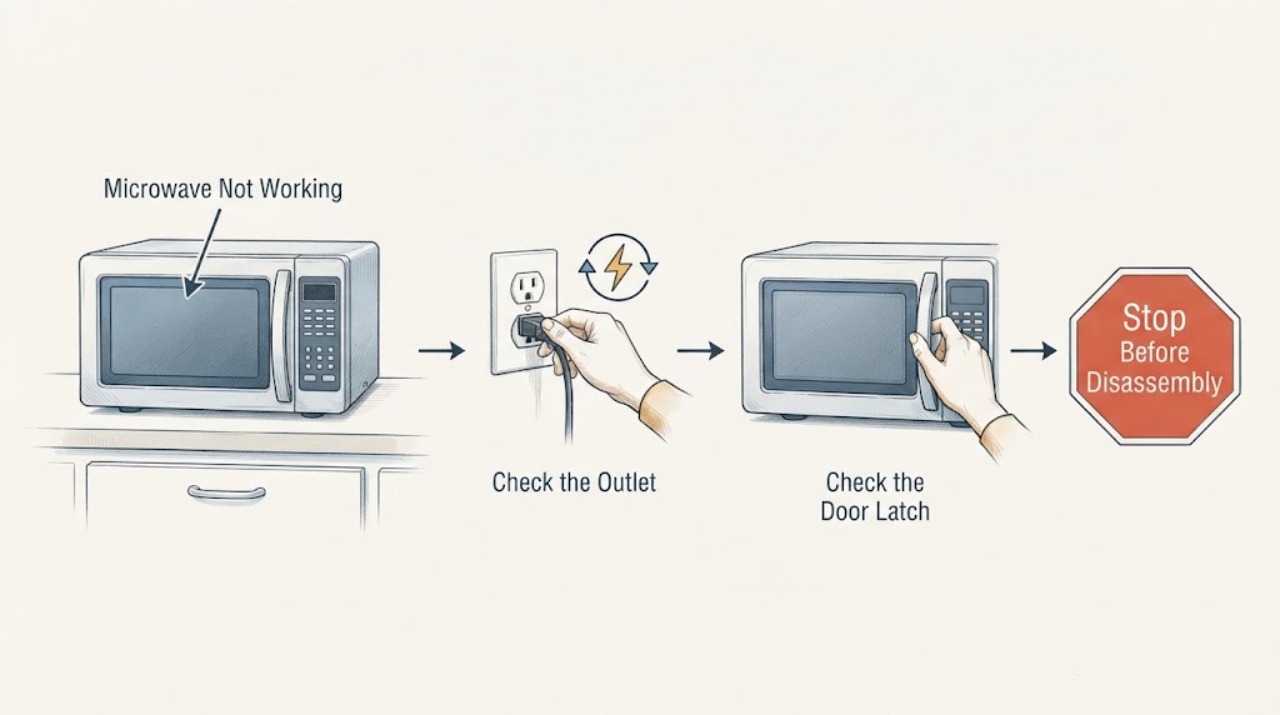
For a Whirlpool microwave that will not work, first separate a dead display from a display that counts down without heating. Check the household fuse or breaker, the plug and grounded outlet, the door and latch area, and whether Control Lock or Demo mode is active. Use the exact model manual for the control sequence; if the door is damaged, the breaker trips again, the oven is damaged, or it still will not operate, stop and arrange qualified service.
Work through in order
Diagnostic checks
Use only checks that match the exact appliance or system and its official guide.
-
Check 1
Classify the failure without opening the microwave: note whether the display is blank, buttons do nothing, the display counts down, the light or fan runs, or the oven stops after a breaker trip.
Expected result: There is no display, a countdown occurs without heating, or the controls respond normally but the cycle will not start.
Next step: Continue with the household power and door/control checks. Stop immediately for smoke, arcing, a burning odor, liquid intrusion, or a damaged door.
Why this matters
Why: The pattern separates a power/control problem from a door, timer, lock, or heating path; it does not identify an internal component by itself.
-
Check 2
Check the plug, grounded outlet, household fuse, and circuit breaker from the safe external side; if a breaker has tripped, reset it only once and note whether it trips again.
Expected result: The plug is loose, the outlet has no power, a breaker/fuse operated, or power remains stable.
Next step: Correct only a loose plug or household power issue. If the breaker trips again, the cord/outlet is hot or damaged, or power is normal but the oven is dead, leave it off and call qualified service.
Why this matters
Why: Whirlpool identifies household fuse or breaker conditions as a first check; a repeated trip indicates an electrical fault rather than a setting problem.
-
Check 3
Close the door fully and inspect only the visible door, latch area, and sealing surfaces for soil, misalignment, or damage; do not press or bypass the safety interlocks.
Expected result: The door was not fully closed, the latch or door is damaged, the sealing surface is dirty, or the door closes correctly.
Next step: Clean only the visible sealing surface as the manual directs and close the door once. Do not operate a microwave with damage or a door that does not close correctly.
Why this matters
Why: The manual requires proper door closure and intact interlocks before operation; a damaged door or latch is a stop condition.
-
Check 4
Check the exact model manual for Control Lock, Demo mode, Timer, and the documented Start/Stop behavior; clear only a confirmed setting using the model's buttons.
Expected result: Control Lock or Demo mode is active, a timer is running, the display responds after the setting is cleared, or the oven still will not operate.
Next step: Run one supervised cycle only if the manual permits and the door and power are normal. If it still will not operate or will not heat, stop using it and arrange qualified service.
Why this matters
Why: A lock, demo, or timer state can prevent cooking without a hardware failure; an unchanged failure after the documented setting check needs service.
Use your observations
Decision map
Find the observation that best matches what you see, then follow the next safe action.
-
PATH 01Next step
What you see
The display returns after one safe household-power correction and the door closes correctly.
Do this next
Follow the exact manual's start procedure and supervise one cycle; stop if the fault recurs.
Why this path and its safety boundary
Why it matters: A supply or reset condition may have interrupted operation.
-
PATH 02Next step
What you see
The display counts down or the fan/light runs but the oven does not cook after the lock, timer, door, and power checks.
Do this next
Stop using the microwave and arrange qualified service; do not remove the cover.
Why this path and its safety boundary
Why it matters: An internal control or heating fault remains possible and is not a user adjustment.
-
PATH 03Next step
What you see
The door is damaged, the breaker trips again, there is smoke/arcing/burning odor, or liquid has entered the controls.
Do this next
Keep it disconnected or the circuit off when safe and contact qualified service.
Why this path and its safety boundary
Why it matters: The microwave presents an electrical or microwave-energy safety risk.
Helpful context
Understand the symptom
Start with the visible symptom. A blank display suggests power or control supply; a lit display that will not start points toward the door, lock, timer, or controls; a countdown with no heat needs the manual's troubleshooting path and professional diagnosis if it persists.
Whirlpool's manual says a microwave should not be operated with a damaged door or if it is not working properly, and that service is for qualified personnel. It also calls out household fuse or breaker, door reopening/resume behavior, Control Lock, Demo mode, and timer checks.
Do not remove the cover, defeat the door interlocks, or keep resetting a tripped breaker. Never run the oven empty or use it after smoke, arcing, a burning odor, liquid intrusion, or door damage.
When checks do not resolve it
Need a professional?
Arrange qualified microwave service for a damaged or misaligned door, a breaker that trips again, smoke/arcing/burning odor, liquid intrusion, a blank display with confirmed power, or failure to operate after the exact manual's setting checks.
Common questions
FAQ
Why does a Whirlpool microwave count down but not heat?
Check the timer, Control Lock or Demo mode, door closure, and power using the exact manual. If the countdown continues without cooking, arrange qualified service rather than opening the cover.
Can I reset the microwave by repeatedly flipping the breaker?
Check the household power and reset a tripped breaker once. If it trips again or the microwave remains dead, leave it off and arrange service.
Read the exact guide
Official sources
- Display Not Working - Product HelpWhirlpool · Whirlpool countertop microwave display and model-specific manual/service guidance
- Owner's ManualWhirlpool · Whirlpool microwave operation, safety, door, controls, power, and troubleshooting
Community feedback
Share a repair observation
Share a plain-text repair observation. Accepted observations are published automatically; this page may take a moment to update.