
On this page
Start here
Quick answer
If a Whirlpool washer-dryer will not start, first determine whether the washer cycle, the dryer cycle, or the whole appliance is affected. Then check the dry power connection, Control Lock, door or lid closure, Start or Start/Pause command, and the correct cycle. A washer or all-in-one may also refuse to start when water is not connected or turned on, while an all-in-one drying cycle can depend on its drain filter and water supply. Read any code before resetting. Stop immediately for leaking or wet electrical connections, burning smell, smoke, overheating, sparks, gas odor, or a breaker that trips again; do not bypass a lock or open the cabinet.
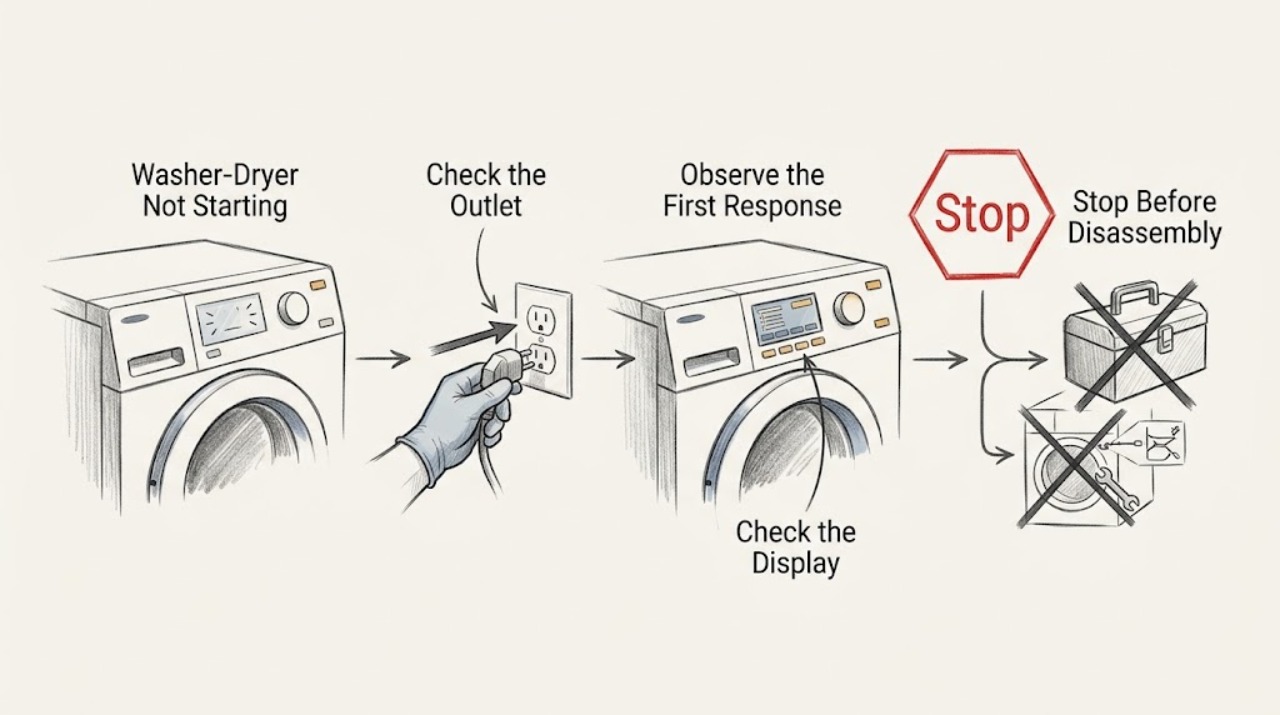
Work through in order
Diagnostic checks
Use only checks that match the exact appliance or system and its official guide.
-
Check 1
Screen for hazards before touching the washer-dryer: stop if there is leaking water near electricity, a wet plug or outlet, burning or gas smell, smoke, sparks, unusual heat, a damaged cord, or a breaker that trips again.
Expected result: The appliance is dry and cool with no warning sign, or one of those warning signs is present.
Next step: If a warning sign is present, stop using the appliance, avoid wet electrical parts and flames, leave a gas-odor area as appropriate, and obtain emergency or qualified professional help from a safe location.
Why this matters
Why: Only the first condition supports ordinary external checks; the warning signs can indicate water, electrical, fire, or gas risk.
-
Check 2
Identify the affected side and inspect the room-side power path: note whether washer controls, dryer controls, drum light, or the entire appliance is dark, and check the dry plug and outlet without opening the cabinet.
Expected result: Only the washer or dryer controls are dark, both sides are dark, a breaker or fuse is open, the outlet is damaged or wet, or the panel is lit.
Next step: If everything is dry and safe, confirm the plug is seated and test the outlet with a separate low-risk appliance. Do not repeatedly reset a breaker or handle a wet connection; call qualified electrical or appliance service if power remains abnormal.
Why this matters
Why: A dark panel or opened protection device points to the power path; a lit panel makes a lock, control, cycle, water, or drain condition more likely.
-
Check 3
Check for Control Lock and select a valid cycle on the affected side, then press and hold Start or Start/Pause exactly as the model manual or panel indicates.
Expected result: A Control Lock indicator is on, the controls do not respond, no cycle is selected, a countdown appears, or the appliance accepts the command but still does not begin.
Next step: Clear only the documented lock or cycle setting. If the controls remain frozen or the same symptom returns, stop repeated attempts and arrange service rather than bypassing the control.
Why this matters
Why: Control Lock prevents touch commands; an invalid or unselected cycle and a Start command that was too brief can look like a failure; a responsive panel with no start points toward a door, water, drain, or fault condition.
-
Check 4
Close the washer door or lid and dryer door firmly, checking only for clothing, packaging, or debris visibly blocking the latch.
Expected result: The lock indicator engages and the cycle starts, the door or lid looks closed but will not latch, or a door-related code appears.
Next step: Remove only an obvious obstruction when the appliance is safe and empty of hazardous water or heat. Do not force the door, bypass the lock, or remove panels; arrange qualified service for a recurring lock fault.
Why this matters
Why: Whirlpool requires a properly closed or latched door or lid on many models; a latch or lock that will not engage is a hardware or sensing fault, not a setting to defeat.
-
Check 5
For the washer side or an all-in-one, inspect the external water connections and confirm the required household water supply is connected and turned on, without loosening hoses.
Expected result: A water valve is closed, an inlet hose is disconnected or visibly kinked, an LF or F8E1-type water indication appears, or water conditions look normal.
Next step: Correct only an obvious tap or hose-position issue described by the manual, then make one start attempt. If filling does not begin, a hose leaks, or the code returns, close the water supply when safe and call qualified service.
Why this matters
Why: The washer cannot begin normally without the required water supply; a long-fill indication points to a supply or inlet path issue, while normal water conditions shift attention to the lock, drain, or controls.
-
Check 6
If the washer contains water or the all-in-one dry cycle will not run, inspect only the accessible drain hose, drain opening, and pump-filter status as the exact model manual directs, after isolating power safely and preparing for water.
Expected result: The drain path is visibly blocked or kinked, the pump filter is not in place or is flagged, water drains normally, or water is leaking.
Next step: If water is leaking or continuing to enter, stop the appliance and close the water supply if safely reachable. Keep water away from the plug and outlet and obtain service for a recurring drain, filter, pump, or leak condition.
Why this matters
Why: A drain condition can prevent a washer from completing its sequence and can block an all-in-one drying cycle; a leak is a stop-use water-safety condition.
-
Check 7
For a dryer-side or all-in-one drying failure with no safety warning, verify that a dry cycle is selected and note whether the drum starts, without reaching into a moving drum or opening a panel.
Expected result: No dry cycle is selected, the drum does not move, the cycle starts after selection, or the dryer side still does not run despite power, door, and cycle checks.
Next step: Use the model's cycle instructions once. If the drum remains still or the cycle stops with a code, keep the appliance off and arrange qualified service; do not bypass the door or test internal components.
Why this matters
Why: An unselected dry cycle, locked door, start input, drain filter, water supply, or power condition can block drying; persistent no-start after those checks indicates a fault requiring service.
-
Check 8
Record the exact indicator, code, selected side and cycle, water level, and point at which the sequence stops before attempting the model-approved single control reset.
Expected result: The same code or no-start symptom returns after the documented reset, or the display remains frozen or changes unpredictably.
Next step: Keep the washer-dryer out of service and provide the model and observations to an authorized service provider or qualified technician. Do not guess at a replacement part or repeat resets indefinitely.
Why this matters
Why: A recurring code or frozen display supports a control, sensor, lock, supply, or other appliance fault; a reset is not a substitute for diagnosis.
Use your observations
Decision map
Find the observation that best matches what you see, then follow the next safe action.
-
PATH 01Next step
What you see
The entire appliance is dark or the outlet or breaker is abnormal
Do this next
Check only the dry room-side power connection. Do not repeatedly reset a breaker; a recurring trip, damaged cord, wet outlet, or burning smell needs qualified electrical or appliance service.
-
PATH 02Next step
What you see
Only the washer side will not start
Do this next
Check Control Lock, door or lid closure, Start input, and the required water supply. A recurring door, fill, or control fault needs service.
-
PATH 03Next step
What you see
Only the dryer side will not start
Do this next
Check Control Lock, door latch, Start input, power, and a valid dry cycle. If the drum remains still or a fault returns, arrange qualified service.
-
PATH 04Next step
What you see
The all-in-one dry cycle will not run
Do this next
Check door, Start/Pause, drain-pump filter, power, water supply, and selection of a dry cycle. Stop for leaks or wet electricity and service recurring faults.
-
PATH 05Next step
What you see
The display is frozen, an error returns, water leaks, or the appliance shows smoke, burning or gas odor, sparks, overheating, or repeated tripping
Do this next
Stop immediately, avoid hazardous electrical or gas contact, and obtain qualified emergency or appliance service from a safe location. Do not bypass a lock or open the cabinet.
Helpful context
Understand the symptom
Washer side, dryer side, or both
A combined washer-dryer can appear not to work when only one cycle is blocked. A washer usually needs its door or lid locked and its water supply available; the dryer side can have its own cycle, door, power, or drain requirements. Start by noting which controls light up and which side fails before trying a reset.
Use the model manual for controls and codes
Whirlpool uses different Control Lock buttons, Start behavior, indicators, and error codes across models. A single model-approved power cycle may clear a temporary control state, but it cannot repair a failed lock, water valve, drain pump, motor, or power circuit. Keep the model information and displayed code for service.
When checks do not resolve it
Need a professional?
Call qualified appliance service when the washer or dryer side remains unable to start after the safe checks, a door or lid will not lock, water will not fill or drain, the all-in-one dry cycle will not run, or a code returns. Use qualified electrical service for supply or breaker problems. Treat leaks, wet electricity, gas odor, smoke, burning smell, sparks, overheating, and repeated tripping as immediate stop-use conditions.
Common questions
FAQ
Why will my Whirlpool washer-dryer not start even though the display is on?
Check Control Lock, the correct side and cycle, Start or Start/Pause, and the washer door or lid or dryer door. A washer or all-in-one may also need its water supply, while a dry cycle may depend on the drain-pump filter.
Why does the washer side start but the dryer side does not?
The two sides can have different cycle, door, power, and control requirements. Check the dryer Control Lock, door latch, Start command, and valid dry cycle; on an all-in-one also check the documented drain-filter and water-supply conditions.
Should I keep resetting a Whirlpool washer-dryer that will not start?
No. Read the code and try only the model's documented single reset when the appliance is dry and safe. Stop for leaks, wet electricity, burning or gas smell, smoke, sparks, overheating, or repeated breaker trips and arrange qualified help.
Read the exact guide
Official sources
- Not Starting or Not Operating - DryerWhirlpool Product Help · Whirlpool dryer no-start, Control Lock, Start, door latch, cycle selection, and service guidance
- Won't Start - Has Power - WasherWhirlpool Product Help · Whirlpool stacked washer Control Lock, lid lock, Start, water-supply code, power cycle, and service guidance
- Dry Cycle Will Not Run - All-In-One Washer DryerWhirlpool Product Help · Whirlpool all-in-one washer-dryer drying-cycle door, Start/Pause, drain filter, power, water-supply, and cycle guidance
- Not Starting or Not Operating - Front Load WasherWhirlpool Product Help · Whirlpool front-load washer Control Lock, door lock, water, Start, error, power-reset, and service guidance
Community feedback
Share a repair observation
Share a plain-text repair observation. Accepted observations are published automatically; this page may take a moment to update.