
On this page
Start here
Quick answer
First decide whether your Whirlpool washer has no power at all or has a live display that will not begin a cycle. From a dry, safe position, check the grounded outlet and household protection once, then check Control Lock, the lid or door, the selected cycle, the Start command, and the water valves as your model requires. Record any exact code or flashing lock light. A single model-authorized five-minute power reset can be useful, but repeated trips, water near electricity, leaks, smoke, burning odor, sparks, unusual heat, or severe movement are stop-use conditions.
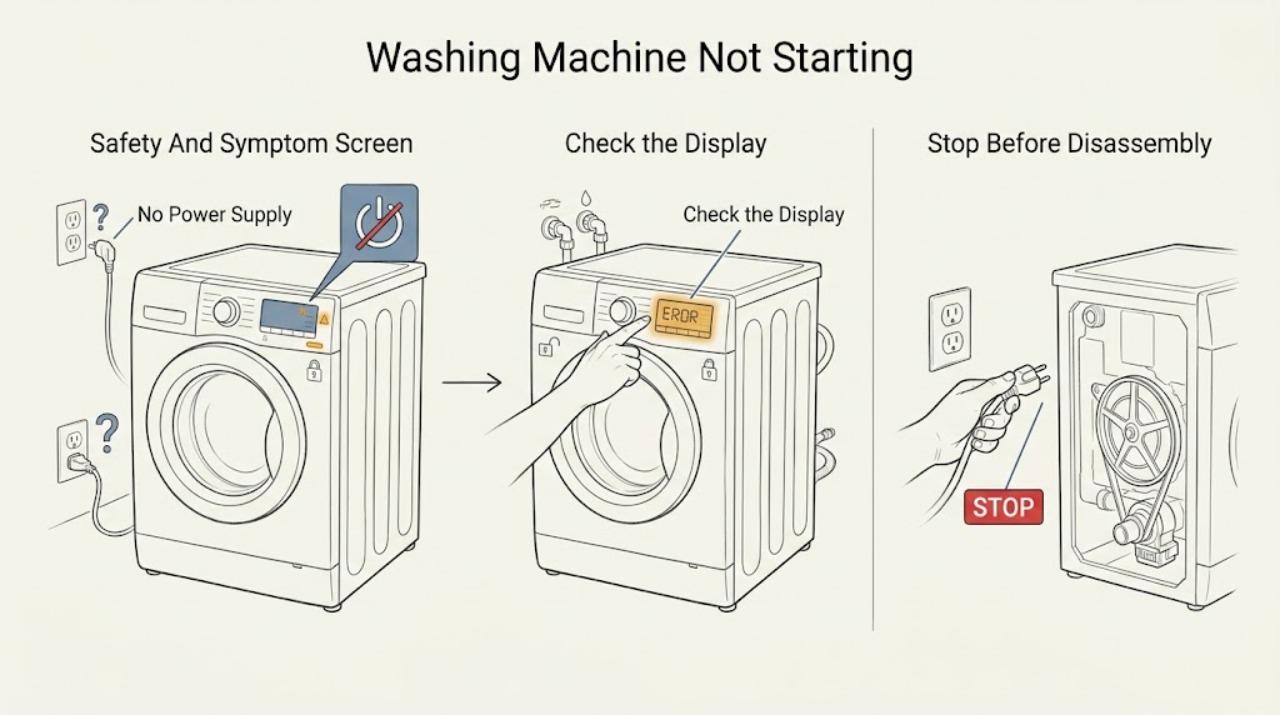
Work through in order
Diagnostic checks
Use only checks that match the exact appliance or system and its official guide.
-
Check 1
Stop the washer and look from a dry, safe position at the floor, cord, plug, outlet, controls, hoses, and cabinet; do not touch wet connections or open a panel.
Expected result: Record water or a leak, a wet floor or outlet, hot water, smoke, burning odor, sparks, unusual heat, melted or discolored parts, severe movement, a damaged cord or hose, or a tripped breaker or protection device.
Next step: If a hazard is present, close the water supply only if safely reachable and isolate power only from a dry safe position; keep clear and arrange qualified appliance, electrical, or plumbing service. Otherwise continue with the machine stopped and the area dry.
Stop if: Do not touch wet electrical parts, move the washer, restore power, or run another cycle after a safety symptom.
Why this matters
Why: Any of these signs changes the task from a no-start check to a water, shock, fire, mechanical, or uncontrolled-appliance hazard.
-
Check 2
If the console is completely dark, verify from a dry position that the washer power cord is fully seated in a grounded outlet without an extension cord, and inspect the labeled household breaker, fuse, or GFCI state once.
Expected result: A tripped or open household protection device or a dead outlet supports a supply-path problem. If the outlet has power but the washer remains dark, the appliance connection or primary control path remains possible.
Next step: If there is no hazard, reset the protection device once as allowed by household instructions. If it trips again, the outlet is wet, or power remains absent, leave the washer off and arrange electrical or appliance service.
Stop if: Do not repeatedly reset protection, use an extension cord, touch a wet outlet, or remove an electrical cover.
Why this matters
Why: Whirlpool identifies the grounded outlet and household breaker, fuse, or GFCI as the first no-power checks; a continuing household fault is not a washer button problem.
-
Check 3
If the console has power but touch commands do nothing, look for the Control Lock light or a lock indication and hold only the button labeled for Control Lock for the duration specified by the exact model manual.
Expected result: A lit lock indicator, an unchanged console, or a model-specific lock message supports Control Lock. If the controls respond after the documented unlock, the original no-start symptom was a control state; if not, record the response and continue without forcing it.
Next step: Use the matching manual's unlock instruction once, then select a normal cycle. Arrange service for an unresponsive panel, a returning lock indication, or a control that unlocks but will not accept a cycle.
Stop if: Do not enter service diagnostics, pry controls, spray cleaner into the console, or bypass the lock.
Why this matters
Why: Whirlpool says Control Lock disables touch commands, but the button and indication vary by model and configuration.
-
Check 4
For a top-load washer, close the lid fully and inspect the visible striker area for clothing or lint; for a front-load washer, close the door firmly and observe whether the lock engages, without forcing either interlock.
Expected result: A flashing lid lock, a lid or door that is not fully latched, visible debris at a striker, or a door that remains locked with water or heat can explain no start. A normal latch response shifts the diagnosis to cycle, water, supply, or control paths.
Next step: Remove only loose visible debris from a dry external striker area using the model guidance; allow a hot or water-filled machine to reach a safe state and use the manual's cancel procedure. Arrange service for a lock that will not engage or release normally.
Stop if: Do not pry, tape, magnet, bypass, or remove a lid, door, latch, striker, or lock assembly.
Why this matters
Why: Whirlpool states that lock behavior varies: some models will not fill until the lid locks, some front-load models require a locked door, and a lock can be prevented by interference or buildup.
-
Check 5
Make sure the selector is aligned with a real cycle, cancel any visible delay or paused state according to the manual, and press or hold Start or Push to Start for the model's documented interval once.
Expected result: A cycle that begins after the correct selection and documented press-and-hold indicates a control-state or input issue. A countdown, a selector position with no assigned cycle, or an Err indication provides a model-specific clue; no response after a valid selection needs escalation.
Next step: Record the selected cycle, countdown, display message, and response. If it still will not start, proceed to the water prerequisite and error checks rather than repeating Start presses.
Stop if: Do not repeatedly press a stuck control, enter an unlisted mode, or continue if the washer leaks, sparks, overheats, or moves violently.
Why this matters
Why: Whirlpool notes that some washers require holding Start for up to three seconds and that a selector not placed on a cycle will not start the washer; front-load models may display a countdown or Err state.
-
Check 6
For a front-load model or any model whose manual requires water before starting, verify from a dry position that the applicable hot and cold valves are open and both visible inlet hoses are connected; do not disconnect a pressurized hose.
Expected result: Closed valves, a missing hose, a kink, or an inlet-supply code supports a water-prerequisite problem. If both supplies are available and the washer still refuses a valid cycle, the inlet valve, sensor, control, lock, or another path may be involved.
Next step: Open only an accessible valve that is safe and intended to be user-operated, then retry the model's normal selection once if there is no hazard. Arrange service for a leaking, damaged, or blocked inlet path or a recurring supply code.
Stop if: Stop for a split hose, active leak, hot uncontrolled water, corrosion, water near electricity, or any need to remove a hose or open the cabinet.
Why this matters
Why: Whirlpool's front-load guidance says both hot and cold supplies may be required, and it identifies water-supply errors as a cause of a washer that does not operate correctly.
-
Check 7
Write the exact code or symbol, flashing light pattern, cycle position, and whether the tub contains water; consult only the matching Whirlpool manual or official model help page before changing anything.
Expected result: A lock, Err, dr, unassigned-cycle display, inlet code, or other model-specific message can identify a prerequisite or a detected fault. A recurring code after its documented user step is service evidence, not a part diagnosis.
Next step: Follow one documented user-level correction when the model and condition match, then record whether the code clears. For a recurring or safety-related code, keep the washer off and arrange service.
Stop if: Do not guess a code meaning, run hidden diagnostics, bypass a lock, or reset repeatedly to erase the display.
Why this matters
Why: Whirlpool publishes different code meanings for top-load, front-load, compact, and model families; similar-looking symbols are not universal.
-
Check 8
Only when the washer, floor, cord, and outlet are dry and no safety symptom exists, disconnect the washer from power for the single interval specified by Whirlpool's applicable guidance, commonly five minutes, then restore power once.
Expected result: A normal console and cycle after the reset is consistent with a transient control state. A blank console, repeated lock, returning code, immediate trip, or no-start condition after the reset requires service.
Next step: Record the before-and-after display and response. Keep the washer off and arrange appliance or electrical service when the symptom returns or power cannot be safely restored.
Stop if: Do not perform the reset near water, repeatedly cycle power, or restore power after smoke, odor, sparks, heat, a leak, or a protection trip.
Why this matters
Why: Whirlpool describes a five-minute control reset as a possible recovery step, not as confirmation that an internal control, lock, motor, or supply fault is repaired.
-
Check 9
Without moving the washer, note whether the no-start event follows standing water, an earlier leak, a heavy or unbalanced load, severe walking, a locked tub, or a drain-related condition; inspect only visible external areas.
Expected result: Water on the floor, a wet cabinet or outlet, severe movement, or an unresolved locked or water-filled tub makes continued starting unsafe. A dry stable machine with a repeatable no-start symptom points more strongly to control, lock, supply, or component service.
Next step: Keep water and power isolated as appropriate and arrange service for leaks, severe movement, a locked tub, or a repeat no-start condition after the documented external checks.
Stop if: Do not tilt, drag, pull out, dismantle, reach into standing water, or run a test cycle to reproduce a hazardous symptom.
Why this matters
Why: A no-start complaint can be the consequence of another fault or protection state; the symptom does not prove that the user interface is the failed part.
-
Check 10
Prepare the service handoff with the complete model number, top-load or front-load configuration, display state, cycle and Start response, lid or door lock behavior, water-valve state, exact code, reset result, and every safety observation.
Expected result: This record distinguishes no household power, Control Lock, lid or door interlock, selection or Start state, water prerequisite, code, and an unresolved control or internal fault.
Next step: Leave the washer out of use until qualified appliance, electrical, or plumbing service assesses the implicated path, particularly after a trip, leak, or water exposure.
Stop if: Do not perform live tests, open panels, bypass interlocks, or order a part from the no-start symptom alone.
Why this matters
Why: The remaining possibilities can include the control, lock, switch, inlet valve, sensor, motor, pump, wiring, or household supply and require model-specific diagnosis.
Use your observations
Decision map
Find the observation that best matches what you see, then follow the next safe action.
-
PATH 01Safety boundary
What you see
Water is near electricity, a leak is active, smoke, burning odor, sparks, unusual heat, damaged cord or hose, severe movement, or a repeated breaker or protection trip occurs.
Do this next
Close water only if safely accessible, isolate power only from a dry safe position, keep clear, and arrange qualified appliance, electrical, or plumbing service.
Why this path and its safety boundary
Why it matters: The washer presents a water, shock, fire, mechanical, or uncontrolled-appliance risk.
Safety stop: Do not touch wet electrical parts, reset, move, bypass, or run the washer.
-
PATH 02Safety boundary
What you see
The display, controls, and visible indicators are dark and there is no normal response.
Do this next
Check the grounded outlet and household protection once from a dry position; arrange electrical or appliance service for a dead outlet, repeat trip, or continuing dark console.
Why this path and its safety boundary
Why it matters: Household supply, protection, connection, installation, or primary control is implicated before a cycle-start setting.
Safety stop: Do not use an extension cord, open electrical covers, or repeatedly reset protection.
-
PATH 03Safety boundary
What you see
The console has power but a Control Lock light or lock message is present and touch commands do not respond.
Do this next
Use the exact model's documented Control Lock button and hold duration once; arrange service if the lock persists or returns.
Why this path and its safety boundary
Why it matters: The controls are intentionally disabled or the lock state is not clearing.
Safety stop: Do not force the panel or bypass the lock.
-
PATH 04Safety boundary
What you see
The top-load lid or front-load door is not fully latched, the lock light flashes, or the lock remains engaged with a hot or water-filled machine.
Do this next
Close the lid or door without force, remove only visible external interference, and use the manual's safe cancel or unlock path; arrange service for persistent lock behavior.
Why this path and its safety boundary
Why it matters: A lid, door, striker, latch, lock motor, or safe temperature state can prevent the washer from starting.
Safety stop: Do not pry, tape, magnet, or bypass the interlock.
-
PATH 05Safety boundary
What you see
The console responds but the selector is not on a valid cycle, a delay or special state is shown, or Start requires the documented press-and-hold.
Do this next
Correct the visible state using the matching manual once and record whether the cycle begins; escalate an unresponsive or recurring state.
Why this path and its safety boundary
Why it matters: The washer may be waiting for a valid cycle selection, clock or mode state, or complete Start input.
Safety stop: Do not enter hidden settings or repeatedly press a stuck control.
-
PATH 06Safety boundary
What you see
The applicable model requires water before starting and a valve is closed, an inlet hose is missing or kinked, or a water-supply code is displayed.
Do this next
Open a safe accessible valve and verify the visible connection without disconnecting a hose; arrange service for leaks, damage, or a recurring supply code.
Why this path and its safety boundary
Why it matters: The washer cannot complete its start conditions or detects an inlet problem.
Safety stop: Stop for hot uncontrolled water, an active leak, water near electricity, or unsafe hose access.
-
PATH 07Safety boundary
What you see
An exact code, symbol, flashing sequence, or lock light remains after the one documented user correction.
Do this next
Keep the code and model information, stop repeated resets, and arrange qualified service.
Why this path and its safety boundary
Why it matters: The model has detected a persistent condition or the code requires professional diagnosis.
Safety stop: Do not guess code meanings, enter diagnostics, or bypass the associated lock or protection.
-
PATH 08Safety boundary
What you see
The washer is dry and safe, and it starts normally after one model-authorized power reset without a recurring code or hazard.
Do this next
Observe the next normal use and arrange service if the no-start condition returns.
Why this path and its safety boundary
Why it matters: The symptom is consistent with a transient control state, not proof that the appliance is repaired.
Safety stop: Stop for any leak, trip, odor, spark, heat, severe movement, or lock failure.
-
PATH 09Safety boundary
What you see
Power, control state, latch, cycle selection, water prerequisite, and one authorized reset are normal, but the washer still will not start.
Do this next
Leave the washer off and arrange qualified appliance or electrical service with the complete symptom record.
Why this path and its safety boundary
Why it matters: A control, lock, switch, inlet valve, sensor, motor, pump, wiring, or household supply fault remains possible.
Safety stop: Do not open panels, perform live tests, bypass interlocks, or order a part from the symptom alone.
Helpful context
Understand the symptom
Start by separating no power from no cycle
A completely dark console and no response from the interior light point toward the household supply, protection device, connection, or primary control. A lit console that ignores Start points toward Control Lock, a lid or door that has not latched, an unassigned cycle, a delayed or special state, a required press-and-hold command, a water-supply prerequisite, or an error state. Record the display and exact sequence before changing settings.
Top-load and front-load behavior is not interchangeable
Whirlpool's support guidance says a top-load lid must be closed and latched, while front-load models can require both hot and cold supplies, a locked door, a complete cycle selection, and a model-specific Start sequence. Some models show a countdown or a lock light; others use different control-lock buttons. Use the matching manual for the exact model rather than treating a code or button combination as universal.
Keep simple resets limited
If the area is dry and there is no safety symptom, Whirlpool documents disconnecting power for five minutes as a control reset on many washer pages. That is a one-time observation, not a repair for a recurring trip or lock failure. Do not pull out, tilt, open, or probe the washer, and do not bypass a lid or door interlock.
An exact code is evidence, not a part number
Write the exact letters, numbers, symbols, flashing lights, cycle stage, and water state. Codes such as an inlet or lock indication can reflect a prerequisite or a detected fault, but meanings and recovery steps vary by model. A recurring code, an unresponsive control, or a washer that has power but never begins a safe cycle needs the appropriate qualified service path.
Safety boundary
Stop conditions
- Stop immediately for water near a plug, receptacle, cord, controls, or a wet floor; isolate power only from a dry safe position and do not touch wet electrical parts.
- Stop for smoke, burning odor, sparks, unusual heat, damaged wiring or hoses, severe movement, an active leak, hot uncontrolled water, or a repeated breaker or protection trip.
- Do not move, tilt, drag, dismantle, or open the washer to find a no-start fault; do not perform live electrical tests.
- Do not pry, force, tape, magnet, or bypass a lid or door lock, and do not reach into a hot or water-filled machine.
- Do not repeatedly reset household protection or washer power, guess a code meaning, or choose a replacement part solely from the no-start symptom.
Only after diagnosis
Potential parts
- control board or timer
Consider this only after normal household power, documented control settings, latch, water prerequisites, and the exact model diagnosis point to a control or timer fault.
Controls are model- and revision-specific; confirm the complete Whirlpool model and qualified diagnosis before selecting a component. - lid or door lock assembly
This is relevant only when the correct lid or door closure and visible striker checks are complete and the exact model diagnosis identifies a failed interlock.
Top-load and front-load lock designs differ; verify the exact Whirlpool model and do not bypass the safety interlock. - water inlet valve
Consider this only when the applicable water supplies are open and connected but the model-specific evidence identifies an inlet valve or fill fault.
Valve configuration and connections vary by model; do not select it from an inlet code alone or disconnect a pressurized hose. - cycle selector or user-interface component
This is relevant only when the display has power but a valid cycle cannot be selected or accepted after the exact model's control-lock and Start checks.
Interface and selector parts are model-specific and may require qualified electrical diagnosis; confirm fitment before ordering.
When checks do not resolve it
Need a professional?
Arrange qualified service when the console stays dark after one safe supply check, a breaker or protection device trips again, Control Lock or a lid or door lock persists, an exact code returns, water prerequisites are normal but the washer will not start, or any leak, water exposure, smoke, odor, sparks, heat, severe movement, or wiring damage occurs.
Common questions
FAQ
Why is my Whirlpool washer completely dead?
If the display and indicators are dark, check the grounded outlet and labeled breaker, fuse, or GFCI once from a dry safe position. A dead outlet, repeat trip, wet connection, or continuing dark console needs electrical or appliance service rather than repeated resets.
Why does my Whirlpool washer have power but not start?
Check Control Lock, the lid or door latch, a valid cycle selection, any delay or special state, and the model's press-and-hold Start command. For applicable front-load models also verify the hot and cold supplies. Record any code or flashing lock light.
How long should I hold Start on a Whirlpool washer?
Some Whirlpool models require Start or Push to Start to be held for up to three seconds, but the exact command varies. Use the matching model manual and do not keep pressing if the control is stuck or a safety symptom appears.
Can a locked lid or door stop a Whirlpool washer from starting?
Yes. Whirlpool says lid and door behavior varies by model, and a washer may not fill or advance until the interlock engages. Close it without force and inspect only visible external interference. Never bypass or pry the lock.
Should I reset my Whirlpool washer if it will not start?
Only when the washer, floor, cord, and outlet are dry and no hazard is present. Whirlpool documents disconnecting power for five minutes on many models as a possible control reset. Use it once; a returning no-start, code, lock, or protection trip needs service.
Read the exact guide
Official sources
- Lid Locking on a Top Load High Efficiency WasherWhirlpool · Whirlpool top-load high-efficiency washers; model features vary
- Kitchen And Laundry Appliance ManualsWhirlpool · Whirlpool washers; exact model number is required
- Not Starting or Not Operating - Front Load WasherWhirlpool · Whirlpool front-load washers; exact model and configuration control code meanings
- Not Starting - WasherWhirlpool · Whirlpool top-load washers; confirm the exact model manual for feature behavior
- No Power - WasherWhirlpool · Whirlpool washers; confirm outlet and appliance configuration
Community feedback
Share a repair observation
Share a plain-text repair observation. Accepted observations are published automatically; this page may take a moment to update.