
On this page
Start here
Quick answer
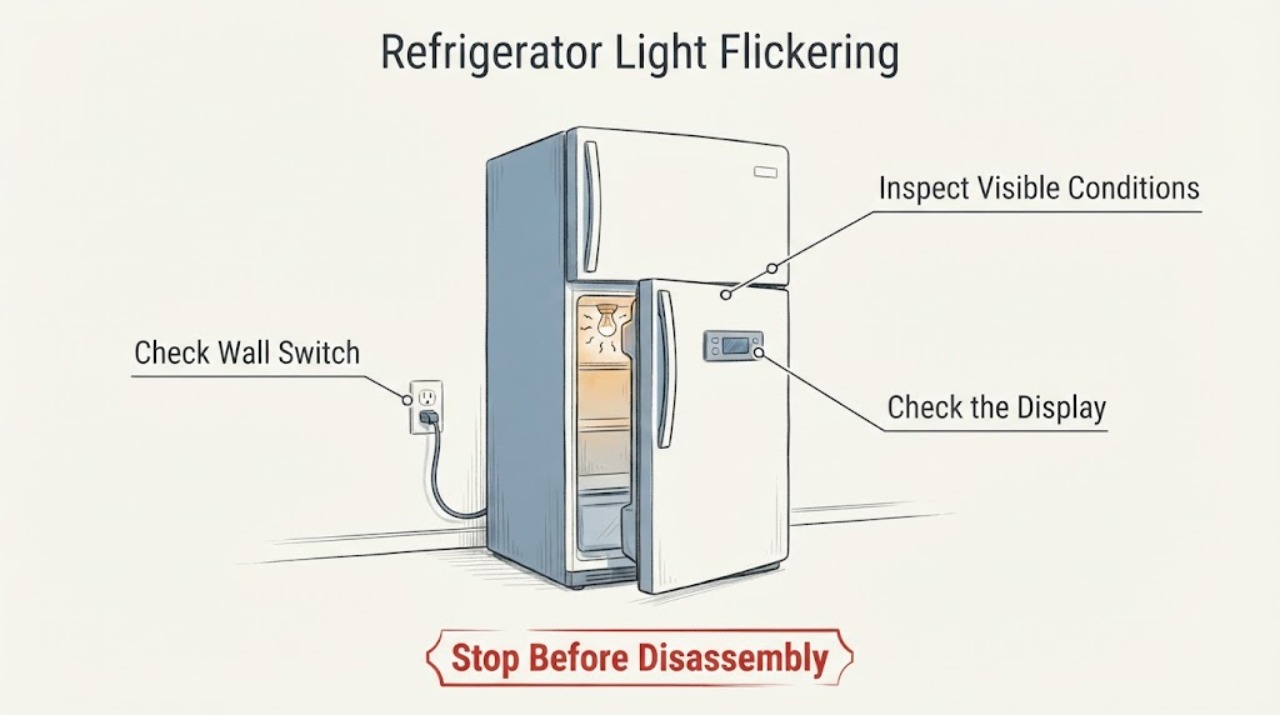
A flickering light in a WINIA refrigerator should be separated into a door-switch contact issue, a loose or failing replaceable lamp, an LED module issue, or a broader power symptom. WINIA product pages provide model-specific manuals and service links; because the lamp layout varies, use the exact model manual. Check door alignment and visible moisture or obstruction, then make one safe power reset if the manual permits. Persistent flicker, a dark refrigerator, or any heat or burning odor needs service.
Work through in order
Diagnostic checks
Use only checks that match the exact appliance or system and its official guide.
-
Check 1
Open and close the refrigerator door slowly while watching the light. Check whether the flicker follows door movement, whether the door is level and aligned, and whether anything is pressing the gasket or switch area.
Expected result: Flicker follows door movement; the door appears misaligned; or the light flickers while the door is stationary.
Next step: Clear only visible obstructions and use the exact model installation guidance for alignment. Arrange service for persistent stationary flicker.
Why this matters
Why: A door-switch contact or alignment issue is more likely when the symptom follows door movement. Stationary flicker shifts attention to the lamp, control or power supply.
-
Check 2
From outside the lamp cover, look for visible moisture, condensation, food blocking the lamp, a loose traditional bulb, or a sealed LED module. Do not touch a hot lamp or remove an LED module.
Expected result: A replaceable bulb is visibly loose; the light is an LED module; or no visible lamp issue is present.
Next step: Unplug before any model-authorized bulb handling. Do not substitute a bulb or open an LED assembly without the manual.
Why this matters
Why: A loose traditional bulb can interrupt light output; LED assemblies and hidden wiring need model-specific service.
-
Check 3
Check whether cooling, the display, or other interior lights also interrupt, and inspect the accessible plug and socket for looseness, heat or damage without pulling on the cord.
Expected result: Only the lamp flickers; several functions flicker; or the plug/socket is hot or damaged.
Next step: Stop use for heat or damage. Arrange qualified appliance or electrical service for a multi-function or persistent fault.
Why this matters
Why: A single-lamp pattern favors the lamp, door switch or local wiring. Multiple functions or a damaged connection raises a broader power concern.
-
Check 4
If the exact manual allows a power reset, disconnect the refrigerator safely once, wait the manual’s interval, reconnect, and monitor with the doors closed as much as practical.
Expected result: The flicker clears; it returns immediately; or the refrigerator does not recover normally.
Next step: Do not repeat power cycling as a workaround; document the pattern and arrange WINIA service.
Why this matters
Why: A one-time improvement can indicate a temporary control or supply state but does not prove the lamp is repaired. Recurrence needs service.
Use your observations
Decision map
Find the observation that best matches what you see, then follow the next safe action.
-
PATH 01Next step
What you see
The light flickers only when the door moves and the door or switch area is visibly misaligned or obstructed.
Do this next
Correct only a visible obstruction or use model-specific alignment guidance; arrange service if contact remains unreliable.
Why this path and its safety boundary
Why it matters: Door-switch contact is more likely than a failed lamp.
-
PATH 02Next step
What you see
The refrigerator cools normally but the light flickers with the door stationary, especially when it is an LED assembly.
Do this next
Keep the light assembly closed and arrange WINIA service using the model number.
Why this path and its safety boundary
Why it matters: A lamp module, local wiring or control issue remains possible; the exact part is not identified.
-
PATH 03Next step
What you see
The light flicker accompanies display loss, cooling interruption, a hot connection, smoke or burning odor.
Do this next
Stop use and isolate power only if safe; obtain qualified appliance or electrical help.
Why this path and its safety boundary
Why it matters: This pattern crosses from lighting into an electrical safety issue.
Helpful context
Understand the symptom
A light that flickers only as the door moves is a different observation from a lamp that pulses while the door is still, or from a display and cooling system that also lose power. Record the pattern before touching the lamp cover.
WINIA models use different cabinet and lighting layouts. Identify the exact model from the product label and use WINIA’s manual link before removing any cover.
When checks do not resolve it
Need a professional?
Provide the exact model and a concise record of what happened, which controls or indicators responded, and which safe checks changed the symptom.
Common questions
FAQ
Can I replace a flickering WINIA refrigerator LED myself?
Do not assume an LED assembly is a replaceable bulb. WINIA’s model manual controls access; manufacturer guidance sends suspected LED faults to service.
Why does the light flicker when I move the door?
A door switch or alignment issue is possible. Check visible alignment and obstructions, then use the exact manual if it continues.
Read the exact guide
Official sources
- Interior Lights Flickering - RefrigeratorWhirlpool · refrigerator interior light flicker troubleshooting
- 위니아 냉장고 310LWINIA · WINIA refrigerator product identity and customer support
- What to do if your LG refrigerator light is not workingLG · refrigerator light and LED safety guidance
Community feedback
Share a repair observation
Share a plain-text repair observation. Accepted observations are published automatically; this page may take a moment to update.