
On this page
Start here
Quick answer
An Electrolux washer-dryer error is a symptom label, not a universal diagnosis: the meaning depends on the exact code, model or PNC, region, and whether it appeared during washing, draining, spinning, drying, or immediately after power-up. Photograph the complete display, write the code exactly as shown (including E, EF, EH, C, F, zeroes, letters, beeps, or flashes), record the cycle and stage, and find the model-specific Electrolux manual or support article. Before any check, stop for water on the floor, a damaged door seal, smoke, burning smell, abnormal heat, or a breaker that trips. For a normal-looking display with no hazard, perform only the ordinary-access checks that match the confirmed code—such as water supply for an E10/C1-type page, drain path for E20/C2, or power for EH0/EH1/EH2/EH3. Reset once only when the model guidance permits it; if the same code returns, the machine stops with a locked door, leaks, overheats, or shows a motor, heater, or communication code, stop using it and arrange qualified service.
Before you begin
Safety first
- This article supports evidence capture and ordinary-access checks explicitly matched to the exact Electrolux code and model. Do not force the door, tip the machine, open panels, enter service mode, probe live circuits, bypass thermal protection, or disconnect pressurized hoses.
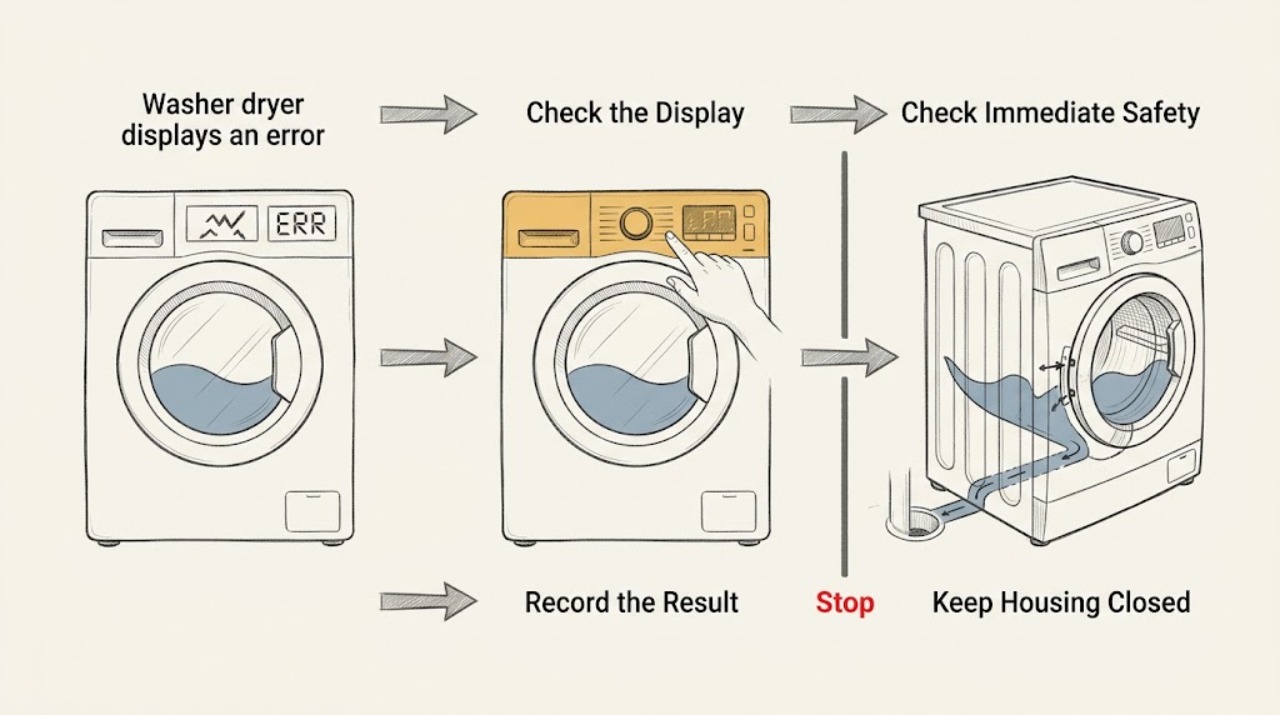
Work through in order
Diagnostic checks
Use only checks that match the exact appliance or system and its official guide.
-
Check 1
Before resetting or unplugging, photograph the entire Electrolux display and record the exact code, beeps or flashes, model or PNC, program, load, and stage at which the error appeared.
Expected result: Write whether the code contains E, EF, EH, C, F, a zero or letter that could be confused, and whether it appeared during filling, washing, draining, spinning, drying, or after the cycle ended; record whether the door is locked and whether water remains inside.
Next step: Use the exact model or PNC in Electrolux's support search or manual, then follow only the instructions whose appliance scope matches this washer-dryer.
Stop if: Stop and do not reset if there is a leak, smoke, burning smell, abnormal heat, sparking, a damaged seal, or a breaker that trips.
Why this matters
Why: A complete code and phase can select a code-specific Electrolux path. An incomplete code, an unknown model, or a code seen only during drying is not enough to apply another model's diagnosis.
-
Check 2
From outside the appliance, inspect the floor, door seal, hoses, filter area, plug, and surrounding cabinet without opening panels or forcing the door.
Expected result: Classify the condition as dry and cool, water leaking or pooled, door seal visibly damaged, hot water or steam present, smoke or burning odor, damaged cord or plug, or a breaker that will not stay on.
Next step: Keep the appliance off, isolate the water supply when safe for a leak, and arrange qualified service for any unsafe condition; do not tip the machine or remove covers as a first response.
Stop if: Do not touch wet electrical parts, force the door, reach into hot water, or continue the cycle when water, smoke, burning odor, or abnormal heat is present.
Why this matters
Why: A dry, cool machine can proceed to a code-matched ordinary check. A leak or damaged seal can trigger a water-safety code and requires water isolation and service; heat, smoke, damaged power, or a repeated breaker trip is an electrical or thermal stop condition.
-
Check 3
Match the confirmed code and the phase to an Electrolux page or the exact model manual instead of searching by a shortened or guessed code.
Expected result: Record whether the official guidance applies to washer-dryers and whether it describes the same code, appliance type, and phase; mark the result as exact match, family-only match, or no match.
Next step: If no exact match is available, preserve the display photo and contact Electrolux or a qualified appliance technician with the full model, code, and phase.
Stop if: Stop when a proposed instruction requires diagnostic mode, panel removal, live electrical testing, gas or refrigerant work, or a step not stated for this model.
Why this matters
Why: An exact match supports the ordinary checks stated by that page. A family-only or no match means the code definition and safe next step remain model-specific; do not borrow a repair procedure from a different code or appliance.
-
Check 4
Only for a confirmed E10, E11, C1, or equivalent water-entry/drain instruction that applies to this model, check from ordinary access that the water tap is open, the inlet hose is not kinked, and the visible inlet filter is addressed only as the manual permits.
Expected result: Record whether water reaches the machine, the inlet hose is kinked, the inlet screen is visibly obstructed, the drain hose is incorrectly positioned, or the code appears during a different phase.
Next step: Correct only the ordinary-access condition allowed by the exact instructions, then run the specified safe verification; if the code returns, stop and arrange service.
Stop if: Do not disconnect pressurized hoses, tip the machine, enter service mode, or continue when there is a leak, a damaged hose, or water near electrical parts.
Why this matters
Why: Electrolux's opened E10/C1 page treats these codes as water intake or drain-related and directs checks of supply, inlet filtering, drain-hose position, drain height, pump/filter, and blockages. A code that does not exactly match this page must not be assigned that meaning.
-
Check 5
For a confirmed E20, E21, C2, EF0, EFo, or EF3 path that applies to this model, observe whether water remains in the drum, the drain hose is kinked, the drain path is blocked, excess foam is present, or water is leaking from the filter, hose, dispenser, or door seal.
Expected result: Classify the result as no water and no leak, standing water, visible leak, excessive foam, blocked or damaged filter, or an unclear condition requiring access beyond the manual's safe procedure.
Next step: Follow the exact manual procedure for a safe drain or filter check only when the machine is disconnected and the area is safe; isolate the water supply and arrange service for a leak, damaged seal, repeated code, or inaccessible filter.
Stop if: Do not force the door, reach into standing hot water, tip the appliance, loosen a filter that cannot be controlled safely, or use the machine with a leaking seal or hose.
Why this matters
Why: Electrolux identifies E20/E21/C2 as a draining family and EF0/EF3 as potentially associated with leakage, over-foaming, or imbalance. A visible leak or damaged seal is a water-safety problem, not a reason to keep restarting; standing water also means the door may remain locked.
-
Check 6
For a confirmed EH0, EH1, EH2, EH3, E90, E91, E92, E93, or E94 page that applies to this model, check only the accessible power state and perform at most the single reset described by Electrolux; do not open the console.
Expected result: Record whether another safe appliance works at the same outlet, whether the code clears after the model-approved 30-second reset, whether it returns immediately, and whether the machine loses power after a drying cycle.
Next step: Leave the appliance disconnected when the official page or safety condition requires it, and arrange an electrician for supply/wiring problems or qualified appliance service for a returning electronic code.
Stop if: Do not use an extension cable, probe the outlet or internal wiring, repeatedly reset, or reconnect when the cord, plug, outlet, or breaker is damaged or overheating.
Why this matters
Why: Electrolux associates EH0-EH3 with power-supply conditions and E90-E94 with electronic configuration or communication problems. A returning code, a dead appliance after drying, or a breaker that trips is not established as a user-reset problem.
-
Check 7
For a confirmed motor, heating, or drying-related code, record whether it occurred in wash or dry, whether the drum turns, whether the machine is hot or cold, the load size, and the state of the manual-listed filters and drain path without reaching inside moving or hot parts.
Expected result: Classify the code as an E50/E59/C9/F9-type motor family, an E60 or E6-type heating family, a drying-only performance symptom, or an unconfirmed code; note abnormal noise, no rotation, no heat, overheating, or failure to restart after drying.
Next step: Stop using the appliance for a confirmed motor or heating code, persistent no-heat or overheating condition, or post-drying shutdown; provide the code, phase, model, and observations to qualified service.
Stop if: Do not bypass thermal protection, open the heater or motor compartment, remove covers, or run repeated hot/dry cycles to see whether the code changes.
Why this matters
Why: Electrolux directs service for its washer-dryer motor-code page and warns against use until repaired; its E60 guidance treats E6 codes as heating problems, while drying guidance separately considers water supply, filters, drain filter, load size, and cycle choice. The same letter or number pattern cannot be generalized across models.
-
Check 8
After an exact-code ordinary check or one permitted reset, run only the short verification specified by the model guidance, staying nearby and stopping at the first unsafe symptom.
Expected result: Record whether the same code returns, the machine completes the same wash or dry phase, water enters and drains, the door unlocks normally after a safe end, and the appliance remains cool enough and electrically stable.
Next step: Save the original code photo, model/PNC, phase, checks, reset result, and verification result for the service technician; do not keep repeating the cycle as a diagnostic experiment.
Stop if: Stop immediately for recurrence with water, heat, smoke, burning smell, abnormal noise, a locked door, or a breaker trip.
Why this matters
Why: A completed cycle without recurrence supports a transient condition only; it does not prove a hidden fault is repaired. A repeated code or a new leak, heat, noise, power loss, or locked-door problem requires service.
Use your observations
Decision map
Find the observation that best matches what you see, then follow the next safe action.
-
PATH 01Safety boundary
What you see
The exact model page identifies E10/E11/C1 or an equivalent water-entry family, and the error occurs during filling or at the start of a cycle.
Do this next
Check the tap, hose, and other ordinary-access items specified by Electrolux, then stop and request service if supply is present and the code returns.
Why this path and its safety boundary
Why it matters: A supply, inlet screen, hose, drain-hose setup, or water-level condition is more plausible than a motor or heater diagnosis, but the exact model page controls the checks.
Safety stop: Do not loosen a pressurized connection, tip the machine, or continue with a leak or water near electrical parts.
-
PATH 02Safety boundary
What you see
The exact model page identifies E20/E21/C2 or EF0/EF3 and the machine has standing water, a drain symptom, foam, or a visible leak.
Do this next
Keep the machine off, isolate water for a leak, and follow only the manual's safe drain/filter procedure; arrange service for damaged seals, repeated errors, or inaccessible parts.
Why this path and its safety boundary
Why it matters: A drain restriction, pump/filter issue, over-foaming, imbalance, or water-safety condition is more likely than a generic display failure; EF3 or a visible leak raises urgency.
Safety stop: Do not force the door, reach into hot water, tip the machine, or restart while water is leaking.
-
PATH 03Safety boundary
What you see
The exact model page identifies EH0/EH1/EH2/EH3 or E90-E94, or the machine repeatedly loses power or displays a configuration/communication code.
Do this next
Check only the safe external power condition and perform the one model-approved reset if allowed; use an electrician for supply faults and appliance service for returning electronic codes.
Why this path and its safety boundary
Why it matters: The power supply, wiring, electronic configuration, or communication path is more likely than a blocked water path; repeated resets do not establish a repair.
Safety stop: Do not use an extension cable, open the console, probe live wiring, or reconnect a damaged or overheating power path.
-
PATH 04Safety boundary
What you see
The exact page identifies E50/E59/C9/F9 motor symptoms or E60/E6 heating symptoms, or the machine stops with abnormal rotation, no heat, overheating, or a post-drying shutdown.
Do this next
Stop using the appliance and give the technician the exact code, model/PNC, wash-or-dry phase, temperature and rotation observations, and any previous reset result.
Why this path and its safety boundary
Why it matters: The motor, heater, sensor, protection, or associated control may be involved. These are not established by a lint check or a generic reset, and Electrolux's opened pages direct service for the applicable fault families.
Safety stop: Do not bypass protection, open motor/heater covers, or run repeated cycles to force a different code.
-
PATH 05Safety boundary
What you see
The issue appears only during drying, the display code has not been captured completely, or no opened Electrolux page matches the exact model and code.
Do this next
Record the phase and load, check only the model-manual drying items from safe access, and arrange service when the code recurs, heat is abnormal, the unit will not restart, or the code remains unresolved.
Why this path and its safety boundary
Why it matters: Water use during drying, the smaller dry-load limit, air or drain filters, cycle selection, heat-pump behavior, or a model-specific fault may be involved; an unknown code cannot be safely assigned a generic meaning.
Safety stop: Do not open the door repeatedly during a suspected heat fault, bypass a filter or thermal device, or continue a cycle with smoke, burning odor, overheating, or power loss.
Helpful context
Understand the symptom
Treat the code as model- and phase-specific
Do not diagnose an Electrolux washer-dryer from the first letter alone. Record the exact characters, the number of beeps or flashes, the full model or PNC from the rating plate, and whether the code appeared during fill, wash, drain, spin, drying, or at startup. Electrolux's support index groups common families such as water supply, draining, door lock, motor, heating, water leakage or foam, and power, but it also tells users to search for guidance tailored to the model when a code is not listed.
Start with a safety and evidence check
Keep the machine stopped if there is a leak, damaged seal, smoke, burning smell, abnormal heat, exposed wiring, or a tripped breaker. Do not force a locked door or reach into a drum that may contain hot water. From ordinary safe access, photograph the display and surrounding indicators before resetting; a cleared message can remove useful evidence. If the display is still visible, preserve it and write down what the machine did immediately before stopping.
Use only the branch that matches the confirmed code
For example, Electrolux's washer-dryer E10/C1 guidance discusses water entry and drain checks, while E20/C2 guidance is a pumping or draining family. EF0/EF3 can involve leakage, over-foaming, or an unbalanced load, so a leak changes the safety response. EH0/EH1/EH2/EH3 is a power-supply family, and E90-E94 is a configuration or communication family. These meanings belong to the cited Electrolux pages and their stated appliance scope; they are not permission to apply the same meaning to an unconfirmed code or different model.
Washing and drying have different checks
A washer-dryer may need water during drying, and Electrolux's drying guidance also calls out air filters on heat-pump models, the drain filter, a smaller drying load than washing load, and the correct cycle and fabric-care setting. A code appearing only in drying therefore needs the drying phase, load, filter configuration, and model manual recorded. An E60 or another heating-family code, a motor-family code, or a machine that will not restart after drying should not be treated as a lint or detergent problem without model-specific evidence.
Safety boundary
Stop conditions
- Stop immediately for a leak, damaged door seal or hose, water near electrical parts, smoke, burning odor, abnormal heat, sparking, a damaged plug or cord, or a breaker that trips or will not stay on.
- Do not force a locked door or reach into standing or hot water; follow the exact manual drain and door-release boundary or arrange service.
- Do not apply an error-code meaning from another model, region, appliance type, phase, shortened code, or search result when the exact code and model are not confirmed.
- Do not open panels, enter service mode, probe live wiring, bypass a heater or motor safety device, or disconnect pressurized water hoses as an ordinary troubleshooting step.
- Stop after one model-permitted reset or ordinary verification when the code returns, the appliance stops after drying, or the machine develops a new water, heat, motor, noise, or power symptom.
Only after diagnosis
Potential parts
- inlet hose screen or water inlet valve
Consider this category only if the exact model guidance and diagnosis confirm a water-entry fault after the tap, hose, and permitted ordinary checks are complete.
Confirm the exact Electrolux model or PNC, valve configuration, connector, and manufacturer fit information; do not replace a valve based only on a generic E10-like code. - drain pump or drain filter assembly
Consider this category only when an exact drain-code diagnosis finds a damaged or failed pump/filter after the safe drain path and hose checks.
Confirm the model-specific pump, filter, seal, and service procedure; standing water, leaks, and locked-door conditions may require professional handling. - door lock or door seal
Consider this category only when the exact code and inspection identify a failed lock or damaged seal rather than an overload, obstruction, or temporary door-closure condition.
Confirm the exact model, door configuration, safety interlock, and seal design; do not force a locked door or operate with a leaking seal. - motor, heater, or temperature sensor assembly
Consider this category only after a qualified diagnosis confirms a motor-family or heating-family fault from the exact code and wash/dry phase.
Confirm the exact model, phase-specific assembly, electrical rating, sensor position, and safety procedure; these are not user-level code substitutions.
When checks do not resolve it
Need a professional?
Arrange qualified Electrolux appliance service when the exact code is not covered by a matching model page, the code returns after the permitted ordinary check or single reset, the display shows a motor, heating, communication, or configuration family, the washer-dryer will not restart after drying, a door remains locked, a leak or damaged seal is present, or any panel, live electrical, pump, heater, or motor access would be needed. Use a qualified electrician for an external supply, outlet, cord, or breaker fault.
Safety scope: This article supports evidence capture and ordinary-access checks explicitly matched to the exact Electrolux code and model. Do not force the door, tip the machine, open panels, enter service mode, probe live circuits, bypass thermal protection, or disconnect pressurized hoses.
Common questions
FAQ
Can I reset an Electrolux washer-dryer when it displays an error?
Only after photographing the full code and confirming that there is no leak, smoke, abnormal heat, damaged power path, or other hazard. Some Electrolux code pages permit one 30-second power reset, but a returning code needs model-specific service rather than repeated resets.
Why is the exact error code and model important?
Electrolux uses different code families for water entry, draining, door, leakage or foam, power, motor, heating, and electronic communication. The same-looking characters can have different scope by model or region, so provide the full code, model or PNC, and the wash or dry phase before choosing a check.
What should I do if the error appears during drying?
Record that it occurred during drying and check only the model-approved drying items. Electrolux notes that washer-dryers may need water during drying and that applicable filters, the drain filter, the smaller drying load limit, and cycle selection affect drying. Stop for overheating, smoke, burning odor, or a machine that will not restart.
What does an Electrolux E20 or C2 error mean?
On the opened Electrolux washer-dryer page, E20, E21, or C2 indicates a water-draining issue. Confirm that this is the exact code and that the page applies to your model, then follow its safe hose, drain, and filter guidance. Do not force the door or reach into standing hot water.
When should I stop using the washer-dryer and call for service?
Stop for a leak, damaged seal, smoke, burning odor, abnormal heat, sparking, repeated breaker trips, a locked door with water inside, a returning motor or heating code, a configuration or communication code, or a machine that will not restart after drying. Also stop when the exact code or model cannot be matched to safe instructions.
Read the exact guide
Official sources
- Washer dryer displays error message E20 or C2, emits 2 beeps or 2 flashesElectrolux · Official Electrolux page covering washer-dryers and other listed washer types for the stated E20/E21/C2 family; follow the exact model manual for access and drain procedures.
- Washing machine displays error message E60Electrolux · Official Electrolux page for the stated E60/E6 heating family on listed washing-machine types; confirm washer-dryer model applicability before using it.
- Washer dryer displays error message E90, E91, E92, E93 or E94Electrolux · Official Electrolux washer-dryer page for the stated E90–E94 family; it does not define unrelated codes or models.
- Washing machine displays error message E50Electrolux · Official Electrolux washer-dryer page for the stated motor-code family; use only when the exact code and model scope match.
- Washer dryer displays error message E10, C1 or emits 1 beep / 1 flashElectrolux · Official Electrolux washer-dryer page for the stated E10/E11/C1 and one-beep/flash symptom; exact installation and model instructions still control.
- Washing Machine Error Code EHO / EH0: Causes and FixesElectrolux · Official Electrolux page applying to washing machines, washer dryers, and tumble dryers for the stated power-code family.
- Washer - dryer does not switch on after a drying cycleElectrolux · Official Electrolux washer-dryer guidance for failure to switch on after drying.
- Washing machine displays error message EF0, EFo, EF3 or emits 15 beeps / 15 flashesElectrolux · Official Electrolux page explicitly applying to washing machines and washer dryers; the displayed code and model must still be confirmed before applying a branch.
- Washing Machine common error codes and troubleshooting tipsElectrolux · Official Electrolux index explicitly applying to washing machines and washer dryers; it lists code families but directs users to model-tailored guidance for codes not shown.
- Drying cycle of washer dryer takes too long, too short or not drying at allElectrolux · Official Electrolux guidance explicitly applying to washer-dryers; use it for drying-phase observations and not as a substitute for a code-specific manual.
Community feedback
Share a repair observation
Share a plain-text repair observation. Accepted observations are published automatically; this page may take a moment to update.