
On this page
Start here
Quick answer
Record the exact error text or number, the full GE model, and whether it appeared during wash, rinse, spin, or dry before clearing anything. GE washer-dryer designs and code meanings are model-specific: GE's published messages for the Profile UltraFast Combo include a four-minute lockout for a missing water supply or canceled draining, a door-open message, a drain-pump-filter message, fault 353 for a lint-filter restriction, and fault 18 for a pump-filter restriction. Use those interpretations only when the display and model match that product family; a stacked GE washer and dryer or another model requires its own manual. Make only ordinary-access checks for the matching stage, keep the machine off for leaks, smoke, scorching, sparking, damaged wiring, repeated breaker trips, or a gas smell, and arrange model-specific service when the code is unknown, returns, or cannot be cleared safely.
Before you begin
Safety first
- This article supports exterior identification and only those filter, hose, door, or reset checks explicitly allowed by the exact GE manual. It does not authorize live electrical testing, panel removal, gas or vent disassembly, door-lock bypass, or operation after a fire, gas, water, or electrical hazard.
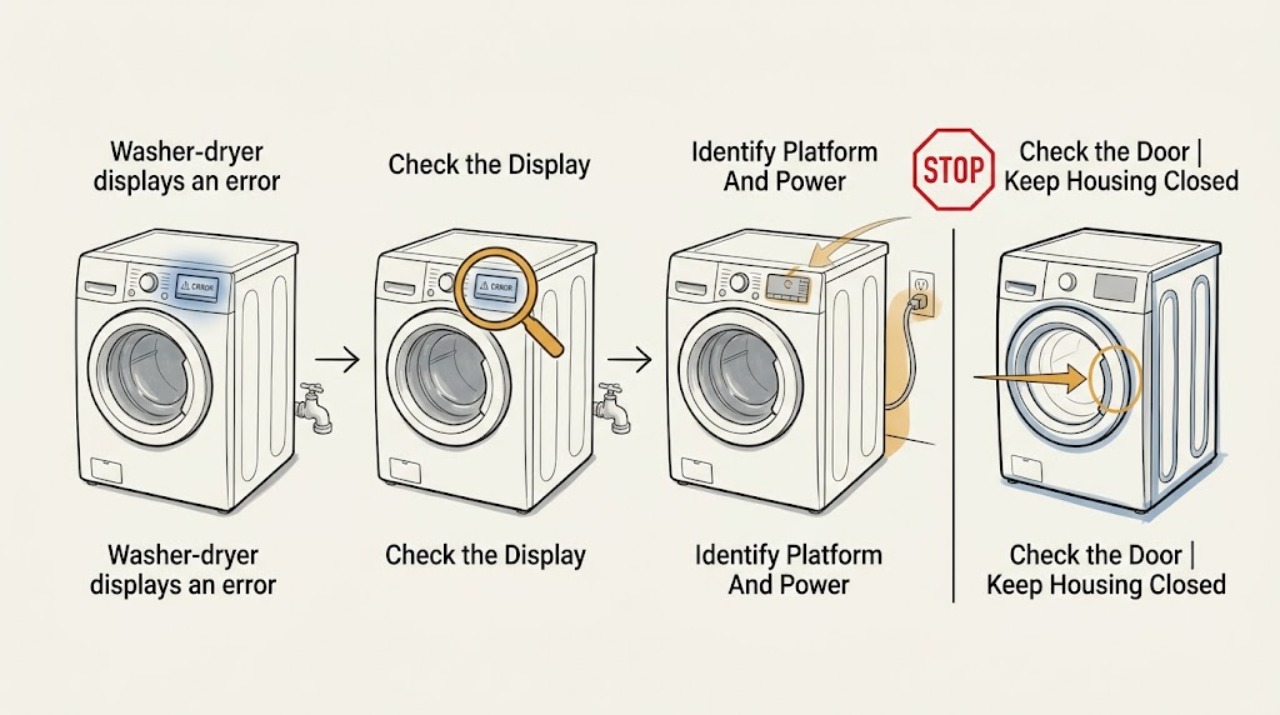
Work through in order
Diagnostic checks
Use only checks that match the exact appliance or system and its official guide.
-
Check 1
With the appliance stopped and safe to approach, photograph the complete display and record the exact code or message, full model number, serial information if available, and the cycle stage when it appeared.
Expected result: Classify the display as a number, a text message, a blinking status light, or an unresponsive screen, and record whether the issue is during wash, rinse, spin, dry, startup, or a paused cycle.
Next step: Keep the photo and model information for every later check; search the exact model's GE support/manual page or provide the record to a technician before ordering any part.
Stop if: Stop and arrange service if the display is accompanied by smoke, scorching, sparking, water near controls, a damaged cord, a gas smell, or an abnormal hot surface.
Why this matters
Why: A precise identity determines which GE manual and code table applies. A status message, fault number, and an unresponsive control are different diagnostic paths, and a code from one GE platform cannot establish the cause on another.
-
Check 2
From the model label and ordinary exterior view, identify whether the GE appliance is an UltraFast all-in-one combo, a stacked washer with a separate dryer, and whether the dryer section is gas or electric; confirm that the unit is connected to its normal power source without opening electrical covers.
Expected result: Record the model family, whether wash and dry share one drum or have separate controls, and any gas-versus-electric designation shown on the model documentation.
Next step: Use only the manual for the recorded model and stage; if the model tag is missing or unreadable, stop at identification and request manufacturer or qualified appliance service.
Stop if: Do not remove covers, probe wiring, move gas fittings, defeat a safety switch, or continue operating when the cabinet, cord, receptacle, gas line, or vent shows damage.
Why this matters
Why: Different GE platforms can use different displays, lockouts, sensors, lint arrangements, drain paths, and service procedures. A stacked gas dryer has an additional fuel and vent boundary that an all-in-one electric or heat-pump combo does not.
-
Check 3
Read the exact model instructions for the displayed message, check that the door is fully closed without forcing the latch, and if the matching GE Profile UltraFast message indicates a timed lockout, wait for that lockout to finish rather than unplugging to bypass it.
Expected result: Determine whether the door-open message clears after normal closure, whether controls remain intentionally locked, or whether a water-supply/draining lockout countdown is active.
Next step: After the matching wait or normal door closure, retry only the model-approved cycle once while observing for the same message; if the door will not latch or the code returns, stop and arrange service.
Stop if: Do not bypass, tape, wedge, or mechanically defeat the door lock, and do not run a cycle if the door leaks, will not latch, or opens unexpectedly.
Why this matters
Why: On the GE Profile UltraFast Combo, GE documents that “DOOR OPEN” prevents a cycle from starting and that the H2O and canceled-draining messages hold controls for four minutes; unplugging during those lockouts restarts the timer. A latch that will not close or a code that returns after the documented wait is not fixed by repeated resets.
-
Check 4
For a wash or rinse-stage message, make only exterior checks: confirm the household water valves are open, inspect accessible supply hoses for kinks or visible leaks, and inspect the model-approved drain area or pump-filter access only after the appliance is stopped, cool, and isolated according to its manual.
Expected result: Record whether water is available at the appliance, a hose is kinked or leaking, the display names H2O supply, the load is left wet, the drain area is visibly restricted, or the drain hose position differs from the manual.
Next step: Follow the exact model's owner instructions for a user-accessible filter or hose check; if supply is present, the drain path is clear, or the code persists, stop and give the technician the code, stage, and observations.
Stop if: Do not open plumbing connections under pressure, reach into a moving or hot appliance, remove cabinet panels, or continue if water is near electrical controls or the machine is leaking.
Why this matters
Why: On the GE Profile UltraFast Combo, GE links the H2O message to water not entering, and links a drain-pump-filter message or fault 18 to a drain restriction; fault 18 may also coincide with wet loads or longer dry times. These meanings are not transferable to another model without its documentation.
-
Check 5
For a dry-stage message, stop the dry cycle if there is unusual heat, smoke, scorching, or a burning smell; otherwise inspect and clean only the lint filter or other user-accessible airflow screen named in the exact model instructions, without opening the vent system or gas section.
Expected result: Record whether the filter is coated or blocked, whether airflow is visibly restricted at the normal outlet, whether the load remains damp, and whether the display is the GE Profile UltraFast fault 353 or another exact code.
Next step: Use the exact model's filter-cleaning method and restore the filter before one supervised retry only when there is no safety symptom; if airflow remains restricted, the fault returns, or the unit overheats, stop and arrange service.
Stop if: Do not run the dryer with a missing or damaged filter, bypass a thermal or door safety, disassemble a gas burner or vent, or continue after smoke, flame, scorching, or a gas odor.
Why this matters
Why: GE states that fault 353 on the Profile UltraFast Combo most often indicates fabric-softener residue clogging the lint filter. A blocked filter or airflow path can affect dry time, but a different code, gas dryer, separate stacked unit, or persistent overheating requires the matching manual and professional diagnosis.
-
Check 6
If the error is accompanied by an unresponsive GE Profile UltraFast touchscreen, check from the exterior whether installation film remains and whether the child-control lock icon is shown; use the exact model's documented control-unlock method rather than pressing buttons repeatedly.
Expected result: Record whether the screen responds after the protective film is removed as instructed, whether a lock icon clears with the documented control sequence, or whether the screen and normal power control remain unresponsive.
Next step: If the exact model's display guidance allows the reset, perform it once with dry hands and no safety hazard; if the display remains unresponsive or the code returns, stop and arrange qualified service.
Stop if: Do not open the console, bypass a control lock, expose wiring, or use the appliance when the display cannot show a safe door, water, drain, or heat state.
Why this matters
Why: GE identifies protective film and Child Lock as two reasons a Profile UltraFast touchscreen may not respond. GE permits a 30-second unplug reset only as a later step for that display issue; this is separate from the four-minute H2O or canceled-draining lockouts.
-
Check 7
Before requesting service, preserve the exact code and make a concise handoff containing the model, cycle stage, load condition, recent installation or repair, checks already made, and any photos of leaks, filters, hoses, or the display.
Expected result: Classify the result as cleared and stable, cleared but returned, never cleared, or unsafe to retry; note whether wash and dry symptoms are separate or occur together.
Next step: Request model-specific appliance service and provide the preserved code and stage history; do not order a part until the model and failed component are confirmed.
Stop if: Keep the appliance out of service for smoke, burning, sparking, gas odor, water near controls, repeated breaker operation, damaged cord, unsafe heat, or a door that cannot latch.
Why this matters
Why: A code that returns after the correct model-specific check, a combined wash-and-dry failure, or a code with no documented user remedy points toward a sensor, lock, control, pump, inlet, airflow, or heating diagnosis rather than a generic reset.
Use your observations
Decision map
Find the observation that best matches what you see, then follow the next safe action.
-
PATH 01Safety boundary
What you see
The full model is a GE Profile UltraFast Combo and the display exactly matches a published message or fault such as H2O supply, Cycle Canceled Draining, DOOR OPEN, drain-pump-filter, 353, or 18.
Do this next
Follow the matching GE instruction, including the documented four-minute lockout behavior or filter check, then retry only when the appliance is safe and the message has cleared.
Why this path and its safety boundary
Why it matters: The named GE family has a documented first remedy, but the message still identifies a model-specific path rather than a universal GE washer-dryer code.
Safety stop: Stop when the exact remedy does not clear the message, the code returns, or any leak, heat, electrical, door, or gas hazard is present.
-
PATH 02Safety boundary
What you see
The code is unfamiliar, the model is not the documented Profile UltraFast family, the model tag is missing, or the display combines a number with a different status pattern.
Do this next
Stop code interpretation, obtain the exact owner manual or model support record, and request service with a photo and stage history if no exact remedy is documented.
Why this path and its safety boundary
Why it matters: The available GE example cannot establish the meaning across models; guessing a sensor or buying a generic part risks masking the actual fault.
Safety stop: Do not clear the code repeatedly, enter an undocumented diagnostic mode, or operate with a safety symptom.
-
PATH 03Safety boundary
What you see
The message appears during fill, wash, rinse, or spin and the appliance shows no smoke or electrical hazard; water is absent, the door is not latched, the load is wet, or draining is incomplete.
Do this next
Use exterior supply and door checks and the exact manual's accessible drain procedure; arrange service if supply and drain observations do not match the code or the message returns.
Why this path and its safety boundary
Why it matters: Water entry, door interlock, load balance, or drain restriction becomes more likely than a dry-air fault, but the exact model still determines which filter, hose, or lock checks are user-accessible.
Safety stop: Stop for a leak, water near controls, a door that will not latch, a jammed drum, or any need to remove panels or open plumbing under pressure.
-
PATH 04Safety boundary
What you see
The message appears during dry or after a damp load, and the filter is visibly coated or airflow is reduced without smoke, scorching, flame, or gas odor.
Do this next
Clean only the model-approved accessible filter, restore it, and observe one safe retry; service the unit when airflow remains poor, overheating occurs, or the fault returns.
Why this path and its safety boundary
Why it matters: A lint or airflow restriction is plausible, and GE specifically associates fault 353 with lint-filter residue on the Profile UltraFast Combo; separate or gas dryer models may use different components and code meanings.
Safety stop: Do not operate with a missing filter or restricted vent, and do not disassemble a gas burner, heater, thermal device, or vent system.
-
PATH 05Safety boundary
What you see
The display will not respond after the exact model's safe lock and reset guidance, or the error occurs with smoke, burning, sparking, water at controls, repeated breaker trips, unsafe heat, gas odor, or a door-lock failure.
Do this next
Stop using the appliance, keep people away from the hazard, and arrange qualified appliance service; use the appropriate emergency response for an active fire or uncontrolled gas release.
Why this path and its safety boundary
Why it matters: The fault is no longer an ordinary user-accessible code check. Continued operation could worsen an electrical, water, fire, gas, or door-containment hazard.
Safety stop: Do not bypass the lock, open covers, reconnect a damaged cord, test live circuits, relight or disassemble gas equipment, or repeatedly reset the unit.
Helpful context
Understand the symptom
Start with the exact identity, not a guessed code list
A GE washer-dryer may be an all-in-one condenser combo or a stacked washer and dryer, and the control display, water path, drain system, and dry-air path are not interchangeable. Photograph the display, copy punctuation and leading zeroes, record the model tag, and note whether the message appeared during wash, rinse, spin, dry, startup, or after a pause. Do not apply a code found for a GE Profile UltraFast Combo to a different GE platform simply because the words look similar.
Use the stage to narrow the safe first check
A wash or rinse message makes water entry, a closed and latched door, load balance, or draining more relevant. A dry-stage message makes lint, airflow, residual water, and heat-management checks more relevant. The exact model manual controls the procedure. Do not remove panels, reach into a moving drum, test live wiring, open a gas connection, or bypass a door lock to make a code disappear.
GE Profile UltraFast examples are family-specific
On the named GE Profile UltraFast Combo, GE says that “Confirm H2O Supply is ON” starts a four-minute lockout and that unplugging during it restarts the timer; “Cycle Canceled Draining” has the same lockout behavior. GE also documents “DOOR OPEN,” “Check and Clean Drain Pump Filter,” fault 353 for lint-filter residue, and fault 18 for a pump-filter restriction. These examples are useful only when the product identity matches; an unknown code on another model is a service-manual question, not a reason to substitute a part.
Safety boundary
Stop conditions
- Do not apply a GE Profile UltraFast Combo code meaning to a different GE model or to a separate stacked washer and dryer.
- Do not bypass a door lock or control lock, enter an undocumented diagnostic mode, test live wiring, remove covers, or open a gas connection.
- Stop using the appliance for smoke, scorching, sparking, burning smell, gas odor, water near controls, repeated breaker trips, unsafe heat, a damaged cord, or a door that will not latch.
- Do not operate a dry cycle with a missing or damaged lint filter or a visibly restricted airflow path, and do not disassemble the gas or vent system.
- Do not unplug during a matching GE Profile UltraFast four-minute H2O-supply or canceled-draining lockout because GE says the timer restarts; use a 30-second reset only when the exact display guidance allows it.
Only after diagnosis
Potential parts
- drain pump or pump filter assembly
Consider this category only when the exact model documents a drain restriction and a technician confirms the pump or filter is damaged or remains restricted after the approved cleaning path.
Confirm the full GE model and the exact pump or filter design; do not order from fault number alone or substitute a part across all-in-one and stacked platforms. - water inlet valve or supply hose
Consider this category only when the exact model and wash-stage observations show water is available to the appliance but the inlet component or hose is defective after safe exterior checks.
Verify the exact model, inlet configuration, hose connections, and manufacturer fit information; stop for leaks or pressurized plumbing work beyond ordinary access. - lint filter or airflow filter
Consider this category only when the exact dry-stage model identifies a replaceable filter and inspection finds damage or a persistent restriction after the approved cleaning method.
Match the full model and filter shape or service documentation; do not run the dryer without the specified filter or replace it with an unverified screen. - door lock or control display assembly
Consider this category only after a model-specific diagnosis confirms a door-latch, control-lock, touchscreen, or display hardware fault rather than a normal lockout or protective film.
Confirm the exact model, revision, connector, and manufacturer service procedure; installation and electrical diagnosis may require a qualified technician.
When checks do not resolve it
Need a professional?
Arrange model-specific qualified appliance service when the exact code is unknown, the model identity is uncertain, the documented safe check does not clear the message, the code returns, wash and dry symptoms occur together, the display remains unresponsive, or diagnosis would require panels, live electrical access, gas or vent work, a door-lock bypass, or a replacement part. Treat smoke, flame, gas odor, sparking, water near electrical controls, repeated breaker operation, unsafe heat, a damaged cord, or a door that will not latch as a stop-use condition.
Safety scope: This article supports exterior identification and only those filter, hose, door, or reset checks explicitly allowed by the exact GE manual. It does not authorize live electrical testing, panel removal, gas or vent disassembly, door-lock bypass, or operation after a fire, gas, water, or electrical hazard.
Common questions
FAQ
Can I use a GE washer-dryer error-code list from another model?
No. Record the full model and exact code first. GE's published H2O, drain, 353, and 18 examples are for the Profile UltraFast Combo; another GE all-in-one or stacked unit needs its own manual and code table.
What should I do when the GE washer-dryer says Confirm H2O Supply is ON?
Only apply this interpretation when the model is the GE Profile UltraFast Combo. GE says the message indicates water is not entering and starts a four-minute lockout; check the household supply and valves from ordinary safe access, wait for the lockout, and do not unplug to bypass it because the timer restarts.
What does a GE washer-dryer fault 353 mean?
On the GE Profile UltraFast Combo, GE says fault 353 most often means fabric-softener residue has clogged the lint filter. Use that meaning only for the matching family, clean the documented filter safely, and stop for overheating, smoke, a different model, or a returning fault.
What does fault 18 mean on a GE washer-dryer?
For the GE Profile UltraFast Combo, GE associates fault 18 with a pump filter that needs cleaning and may also show wet loads or longer dry times. Follow that model's pump-filter and drain-hose instructions; do not infer the same meaning on another GE platform.
When should I stop using a GE washer-dryer with an error?
Stop for smoke, burning or gas odor, sparking, water near controls, repeated breaker trips, unsafe heat, a damaged cord, a blocked or missing dry filter, or a door that will not latch. Keep the appliance off and arrange qualified service; do not bypass safety devices or open panels.
Read the exact guide
Official sources
- GE Profile™ UltraFast Combo Washer/Dryer - Display Not RespondingGE Appliances · Official GE Appliances support article for the Profile UltraFast Combo touchscreen; it does not establish control behavior on other GE washer-dryer platforms.
- Troubleshooting for GUD27GSSMWW | GE AppliancesGE Appliances · Official GE model support page for the GUD27GSSMWW unitized stacked washer and gas dryer; it is used to show platform and fuel differences, not to assign codes to another model.
- User Manual & Care for GFQ14ESSNWW | GE AppliancesGE Appliances · Official GE model support page showing that a particular GE 24-inch front-load washer/condenser dryer combo has its own owner manual; use the exact model page for a different appliance.
- GE Profile™ UltraFast Combo Washer/Dryer - Fault & Error Codes and Status MessagesGE Appliances · Official GE Appliances support article for the GE Profile UltraFast Combo; its messages and remedies must not be generalized to another GE model or stacked unit.
Community feedback
Share a repair observation
Share a plain-text repair observation. Accepted observations are published automatically; this page may take a moment to update.