
On this page
Start here
Quick answer
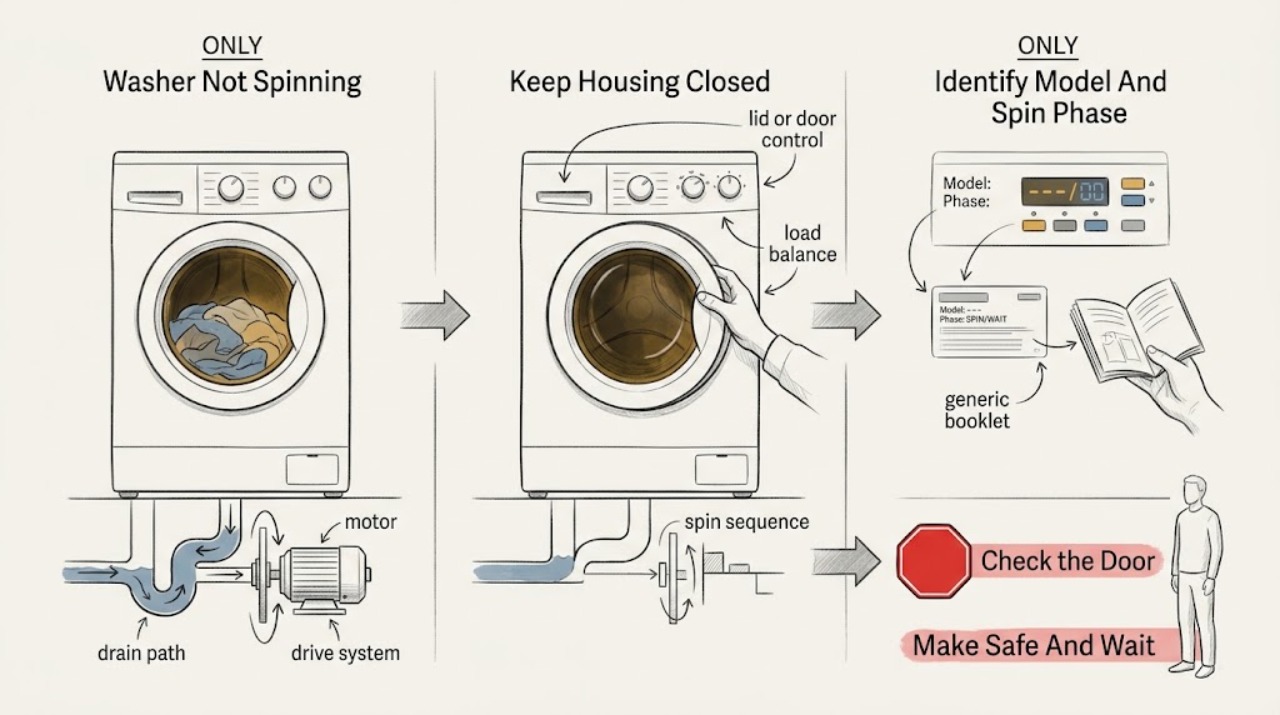
A Hotpoint washer may be waiting through a normal pause or pump-out, unable to spin because the lid or door is not safely closed, stopping for an unbalanced load, or failing to spin because it has lost power, cannot drain, or has a motor or drive fault. Wait through the model's documented pause rather than advancing a timer, then note whether the tub is full, whether the pump drains, whether the lid or door locks, and whether a spin or balance indicator appears. After the basket stops, redistribute a safe load and check only visible, dry installation conditions. If the washer pumps water out but the tub does not spin, the tub is full and only hums, it walks, the power area is wet or damaged, a code returns, or the source requires a panel or live test, leave it off and arrange qualified Hotpoint appliance service. Do not reach into a moving basket, bypass a lid lock, or use a model-specific motor reset unless the exact manual confirms it and no hazard is present.
Before you begin
Safety first
- This article supports waiting through a model pause, dry ordinary-access control and load observation, visible drain-path checks, and one model-permitted recheck or documented reset only when no hazard exists. Do not handle wet electrical areas, reach into a moving basket, force or bypass a lock, move or tilt the washer, open panels, test live parts, disconnect wet plumbing, or keep operating a full or unstable machine.
Work through in order
Diagnostic checks
Use only checks that match the exact appliance or system and its official guide.
-
Check 1
Stop the washer with the normal control if it responds, keep the floor and power area dry, and observe from a safe position for smoke, sparks, a burning smell, a hot or damaged cord or outlet, active leaking, severe movement, or an unstable cabinet. If the machine may be in a normal transition, wait through the exact model's documented pause instead of advancing a timer.
Expected result: Record whether the tub is full, whether water is spreading, whether the power area is wet or damaged, whether a circuit tripped, and whether the control is paused, displaying an indicator, or unresponsive.
Next step: Leave the washer off and obtain qualified appliance, electrical, or plumbing help for a hazard, full tub with only a hum, repeated circuit trip, active leak, or unstable machine. Continue only with dry ordinary-access checks when no stop condition is present.
Stop if: Do not touch a wet plug, outlet, cord, or cabinet, pull a plug through pooled water, reset a breaker repeatedly, reach into a moving basket, or keep cycling a dangerous machine.
Why this matters
Why: Water near electricity, smoke, sparks, heat, active flooding, or severe movement is an immediate stop-use condition. A brief model-normal pause does not establish a fault, while a full tub that only hums or an unresponsive control needs service attention.
-
Check 2
Identify whether the Hotpoint washer is front-load, top-load, space-saving, or another model family and note the exact model if safely visible. Record the selected cycle, the last phase reached, whether draining occurred, and any displayed code, flashing light, or balance message.
Expected result: Record whether the washer paused after wash motion, drained but did not spin, never drained, stopped when the lid or door was opened, or shows a model-specific spin, balance, canceled, or lock indicator.
Next step: Use the matching branch below and the exact Hotpoint or GE model support page; do not manually advance a timer or interpret an unverified code across models.
Stop if: Do not force a door or lid, bypass a lock, run a hidden diagnostic mode, or remove a panel to identify the model or control fault.
Why this matters
Why: The model family changes the applicable lid or door, load, timer, motor-reset, and service steps. A pause before pump-out is different from a complete drain followed by a stationary tub; a returning code needs the exact manual rather than a generic reset.
-
Check 3
With the washer idle and the basket fully stopped, confirm that the top-load lid or front-load door closes and latches normally and, on a front loader, that any dispenser drawer is fully closed. Look only for loose clothing or visible debris at the latch; do not wedge or defeat it.
Expected result: Record whether the lid or door closes evenly, the lock indicator responds, the drawer is fully seated, the machine begins sensing but will not spin, or a latch, striker, hinge, or drawer is visibly damaged.
Next step: Remove only loose visible interference with the washer off and follow the exact model manual. Arrange service for a damaged latch, lock, striker, hinge, drawer, or repeated lock indication.
Stop if: Do not bypass, tape, jumper, or hold a lid or door lock closed, reach into the tub while it moves, or force a door, lid, or drawer.
Why this matters
Why: GE states that applicable top-load washers will not spin with the lid up and that a front-load washer will not spin if its dispenser drawer is not fully closed. A damaged or unresponsive lock or latch can be the spin prerequisite, not a motor diagnosis.
-
Check 4
After the cycle stops and the lid or door is safely released, inspect the load against the exact Hotpoint manual. Look for a single heavy item, bulky item, clothing gathered to one side, an overfilled basket, or an empty or very small load; observe whether the cabinet is level and stable without moving it.
Expected result: Record whether the no-spin symptom follows one load, whether a balance or spin indicator appears, whether the basket was visibly packed to one side, and whether the cabinet rocks or strikes nearby objects.
Next step: Redistribute or adjust the load once only as the manual permits and keep the washer clear of people if it moves. If it still fails to spin or walks, leave it off and arrange service.
Stop if: Do not overload, add water by hand, tilt, lift, drag, shim, or reach under the washer; stop if it walks, hits a wall, rocks severely, or becomes unstable.
Why this matters
Why: GE links an unbalanced load or insufficient load size with a stopped spin on applicable models. A stable machine with a balanced load but no spin points toward draining, lock, control, motor, or drive causes rather than load distribution alone.
-
Check 5
From a dry, ordinary-access position, determine whether water remains in the tub and whether the washer pumped water into the standpipe or drain before spin. Inspect only visible drain-hose placement for a kink, crush, or obvious displacement; do not disconnect a wet hose or move the machine.
Expected result: Record a full tub, partly wet clothes with no visible water, a normal pump-out, a slow or failed pump-out, drain backflow, or a pump that is silent, humming, or rattling.
Next step: Use the exact model's safe drain or filter procedure only if it provides owner access and residual water can be contained. Request plumbing help for backflow and appliance service for a full tub, poor drain, or spin failure after pump-out.
Stop if: Do not reach under a running washer, pour drain chemicals, disconnect a residual-water hose on a wet floor, force a filter, or repeat cycles against a full tub or overflow.
Why this matters
Why: A washer may not spin until pump-out completes. A full tub and failed or humming pump points toward drain restriction or service; a complete pump-out with a stationary tub shifts attention to lock, motor, drive, control, or suspension. Backflow points toward household plumbing.
-
Check 6
From a dry position, observe the control panel, wall outlet, breaker, and any model-specific spin or balance indicator without opening the washer. Check only that the selected option is a valid setting and that the panel is powered; do not test live voltage or repeatedly reset a breaker.
Expected result: Record a blank or partly powered panel, a tripped circuit, a canceled or balance message, a setting between options, a lid-lock light that is off, or a panel that responds normally but never starts spin.
Next step: Use only the exact manual's documented control recovery or applicable model-specific reset once, and only when no hazard exists. Leave the washer off and request service for a blank panel, returning code, abnormal lock, repeated trip, or persistent no-spin.
Stop if: Do not insert a tester into a wet outlet, open the control panel, test energized wiring, jumper a lock, or restore power repeatedly after a trip, smell, spark, or heat.
Why this matters
Why: GE identifies loss of power, certain option-control positions, lid-lock status, canceled indicators, and model-specific balance messages as possible no-spin paths. A normal panel with water pumped out and no spin moves the case toward service, not another reset.
-
Check 7
Only when the floor and power area are dry, the washer is stable, the load is safe, the lid or door closes normally, and the exact model permits it, make one safe Drain and Spin or small empty-load observation from a stationary position. Stop as soon as the machine fails to drain, leaks, moves sharply, or makes a harsh sound.
Expected result: Record whether the washer drains and spins, drains but leaves the tub stationary, fails to drain, stops with a code or lock indication, or repeats severe movement.
Next step: Do not repeat the test. Leave the washer off and arrange qualified appliance service for any failed or recurring result; provide the phase, code, water level, and movement notes.
Stop if: Do not run this observation with water near electricity, an active leak, a damaged cord or hose, severe movement, smoke, burning odor, an inaccessible source, or a lid or door problem.
Why this matters
Why: A successful spin after a load or control correction supports that external condition as the immediate trigger. A complete pump-out followed by no spin, a full tub that hums, or a recurring no-spin condition suggests an internal or model-specific fault and requires service.
-
Check 8
Gather the exact Hotpoint model and serial information if safely visible, washer type, selected cycle, load details, drain result, lock or indicator behavior, power observations, photos, and any safe recording before requesting service.
Expected result: Confirm whether the washer drains, whether the motor can be heard, whether the tub remains stationary, whether the condition follows one load or every load, and whether there is a leak, code, smell, heat, circuit trip, or severe movement.
Next step: Use Hotpoint's official support route and the exact GE model documentation to arrange qualified appliance service; request plumbing help for household drain backflow and electrical help for a wet, hot, damaged, or repeatedly tripping connection.
Stop if: Do not order a motor, belt, pump, lid lock, suspension part, or control solely from a no-spin symptom, and do not open the cabinet or bypass a safety control.
Why this matters
Why: This record separates a normal pause, load or stability issue, drain restriction, lock or control prerequisite, and motor or drive fault without asking the owner to open or electrically test the appliance.
Use your observations
Decision map
Find the observation that best matches what you see, then follow the next safe action.
-
PATH 01Next step
What you see
The washer is stable, no safety hazard is present, the cycle recently left wash motion, and the timer or controls appear paused before pump-out or spin.
Do this next
Wait through the exact model's pause and pump-out sequence without advancing a dial. If the tub remains full or the pause becomes a no-spin failure, move to drain and service checks.
-
PATH 02Next step
What you see
Spin stops with a balance or spin indication, severe movement, a single or bulky load, a lid or door that is open or not latched, a front-load dispenser drawer that is not fully closed, or a visible latch obstruction.
Do this next
Wait for complete stop, correct only the load or loose external obstruction allowed by the model manual, and observe once. A repeated stop, walking cabinet, damaged lock, or normal load with no spin requires service.
-
PATH 03Next step
What you see
Water remains in the tub, pump-out is slow or absent, the pump is silent or humming, the drain hose is restricted, or the standpipe backs up.
Do this next
Leave the washer off for a full tub, humming pump, leak, or backflow. Use an exact model-approved filter check only when safe and accessible; request appliance service for the washer and plumbing service for household-drain restriction.
-
PATH 04Next step
What you see
The washer pumps the water out, but the tub or basket does not spin with a balanced load and a normally closed lid or door; the condition persists or occurs with an empty observation.
Do this next
Stop using the washer and arrange qualified appliance service. GE identifies a pumped-out but stationary tub as a service condition; a technician must distinguish lock, motor, drive, suspension, control, or another model-specific fault.
-
PATH 05Next step
What you see
The panel is blank or the circuit trips, or no-spin is accompanied by smoke, sparks, burning odor, a hot or damaged cord, water near electricity, active leaking, severe movement, or a door or lid that cannot safely release.
Do this next
Treat the washer as out of service. Do not touch wet or hot electrical areas or repeatedly restore power; obtain qualified appliance or electrical help from a safe location and use emergency assistance for smoke or fire risk.
Helpful context
Understand the symptom
Not spinning can mean the washer has not reached spin yet
A pause between wash motion, pump-out, and spin can be normal on some models. GE's front- and top-load guidance warns that manually advancing a timer during the pause can skip the pump-out stage. Wait through the exact Hotpoint manual's sequence and note whether water is still in the tub. A full tub, no pump-out, or a motor that hums without movement is a different path from a short normal pause.
Identify the load, lock, and drain prerequisites
A lid or door that is open or not latched can prevent spin, while an unbalanced or too-small load can stop the machine to protect the basket. A washer may also refuse to spin until water has pumped out. After the basket is completely stopped, inspect the load and visible drain path from a dry position. Do not defeat the lock, reach through an opening, or assume a top-load instruction applies to a front-loader.
Use model-specific controls and resets carefully
Hotpoint appliances in the Americas are supported through GE Appliances, and GE provides separate front-load and top-load procedures. Some selected top-load models have a Hydrowave motor-reset sequence, but it is not a universal Hotpoint instruction. Use that type of reset only when the exact model's support documentation identifies it and there is no leak, electrical concern, or unsafe movement. A returning no-spin condition needs service rather than repeated resets.
A pump-out result changes the diagnosis
If water pumps out but the tub never spins, the issue is less likely to be a simple drain blockage and more likely to involve lid or door sensing, a control sequence, motor, drive, suspension, or another model-specific component. If the washer cannot pump out, diagnose the drain path first. Either result should be documented with the model and any indicator before service; neither authorizes cabinet disassembly or live testing.
Safety boundary
Stop conditions
- Water is near an outlet, plug, cord, wiring, or other electrical connection; the cord or outlet is hot or damaged; or a breaker or GFCI trips.
- Smoke, sparks, a burning odor, active flooding, wastewater, or a washer that walks, strikes nearby objects, or becomes unstable.
- The tub remains full and only hums, pump-out is absent or repeatedly fails, or the drain hose or standpipe cannot be safely checked without moving the machine.
- The lid or door will not safely close or release, the latch or lock is damaged, or an interlock would need to be bypassed.
- The no-spin condition persists with a balanced load, after a complete pump-out, or during a single model-permitted empty observation.
- A metallic scrape, grind, harsh squeal, severe vibration, heat, or a recurring code or lock indicator accompanies the no-spin condition.
- Any proposed step requires opening a panel, testing live electrical parts, reaching into a moving basket, tilting or moving the washer, or ordering a part from the symptom alone.
- A model-specific reset is not documented for the exact Hotpoint unit, or a prior reset only cleared the condition temporarily.
Only after diagnosis
Potential parts
- lid lock, door latch, or striker
Consider only when the exact model does not permit spin because a damaged or unresponsive lock, latch, or striker is confirmed after the door or lid and visible obstruction check.
Verify the full Hotpoint model, washer type, lock design, and service diagnosis; never bypass the interlock. - drain pump, pump filter, or filter housing
Consider only when the tub remains full or pump-out is poor after the visible drain path is separated from household plumbing and the exact model's access procedure supports the diagnosis.
Confirm model-specific filter access, residual-water handling, and fit before ordering; some models require service rather than owner access. - motor or drive component
Consider only when the washer pumps out but the tub remains stationary with a balanced load and the technician confirms a motor or drive fault.
Verify exact model and drive design; do not use a reset or part replacement as a substitute for diagnosis. - suspension or tub-support component
Consider only when recurring out-of-balance stops or severe movement persist after a correct load and stable installation are confirmed.
Confirm washer type, model, installation condition, and service diagnosis before selecting a support component. - control, timer, or pressure-sensing component
Consider only after load, lock, drain, power, and model-specific control checks are completed and a technician identifies a control or sensing fault.
Do not infer a control or sensor failure from one indicator; verify the full model and safe repair procedure.
When checks do not resolve it
Need a professional?
Arrange qualified Hotpoint or GE appliance service when the washer pumps out but does not spin, the tub remains full and only hums, a no-spin condition recurs after the model-permitted load, lock, drain, and control checks, or an internal motor, drive, suspension, pump, or control fault is suspected. Request plumbing help for a backed-up standpipe and electrical help for a wet, hot, damaged, or repeatedly tripping power connection. Treat smoke, sparks, burning odor, active flooding, and dangerous movement as urgent stop-use conditions.
Safety scope: This article supports waiting through a model pause, dry ordinary-access control and load observation, visible drain-path checks, and one model-permitted recheck or documented reset only when no hazard exists. Do not handle wet electrical areas, reach into a moving basket, force or bypass a lock, move or tilt the washer, open panels, test live parts, disconnect wet plumbing, or keep operating a full or unstable machine.
Common questions
FAQ
Why is my Hotpoint washer not spinning but still washing?
The washer may be paused before pump-out, waiting for a lid or door prerequisite, or stopping for an unbalanced load. Wait through the exact model sequence, then check the load, lock, and drain result after the basket stops; a pumped-out but stationary tub needs service.
Why is my Hotpoint washer full of water and not spinning?
A full tub means the washer may not have completed pump-out. Check the visible drain path and model-specific filter access only from dry, safe access; a full tub that only hums, drains slowly, leaks, or remains full after a safe check requires service.
Can an unbalanced load stop a Hotpoint washer from spinning?
Yes, an uneven or unsuitable load can stop spin on applicable models. After the basket stops, redistribute or adjust the load only as the exact manual permits. If the machine still stops, walks, or bangs with a balanced load, leave it off and arrange service.
Can an open lid or door keep a Hotpoint washer from spinning?
Yes. GE's family guidance says applicable top-load washers will not spin with the lid open, and front-load models may require a fully closed dispenser drawer and latched door. Remove only loose visible interference; never bypass or force a lock.
Should I reset the motor on a Hotpoint washer that will not spin?
Only if the exact Hotpoint model is documented as a compatible Hydrowave top-load design and no hazard is present. A model-specific reset is not universal; if no-spin returns, the washer needs qualified service rather than repeated resets.
When should I stop using a Hotpoint washer that will not spin?
Stop for water near electricity, smoke, sparks, burning odor, active flooding, severe movement, a full tub that only hums, a damaged hose or lock, a repeated code, or a no-spin condition that persists after safe model checks. Arrange appliance, plumbing, or electrical help as appropriate.
Read the exact guide
Official sources
- Front Load Washer - Will Not Drain or Drains SlowlyGE Appliances · Supports the drain-versus-spin distinction for GE-supported front-load families; exact Hotpoint model and manual control access and procedure.
- Support for GE Washers and DryersGE Appliances · Use for GE-supported washer model support and service routing; it is not a replacement for the exact Hotpoint owner's manual.
- Top Load Washer - Hydrowave Motor ResetGE Appliances · Only selected top-load washers equipped with Hydrowave use this procedure; the exact Hotpoint model must be verified before any reset.
- Appliance Support - HotpointHotpoint · Confirms Hotpoint appliance support routing and model support ownership in the Americas; the exact model documentation controls troubleshooting and service procedure.
- Top Load Washer - Does Not SpinGE Appliances · Use as a GE-family top-load diagnostic reference for Hotpoint models supported through GE; codes, controls, and reset steps are model-specific.
- Front Load Washer - Does Not SpinGE Appliances · Use as a GE-family front-load diagnostic reference for Hotpoint models supported through GE; the exact Hotpoint manual controls model differences.
- User Manual & Care for HTWP1400FWW | GE AppliancesGE Appliances · This is a model-specific Hotpoint owner-center page used to show that exact manuals and support topics are model-bound; do not generalize its model-specific instructions to another washer.
Community feedback
Share a repair observation
Share a plain-text repair observation. Accepted observations are published automatically; this page may take a moment to update.