
On this page
Start here
Quick answer
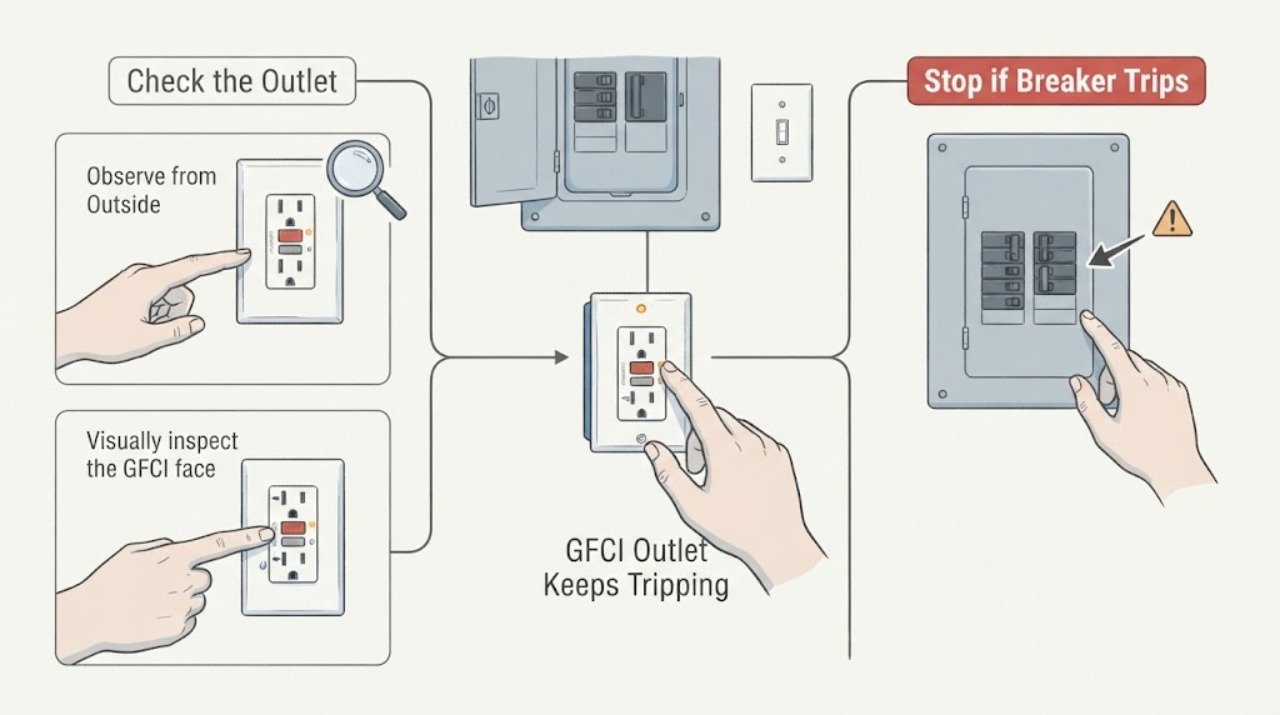
A GFCI outlet keeps tripping because it is detecting a ground-fault condition, a wet or damaged load, a downstream problem, an installation or wiring fault, or a failed device. Start with non-contact observations: identify whether the GFCI outlet or the GFCI breaker trips, note the indicator and RESET position, unplug accessible loads by their plug bodies if everything is dry, and inspect the outlet, cords, and downstream area for visible damage. A single normal RESET is appropriate only when the device and area are dry, cool, intact, and the product instructions allow it. If it trips again, will not reset, or there is moisture, heat, discoloration, burning odor, smoke, arcing, or a damaged cord, leave it off and call a qualified electrician. Do not remove the outlet, switch, panel cover, or wiring and do not measure voltage.
Work through in order
Diagnostic checks
Use only checks that match the exact appliance or system and its official guide.
-
Check 1
From a dry, safe position, identify which protective device changed: the GFCI outlet's RESET button, a GFCI breaker handle, or both. Do not remove a cover or touch the face of a warm, wet, damaged, or arcing device.
Expected result: Record whether the outlet RESET is out, the indicator is off/red/abnormal, the breaker is tripped-looking, or several outlets lost power at once.
Next step: Continue with visible load and moisture observations. If there is any warning sign or uncertainty about the protective device, leave it off and call an electrician.
Why this matters
Why: An outlet-only trip, a breaker trip, and both devices tripping describe different points in the protected branch. Multiple affected outlets can be downstream of one GFCI and do not prove every outlet is faulty.
-
Check 2
Without touching the outlet face, list every appliance, extension lead, charger, outdoor load, or downstream outlet that was in use or had recently been connected when the trip occurred. Unplug only an accessible plug by its insulated plug body, and only if the plug, floor, and equipment are dry and undamaged.
Expected result: Record whether the trip followed one specific load, a new connection, startup, rain, cleaning, or no identifiable event. Note any device that is wet, damaged, hot, or has a frayed cord and leave it disconnected.
Next step: Keep a suspect load disconnected and do not test it on another outlet. If the GFCI trips with all accessible loads unplugged, stop and arrange electrician inspection.
Why this matters
Why: A repeatable association with one load supports a faulty appliance, cord, or downstream device. No association keeps a circuit, outlet, moisture, or protective-device fault in consideration.
-
Check 3
Visually inspect the GFCI face, cover, nearby wall, plugs, cords, and accessible downstream area without touching the receptacle or removing anything.
Expected result: Look for water, condensation, discoloration, a warm-looking cover, melting, loose-looking plug fit, frayed insulation, scorch marks, or a red/abnormal indicator. Do not approach smoke, arcing, or a hot device.
Next step: If any damage or moisture is present, do not reset or use the outlet; keep clear and call an electrician. Do not dry an energized outlet or apply water/cleaner.
Why this matters
Why: Moisture and damaged equipment can create a ground-fault path. Heat, discoloration, looseness, or a damaged cord changes the situation from routine load isolation to an electrical safety issue.
-
Check 4
From safe locations, check whether other outlets, lights, appliances, or an outdoor area lost power at the same time. Note the physical path of affected outlets without removing faceplates or touching switches.
Expected result: Record one outlet affected, several downstream outlets affected, a whole room or outdoor branch affected, or an unexplained change across multiple circuits.
Next step: Include the scope in the service report. Do not open another outlet or switch to search for the upstream device and do not assume the closest outlet is the protective device.
Why this matters
Why: The affected scope helps distinguish a local GFCI or load from a downstream branch or breaker issue. A broader outage can involve an upstream protective device or circuit problem.
-
Check 5
Read the visible breaker handle or indicator for the affected branch without removing the electrical-panel cover. Do not touch a panel that is wet, hot, damaged, buzzing, smoking, or showing exposed parts.
Expected result: Record on, off, or tripped-looking status and whether the breaker changed when the GFCI tripped. Note any heat, odor, sound, smoke, arcing, or repeated trip.
Next step: If the area is dry, cool, intact, and the product instructions allow it, perform no more than one normal user reset of the visible protective device. If it trips again or will not hold, leave it off and call an electrician.
Why this matters
Why: A breaker trip may remove supply to the GFCI and its downstream loads. A normal-looking breaker does not prove the GFCI, neutral, wiring, or connected device is safe.
-
Check 6
If the GFCI appears intact and the area is dry, record its visible indicator and RESET position after all accessible suspect loads are disconnected. Do not press TEST repeatedly, hold RESET, or use a tool to operate the device.
Expected result: Record RESET restored power once, RESET will not stay in, the indicator remains abnormal, or power is absent even though the breaker appears on.
Next step: If it does not reset normally or trips again with loads disconnected, leave it off and arrange electrician service. Do not replace the receptacle or inspect LINE/LOAD connections yourself.
Why this matters
Why: A device that will not reset or remains abnormal may have no upstream power, a persistent fault, a failed GFCI, or an installation/wiring issue. A successful reset does not prove the connected load or circuit is safe.
-
Check 7
Prepare a service note with the protective device type, outlet and switch location, affected scope, indicator/RESET state, connected loads, trip timing, moisture or weather context, visible damage, and any single safe reset result.
Expected result: A detailed record shows whether the trip follows one load, occurs immediately with no loads, follows moisture, or affects a wider branch.
Next step: Request electrical service and keep the affected device or circuit off when the GFCI trips again or any hazard is present.
Why this matters
Why: The next useful step after a repeated or unexplained trip is professional circuit inspection, not repeated resetting or a guessed outlet replacement.
Use your observations
Decision map
Find the observation that best matches what you see, then follow the next safe action.
-
PATH 01Safety boundary
What you see
Do this next
Unplug that load by its intact plug body only when dry and safe, leave it disconnected, and do not test it elsewhere. If the GFCI still trips, call an electrician.
Why this path and its safety boundary
Safety stop: Treat the event as an unexplained circuit, moisture, GFCI, or upstream-supply symptom and stop repeated resets.
-
PATH 02Safety boundary
What you see
Do this next
Do not reset or touch the outlet, switch, plug, or wet equipment. Keep people away and obtain qualified electrical service after addressing the hazard safely.
Why this path and its safety boundary
Safety stop: Continue only with dry, non-contact load and affected-scope observations.
-
PATH 03Safety boundary
What you see
Do this next
Leave the device off and call an electrician. Possible causes include no upstream power, a persistent ground fault, a failed GFCI, or a wiring/installation issue; do not open the device.
Why this path and its safety boundary
Safety stop: Do not reconnect every load at once. Restore only known-safe loads according to their instructions and stop if the GFCI trips again.
-
PATH 04Safety boundary
What you see
Do this next
Report a branch or upstream protective-device symptom. Perform no more than one safe normal reset only if the area is dry and free of warnings; if it trips again, leave it off and obtain electrical service.
Why this path and its safety boundary
Safety stop: A local GFCI or connected-load issue remains possible; preserve the outlet and load map for service.
-
PATH 05Safety boundary
What you see
Do this next
Stop immediately. Keep clear, do not operate the device or use water, and obtain emergency help for active fire or immediate danger plus qualified electrical service.
Why this path and its safety boundary
Safety stop: If the GFCI continues to trip without a clear safe cause, leave it off and call an electrician rather than repeatedly resetting it.
Helpful context
Understand the symptom
First distinguish a GFCI outlet trip from a breaker trip
A GFCI receptacle may remove power at its own face and at downstream outlets, while a GFCI circuit breaker can remove power to the whole branch from the electrical panel. A switch may control the load without being the protective device. The visible RESET position, indicator, affected outlets, and breaker status help map the event. The map does not prove whether the cause is an appliance, moisture, the GFCI device, downstream wiring, or an upstream circuit fault.
Repeated tripping is not a nuisance to defeat
GFCI protection is designed to interrupt a potentially dangerous current path. A device that trips again after a load is removed may be detecting a persistent ground fault, water intrusion, damaged wiring, a failed receptacle, or a fault elsewhere on the protected branch. Do not hold RESET, bypass the device, replace it without isolating the circuit, or keep reconnecting loads to find the limit. A qualified electrician can inspect and test the circuit safely.
Safety boundary
Stop conditions
- Stop immediately for water or moisture, smoke, sparks, arcing, burning odor, heat, discoloration, melting, buzzing, shock, exposed wiring, or a breaker that trips again.
- Do not remove the GFCI outlet, switch, faceplate, electrical-panel cover, or wiring; do not touch terminals, test voltage, inspect LINE/LOAD connections, or bypass the protective device.
- Do not repeatedly press RESET or TEST, repeatedly reconnect a suspect load, hold a tripping device in, or replace the GFCI as a guess.
- Stop if the floor or equipment is wet, the outlet is outdoors in unsafe weather, or the device cannot be observed without approaching a hazard.
When checks do not resolve it
Need a professional?
Call a qualified electrician when a GFCI keeps tripping, will not reset, trips with accessible loads disconnected, affects several outlets, or has an unknown cause. Call immediately for moisture, heat, discoloration, burning odor, buzzing, smoke, arcing, shock, exposed wiring, or a repeated breaker trip.
Common questions
FAQ
Why does my GFCI keep tripping?
It may be detecting water, a damaged cord or appliance, a downstream ground fault, an installation or wiring problem, a failed GFCI, or an upstream circuit issue. Identify what was connected and whether the trip continues with accessible loads unplugged, but do not open the outlet.
Can I reset a GFCI outlet that tripped?
Only when the area and device are dry, cool, intact, and the product instructions allow a normal reset, and only once for diagnosis. If it will not reset or trips again, leave it off and call an electrician.
How do I know whether an appliance is causing the GFCI trip?
Record whether the trip follows one appliance, plug-in event, startup, or wet-area use. If safe and dry, unplug the suspect appliance by its intact plug body and leave it disconnected. Do not test it on another outlet; if the GFCI still trips, obtain electrical service.
Should I replace the GFCI outlet myself if it keeps tripping?
No. Repeated tripping can reflect the load, downstream wiring, moisture, upstream protection, or the GFCI itself. Replacing the outlet without isolating the circuit can leave a fault or protection problem unresolved; have a qualified electrician inspect it.
Read the exact guide
Official sources
- What To Do When Your GFCI Outlet TripsLeviton Product Support · Leviton GFCI trip response, visible inspection, connected-load isolation, and qualified electrician escalation.
- GFCI Outlets & ReceptaclesLeviton Safety Devices · Leviton GFCI indicator meanings, reset behavior, downstream protection, self-test, and line/load installation warnings.
- GFCI TripsLeviton Manufacturing Co., Inc. · Leviton GFCI ground-fault explanation, visual inspection, connected and downstream load clues, and electrician escalation.
Community feedback
Share a repair observation
Share a plain-text repair observation. Accepted observations are published automatically; this page may take a moment to update.