
On this page
Start here
Quick answer
A GFCI outlet keeps tripping when it detects current taking an unintended path. Moisture, a damaged cord or appliance, a downstream load, a GFCI device fault, a breaker issue, or wiring trouble can all be involved. From a dry, safe position, identify whether the outlet or a GFCI breaker changed, record the visible indicator and affected outlets, and disconnect only an accessible intact plug when everything is dry. A single normal reset is appropriate only if the device and area are dry, cool, intact, and the manufacturer's instructions allow it. If the trip returns, the outlet will not reset, or there is water, heat, discoloration, odor, smoke, arcing, or exposed wiring, leave the circuit off and call a qualified electrician. Do not remove a panel, outlet, switch, or cover, touch wiring, measure voltage, or bypass protection.
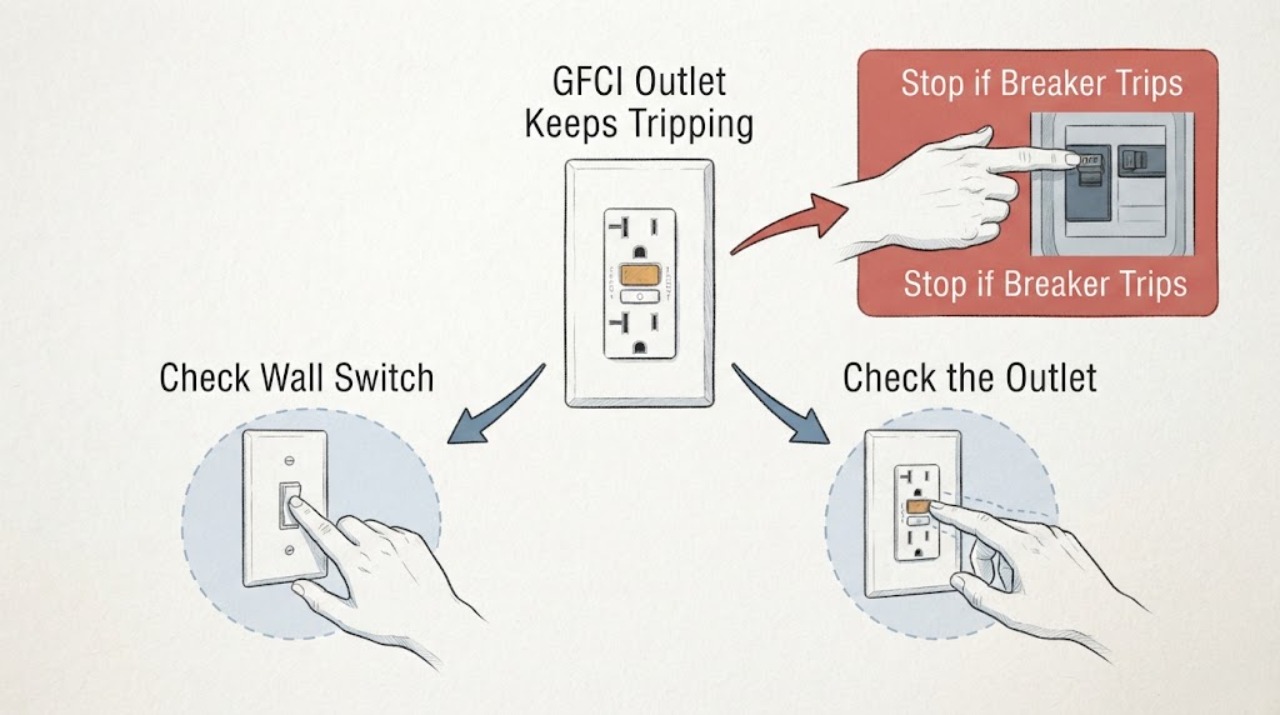
Work through in order
Diagnostic checks
Use only checks that match the exact appliance or system and its official guide.
-
Check 1
From a dry, safe position, identify whether the changed device is the GFCI outlet RESET button, a GFCI breaker handle, or both. Do not approach a wet, hot, damaged, smoking, or arcing device.
Expected result: Record whether RESET is out, the indicator is off/red/abnormal, the breaker is tripped-looking, or several outlets lost power together.
Next step: Continue only with dry, non-contact observations. If the device state is unclear or any warning sign is present, leave it off and call an electrician.
Why this matters
Why: An outlet trip, a breaker trip, and both devices tripping point to different locations in the protected branch; a broader outage may include downstream or upstream wiring.
-
Check 2
Make a list of appliances, extension leads, chargers, outdoor equipment, and other loads that were running, newly plugged in, or switched on when the trip occurred.
Expected result: Note whether the event followed one load, startup, rain or cleaning, use of a switch, or no identifiable event. Do not touch a wet or damaged cord.
Next step: If the area and plug are dry and intact, unplug an accessible suspect by its insulated plug body and leave it disconnected. Do not test that load elsewhere.
Why this matters
Why: A repeatable association keeps a load or its cord in consideration; no association leaves moisture, downstream wiring, the GFCI, or the breaker unresolved.
-
Check 3
Visually inspect the GFCI face, cover, nearby wall, visible plugs and cords, and accessible downstream area without touching the receptacle, switch, or wiring.
Expected result: Look from a safe distance for water or condensation, discoloration, melting, scorch marks, loose-looking plug fit, frayed insulation, warmth, or an abnormal indicator. Do not approach smoke or arcing.
Next step: If any damage or moisture is visible, do not reset or dry an energized device; keep clear and arrange qualified electrical service.
Why this matters
Why: Moisture or damaged equipment can create a ground-fault path. Heat, discoloration, looseness, or cord damage makes this an electrical safety issue rather than a reset problem.
-
Check 4
From safe locations, map which outlets, lights, appliances, rooms, or outdoor loads lost power, without removing faceplates or operating an unknown switch.
Expected result: Record one local outlet, several downstream outlets, a whole room or outdoor branch, or changes on multiple circuits.
Next step: Give this map to the electrician. Do not open another outlet or switch to search for a LINE/LOAD or wiring fault.
Why this matters
Why: The affected scope helps distinguish a local GFCI/load symptom from a branch or upstream breaker symptom. A downstream outlet can be protected by a GFCI located elsewhere.
-
Check 5
Read the visible breaker handle or indicator for the affected branch without removing the panel cover. Do not touch a wet, hot, buzzing, smoking, or damaged panel.
Expected result: Record on, off, or tripped-looking status and whether the breaker changed at the same time as the GFCI. Note any heat, odor, sound, smoke, arcing, or repeat trip.
Next step: Only if the area is dry, cool, intact, and the product instructions allow it, make no more than one normal user reset of the visible protective device. If it trips again, leave it off.
Why this matters
Why: A breaker trip can remove supply to the GFCI, but a normal-looking handle does not prove that the breaker, neutral, branch wiring, or GFCI is safe.
-
Check 6
After safe, accessible loads are disconnected, observe the GFCI indicator and RESET position without pressing buttons repeatedly or using a tool.
Expected result: Record whether one reset restores power, RESET will not stay in, the indicator remains abnormal, or power stays absent while the breaker appears on.
Next step: If it will not reset normally or trips again with loads disconnected, leave it off and call an electrician. Do not inspect terminals or replace the outlet yourself.
Why this matters
Why: No reset or an abnormal indicator can reflect absent upstream power, a persistent ground fault, a failed GFCI, or a wiring/installation issue; a successful reset does not certify the circuit.
-
Check 7
Prepare a service note with the device location, RESET/indicator state, breaker state, affected scope, connected loads, trip timing, moisture context, visible damage, and the result of any single safe reset.
Expected result: The record shows whether the trip is load-linked, immediate with loads disconnected, moisture-linked, local, or branch-wide.
Next step: Request electrical service for any repeated, unexplained, or abnormal trip and keep the affected circuit off until it is assessed.
Why this matters
Why: A precise event record helps an electrician inspect the right branch and distinguish a load, GFCI, breaker, or wiring question without repeated energizing.
Use your observations
Decision map
Find the observation that best matches what you see, then follow the next safe action.
-
PATH 01Safety boundary
What you see
Do this next
If dry and safe, unplug the accessible load by its intact plug body, leave it disconnected, and do not test it elsewhere. If the GFCI still trips, call an electrician.
Why this path and its safety boundary
Safety stop: Treat the event as an unexplained moisture, protective-device, breaker, or wiring symptom and stop repeated resets.
-
PATH 02Safety boundary
What you see
Do this next
Do not reset or touch the outlet, switch, breaker, plug, or wet equipment. Keep people away and arrange qualified electrical service after the hazard is safely controlled.
Why this path and its safety boundary
Safety stop: Continue only with dry, non-contact load and affected-scope observations.
-
PATH 03Safety boundary
What you see
Do this next
Leave it off and call an electrician. Possible causes include no upstream power, a persistent ground fault, a failed device, or a wiring issue; do not open the device.
Why this path and its safety boundary
Safety stop: Do not reconnect every load at once. Restore only known-safe loads according to their instructions and stop if the GFCI trips again.
-
PATH 04Safety boundary
What you see
Do this next
Report a branch or upstream protective-device symptom. One normal reset is allowed only when the area is dry and free of warnings; if it trips again, leave it off and obtain electrical service.
Why this path and its safety boundary
Safety stop: A local GFCI, load, or wiring issue remains possible; preserve the outlet and load map for service.
-
PATH 05Safety boundary
What you see
Do this next
Stop immediately. Keep clear, do not operate the device or use water, and obtain emergency help for active fire or immediate danger plus qualified electrical service.
Why this path and its safety boundary
Safety stop: If the GFCI continues to trip without a clear safe cause, leave it off and call an electrician rather than resetting again.
Helpful context
Understand the symptom
First identify what actually tripped
A GFCI receptacle can remove power from its face and from downstream outlets. A GFCI circuit breaker can remove power from a whole branch, and a nearby switch may only control a load. The RESET position, visible indicator, breaker handle, and scope of the outage help locate the event. They do not identify a safe wiring repair; do not open any electrical enclosure to investigate.
Treat repeated trips as protection doing its job
A recurring trip can signal moisture, a damaged load, downstream wiring, a protective-device fault, or an upstream circuit problem. Isolate only safe, accessible loads and preserve observations. Do not keep restoring power to find the limit, hold RESET, bypass the GFCI, or replace a device as a guess.
Safety boundary
Stop conditions
- Stop immediately for water or moisture, smoke, sparks, arcing, burning odor, heat, discoloration, melting, buzzing, shock, exposed wiring, or a breaker that trips again.
- Do not remove the GFCI outlet, switch, faceplate, electrical-panel cover, or wiring; do not touch terminals, test voltage, inspect LINE/LOAD connections, or bypass the protective device.
- Do not repeatedly press RESET or TEST, repeatedly reconnect a suspect load, hold a tripping device in, or replace the GFCI as a guess.
- Stop if the floor or equipment is wet, the outlet is outdoors in unsafe weather, or the device cannot be observed without approaching a hazard.
When checks do not resolve it
Need a professional?
Call a qualified electrician when the GFCI keeps tripping, will not reset, trips with accessible loads disconnected, affects several outlets, or has an unknown cause. Call immediately for moisture, heat, discoloration, burning odor, buzzing, smoke, arcing, shock, exposed wiring, or a repeated breaker trip.
Common questions
FAQ
Why does my GFCI outlet keep tripping when the breaker looks normal?
The GFCI may be detecting moisture, a damaged load, a downstream fault, or a device or wiring problem that does not make the breaker handle look tripped. Record the indicator and affected outlets, disconnect only a safe accessible load, and call an electrician if the trip returns or has no clear cause.
Can I reset the GFCI after it trips?
Only when the area and device are dry, cool, and intact, the manufacturer's instructions allow it, and no warning sign is present. Make no more than one normal reset for diagnosis. If it will not hold or trips again, leave it off and call an electrician.
Could wiring be causing the GFCI to trip?
Yes. A persistent ground fault, downstream wiring issue, upstream supply problem, or incorrect installation can be involved, but the visible RESET and indicator cannot prove which one. Do not remove the outlet, switch, or panel cover or touch wiring; have an electrician diagnose it.
Should I keep pressing RESET until the outlet works?
No. Repeated resetting can re-energize a fault. Stop for moisture, heat, discoloration, odor, smoke, arcing, shock, exposed wiring, or another trip, and request qualified electrical service.
Read the exact guide
Official sources
- What To Do When Your GFCI Outlet TripsLeviton Product Support · GFCI ground-fault explanation, visible inspection, connected-load isolation, and qualified electrician escalation.
- GFCI Outlets & ReceptaclesLeviton Safety Devices · GFCI outlet and breaker protection, visible LED and RESET states, downstream protection, self-test, and wiring-related lockout indications.
- GFCI TripsLeviton Manufacturing Co., Inc. · GFCI visual inspection, connected and downstream load clues, moisture-related ground-fault explanation, and electrician escalation.
- GFCI Fact SheetU.S. Consumer Product Safety Commission · GFCI shock protection, ground-fault mechanism, receptacle and breaker forms, and water-area safety context.
Community feedback
Share a repair observation
Share a plain-text repair observation. Accepted observations are published automatically; this page may take a moment to update.