
On this page
Start here
Quick answer
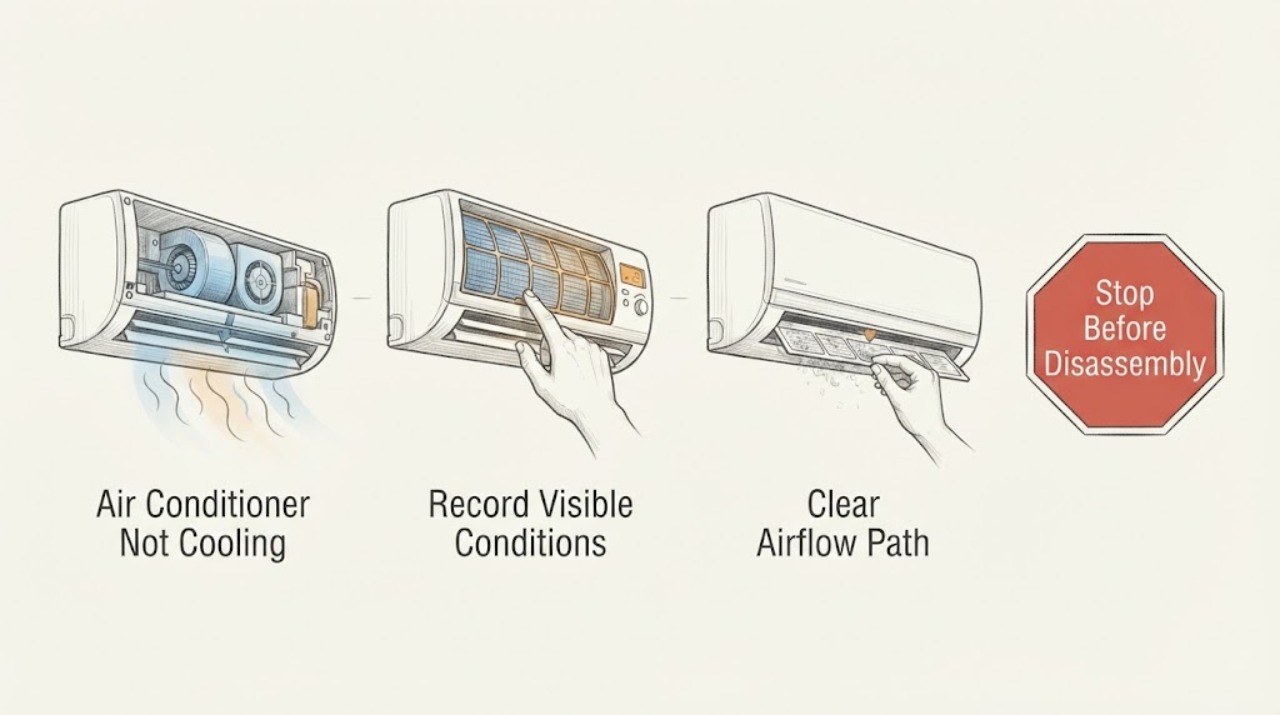
When an air conditioner is not cooling and the suspected component is the blower motor, first separate an airflow problem from a refrigeration problem. Check that the thermostat is calling for cooling, the indoor blower is moving air, and the return filter and supply registers are not blocked. A dirty filter or closed return can reduce airflow and contribute to a frozen evaporator coil; ice on the coil or refrigerant symptoms require professional diagnosis. If the indoor blower is silent, runs intermittently, hums, runs slowly, or only works on one speed, the motor, capacitor, control, or power circuit may be involved. Do not open the air handler, touch a capacitor or wiring, add refrigerant, or force a fan to start. Turn the system off if there is ice, burning odor, smoke, repeated breaker operation, water near electrical equipment, or a fan that is not running while cooling is demanded, and arrange qualified HVAC service.
Work through in order
Diagnostic checks
Use only checks that match the exact appliance or system and its official guide.
-
Check 1
Set the thermostat to its normal cooling mode and record whether the display is active, the indoor blower starts, the outdoor unit runs, and cool air reaches several open supply registers; do not repeatedly cycle the system to make a fan start.
Expected result: The blower has no airflow, airflow is weak everywhere, airflow is normal but warm, or the outdoor unit is silent while the blower runs.
Next step: Continue with the filter and ice observations. If the indoor blower is not running, the outdoor unit runs without airflow, or the system makes an electrical or burning sound, turn cooling off and arrange HVAC service.
Why this matters
Why: No or weak indoor airflow keeps the filter, return path, blower, indoor coil, control, or power path in focus. Normal airflow with warm air points more toward outdoor, coil, refrigerant, or thermostat conditions. A silent outdoor unit may be a separate power or condenser issue.
-
Check 2
Inspect the accessible return filter and visible return or supply openings without opening the air handler; compare the filter with the replacement guidance for the exact system and note whether it is visibly loaded or airflow is obstructed.
Expected result: The filter is dirty, a return or supply path is blocked, or the filter and accessible airflow path look clear.
Next step: Replace the filter only as the system instructions allow and keep the system off if ice is present. If airflow remains weak or cooling does not recover, request professional diagnosis rather than removing panels.
Why this matters
Why: A loaded filter or blocked path can restrict air through the evaporator coil and make cooling weak or contribute to ice. A clear filter does not rule out a dirty internal coil, blower fault, low refrigerant, or control problem.
-
Check 3
From a safe external position, look for frost or ice on the visible indoor coil area or refrigerant lines and note any water appearing as ice melts; do not chip ice, scrape the coil, or touch the lines as a repair.
Expected result: Ice is present, water is appearing as the system warms, or no ice is visible.
Next step: Turn cooling off and protect the area from meltwater. Arrange HVAC service if ice returns, airflow is absent, or cooling remains poor; do not perform sealed-system work or open the coil cabinet.
Why this matters
Why: Ice indicates a frozen coil. Restricted airflow, a blower problem, and low refrigerant are possible but cannot be separated by an outside glance. No visible ice makes thermostat, filter, outdoor unit, or blower observations more useful.
-
Check 4
Listen and observe the indoor blower only from its normal user position: record silent operation, a hum, slow or intermittent airflow, unusual rubbing, or operation on only one fan setting; do not insert tools, reach through a grille, or try to start the fan manually.
Expected result: The blower is silent, hums without airflow, starts and stops, runs slowly, or works normally at all available settings.
Next step: Keep cooling off when the blower is not operating or sounds abnormal and request HVAC service. Do not open the air handler or handle motor or capacitor components.
Why this matters
Why: Silent, humming, slow, intermittent, or single-speed behavior supports a blower motor, capacitor, control, belt, or power diagnosis. Normal blower operation shifts attention to coil, refrigerant, outdoor, thermostat, or duct conditions.
-
Check 5
Observe the outdoor unit from a safe distance for normal operation, heavy debris around the coil, an absent or damaged fan, unusual heat, or repeated power interruption; do not remove the grille, spray electrical parts, or touch the fan.
Expected result: The outdoor fan is not running, a blade is damaged, the unit is unusually hot, debris is obstructing airflow, or the outdoor unit appears normal.
Next step: Turn cooling off for a damaged, non-running, unusually hot, or electrically abnormal outdoor unit and call a qualified technician. Only clear loose debris from a safe distance if the equipment instructions permit and no electrical hazard exists.
Why this matters
Why: An outdoor fan or condenser problem can make the home warm even when the indoor blower works. A damaged or non-running fan can overheat the system; a normal outdoor unit keeps the indoor airflow and refrigerant branches active.
-
Check 6
Record any thermostat alert, indoor or outdoor water, repeated breaker trip, burning odor, buzzing, or refrigerant-like leak indication, along with the filter, airflow, ice, and fan results; do not reset a repeatedly tripping circuit or perform internal electrical or sealed-system work.
Expected result: The breaker trips again, water reaches electrical equipment, a burning odor or smoke appears, or there is no safety warning but cooling remains poor.
Next step: Stop the system and keep clear for smoke, burning odor, exposed wiring, or repeated trips; obtain emergency help where appropriate. Otherwise schedule a qualified HVAC visit and provide the complete observation record.
Why this matters
Why: Electrical, water, heat, or refrigerant symptoms raise the risk beyond a user filter check. Persistent poor cooling after airflow observations needs professional system diagnosis even if no alarm is visible.
Use your observations
Decision map
Find the observation that best matches what you see, then follow the next safe action.
-
PATH 01Next step
What you see
The indoor blower is not moving air, hums, runs slowly, or works only on one setting.
Do this next
Turn cooling off and arrange HVAC service for the blower motor, capacitor, control, power, belt, or related diagnosis. Do not open the air handler or attempt to start the motor.
-
PATH 02Next step
What you see
Airflow is weak and the accessible filter is dirty or a return or supply opening is blocked.
Do this next
Correct the filter or opening only within the exact system instructions. If ice is present or airflow remains weak, leave cooling off and request service for the underlying restriction or blower/coil problem.
-
PATH 03Next step
What you see
Ice is visible on the evaporator area or refrigerant lines.
Do this next
Turn cooling off and allow qualified HVAC service to identify whether restricted airflow, blower failure, or a sealed-system issue is responsible. Do not chip ice or perform sealed-system work.
-
PATH 04Next step
What you see
The indoor blower runs normally but air remains warm and the outdoor unit is abnormal, silent, damaged, or repeatedly trips power.
Do this next
Stop cooling and request qualified HVAC service for the condenser, compressor, controls, or electrical supply. Do not open the disconnect, touch the fan, or reset a recurring trip.
-
PATH 05Next step
What you see
Smoke, burning odor, exposed wiring, water at electrical equipment, or another immediate safety hazard is present.
Do this next
Stop using the system, keep people away, and obtain emergency or qualified electrical/HVAC help from a safe location. Do not handle wet equipment or electrical parts.
Helpful context
Understand the symptom
Start with airflow, not a motor diagnosis
An air conditioner can run without delivering useful cooling when the thermostat is wrong, the filter is blocked, supply or return airflow is restricted, the indoor blower is not moving air, the evaporator coil is frozen, or the outdoor unit cannot reject heat. The blower-motor component is a useful dispatch clue, not proof that the motor itself has failed. Note whether air is weak at several registers, whether the outdoor unit is running, and whether ice is visible before requesting service.
Thermostat and filter checks are the safe first branch
Confirm the thermostat is in cooling mode, the set point is below the indoor temperature, and the fan setting is not creating a misleading airflow symptom. Inspect the accessible return filter and replace it only with the correct type and orientation from the system instructions. Do not remove an indoor coil cover or reach into the blower cabinet. A restricted filter can reduce airflow and contribute to coil icing, so a filter change does not by itself prove the blower motor is healthy.
Ice changes the next step
Frost or ice at the indoor coil or refrigerant lines means the system should not be left running to force cooling. Restricted airflow, a failed blower, and low refrigerant are different causes with different repairs. Turn cooling off and allow a qualified HVAC technician to determine the cause; do not chip ice, add refrigerant, or access the coil yourself.
Motor, capacitor, and wiring work belongs to HVAC service
A blower that is silent, slow, intermittent, humming, or only available at one speed can reflect a motor, capacitor, relay, control, belt, or power issue depending on the equipment. The high-voltage parts are not safe to diagnose by touch or by jumping wires. Supply the technician with the sound, airflow, thermostat, filter, ice, and breaker observations rather than opening the air handler.
Safety boundary
Stop conditions
- Stop the air conditioner for ice, a non-running or damaged fan, burning odor, smoke, arcing, repeated breaker trips, exposed wiring, or water reaching electrical equipment.
- Do not open the air handler or outdoor unit, touch a motor or capacitor, jump wires, force a fan to start, perform sealed-system work, or take live electrical measurements.
- Do not chip or scrape ice, operate a system with no indoor airflow, or keep resetting a breaker that trips again.
- If anyone has symptoms related to extreme heat or an electrical emergency is suspected, leave the area and seek appropriate emergency help.
Only after diagnosis
Potential parts
- indoor blower motor
Only consider this part category after a qualified diagnosis confirms the indoor blower motor is not operating correctly rather than a filter, control, capacitor, belt, or power problem.
Confirm the exact system model, motor specifications, voltage, and manufacturer fit information before any part decision. - blower run capacitor or control component
Only consider this category after a qualified technician identifies a matching capacitor or control fault from the observed blower symptom.
Capacitors can retain hazardous charge; do not select or handle one from a generic description.
When checks do not resolve it
Need a professional?
Call a qualified HVAC technician when the blower is silent, slow, intermittent, noisy, or single-speed; when ice returns; when cooling remains poor after the filter and thermostat observations; when refrigerant, capacitor, motor, compressor, wiring, or control work is suspected; or when a breaker trips again.
Common questions
FAQ
Can a bad blower motor make an air conditioner stop cooling?
Yes. If the indoor blower is silent, slow, intermittent, humming, or only works on one setting, little cooled air may move through the ducts and the evaporator coil can freeze. The motor, capacitor, control, belt, or power cause requires qualified diagnosis.
What should I check first when the AC is not cooling?
Confirm cooling mode and the temperature setting, then inspect the accessible air filter and supply or return airflow. Look for ice and observe whether the indoor blower and outdoor unit run. Turn the system off for ice, a non-running fan, or an electrical warning.
Can I replace the AC blower motor or capacitor myself?
Do not. The blower and capacitor are inside equipment with hazardous electrical parts, and the correct component depends on the system. Carrier specifically warns that capacitor and motor work requires a trained HVAC technician.
Should I run the AC if the indoor fan is not blowing?
No. Turn cooling off and request HVAC service. Running cooling without the required airflow can worsen icing or stress the system, and a silent fan may indicate a motor, capacitor, control, or power fault.
Read the exact guide
Official sources
- AC Fan Not Working? Reasons Why It Stopped SpinningTrane · Manufacturer guidance used to distinguish indoor blower from outdoor condenser fan and to identify professional boundaries for frozen coils, capacitors, and motors; not a model-specific repair procedure.
- AC Fan Not Spinning? Here’s Why and How to Fix ItCarrier · Manufacturer guidance used for fan, filter, frozen coil, motor, capacitor, and safety boundaries; exact equipment and service manual control.
- Why Is My AC Not Blowing Cold Air?Carrier · Manufacturer guidance used for general symptom branches involving thermostat, filter, outdoor coil, ice, refrigerant, and professional service; exact system instructions control.
Community feedback
Share a repair observation
Share a plain-text repair observation. Accepted observations are published automatically; this page may take a moment to update.