
On this page
Start here
Quick answer
Short cycling means the air conditioner starts and stops before completing a normal cooling cycle, but one brief run can be normal in mild weather or near the setpoint. Record the start, stop, and restart pattern, then check that the thermostat mode, fan setting, schedule, and location are appropriate. Check only an accessible filter and visible airflow. A dirty filter, thermostat problem, frozen coil, low refrigerant, electrical fault, or oversized system can produce rapid cycling; refrigerant, compressor, fan, capacitor, wiring, and equipment-sizing work belongs to a qualified HVAC technician. Stop repeated operation for ice, smoke, burning odor, arcing, unusual heat, water near electrical parts, or a breaker that trips.
Before you begin
Safety first
- This article covers cycle logging, normal thermostat settings, ordinary filter or register checks, and safe-distance observation only. Thermostat wiring, refrigerant, compressors, fan motors, capacitors, electrical components, cabinet access, and sizing changes belong to qualified HVAC professionals.
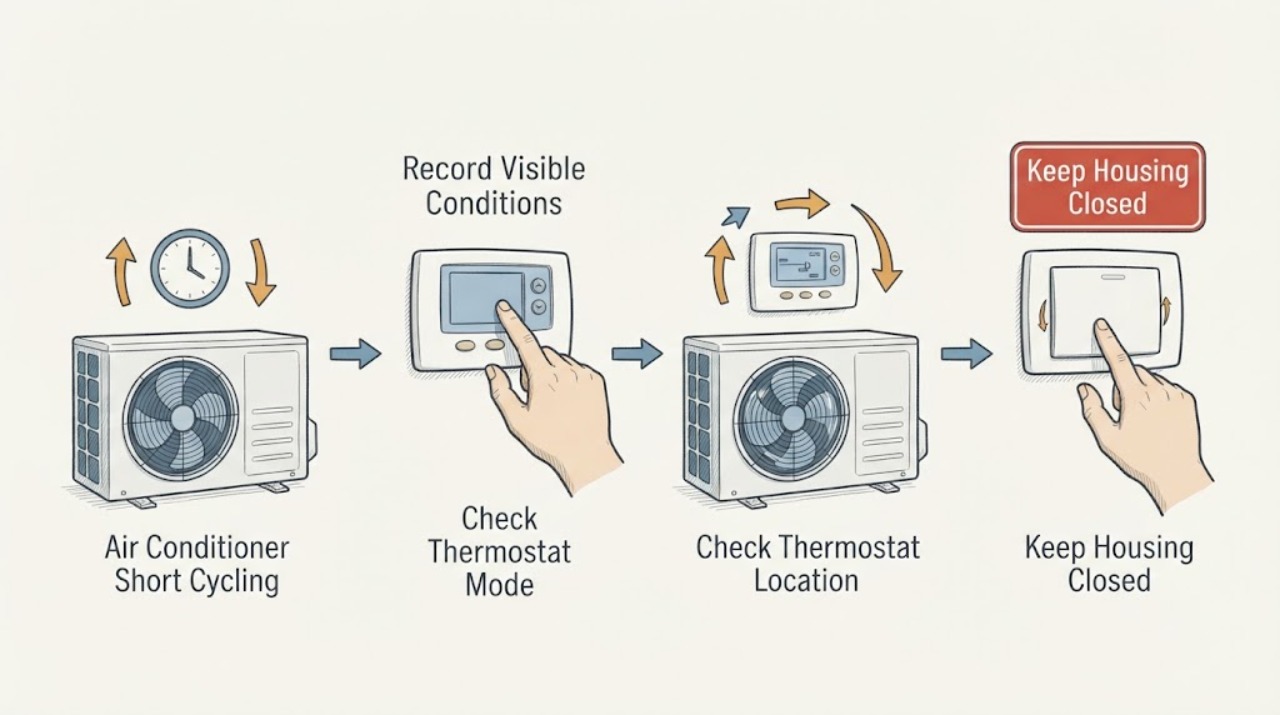
Work through in order
Diagnostic checks
Use only checks that match the exact appliance or system and its official guide.
-
Check 1
From normal room access, record the thermostat call, the time the indoor and outdoor units start, the time they stop, the time before a restart, room comfort, and whether the pattern occurs in one mode or at all times.
Expected result: The system has one brief run, repeated rapid starts and stops, long runs with no temperature recovery, or short runs only in mild weather or near the setpoint.
Next step: Keep the log for the HVAC technician and use the following checks without repeatedly forcing additional cycles.
Why this matters
Why: One brief run can be normal, while frequent restarts before a cycle completes support a short-cycling complaint. Long runs with poor comfort may point toward airflow, capacity, refrigerant, or another performance issue rather than the thermostat alone.
-
Check 2
Read the thermostat mode, setpoint, fan setting, schedule or hold state, and battery indication; make only the normal user adjustment described by the installed thermostat manual.
Expected result: The thermostat is in Cool or Auto as intended, the fan is set to On or a constant setting, a schedule is changing the setpoint, the display is blank or inaccurate, or the mode is not what the user intended.
Next step: Correct only an obvious user setting, then observe one normal call without repeatedly changing the setpoint. If the thermostat remains erratic or the rapid pattern returns, request HVAC service.
Why this matters
Why: A wrong mode, fan setting, schedule, battery state, or temperature reading can make the system appear to cycle abnormally. A normal display and stable settings do not rule out a wiring, sensor, or equipment problem.
-
Check 3
Look at the thermostat location and surrounding conditions without removing it: note direct sunlight, a supply or return register, draft, door, window, exterior wall, cooking appliance, lamp, or other heat source nearby.
Expected result: The thermostat is in a central stable area, or it is being warmed, cooled, or drafted by a nearby condition that does not represent the room.
Next step: Record the location and symptom correlation for the technician. Do not pull the thermostat from its base or change wiring; arrange service if the location is clearly unsuitable or the cycle remains abnormal.
Why this matters
Why: An unrepresentative sensor location can start or stop cooling at the wrong time. Moving a thermostat is an installation change, not a casual user check, and may require compatible wiring and professional placement.
-
Check 4
With the system not running, inspect the filter at its ordinary access point and look at visible supply and return registers for blockage; change the filter only when the installed system instructions allow it and the part is safely accessible.
Expected result: The filter is visibly restricted, registers are blocked, airflow is weak, or the accessible airflow path appears clear.
Next step: Restore only safe, ordinary airflow conditions and observe the logged pattern once. If airflow stays weak, ice appears, or short cycling continues, stop experimenting and call an HVAC technician.
Why this matters
Why: Restricted airflow can make the system run poorly or shut down, but clear airflow with continuing rapid cycles keeps thermostat, refrigerant, electrical, sizing, and control causes open.
-
Check 5
From safe access, observe the indoor and outdoor equipment for visible ice, water, blocked outdoor clearance, unusual noise, smoke, odor, or an outdoor unit that starts and stops with the thermostat call; do not remove a panel or touch a coil, fan, capacitor, or line.
Expected result: There is no visible abnormality, persistent ice is present, the outdoor unit is silent or cycles rapidly, airflow is weak, or smoke, odor, heat, water, or arcing is visible.
Next step: Turn the system off at the thermostat for persistent ice or a stopped outdoor fan under an active-sounding call, and arrange prompt HVAC service. For smoke, fire, arcing, or dangerous heat, leave the area and seek emergency help from a safe location.
Why this matters
Why: Persistent ice or a unit-level start-stop pattern can indicate airflow, refrigerant, control, compressor, fan, or electrical issues beyond a thermostat setting. Smoke, odor, heat, water, or arcing is a stop-use hazard.
-
Check 6
Prepare a service note with the cycle log, thermostat mode and location, schedule changes, filter and airflow result, ice or outdoor-unit observations, power events, recent maintenance, and any visible warning signs.
Expected result: The record points toward a thermostat setting or location, airflow, a frozen or outdoor-unit condition, a power event, or no safe visible cause.
Next step: Give the record and safe-distance photos to a qualified HVAC technician and leave the system off when a hazard or persistent ice is present.
Why this matters
Why: A focused timeline lets the technician distinguish a thermostat demand problem from an equipment or refrigerant fault without asking the homeowner to expose the system.
Use your observations
Decision map
Find the observation that best matches what you see, then follow the next safe action.
-
PATH 01Next step
What you see
The system makes an isolated short run near the setpoint or in mild conditions, then remains off for a longer period and maintains comfort.
Do this next
Continue logging if the pattern becomes frequent, comfort worsens, or the system begins restarting before a cycle completes.
Why this path and its safety boundary
Why it matters: One short run does not establish abnormal short cycling; operating conditions can change normal cycle length.
-
PATH 02Safety boundary
What you see
The schedule, mode, fan setting, battery, or thermostat location is clearly causing rapid demand changes or an unrepresentative temperature reading.
Do this next
Correct only the documented user setting, avoid rapid setpoint changes, and arrange HVAC service if the cycle pattern persists or the thermostat display remains unreliable.
Why this path and its safety boundary
Why it matters: A thermostat-side cause is plausible, but wiring or sensor faults cannot be confirmed through appearance alone.
Safety stop: Do not open the thermostat, change wiring, or move the base as a user experiment.
-
PATH 03Next step
What you see
The filter is restricted, registers or return air are blocked, airflow is weak, or ice appears after a cooling call.
Do this next
Restore only a safe, ordinary filter or register condition and stop if ice remains, airflow stays weak, or the unit short cycles again; call an HVAC technician.
Why this path and its safety boundary
Why it matters: Airflow restriction or a related system problem may be contributing; persistent ice can also involve refrigerant or equipment faults.
-
PATH 04Safety boundary
What you see
Thermostat settings and location are stable, airflow is clear, but the unit repeatedly starts and stops or never maintains comfort.
Do this next
Stop repeated operation and request qualified HVAC diagnosis. Provide the cycle log rather than changing the thermostat or opening the equipment.
Why this path and its safety boundary
Why it matters: Refrigerant, electrical controls, compressor or fan behavior, an oversized system, or another equipment fault remains possible.
Safety stop: Do not add refrigerant, access electrical parts, replace a control, or change system sizing without professional assessment.
-
PATH 05Safety boundary
What you see
A breaker or disconnect trips again, or smoke, burning odor, arcing, unusual heat, water near electrical equipment, or a damaged component is visible.
Do this next
Stop the system, keep people away, leave the area when smoke or fire risk is present, and seek emergency help from a safe location; arrange HVAC or electrical service when safe.
Why this path and its safety boundary
Why it matters: This is no longer a routine cycle-pattern check and may involve shock, fire, or equipment damage.
Safety stop: Do not reset repeatedly, touch the equipment, apply water, or open any cover.
Helpful context
Understand the symptom
Define the cycle before blaming the thermostat
Log the start and stop of the cooling call and whether the system restarts soon afterward. Trane distinguishes normal short runs in mild conditions from abnormal cycling that stops before a cycle completes. A repeatable pattern, not one isolated stop, is the useful starting evidence.
Thermostat location and schedule can create a false demand
A thermostat bases its decisions on the temperature it senses. Direct sun, a nearby register, a draft, a door, or a heat-producing appliance can make that reading unrepresentative. Review the displayed mode, setpoint, fan setting, schedule, hold, and battery state using the installed instructions. Do not open the thermostat or change wiring to chase a cycle pattern.
Airflow and ice change the service boundary
A restricted filter or blocked airflow path can make an air conditioner perform poorly, and ice on the coil is not a reason to keep running the system. Check only an accessible filter and visible registers. Do not open the cabinet, chip ice, handle refrigerant, or touch electrical parts; persistent ice, weak airflow, or a repeated cycle fault belongs with an HVAC professional.
Safety boundary
Stop conditions
- Stop immediately for smoke, burning odor, arcing, exposed wiring, unusual heat, water near electrical equipment, a damaged fan or cabinet, or a breaker or disconnect that trips again.
- Do not open the thermostat, indoor unit, or outdoor cabinet; change wiring; touch a capacitor, fan, coil, or line; add refrigerant; or take live electrical measurements.
- Do not chip ice, pour hot water on a coil, force a fan, or keep running the system to collect more cycle data when ice or a stopped fan is present.
- Do not repeatedly change the setpoint, defeat a schedule or safety control, bypass a protective device, or keep resetting a tripping breaker.
- Stop any inspection during lightning, flooding, unstable footing, or unsafe outdoor access and arrange qualified HVAC service.
Only after diagnosis
Potential parts
- thermostat
Consider this category only if a qualified HVAC technician confirms that the thermostat or sensor is faulty and identifies a compatible replacement.
Confirm equipment type, stage configuration, heat-pump or conventional setup, wiring, power, and manufacturer compatibility before ordering. - air filter
Consider this category only when the installed system uses a safely accessible filter that is visibly restricted or due for routine replacement.
Confirm the exact size, orientation, airflow requirement, and system instructions before ordering. - fan motor or capacitor
Consider this category only after a qualified HVAC technician confirms a motor or capacitor fault and identifies the exact equipment requirement.
Confirm equipment model, motor or capacitor specification, electrical requirements, and installation procedure with the technician; do not handle the part as a user check.
When checks do not resolve it
Need a professional?
Call a qualified HVAC technician when short cycling repeats after safe thermostat, schedule, filter, register, and location checks; when airflow is weak, ice persists, the outdoor fan or compressor behavior is abnormal, cooling works poorly, or refrigerant, electrical, fan, compressor, control, or sizing work may be needed. For smoke, fire, arcing, dangerous heat, water near electrical parts, or a repeated breaker trip, stop the system and seek emergency or qualified help from a safe location.
Safety scope: This article covers cycle logging, normal thermostat settings, ordinary filter or register checks, and safe-distance observation only. Thermostat wiring, refrigerant, compressors, fan motors, capacitors, electrical components, cabinet access, and sizing changes belong to qualified HVAC professionals.
Common questions
FAQ
How do I know whether my AC is short cycling?
Log when the system starts, stops, and restarts. Frequent starts and stops before a cooling cycle completes support short cycling; one brief run in mild conditions does not establish a fault.
Can the thermostat cause short cycling?
Yes. A wrong mode, schedule, fan setting, inaccurate sensor, battery issue, or location near sun, drafts, registers, doors, or heat sources can cause an unrepresentative demand. Do not change wiring yourself.
Can a dirty filter cause rapid cycling?
Restricted airflow can contribute to poor performance and shutdown. Inspect and change only an accessible filter according to the system instructions; persistent cycling, weak airflow, or ice needs HVAC service.
Should I keep running the AC to collect more timing data?
No, not when ice, a stopped fan, smoke, odor, unusual heat, water near electrical parts, arcing, or a repeated power trip is present. Turn it off as appropriate and arrange qualified service.
What repairs are not homeowner thermostat checks?
Refrigerant, compressor, fan motor, capacitor, wiring, electrical controls, coil access, thermostat wiring, and equipment sizing require qualified HVAC diagnosis and service.
Read the exact guide
Official sources
- Thermostat Troubleshooting: Solutions for Common IssuesTrane · Manufacturer thermostat guidance used for ordinary setting and display observations; model-specific controls and electrical issues require professional handling.
- What Is AC Short Cycling: Causes, Effects, and TroubleshootingCarrier · Manufacturer homeowner guidance used for low-risk filter, thermostat, and airflow context; refrigerant, electrical, compressor, and system diagnosis require qualified service.
- AC Short CyclingTrane · Manufacturer troubleshooting guidance used for cycle-pattern interpretation and thermostat placement; exact equipment documentation and qualified HVAC diagnosis control repairs.
Community feedback
Share a repair observation
Share a plain-text repair observation. Accepted observations are published automatically; this page may take a moment to update.