
On this page
Start here
Quick answer
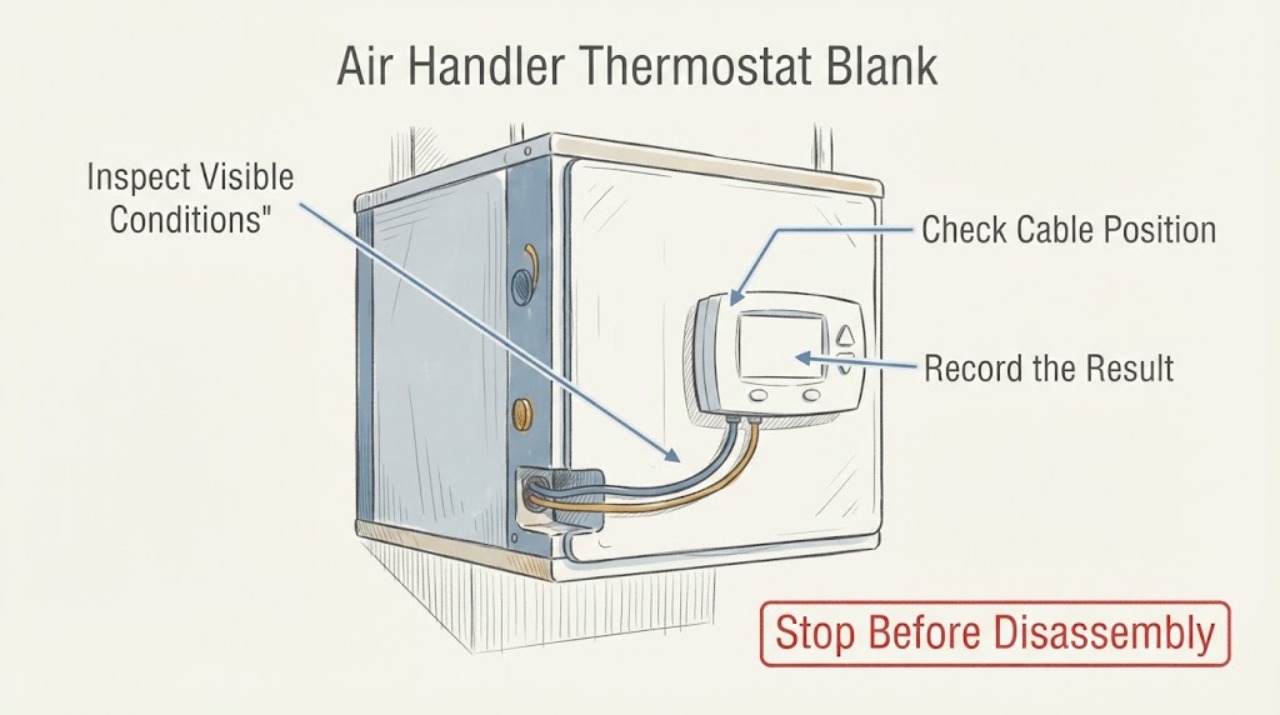
A blank air-handler thermostat usually means the wall control has lost power, often from depleted batteries on a battery-powered model, a tripped HVAC breaker, an indoor service switch turned off, an unsecured equipment door, or a condensate safety float interrupting the control circuit. First determine whether the thermostat uses batteries, then check only clearly labeled external power controls from a dry, safe position. Do not remove thermostat wiring, open the air handler, bypass a float switch, measure live voltage, or repeatedly reset a tripped breaker. If the display stays blank after one safe battery or power check, or if there is water, a burning odor, exposed wiring, or a repeat trip, leave the system off and call an HVAC professional.
Work through in order
Diagnostic checks
Use only checks that match the exact appliance or system and its official guide.
-
Check 1
Look at the thermostat without removing its cover and record whether the screen is completely blank, faint, flickering, or showing a low-battery symbol. Check the model label or user guide to determine whether batteries are intended; do not pull off a wired faceplate if doing so would expose terminals or wires.
Expected result: A battery symbol or a model with a user-accessible battery compartment supports a battery branch. A completely blank display on a hard-wired control points more strongly toward lost HVAC power, a safety interruption, a wiring fault, or an internal display failure.
Next step: If the instructions clearly allow battery replacement, use the specified fresh battery type and orientation with the area dry. If the display stays blank or the model is hard-wired, continue only with visible power checks.
Why this matters
Why: The first split prevents battery advice from being applied to a control powered through the air handler and avoids exposing thermostat wiring.
-
Check 2
If the thermostat uses user-replaceable batteries, replace them only as described by its instructions, keep the display and compartment dry, and wait for the display to return. Do not short the contacts, improvise a battery type, or use a battery change as a reason to move control wires.
Expected result: A display that returns identifies depleted batteries as the immediate cause, but a display that remains blank means power may be absent elsewhere or the control may have failed. A battery compartment with corrosion, moisture, heat damage, or a loose contact needs service rather than repeated battery changes.
Next step: If the screen remains blank after one correct battery change, stop and arrange HVAC service. If it returns but cooling or heating does not start, check the visible system mode and then use the power and safety-device branches without opening equipment.
Why this matters
Why: Battery replacement is a limited, low-risk check only for models designed for it; it does not test the air-handler control circuit.
-
Check 3
From a dry, safe position, inspect the electrical panel for a clearly labeled HVAC, furnace, fan-coil, or air-handler breaker and look for an off or middle position. Also look for a clearly labeled indoor service switch near the air handler, but do not remove covers or touch exposed parts.
Expected result: A breaker or service switch that is visibly off can explain a blank hard-wired thermostat. A breaker that is already on, a panel with unclear labeling, visible damage, or a breaker that trips again means the cause is not a safe reset problem.
Next step: Only if the area is dry, there is no odor, smoke, heat, water, or damage, and the control is clearly labeled, make one normal reset according to the panel instructions. If it will not stay on, leave it off and call qualified HVAC or electrical help.
Why this matters
Why: External supply controls can interrupt both the thermostat and the air handler, but the breaker itself is not a diagnostic invitation to repeat a fault.
-
Check 4
If the air handler has a visible, clearly labeled access door and the area is dry, check from outside that the door is fully closed and not visibly displaced. Look around the unit for a condensate pan, drain outlet, or overflow indicator showing standing water; do not open the panel or bypass a float switch.
Expected result: Some air handlers interrupt operation when an equipment door is not secured or a condensate safety float detects backed-up water. Standing water, an overflow alarm, wet insulation, or a saturated ceiling indicates a drainage or leak condition rather than a thermostat reset.
Next step: Leave the system off for standing water or overflow and arrange HVAC service. Do not pour unknown chemicals into the drain, force the door, tape down a safety switch, or run the unit to see whether the water clears.
Why this matters
Why: An interlock or condensate safety device can make a thermostat appear dead while protecting the equipment or home from unsafe operation.
-
Check 5
After one safe battery or external-power check, listen from the room for the air handler or outdoor equipment and note whether any fan, relay, or cooling cycle starts. Do not test terminals, remove a cover, touch wiring, or attempt to bridge the thermostat connection.
Expected result: A restored display with no equipment response can indicate a thermostat call, safety switch, control, or equipment problem. A breaker that trips, a motor that hums or stops, or visible electrical damage is a service condition. A system that starts but behaves abnormally is not confirmed by a blank-screen fix.
Next step: Record the sequence and arrange HVAC service for no response, recurring blanking, a code, or abnormal operation. Leave a repeat-tripping circuit off and do not reset it again.
Why this matters
Why: Thermostat power and HVAC operation are related but separate observations; restoring the display does not prove the air handler is safe or functional.
-
Check 6
Prepare a service handoff with the thermostat and air-handler model, battery type and result if applicable, breaker and service-switch observations, equipment-door position, condensate or leak signs, recent filter or HVAC work, weather or power event, and whether the display returned or went blank again.
Expected result: The sequence separates a battery issue from lost supply, a door or condensate safety interruption, a recurring electrical fault, or a thermostat/control failure. A display that returns only briefly or blanks when cooling is requested is important evidence.
Next step: Give the record to an HVAC professional and keep the equipment panels closed. Request electrical, thermostat, airflow, condensate, and control diagnosis only by qualified personnel as applicable.
Why this matters
Why: Exact model and sequence prevent a technician from assuming that every blank display is a battery or thermostat replacement problem.
Use your observations
Decision map
Find the observation that best matches what you see, then follow the next safe action.
-
PATH 01Next step
What you see
The thermostat is designed for user-replaceable batteries and the screen returns after one correct battery change.
Do this next
Arrange qualified service and follow the exact model guidance.
Why this path and its safety boundary
Why it matters: The immediate blank-screen cause was likely depleted batteries. Confirm the mode and system response, but arrange service if the display goes blank again, the battery compartment is damaged, or the air handler does not respond.
-
PATH 02Next step
What you see
The thermostat is hard-wired, the breaker or indoor service switch is visibly off, and there are no hazard signs.
Do this next
Arrange qualified service and follow the exact model guidance.
Why this path and its safety boundary
Why it matters: Make one normal external power reset only when the control is clearly labeled and safe to reach. If it trips again or the screen remains blank, leave power off and obtain HVAC or electrical service.
-
PATH 03Next step
What you see
The breaker and service switch appear on, but the thermostat stays blank.
Do this next
Arrange qualified service and follow the exact model guidance.
Why this path and its safety boundary
Why it matters: Do not remove the thermostat cover or air-handler panel. Lost low-voltage power, an open safety circuit, a failed control, or a display fault needs professional diagnosis.
-
PATH 04Next step
What you see
The air-handler door is visibly displaced or condensate is standing, overflowing, or wetting the surrounding area.
Do this next
Arrange qualified service and follow the exact model guidance.
Why this path and its safety boundary
Why it matters: Leave the system off and arrange HVAC service for the door interlock or condensate condition. Do not bypass the float, force the door, or run the system to clear water.
-
PATH 05Next step
What you see
The display returns but the air handler does not respond, or it goes blank again when a cycle is requested.
Do this next
Arrange qualified service and follow the exact model guidance.
Why this path and its safety boundary
Why it matters: Treat this as a control, safety, supply, or equipment problem rather than a completed battery fix. Record the event and arrange HVAC service without moving wiring.
-
PATH 06Next step
What you see
There is smoke, burning odor, sparking, exposed wiring, water near electrical equipment, a hot panel, or a breaker that trips again.
Do this next
Arrange qualified service and follow the exact model guidance.
Why this path and its safety boundary
Why it matters: Stop immediately. If it can be done without entering water or touching damaged equipment, isolate power from a safe, clearly labeled control; otherwise leave the area and obtain emergency or qualified HVAC/electrical help. Do not reset and retest.
Helpful context
Understand the symptom
A blank thermostat is a power symptom, not proof that the thermostat itself has failed. Battery-powered controls can go dark when their cells are depleted; hard-wired controls can lose their low-voltage supply when an HVAC breaker, indoor service switch, equipment-door interlock, or condensate safety device interrupts the system. The exact air handler and thermostat model determine which controls exist.
Keep this diagnosis outside the equipment. A homeowner can replace batteries when the thermostat is designed for them and observe a clearly labeled breaker, service switch, filter access, or condensate overflow area. Thermostat terminals, control boards, float wiring, blower components, capacitors, and panels are not ordinary blank-screen checks.
A single power restoration attempt is enough. If the display remains blank, a breaker trips again, or water or heat is present, preserving the sequence of events gives the HVAC technician better evidence than repeated resets.
Safety boundary
Stop conditions
- Stop immediately for smoke, burning odor, sparking, exposed or frayed wiring, a hot panel, water near electrical equipment, a flooded condensate pan, or a breaker that trips again.
- Do not remove thermostat wires or air-handler panels, bridge a safety circuit, bypass a condensate float, test live voltage, touch capacitors or control boards, or force an equipment door or service switch.
- Leave the HVAC system off when the display remains blank after one safe battery or power check, returns only briefly, shows a recurring warning, or the exact model and power arrangement are uncertain.
Only after diagnosis
Potential parts
- thermostat batteries
Consider this only when the exact thermostat is designed for user-replaceable batteries and the display returns after the specified battery change.
Use the battery type and orientation stated in the exact thermostat instructions; do not substitute batteries for a hard-wired power diagnosis. - thermostat
Consider this only after a qualified diagnosis confirms the thermostat itself has failed rather than the air-handler supply, safety circuit, or wiring.
Match the HVAC system type, stages, heat-pump or conventional configuration, low-voltage wiring, and manufacturer compatibility before installation.
Common questions
FAQ
Why is my air-handler thermostat completely blank?
The thermostat may have depleted batteries or lost HVAC power through a breaker, service switch, equipment-door interlock, or condensate safety device. Check only the model-appropriate batteries and clearly labeled external controls; persistent blanking needs HVAC service.
Can I reset the breaker for a blank thermostat?
Only once, and only when the area is dry, free of odor, smoke, heat, water, and damage and the breaker is clearly labeled. If it trips again or the display stays blank, leave it off and call qualified HVAC or electrical help.
Can a condensate float switch make the thermostat go blank?
On applicable air-handler systems, a condensate safety device can interrupt operation when water backs up. Standing water or overflow is a service condition; do not bypass the float, open panels, or run the system to clear it.
Should I remove thermostat wires to test the display?
No. Do not remove the cover, move wires, bridge terminals, or measure live voltage. If the allowed battery and external power checks do not restore the display, give the model and event sequence to an HVAC professional.
Read the exact guide
Official sources
- Thermostat Troubleshooting: Solutions for Common IssuesTrane · Blank thermostat displays, battery and breaker checks, safe reboot limits, and professional wiring escalation
- Maintenance ChecklistENERGY STAR · Thermostat settings, condensate drains, filters, blower airflow, controls, and professional HVAC maintenance
- AC Unit Not Turning On? Troubleshooting Steps & SolutionsCarrier · Indoor air-handler power switch, circuit breaker, filter, condensate safety float, and professional HVAC boundaries
- Common Thermostat Issues and How to TroubleshootCarrier · Blank or unresponsive thermostat screens, batteries, HVAC breaker and service switch, filter effects, safety boundaries, and professional escalation
Community feedback
Share a repair observation
Share a plain-text repair observation. Accepted observations are published automatically; this page may take a moment to update.