
On this page
Start here
Quick answer
An Admiral washer that shakes, rocks, or walks is most often reacting to an uneven load or an installation problem, but the exact model and cycle still matter. Stop the cycle before reaching near the basket, note whether the vibration starts only during spin, redistribute a dry load according to the model's instructions, and check that the washer is level with every foot firmly on the floor. If it vibrates with an empty or correctly distributed load, began after moving or installation, leaks, makes a new grinding or scraping sound, repeatedly stops, or needs internal access, stop using it and arrange model-specific service. Do not hold the cabinet down, add improvised weights, defeat a lid or door safety device, or order a suspension or drive part without the exact model number.
Before you begin
Safety first
- This article supports attended, ordinary-access observation, load redistribution, and model-directed level checks only. Do not reach into a moving washer, bypass safety controls, tilt or drag it alone, open panels, or perform live electrical, structural, drive, bearing, or suspension work.
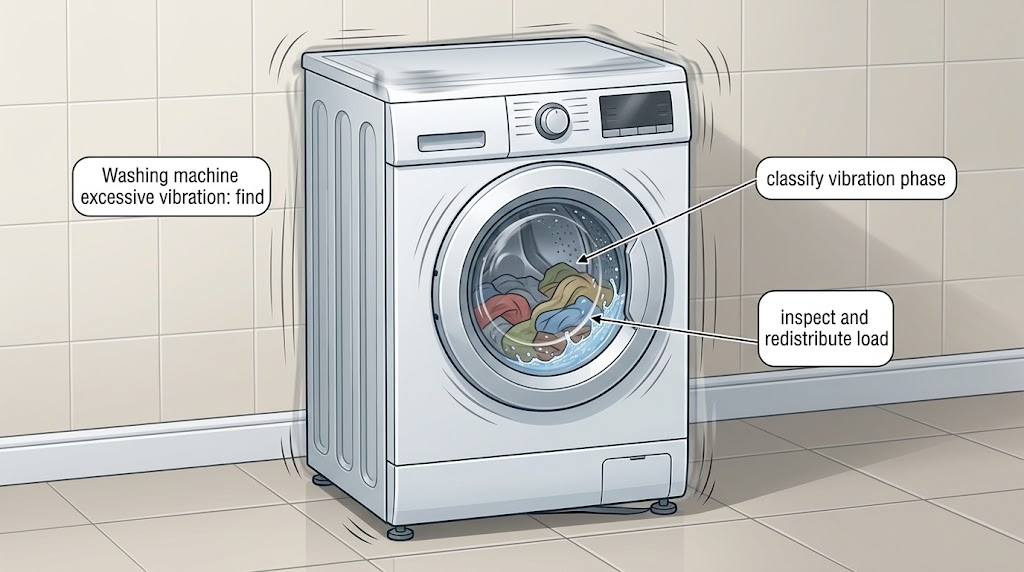
Work through in order
Diagnostic checks
Use only checks that match the exact appliance or system and its official guide.
-
Check 1
Stop or pause the cycle using the normal control, wait for the basket or drum to stop, and observe from outside the machine; do not reach into a moving washer or defeat a lid or door interlock.
Expected result: Record whether the movement occurs during fill, agitation/tumble, drain, spin, or the entire cycle; note whether the washer rocks, walks, bangs, or only transmits vibration into the floor, and whether any leak, burning odor, scraping, or electrical symptom is present.
Next step: If there is a leak, burning odor, exposed electrical damage, violent movement, or a failed safety stop, disconnect power when it is safe to do so and arrange appliance service. Otherwise continue with the load check while the washer is stopped.
Stop if: Do not run another test when the washer can strike walls or hoses, water is reaching the floor or cabinet, the lid or door does not stop the machine as designed, or a burning smell or electrical damage is present.
Why this matters
Why: Vibration that appears mainly during spin is consistent with load distribution or leveling. Movement throughout the cycle, a new mechanical noise, a leak, or a safety symptom is not established as a simple imbalance and needs a service boundary.
-
Check 2
With the machine stopped and the model instructions available, inspect the load for a single bulky item, tightly packed clothing, sheets or towels gathered into one heavy bundle, or wet items added after the cycle began; redistribute the load loosely as the exact model directs.
Expected result: Record whether the load is evenly spread, whether one item is much heavier when wet, whether the basket or drum is overloaded, and whether the washer settles after redistribution without adding water or reaching into a moving machine.
Next step: Run the model-approved cycle only after the load is arranged safely; compare the result with a normal mixed load. If vibration returns with a reasonable load, move to the leveling and installation check rather than repeatedly forcing spin tests.
Stop if: Do not overload, add water to force balance, hold the cabinet, place weights on top, or wash a heavy item alone when the model instructions warn against it.
Why this matters
Why: An uneven or single absorbent load can shift its center of mass during spin and produce banging, shaking, reduced spin, or wet clothes. A correctly distributed load that still causes the same movement makes a simple load imbalance less likely.
-
Check 3
Disconnect power before hands-on inspection, then check from outside that the washer is level side-to-side and front-to-back and that every installed foot or caster is firmly contacting the floor; rock the cabinet gently from corner to corner without trying to lift it.
Expected result: Record whether the cabinet teeters, a foot is loose or off the floor, lock hardware is not secured, the floor visibly flexes, or the washer is pressed against a wall or neighboring appliance.
Next step: If the exact installation instructions permit it, adjust and secure the feet while the washer is empty and stable; otherwise photograph the condition and request service. Recheck clearance from walls and hoses without moving a heavy appliance alone.
Stop if: Do not tilt, drag, jack, or disassemble the washer alone; stop if the floor is sagging or unstable, the cabinet is damaged, a foot cannot be locked, or moving the machine could disconnect a hose or power cord.
Why this matters
Why: A teetering cabinet or poor floor contact can turn an otherwise manageable load into excessive vibration and walking. A level, firmly supported machine that still vibrates shifts attention to load suitability, installation details, or an internal fault.
-
Check 4
If the vibration started after delivery, installation, relocation, or floor work, compare the current setup with the exact Admiral installation instructions and model documentation; check only visible, ordinary-access items such as clearance and whether the washer was returned to a level position.
Expected result: Record the date of the move or installation, whether vibration existed before it, whether the washer now contacts a wall or cabinet, and whether any model-specific shipping or transit restraint is documented as removed or required for the current position.
Next step: Use the model number to obtain the correct installation instructions or have the installer/technician verify the setup. Do not remove unidentified hardware or open panels to search for restraints.
Stop if: Stop if the installation document is unavailable, the washer must be tilted or opened, hoses or wiring are strained, or the floor or pedestal requires structural work.
Why this matters
Why: A new symptom immediately after moving or installation makes setup, leveling, floor support, or an uncompleted model-specific installation step more plausible. The presence, design, and removal procedure for shipping hardware vary by model and cannot be guessed from another Admiral washer.
-
Check 5
After the load and installation checks pass, perform at most one model-approved observation with the washer attended and clear of walls; compare an ordinary balanced load with the prior symptom, without opening panels or bypassing safety controls.
Expected result: Record whether vibration is absent, reduced only for one load, or repeats at the same spin phase with an empty or balanced load; note any new noise, leak, odor, error, or failure to complete the cycle.
Next step: Stop further testing and provide the model number, cycle phase, load type, level/foot result, installation history, and recordings to a qualified appliance technician or the manufacturer for a model-specific diagnosis.
Stop if: Do not continue operating a washer that walks, strikes surrounding objects, leaks, smells hot, makes grinding or scraping noises, repeatedly stops, or has a lid/door safety problem.
Why this matters
Why: A repeatable symptom with an empty or balanced load is evidence against a simple laundry imbalance and may indicate a support, bearing, drive, motor, control, floor, or installation fault. A one-off improvement does not prove the machine is safe if it continues to walk or damage the surroundings.
Use your observations
Decision map
Find the observation that best matches what you see, then follow the next safe action.
-
PATH 01Safety boundary
What you see
Vibration starts during spin and the load contains one bulky, absorbent, tightly packed, or bundled item.
Do this next
Stop safely, redistribute loosely or follow the exact cycle guidance, then make one attended retest.
Why this path and its safety boundary
Why it matters: The load's wet weight may be distributed unevenly even if it looked balanced when dry.
Safety stop: Do not add water, hold the cabinet, overload the tub, or keep restarting a load that bangs or walks.
-
PATH 02Safety boundary
What you see
The washer rocks when gently checked while stopped, or a foot/caster is not firmly contacting the floor.
Do this next
Use only the exact installation instructions to level and secure the machine while empty and stable; request service if the foot or floor cannot be corrected safely.
Why this path and its safety boundary
Why it matters: Leveling or floor support is a plausible contributor to the vibration.
Safety stop: Do not tilt, drag, or prop the appliance with improvised materials, and do not work under it without qualified equipment and help.
-
PATH 03Safety boundary
What you see
The symptom began immediately after delivery, installation, relocation, or changes to the floor or pedestal.
Do this next
Have the exact Admiral installation instructions checked against the current setup and preserve any unidentified hardware for the installer or technician.
Why this path and its safety boundary
Why it matters: A setup, leveling, clearance, floor, or model-specific installation issue is more plausible than a suddenly changed laundry load.
Safety stop: Do not remove unidentified shipping hardware, open panels, or move the appliance alone.
-
PATH 04Safety boundary
What you see
The washer is level and firmly supported, but it repeatedly vibrates with a normal balanced load or an empty approved test.
Do this next
Stop use and arrange model-specific appliance diagnosis with the model number and a description or video of the movement.
Why this path and its safety boundary
Why it matters: A simple load imbalance is not established; internal support, drive, motor, control, floor, or installation faults remain possible.
Safety stop: Do not open panels, replace suspension or drive parts by appearance, bypass controls, or continue operation when the machine walks or damages surroundings.
-
PATH 05Safety boundary
What you see
Vibration is accompanied by a leak, burning odor, grinding or scraping, exposed wiring, a damaged cabinet, or a lid/door that does not stop operation as designed.
Do this next
Stop the cycle, disconnect power and water only when safe, protect the area from water, and arrange qualified service.
Why this path and its safety boundary
Why it matters: This is a safety or damage boundary, not a load-balancing experiment.
Safety stop: Do not run another cycle, reach into the washer, remove panels, or attempt a live electrical or structural repair.
Helpful context
Understand the symptom
First separate a load problem from a machine problem
The timing of the movement is useful evidence. Movement limited to spin, especially with a single bulky or absorbent item, favors an out-of-balance load. A washer that rocks before a cycle, walks on every load, or vibrates with no laundry points more toward leveling, floor flex, installation, or a mechanical support issue. Admiral's older model-specific guide also warns that an unbalanced load can produce excessive vibration and asks whether the washer is level and firm on the floor; that guidance should not be treated as a substitute for the manual for the exact model.
Use the load and level checks that the model permits
After stopping safely, look for a tightly packed load, one heavy item, sheets wrapped into a ball, or wet garments added after the cycle began. Redistribute items loosely and use the cycle and load guidance for the exact Admiral model. With power disconnected before hands-on inspection, check whether the cabinet rocks diagonally and whether the feet are firmly contacting the floor; adjust and lock them only by the model's installation instructions. Do not lift or tilt a full washer alone.
Persistent vibration needs a controlled service boundary
A balanced load and a level cabinet do not prove that bearings, suspension, tub support, motor, drive, or floor structure is sound. If the same movement returns with an empty or ordinary balanced load, or if the washer leaks, scrapes, smells hot, damages nearby surfaces, or repeatedly stops, stop testing. Record the model number and the cycle phase, then have a qualified appliance technician identify the failed component and compatible repair.
Safety boundary
Stop conditions
- Do not reach into a moving basket or drum, bypass a lid or door interlock, or hold down the cabinet during spin.
- Do not keep operating a washer that walks, strikes walls or hoses, leaks, smells hot, makes grinding or scraping noises, or repeatedly stops.
- Do not tilt, drag, jack, or place improvised weights or supports under the appliance; use qualified help for moving, floor, pedestal, or structural work.
- Do not open panels or replace suspension, bearing, motor, drive, or control parts without the exact model documentation and appropriate service skills.
- Do not assume shipping restraints, feet, cycle limits, or part fit from another Admiral model; verify the exact model instructions or call the manufacturer or a qualified appliance technician.
Only after diagnosis
Potential parts
- model-specific leveling foot or lock hardware
Consider this category only if the exact installation instructions or technician inspection identifies a damaged, missing, or non-locking foot or related hardware.
Confirm the exact model, cabinet or pedestal configuration, thread and lock design, and installation instructions; do not compensate for a mismatch by shimming or forcing the cabinet. - model-specific suspension or tub-support component
Consider this category only after a qualified diagnosis finds a failed support component and rules out load, leveling, floor, and installation causes.
Confirm the exact model and revision, required repair procedure, and whether the appliance must be secured or lifted; appearance alone does not establish fit. - model-specific drive or bearing component
Consider this category only when a technician identifies a drive or bearing fault from repeatable vibration plus the appropriate noise, play, or diagnostic evidence.
Do not order by brand alone. Confirm exact model, transmission or motor platform, repair scope, safety procedure, and any required related parts with the manufacturer or technician.
When checks do not resolve it
Need a professional?
Arrange qualified appliance service when vibration persists with a balanced or empty approved test, returns after leveling, began after installation or relocation, or is accompanied by walking, impact, leaks, new grinding or scraping, burning odor, repeated stopping, cabinet damage, or a lid/door safety problem. Provide the exact model number before ordering parts or authorizing internal work; Admiral washer designs and installation requirements vary by model.
Safety scope: This article supports attended, ordinary-access observation, load redistribution, and model-directed level checks only. Do not reach into a moving washer, bypass safety controls, tilt or drag it alone, open panels, or perform live electrical, structural, drive, bearing, or suspension work.
Common questions
FAQ
Why does my Admiral washer vibrate only during spin?
Spin magnifies an uneven wet load and an unlevel cabinet. Stop safely, redistribute the load according to the exact model manual, and check firm floor contact and leveling. If it repeats with a balanced or empty approved test, arrange service rather than assuming the load is still at fault.
Can one heavy item make an Admiral washing machine walk?
Yes. A single bulky or absorbent item can become unevenly heavy when wet. Do not overload or add water; follow the model's load guidance and stop if the washer bangs, walks, or strikes surrounding objects.
How do I know if the washer is level?
With the washer stopped and power disconnected for hands-on inspection, check that it does not gently rock and that each installed foot or caster firmly contacts the floor. Adjust and lock feet only as the exact installation instructions allow, and do not tilt or move the machine alone.
What if an Admiral washer vibrates even when it is level?
A level cabinet does not rule out a failed support, tub, bearing, drive, motor, control, floor, or installation issue. Stop repeated testing, document the cycle phase and load result, and have a qualified technician diagnose the exact model.
Should I add anti-vibration pads or weight to stop the washer moving?
Do not add improvised weight, props, or pads without checking the exact installation instructions and floor requirements. First correct the load and leveling evidence; persistent movement or unstable flooring needs manufacturer or qualified appliance guidance.
Read the exact guide
Official sources
- Vibration or Out of Balance LoadsWhirlpool Product Help · Official Whirlpool guidance used for general washer mechanics; an Admiral model's own manual controls its cycle, load, and installation details.
- Whirlpool Washer/Dryer Owner's Manual W11691191Whirlpool Corporation · Official Whirlpool manual used as cross-brand technical context; it is not an Admiral model manual and cannot establish Admiral part fit or cycle behavior.
- Leveling a Front Load WasherWhirlpool Product Help · Official Whirlpool installation guidance for its front-load products; use only the corresponding Admiral model instructions for an Admiral appliance.
- Admiral Washing Machine Use and Care Guide AAV1200AGW/AAV1200ARWAdmiral appliance documentation · Official-looking model-specific Admiral guide for the named older export models only; other Admiral models require their own manual and may differ.
Community feedback
Share a repair observation
Share a plain-text repair observation. Accepted observations are published automatically; this page may take a moment to update.