
On this page
Start here
Quick answer
First identify which button is failing: a remote-control button, a button on the indoor/window unit, or a feature button that the model does not support. For a remote, install fresh batteries, check the battery compartment for leakage, remove obstacles and bright-light interference, and use a phone-camera signal check only as a model-dependent screening test. If the air conditioner itself has no response, check only the accessible dedicated breaker or plug and the exact model manual; do not open the unit. A single unsupported mode button is different from a dead Power button. If the unit's ON/OFF button does not work, the breaker trips, the operation lamp flashes, there is a burnt odor, water leakage, or abnormal noise, stop operating it and arrange manufacturer or qualified service. No brand or model was supplied, so no universal lock, reset, or button-hold sequence is safe to assume.
Before you begin
Safety first
- Do not open the air conditioner, bypass a control, spray cleaner into the unit, probe live wiring, repeatedly reset a tripping breaker, or use a cross-brand remote sequence. Disconnect power only at an accessible plug or clearly identified dedicated breaker when safe.
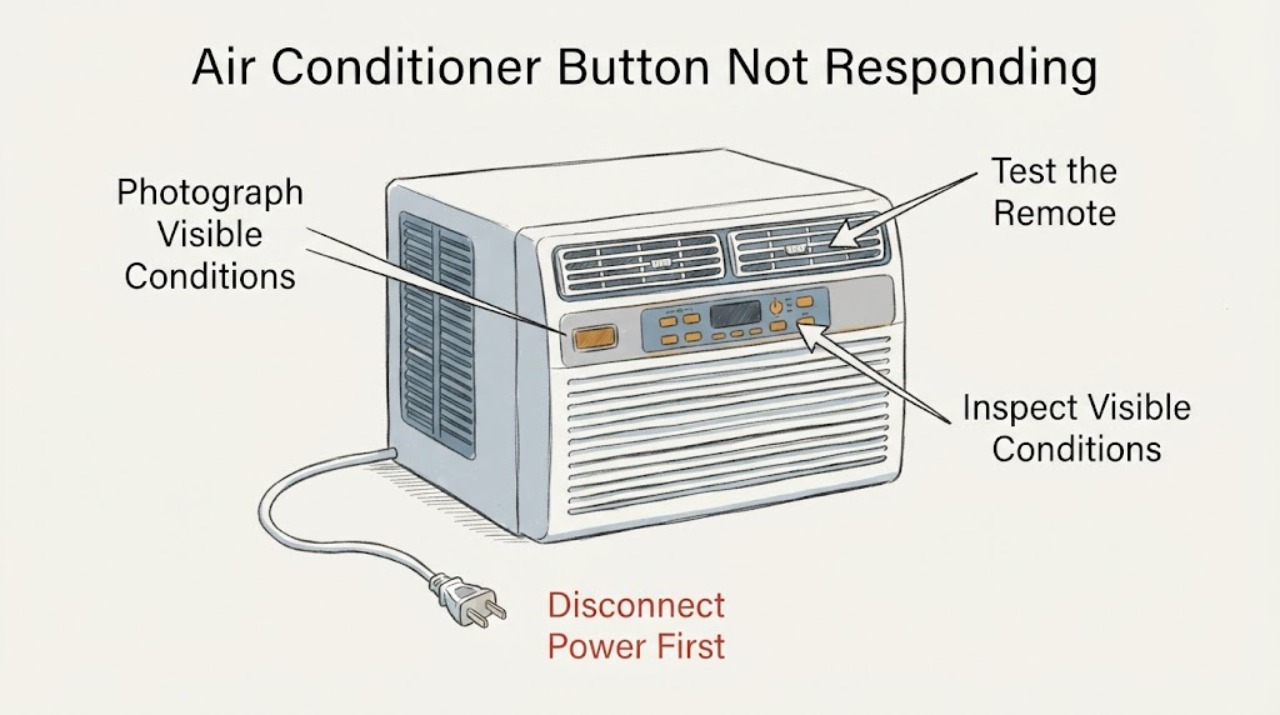
Work through in order
Diagnostic checks
Use only checks that match the exact appliance or system and its official guide.
-
Check 1
Identify the failed control without opening the air conditioner. Try to state whether the unresponsive control is on a handheld remote, on the indoor/window unit, or a single feature key while other controls still work. Photograph the labels and record the brand, complete model, and whether the display or operation lamp is lit.
Expected result: Only one remote key fails, the remote has no display, the unit's own ON/OFF button fails, or only one feature is ignored while power and other controls work.
Next step: Follow only the branch matching the failed control and use the exact model manual. Do not apply a remote battery or lock procedure to a physical unit button.
Why this matters
Why: A single remote key or unsupported feature is a different problem from a dead unit control. LG says some shared remote buttons may not be supported by a particular model; Daikin treats a nonworking ON/OFF button as a service condition.
-
Check 2
For a handheld remote only, replace all batteries with the correct type and polarity, inspect the battery compartment for leakage, and remove anything blocking the indoor-unit receiver. Turn off nearby bright or infrared-interfering lights for one controlled test.
Expected result: The remote display returns, the air conditioner responds after the obstruction or light is removed, or the remote still transmits/does not transmit with fresh batteries.
Next step: If the remote remains suspect, use the exact replacement and test method in the model manual. If the remote appears to transmit but the unit remains unresponsive, stop remote experimentation and have the air conditioner inspected.
Why this matters
Why: Battery, leakage, line-of-sight, or interference can prevent a remote signal from being received. A remote display or signal does not prove the air conditioner itself is healthy, and a missing response does not identify the receiver or control board.
-
Check 3
If the problem concerns a remote, use a phone camera to look for the remote's transmitted light only if the phone and remote make this test suitable. Point the remote toward the camera, press a button, and treat the result as a screening observation rather than a repair test.
Expected result: A visible signal appears through the camera, no signal appears, or the phone cannot show the remote's infrared light reliably.
Next step: Use the exact model manual or manufacturer service path if the unit still does not respond. Do not open the remote or air conditioner to clean contacts or probe electronics.
Why this matters
Why: LG and Xiaomi describe a camera check as an indication that a remote is transmitting, but both manufacturer contexts warn that the result depends on the device/model. The test cannot verify the indoor-unit receiver or a feature's compatibility.
-
Check 4
For a physical unit control or a completely dead air conditioner, inspect only the accessible power indication and the dedicated breaker or plug. Do not remove covers, reset an unknown main breaker, or repeatedly restore power after a trip.
Expected result: The dedicated breaker is off, the unit has no display or lamp, the breaker trips again, or the unit has normal power indication but ignores its own ON/OFF button.
Next step: If safe, restore only the clearly identified dedicated breaker once. If it trips again, or the unit's own control remains dead, leave the system off and contact the manufacturer, installer, or qualified technician.
Why this matters
Why: A disconnected or tripped dedicated supply can prevent any control response. A repeat trip or a powered unit whose own ON/OFF button fails is a service condition; it is not evidence for a particular board, sensor, or capacitor.
-
Check 5
Stop immediately if there is a burnt odor, abnormal noise, water leaking from the indoor unit, smoke, exposed wet electrical parts, or an operation lamp that keeps flashing. Keep clear of moving or energized parts and do not use a spray cleaner or attempt an internal reset.
Expected result: A safety symptom is present, or the only symptom is an isolated unsupported feature button with otherwise normal operation.
Next step: For any safety symptom, arrange manufacturer or qualified service. For an isolated feature key, confirm model support in the exact manual before treating it as a fault.
Why this matters
Why: Daikin directs owners to stop and disconnect power for a nonworking ON/OFF button, burnt odor, abnormal noise, water leak, or repeated breaker/fuse event. LG notes that an unresponsive feature can simply be unsupported on a given model, but that does not explain a physical power-button failure or a safety symptom.
Use your observations
Decision map
Find the observation that best matches what you see, then follow the next safe action.
-
PATH 01Next step
What you see
Only one remote feature button is ignored, the remote display is normal, and the air conditioner still responds to Power or other supported controls.
Do this next
Check the exact model manual and use the matching remote. Do not borrow a button sequence or remote from another brand/model.
Why this path and its safety boundary
Why it matters: The feature may not be supported by that model, or the individual remote key may be faulty; the evidence does not establish an air-conditioner internal fault.
-
PATH 02Next step
What you see
The remote display is blank, batteries are old or leaking, or no remote signal is seen after a suitable camera check.
Do this next
Install the correct fresh batteries and clean only accessible leakage according to the remote's instructions. If the remote remains unusable, obtain the exact model-matched remote or manufacturer service.
Why this path and its safety boundary
Why it matters: The remote itself is the first bounded suspect, not the air-conditioner receiver.
-
PATH 03Next step
What you see
The unit's own ON/OFF button does not work, the operation lamp flashes, a breaker trips again, or the unit shows a burnt odor, abnormal noise, or water leakage.
Do this next
Stop operation, disconnect power at the accessible plug or dedicated breaker when safe, and contact the manufacturer, installer, or qualified technician. Do not open the casing or repeatedly reset power.
Why this path and its safety boundary
Why it matters: This is a stop-use/service branch. A remote battery or generic reset cannot safely explain or repair the condition.
-
PATH 04Next step
What you see
The unit has normal power, the remote transmits, and no safety symptom is present, but the air conditioner still ignores commands.
Do this next
Stop generic button experiments and obtain the exact model manual or manufacturer diagnosis. Do not infer a control board or buy a replacement part from the symptom alone.
Why this path and its safety boundary
Why it matters: The remaining possibilities include model-specific pairing/function selection, receiver/control faults, or an unverified lock/state; the task has no brand/model manual to choose among them.
Helpful context
Understand the symptom
Start by naming the control that failed
A remote-control button, an indoor-unit ON/OFF button, and a feature button such as swing or heating do not have the same failure path. LG explains that a shared remote can include functions a particular model does not support, while Daikin separates a nonworking ON/OFF button from ordinary remote battery checks. Record the device type and exact model before attempting a reset or ordering a replacement remote.
Use battery and signal checks only for the remote branch
LG and Samsung both describe fresh batteries, correct polarity, and removing signal obstacles or bright-light interference as remote checks. LG also describes a phone-camera signal check, while Xiaomi describes it as a screening step on a particular product family. These checks do not prove that an air-conditioner receiver or control board is faulty, and they do not apply to a physical button on the unit.
A safety symptom changes the next step
Daikin's official troubleshooting page directs owners to stop operation, disconnect power, and contact the place of purchase when the main-unit or remote ON/OFF button does not work. It gives the same stop-use direction for a burnt odor, abnormal noise, water leakage, or a tripping breaker. Those manufacturer-specific instructions support a conservative service boundary for an unidentified air conditioner; they do not establish a fault code or part for this topic.
When checks do not resolve it
Need a professional?
Contact the manufacturer, installer, or qualified air-conditioning technician when the unit's own ON/OFF button fails, the remote transmits but the unit does not respond, a breaker trips again, the operation lamp flashes, or there is burnt odor, abnormal noise, water leakage, smoke, or wet electrical equipment.
Safety scope: Do not open the air conditioner, bypass a control, spray cleaner into the unit, probe live wiring, repeatedly reset a tripping breaker, or use a cross-brand remote sequence. Disconnect power only at an accessible plug or clearly identified dedicated breaker when safe.
Have this ready
- Provide the manufacturer, complete model and serial, whether the failed control is the remote or unit, remote display and battery condition, camera-test result if suitable, operation-lamp state, breaker behavior, and any odor, noise, water, or smoke observation.
Common questions
FAQ
How do I tell whether the remote or the air conditioner is the problem?
First check whether the remote display works and whether fresh batteries are installed. A suitable phone-camera signal check can show that some remotes transmit, but it cannot verify the air-conditioner receiver. If the unit's own ON/OFF button is also dead, treat it as a service issue rather than a remote-battery problem.
Why does only one air-conditioner remote button not work?
A shared remote can include functions that a particular model does not support, and a single worn remote key can also fail. Check the exact model manual and avoid transferring a feature sequence from another brand or model.
Should I reset the breaker when the air conditioner button does not respond?
Check only the clearly identified dedicated breaker and reset it once if it is safe and there is no warning sign. If it trips again, or if the unit's own ON/OFF button remains unresponsive, stop and arrange service. Never turn off the property's main breaker as a generic air-conditioner reset.
What if the button problem comes with a burnt smell or water leak?
Stop operating the air conditioner and disconnect power at an accessible safe point. Daikin's official troubleshooting guidance directs owners to stop and disconnect power for a burnt odor, water leakage, abnormal noise, a nonworking ON/OFF button, or repeated breaker/fuse events; contact the manufacturer or qualified service.
Read the exact guide
Official sources
- [LG Air Conditioner] Remote Control Not WorkingLG USA Support · Official LG remote branch used conditionally for battery, phone-camera signal, dedicated-breaker, remote compatibility, indoor-unit selection, receiver obstruction and light-interference checks. It does not define controls for an unidentified non-LG unit.
- What to do if the Samsung AC remote is not workingSamsung India · Official Samsung remote guidance used conditionally for battery polarity/replacement, phone-camera transmission check, obstacles and bright-light interference; it is not a universal button sequence and does not identify a unit-side failure.
- Troubleshooting | Air Conditioning and RefrigerationDaikin Global · Official Daikin guidance used conditionally for the safety branch: nonworking main-unit/remote ON/OFF button, burnt odor, abnormal noise, water leakage, repeated breaker/fuse events, and dedicated-breaker caution. It is not transferred as a brand/model-specific control sequence for the unidentified task.
- What to do if the remote control of the Mijia Air Conditioner Pro Eco A+++ 12K is not working or buttons are unresponsive?Xiaomi Global Support · Official Xiaomi product-specific example used only to corroborate that a phone-camera transmission check is a screening step alongside batteries, restart, interference and after-sales service. It is not applied as a control sequence to the unidentified task.
Community feedback
Share a repair observation
Share a plain-text repair observation. Accepted observations are published automatically; this page may take a moment to update.