
On this page
Start here
Quick answer
First identify whether your Amana uses a high-temperature Self-Clean cycle or AquaLift cleaning, then follow that model's instructions. A high-temperature cycle will not start unless the door is fully closed and should be prepared by removing racks, foil, and loose soil; AquaLift requires a cool cavity and the model-specified water-only process. If the display says the oven is cooling or the door remains locked, wait for the cavity to cool and never force the door. Repeated failure to start, a latch that will not release at room temperature, a cycle that stops with a fault, smoke or fire, or an oven that still leaves excessive soil after correct preparation is a qualified-service boundary.
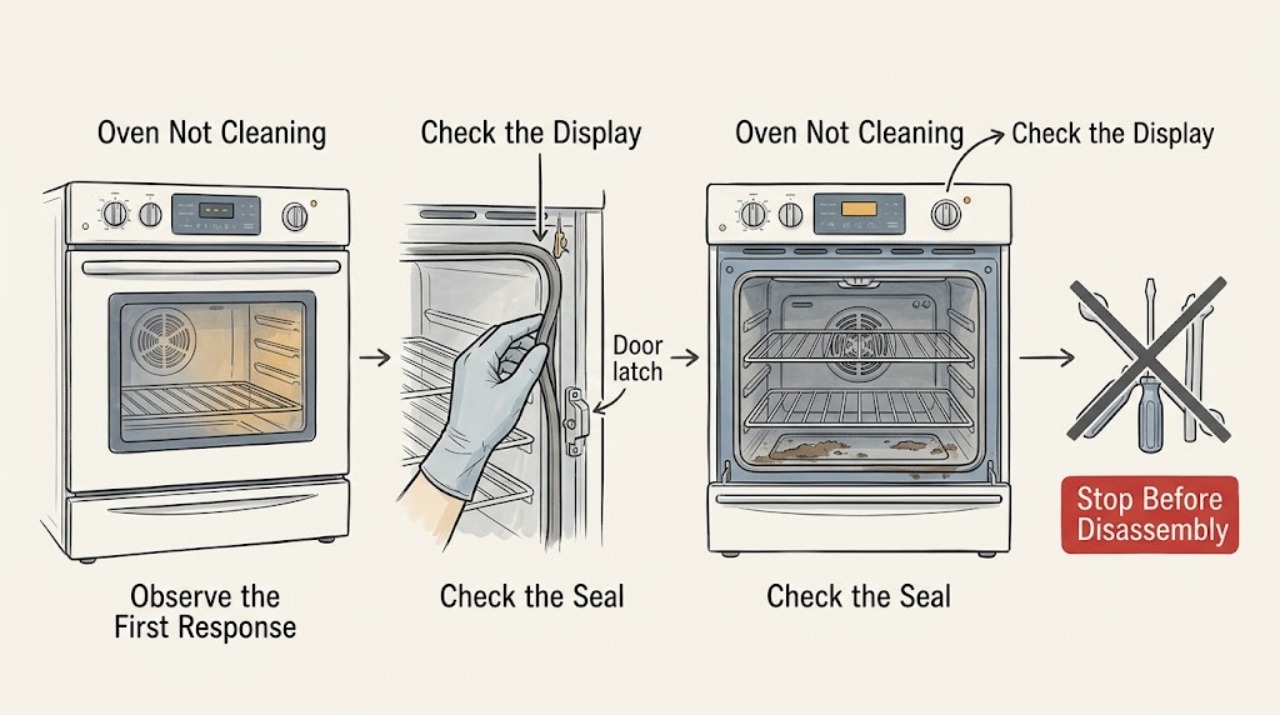
Work through in order
Diagnostic checks
Use only checks that match the exact appliance or system and its official guide.
-
Check 1
Read the control labels and the exact model manual to determine whether the oven has high-temperature Self-Clean, AquaLift, or another model-specific cleaning program. Do not assume a Clean or Self Clean label means the same process on every Amana oven.
Expected result: The control identifies high-temperature Self-Clean, AquaLift, another cleaning mode, or no cleaning cycle at all.
Next step: Follow the matching branch below and the model manual. If the control does not respond or the cycle type cannot be identified, stop repeated attempts and arrange model-specific service or support.
Why this matters
Why: The required preparation, water use, cooling behavior, and acceptable cleaners depend on the system; using the wrong procedure can leave soil or damage the cavity.
-
Check 2
Before starting AquaLift or any cycle that reports cooling, allow the oven cavity to return to room temperature. If the display says Oven Cooling or the oven was recently used, do not add water or restart until the model's cooling condition is met.
Expected result: The cavity is still hot, the display reports cooling, or the cycle starts once the oven is cool.
Next step: Wait without forcing the door. Once cool, retry only the model-documented cycle. If a cool oven still refuses to start or repeatedly reports cooling, stop and arrange service.
Why this matters
Why: Amana says AquaLift will not activate above approximately 200°F (93°C), and heat can keep a cleaning door locked; a delayed start can therefore be normal protection rather than a failed control.
-
Check 3
For a high-temperature Self-Clean cycle, with the oven cool, remove racks, broiler cookware, bakeware, foil, and loose soil. Wipe the door edge and the specified area around the cavity frame without moving or wetting the gasket or allowing liquid into door slots.
Expected result: Racks/foil/accessories or heavy loose soil were present, the door is not fully closed, or the cavity was already prepared correctly.
Next step: Correct only the accessible preparation items and close the door completely, then start the exact model cycle. Never use foil to line the bottom or bend, scrub, or move the gasket.
Why this matters
Why: Amana says a fully closed door is required for the cycle to lock and begin, while loose or heavy soil increases smoke and can impair cleaning results; some areas are outside the cycle's effective heat.
-
Check 4
For an AquaLift oven that is cool, empty the cavity of racks and accessories, wipe excess soil, and follow the exact model's water-only instructions. Amana's referenced procedure uses distilled or filtered water and says not to add chemicals, additives, or oven cleaner; use the model manual if its quantity or control sequence differs.
Expected result: The cavity was too hot, water/additives were incorrect, the door was opened during the cycle, or the cycle completed with water and soil remaining.
Next step: After the cycle and cool-down, remove residual water and loosened soil with a cloth or non-scratch sponge/plastic scraper as directed. If chemicals were added or the cycle will not activate when cool, stop and consult the model manual or service.
Why this matters
Why: AquaLift relies on controlled water and heat, and Amana says the residual water and loosened soil must be removed after the cycle; it is not a no-wipe chemical self-clean process.
-
Check 5
Observe the display for Locked, Clean, End, or a cooling message and confirm whether the cycle is still running or has ended. If the cycle was interrupted by a power failure, use the model's documented Cancel/Off or Self Clean reset sequence only after the oven has cooled appropriately.
Expected result: The door is locked during an active/hot cycle, the cycle was interrupted, the latch releases after cooling, or the latch remains stuck at room temperature.
Next step: Wait for cooling and follow the model-specific reset once. Do not force the door. If the latch will not move after the oven is cool or is stuck between positions, schedule qualified service.
Why this matters
Why: The lock protects against a hot cavity and may be expected. An interrupted cycle can leave the control/latch in a reset state, while a latch that remains stuck after cooling is a hardware or control concern.
-
Check 6
After the cleaning cycle has fully completed and the cavity is at room temperature, inspect the floor, door edge, frame, walls, and glass. Remove ash or residual AquaLift water and loosened soil with the model-approved cloth, plastic scraper, or non-scratch sponge.
Expected result: Only a light residue remains, stubborn baked-on soil remains, soil is concentrated at the door/frame, or the cavity is still hot/wet.
Next step: Finish cool, accessible residue using the model instructions. For stubborn AquaLift soil, Amana permits additional Clean cycles in the referenced procedure; if correct cycles repeatedly leave excessive soil, arrange service rather than using unapproved chemicals or abrasives.
Why this matters
Why: The door edge/frame may not reach the high-temperature cleaning zone; heavy or long-baked soil can require extra preparation, another permitted cycle, or manual finishing.
-
Check 7
Stop user troubleshooting for a failed latch, repeated control fault, a cycle that will not start while the oven is cool and prepared, a cycle that stops unexpectedly, damaged gasket or door, smoke/fire, liquid in controls, or persistent poor cleaning after the model procedure.
Expected result: A mechanical, electrical, thermal, door-seal, or repeated cleaning-performance problem remains.
Next step: Keep the oven out of service until assessed by a qualified appliance technician. Provide the exact model, cleaning system, display message, cycle stage, whether power was interrupted, and what preparation/water procedure was used.
Why this matters
Why: The cause may be a latch or sensor, control board, temperature system, door seal, heating/combustion system, venting path, or cavity condition that cannot be safely diagnosed by forcing or repeating cycles.
Use your observations
Decision map
Find the observation that best matches what you see, then follow the next safe action.
-
PATH 01Next step
What you see
The Clean or Self Clean cycle will not begin and the oven is still hot or displays Oven Cooling
Do this next
Let the cavity cool to the model's required state. AquaLift will not activate above approximately 200°F (93°C); retry only after cooling and with the model-specific procedure.
-
PATH 02Next step
What you see
A high-temperature Self-Clean cycle will not start
Do this next
Confirm the door is fully closed and remove racks, accessories, foil, and loose soil as directed. If a cool, prepared oven still will not start, stop repeated attempts and arrange service.
-
PATH 03Next step
What you see
An AquaLift cycle runs but leaves water or loosened soil behind
Do this next
After the complete cycle and cool-down, remove residual water and soil with the model-approved cloth, non-scratch sponge, or plastic scraper. Do not add chemicals or oven cleaner; stubborn soil may need another permitted cycle.
-
PATH 04Next step
What you see
The door is locked during or after cleaning
Do this next
Wait for the oven to cool and for the Locked indication to clear; do not pry or force the door. If it remains locked at room temperature or the latch is stuck, schedule service.
-
PATH 05Next step
What you see
The cycle completes but heavy soil remains
Do this next
For high-temperature cleaning, check that loose soil, foil, racks, and the door-edge/frame area were prepared correctly. For AquaLift, complete the post-cycle wipe/scrape and use another cycle only if the model instructions permit it; repeated poor results need service.
-
PATH 06Next step
What you see
There is heavy smoke, fire, an unexpected gas smell, damaged door/gasket, or liquid in the controls
Do this next
Cancel or isolate the appliance only if safe, leave the area for fire or gas danger, and use emergency or qualified service guidance. Do not continue the clean cycle or open a hot door by force.
Helpful context
Understand the symptom
Start by naming the cleaning system
“Not cleaning” can mean several different faults: the cycle does not begin, the door will not latch, the cavity is still hot and locked, or the cycle completes but leaves baked-on soil. Amana has both high-temperature Self-Clean guidance and AquaLift guidance, and their preparation is not interchangeable. Use the exact model's owner manual to identify the control label before repeating a cycle or adding anything to the cavity.
A locked door is a temperature and latch state, not permission to force it
During or after cleaning, the door can remain locked until the oven cools. Amana describes a roughly 200°F threshold for some ranges and says the latch may need about 30–90 minutes to release, but the exact model manual controls. Press Cancel/Off only as the model directs, wait for cooling, and never pry the door or move a latch that is still hot.
A cycle can run correctly and still need a second soil-removal pass
Self-cleaning is not a substitute for preparation. High-temperature guidance says to remove racks, accessories, foil, and loose soil, and to hand-clean the door edge and frame area that does not reach the cleaning temperature. AquaLift uses water and a wipe/scrape step after the cycle; stubborn soil may need an additional cycle or non-scratch manual work after the cavity returns to room temperature.
Protect the vent, gasket, and birds
Keep the oven vent clear and do not clean, bend, or move the door gasket. Ventilation is important during a high-temperature cycle, and Amana warns that fumes can be fatal to some birds, so move birds to another closed, well-ventilated room. If there is a fire, heavy smoke, or an unexpected gas smell, stop cleaning, leave the area if needed, and use the appropriate emergency or professional boundary rather than continuing the cycle.
Only after diagnosis
Potential parts
- self-clean door latch or latch motor
Consider only after a qualified technician confirms that the latch cannot lock or release after the oven is cool and the control/reset path is correct.
Latch parts are exact-model and revision-specific; never bypass or manually defeat the safety interlock. - oven temperature sensor
Consider only when qualified testing links an incorrect cooling state, cycle abort, or temperature fault to the sensor rather than the control or heating system.
Verify the exact Amana model and approved sensor specification before professional replacement. - oven control board
Consider only after supply, controls, latch, sensor, and model-specific programming have been tested and a technician confirms a control fault.
Control boards vary by model and revision and require qualified diagnosis and installation. - door gasket or seal
Consider only for confirmed damage or loss of seal; do not clean, bend, move, or replace the gasket as a way to force a cycle to start.
Use the exact model's approved seal and installation method; the latch and thermal safety still require professional assessment if affected.
When checks do not resolve it
Need a professional?
Arrange qualified appliance service when a cool, correctly prepared oven will not start cleaning, the control or latch repeatedly fails, the door remains locked after the model's cooling period, a cycle stops with a fault, or correct cleaning cycles repeatedly leave excessive soil. Stop immediately and use emergency guidance for fire, dangerous smoke, an electrical hazard, or an unexpected gas smell. Do not force the door, bypass the latch, open controls, or use unapproved chemicals to compensate for a failed cycle.
Common questions
FAQ
Why will my Amana oven clean cycle not start?
First identify whether it is high-temperature Self-Clean or AquaLift. The cavity may still be too hot, the door may not be fully closed, or the required racks, foil, loose soil, or water preparation may be wrong. If a cool, correctly prepared oven still will not start, use qualified service rather than forcing the latch or repeating resets.
Why is my Amana oven door still locked after self-cleaning?
The door remains locked while the cavity is hot. Let the cycle finish and the oven cool until the Locked indication clears; model guidance may describe a cooling period or a temperature threshold. Never pry the door. A latch that remains stuck after the oven reaches room temperature needs service.
Can I use oven cleaner in an Amana AquaLift cycle?
No. Amana's AquaLift instructions specify water without chemicals or additives and warn against oven cleaners and metal scouring pads. Follow the exact model instructions, then remove loosened soil after the cycle with an approved non-scratch method.
Why does my Amana oven still have soil after self-cleaning?
Heavy or long-baked soil may need preparation and more than one permitted cleaning pass. The door edge and frame area also need separate cool manual cleaning, and AquaLift requires wiping or scraping residual water and soil after the cycle. Repeated poor results after correct preparation warrant service.
Read the exact guide
Official sources
- High Temperature Self-Clean Cycle InformationAmana Product Help · Official Amana guidance for high-temperature Self-Clean models; the exact model owner's manual controls the cycle settings and sequence.
- Door Locked - RangeAmana Product Help · Official Amana range support guidance; latch style and controls vary by model.
- Range Troubleshooting: Cleaning, Maintenance and OdorsAmana · Official Amana range article; use the exact model manual for approved products and cavity-specific instructions.
- Using AquaLift Oven Cleaning Cycle - RangeAmana Product Help · Official Amana AquaLift guidance; verify that the exact model has AquaLift and follow its owner's manual if quantities or controls differ.
Community feedback
Share a repair observation
Share a plain-text repair observation. Accepted observations are published automatically; this page may take a moment to update.