
On this page
Start here
Quick answer
A KitchenAid oven may appear not to clean because the model has Self-Clean, AquaLift, or Steam Clean and the wrong procedure was selected, the cavity is too hot, the door is not fully closed or locked, excess soil was left inside, or the cycle has finished but still needs a cool-down and wipe-down. Identify the cleaning feature from the control panel and Use and Care Guide, remove racks and loose soil, and follow that feature's water or no-additive rule. Do not use commercial oven cleaner in a self-clean, AquaLift, or Steam Clean cycle, do not force a locked door, and stop for smoke, flame, gas odor, damaged glass, or an electrical fault. If the correct cycle will not start or leaves heavy residue after model-approved preparation, arrange qualified appliance service.
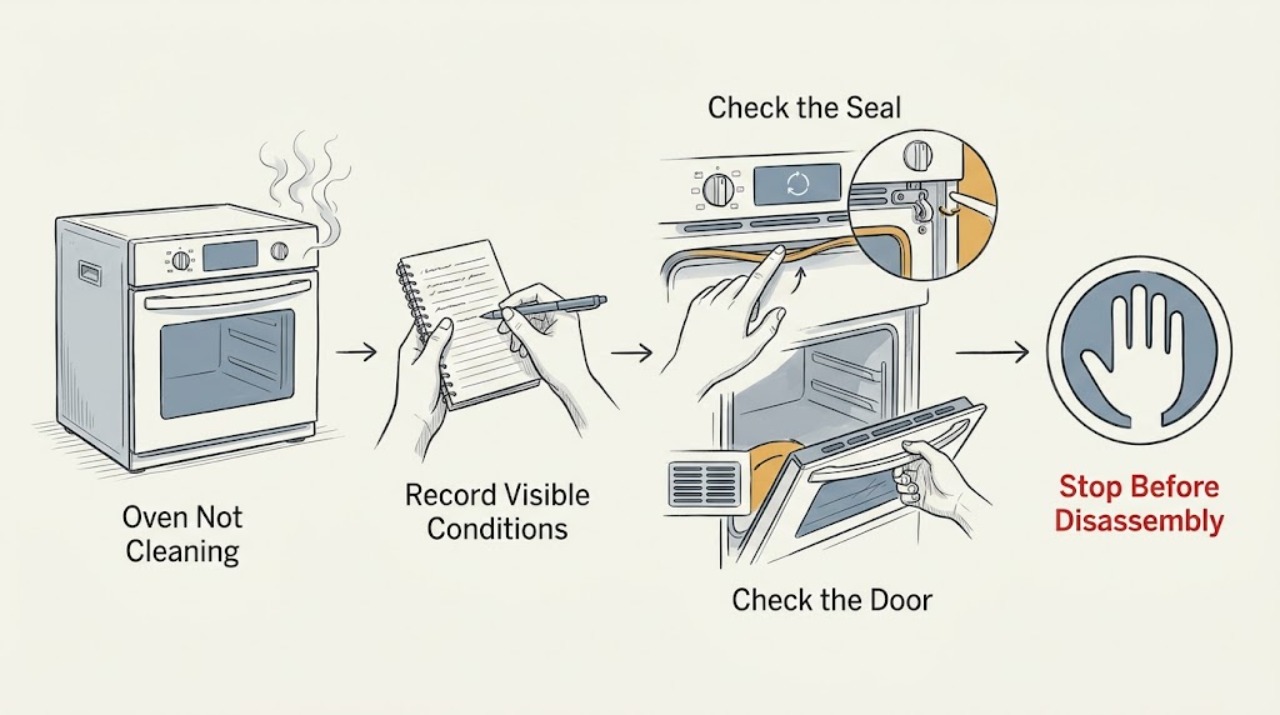
Work through in order
Diagnostic checks
Use only checks that match the exact appliance or system and its official guide.
-
Check 1
Read the complete model number and identify whether the control offers Self Clean, AquaLift, Steam Clean, or only manual cleaning. Record the exact display message, whether the cavity is cool, and whether the door is locked.
Expected result: The oven has a high-temperature cycle, a water-based cycle, a hot or cooling message, a lock indicator, or no cleaning feature matching the attempted procedure.
Next step: Follow the branch for the feature printed in the exact model guide. If the feature is not present, use manual cleaning instructions rather than forcing a menu or adding water.
Stop if: Stop for smoke that does not settle with safe ventilation, flame, gas odor, damaged glass, sparking, a burning electrical smell, or a control that activates by itself.
Why this matters
Why: KitchenAid cleaning systems have different heat, water, preparation, and completion behavior. Selecting an unavailable or wrong feature can look like a failed cleaning cycle.
-
Check 2
When the oven is cool and the area is safe, remove racks, broiler pans, cookware, foil, and liners as required by the model guide. Wipe loose soil from the cavity, door edge, and frame with a damp cloth without moving the gasket or allowing liquid into door-frame slots.
Expected result: Loose food, foil, a liner, a pan, a wet or damaged gasket, or heavy baked-on deposits are present; or the empty cavity and gasket appear suitable for the selected cycle.
Next step: Remove only the items the guide permits and use the model's cleaning method. For heavy deposits, expect additional manual wiping or a permitted repeat cycle after cooling rather than adding chemical cleaner.
Stop if: Stop if the gasket is torn or displaced, the door glass is cracked, water enters a slot, the cavity coating is flaking, or residue is actively smoking before the cycle begins.
Why this matters
Why: Accessories and loose or heavy soil can cause smoke, residue, or poor results. The gasket and door-frame openings are sealing and electrical-adjacent areas, not cleaning surfaces for aggressive scrubbing or soaking.
-
Check 3
For a model that explicitly has high-temperature Self-Clean, close the empty oven door completely, select the documented Clean setting and soil level, and press Start once. Keep the kitchen ventilated, keep people and sensitive pets away from the heat and fumes, and remain present while the cycle runs.
Expected result: The door locks and the display shows a cleaning or heating state, the cycle refuses to start, or the cycle completes but ash or residue remains after the oven cools.
Next step: If the cycle completes, wait for complete cooling before wiping ash with a damp cloth. If it will not start with the door closed and the correct feature selected, do not bypass the latch; arrange service after checking the model guide.
Stop if: Stop and leave the oven off for service if smoke becomes dense or persistent, flame appears, the door glass or gasket is damaged, the latch jams, or an electrical or gas hazard is present.
Why this matters
Why: A fully closed door is required for the latch and the door normally remains locked through the cool-down. Heavy soil can produce more smoke, and the cycle does not remove every door-edge or accessory deposit.
-
Check 4
For a model that explicitly has AquaLift or Steam Clean, let the cavity cool to the model's stated starting condition, remove racks and accessories, and add only the documented amount of distilled or filtered water to the oven bottom. Do not add oven cleaner, detergent, vinegar, or any other additive unless the exact guide explicitly permits it.
Expected result: The control shows HOT or Oven Cooling, the water-based cycle starts, the water remains hot at the end, or the cycle refuses to activate.
Next step: Wait for the documented cool condition, run the correct feature once, and keep the door closed while water is hot. At completion, remove residual water and loosened soil only after the guide's cooling and handling directions are met.
Stop if: Stop if water spills toward controls or electrical connections, the door or glass is damaged, steam escapes abnormally, the cavity remains dangerously hot, or the cycle produces smoke, burning odor, or a gas odor.
Why this matters
Why: Water-based cycles are intended to soften light or recent spills, not to burn heavy deposits away. KitchenAid says Steam Clean will wait while the cavity is too hot, and AquaLift similarly requires a cool starting cavity on applicable models.
-
Check 5
After a cleaning cycle has ended and the oven has returned to the guide's safe temperature, inspect the bottom, door edge, frame, racks, and vent area. Wipe ash or loosened residue with the permitted damp cloth or non-scratch tool, and do not scrub or move the gasket.
Expected result: Residue is loose and wipes away, the door edge remains dirty, mineral film is left by water, or hard soil remains bonded after a water-based cycle.
Next step: Use the model's permitted manual cleaning method or one additional approved cycle only after complete cooling. Do not use commercial oven cleaner or metal scouring pads in a prohibited cleaning system.
Stop if: Stop if the coating is damaged, glass is cracked, residue is smoking after cooling, the door cannot close or lock, or controls or wiring show heat damage.
Why this matters
Why: Self-Clean does not heat every door-edge area, and water-based cycles loosen rather than incinerate soil. A small amount of manual finishing can be normal; repeated poor performance after proper preparation points to a cycle, temperature, door, or control issue.
-
Check 6
If a cleaning cycle was interrupted or the display remains locked after the oven is completely cool, press Cancel or Cancel/Off once and follow the exact KitchenAid model reset instruction. If the guide permits a one-time power reset, use the dry, accessible breaker or fuse control only as directed; do not repeatedly cycle power.
Expected result: The lock clears after cooling and the documented cancel or reset, the lock remains, or an error returns immediately.
Next step: Leave the oven unused and arrange qualified service if the lock does not clear at room temperature or the error returns. Do not force the latch or open the console.
Stop if: Stop for a jammed latch, abnormal heat after cancellation, smoke, gas odor, sparking, repeated breaker trips, or any need to expose wiring.
Why this matters
Why: KitchenAid documents that a hot door can remain locked and that an interrupted Self-Clean may require a latch reset. A persistent lock or returning error can indicate a latch, temperature-sensing, or control fault.
Use your observations
Decision map
Find the observation that best matches what you see, then follow the next safe action.
-
PATH 01Next step
What you see
The oven has Self Clean, the cavity is prepared, and the door closes fully.
Do this next
Use only the model's documented high-temperature setting, ventilate, stay present, and wait for the complete cool-down before wiping ash.
-
PATH 02Next step
What you see
The oven has AquaLift or Steam Clean and the cavity has reached the documented cool starting condition.
Do this next
Use only the model-specified water amount and no prohibited additives; keep the door closed while the water is hot.
-
PATH 03Next step
What you see
The display shows HOT or Oven Cooling, or the cavity is still too hot to touch safely.
Do this next
Do not add water, open the door during a water-clean cycle, or start another cleaning cycle. Let the oven cool according to the model guide.
-
PATH 04Next step
What you see
The cycle completes but residue remains.
Do this next
Determine whether it is ash, loosened water-softened soil, door-edge residue, or mineral film, then use the model's permitted cool manual wipe or non-scratch method.
-
PATH 05Next step
What you see
The door remains locked after a completed or interrupted cleaning cycle and the oven is completely cool.
Do this next
Use the documented Cancel/Off or one-time model-approved reset. Never pull the door, insert tools, or defeat the latch.
-
PATH 06Next step
What you see
There is flame, dense or persistent smoke, gas odor, sparking, a burning electrical odor, damaged glass, or uncontrolled heating.
Do this next
Stop using the oven. Do not operate electrical controls if doing so is unsafe; leave the area for gas or fire hazards and contact the appropriate local emergency or qualified service resource from a safe location.
Helpful context
Understand the symptom
Not every KitchenAid oven cleans the same way
Start by identifying the label on the control: Self Clean or Clean usually means a high-temperature cycle; AquaLift uses a small amount of water and lower heat; Steam Clean is intended to loosen light, recent spills. Some KitchenAid ovens have only one of these features, and menu names vary. Do not substitute the time, water amount, or button sequence from another model. The Use and Care Guide for the complete model number controls the procedure.
A clean cycle is not a substitute for removing loose soil
High-temperature cleaning converts suitable residue to ash, while water-based cycles soften residue for wiping. Neither method makes racks, foil, liners, door edges, or heavy deposits safe to ignore. Remove accessories as the guide directs, wipe loose soil from a cool cavity, and keep water or cleaner out of the door-frame slots and away from the gasket. A cycle that completes but leaves a wipeable film may be working as designed; repeated heavy smoke or a new fault is not.
Locked does not mean failed
During a high-temperature Self-Clean cycle, the door locks and stays locked until the oven cools. Pressing Cancel stops the request but does not make a hot door immediately safe to open. If the control is locked after an interrupted cycle, use only the model's documented cancel or reset sequence. Never pull the door, insert tools, bypass the latch, or remove panels to release it.
Only after diagnosis
Potential parts
- oven door latch or lock assembly
Consider this category only if the exact model's cleaning cycle will not start or the door remains locked after complete cooling and the documented reset, and a qualified diagnosis identifies the latch.
Confirm the complete model number and manufacturer fit information; do not force or bypass the latch while diagnosing. - oven temperature sensor or control
This category is conditional on a qualified diagnosis of a repeated temperature, cooling, error, or cycle-control fault after safe preparation checks.
Use model-specific documentation and qualified service to confirm compatibility; the symptom alone does not identify a replacement part.
When checks do not resolve it
Need a professional?
Stop and arrange qualified service for a cleaning cycle that will not start after the documented preparation, a door that remains locked after complete cooling and the model-approved reset, repeated error messages, uncontrolled heating, damaged glass or gasket, water near controls, dense or persistent smoke, flame, gas odor, burning electrical odor, sparking, repeated breaker trips, or any repair requiring latch bypass, panel removal, or live testing.
Common questions
FAQ
Why is my KitchenAid oven not cleaning?
First identify whether it has Self Clean, AquaLift, or Steam Clean. A wrong feature, an oven that is still too hot, an incompletely closed door, excess soil, or skipping the required wipe-down can make the result appear unsuccessful. Follow the complete model guide and do not add unapproved cleaner.
What is the difference between Self Clean, AquaLift, and Steam Clean?
Self Clean uses very high heat to turn suitable soil into ash. AquaLift and Steam Clean use water and lower heat to loosen lighter spills for wiping. Only some KitchenAid models have each feature, so use the feature and settings listed for your model.
Can I use oven cleaner during a KitchenAid cleaning cycle?
Do not use commercial oven cleaner in Self Clean, AquaLift, or Steam Clean unless the exact model guide explicitly permits it. KitchenAid's water-based instructions specifically prohibit oven cleaners and other additives.
Why is the KitchenAid oven door still locked after cleaning?
A Self-Clean door remains locked while the oven is hot and should release after cooling. If the cycle was interrupted, use only the documented Cancel/Off or one-time reset. Never force the latch; a lock that remains after complete cooling needs service.
Why does residue remain after AquaLift or Steam Clean?
Water-based cycles loosen light soil rather than burning it away. After the oven cools, remove residual water and wipe loosened soil using the model's permitted non-scratch method. Several cooking cycles of baked-on soil may need approved manual cleaning or qualified help.
When should I stop using the KitchenAid oven?
Stop for flame, gas odor, dense or persistent smoke, burning electrical odor, sparking, uncontrolled heat, damaged glass or gasket, water near controls, repeated breaker trips, or a latch that will not clear after cooling. Keep the oven out of service and arrange qualified help.
Read the exact guide
Official sources
- How to clean a self-cleaning oven in 4 stepsKitchenAid · KitchenAid self-clean versus steam-clean overview, preparation, manual finishing, ventilation, and cleaner restrictions
- Oven Door Locked - Wall OvenKitchenAid Product Help · KitchenAid cleaning-cycle door-lock behavior, cancellation, cooling, interrupted-cycle reset, and service boundary
- Using AquaLift Oven Cleaning Cycle - RangeKitchenAid Product Help · KitchenAid AquaLift water-based cleaning, cool-start, no-additive, residual-water, and residue-removal guidance
- Steam Cleaning the OvenKitchenAid Product Help · KitchenAid Steam Clean feature, water-only rule, cool-start condition, hot-water handling, and completion behavior
- High Temperature Self-Clean Cycle InformationKitchenAid Product Help · KitchenAid high-temperature Self-Clean preparation, door lock, ventilation, residue, and cooling guidance
Community feedback
Share a repair observation
Share a plain-text repair observation. Accepted observations are published automatically; this page may take a moment to update.