
On this page
Start here
Quick answer
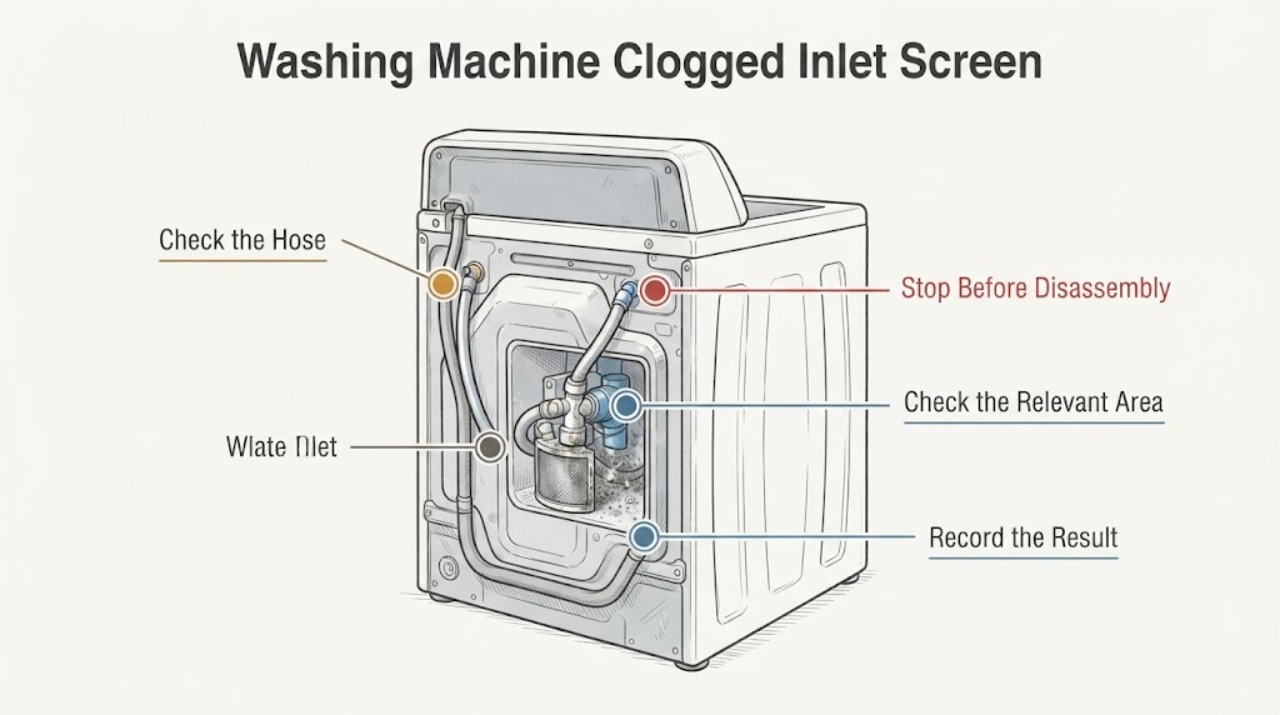
Start with the water supply before assuming the inlet valve has failed. Turn off both water faucets, disconnect power before handling the hoses, and place the hose ends in a bucket. Check the screens at the back of the washer's inlet valve without removing or disturbing them; Amana says to clean visible buildup with a brush, mild soap, and water. Also check that the hot and cold faucets are open, the hoses are correctly connected and unkinked, and the hoses themselves pass water. Reconnect carefully and check for leaks. If the screen and hose checks do not restore filling, use the exact model manual or service rather than opening the washer or replacing a valve from a generic listing.
Work through in order
Diagnostic checks
Use only checks that match the exact appliance or system and its official guide.
-
Check 1
Stop the fill attempt, turn both household water faucets off, disconnect the washer from power, and place a bucket or towels below the hose connections before loosening a hose.
Expected result: The washer is still running, the faucets remain open, or water is already collecting at the rear connection.
Next step: Keep the faucets closed and do not continue if water is reaching electrical parts or the leak cannot be contained; arrange qualified service.
Why this matters
Why: The hose check has not been made safe yet; residual water can spill, and an active leak changes the next step from cleaning to containment.
-
Check 2
With the washer off, verify that the hot and cold faucets are open, both required hoses are connected to the correct inlets for the model, and neither hose is kinked or crushed.
Expected result: A faucet is closed, a hose is kinked, or the hot/cold connections do not match the labels or exact manual.
Next step: Correct only the visible connection or routing issue allowed by the exact manual, then restore water and check for leaks before a test cycle.
Why this matters
Why: The external water supply can explain a no-fill or slow-fill symptom without a clogged washer screen.
-
Check 3
Turn the water supply off, remove the inlet hoses with pliers, support their ends in the bucket, and inspect the screens at the back of the washer's water inlet valve.
Expected result: Mineral film, sediment, or other debris is visibly covering a screen; or the screen looks clear.
Next step: If buildup is visible, brush it gently with mild soap and water without removing or disturbing the screen. If it is clear, continue to the hose-flow check rather than scraping or opening the valve.
Why this matters
Why: Visible buildup can restrict incoming water, while a clear screen means the symptom is not explained by screen contamination alone.
-
Check 4
After the hoses are detached, check each hose at a sink or other water source for an unobstructed stream, then reconnect the hoses as the exact Amana instructions show.
Expected result: A hose has restricted flow, or both hoses flow freely and the screen is clean.
Next step: Replace a restricted hose only with a suitable, model-compatible hose. If both hoses flow freely, restore water slowly, check every connection for leaks, and use the exact model manual or service for the remaining washer-side fault.
Why this matters
Why: Restricted hose flow points to the hose and its debris or mineral buildup; free hose flow with a clean screen leaves the washer-side inlet path unresolved.
-
Check 5
If an Amana front-load washer displays F20, FH, F8 E1, Lo FL, or a similar water-supply message, record the exact code and model before taking any further action.
Expected result: The code is present and the screen, faucets, hoses, and connections have been checked; or no code is displayed.
Next step: Use the matching model manual or contact Amana service if the message returns after the documented external checks. Without a code, use the symptom and leak observations rather than inventing one.
Why this matters
Why: Amana defines F20/FH and related front-load messages as water-inlet or insufficient-water conditions, but a code meaning must not be transferred to a different washer family.
Use your observations
Decision map
Find the observation that best matches what you see, then follow the next safe action.
-
PATH 01Next step
What you see
A faucet is closed, a required hose is missing or reversed, or a hose is visibly kinked.
Do this next
Correct the visible supply issue according to the exact model instructions, restore water cautiously, and check for leaks before running a cycle.
Why this path and its safety boundary
Why it matters: The water supply or external routing is the first supported explanation; the washer-side screen has not yet been shown to be the cause.
-
PATH 02Next step
What you see
The rear inlet screen has visible mineral film or debris and the washer has a no-fill or slow-fill symptom.
Do this next
Brush the screen gently with mild soap and water, reconnect the hose, restore water slowly, and stop if the connection leaks.
Why this path and its safety boundary
Why it matters: The screen is a plausible flow restriction, and Amana's user-level guidance supports cleaning the visible buildup without removing the screen.
-
PATH 03Next step
What you see
The screen is clear but water does not pass freely through a detached hose.
Do this next
Do not open the washer valve; replace the restricted hose with one confirmed for the exact model and check for leaks after installation.
Why this path and its safety boundary
Why it matters: The hose itself can restrict flow and mimic a washer inlet problem.
-
PATH 04Next step
What you see
Both hoses flow freely, the screen is clean, and the washer still will not fill or repeatedly shows a model-specific water-supply message.
Do this next
Keep the washer out of service if it leaks or trips power, retrieve the exact Amana manual, and arrange model-specific service rather than opening the cabinet or performing live tests.
Why this path and its safety boundary
Why it matters: The remaining cause is outside the supported visible screen and hose checks; the result does not prove a failed valve, control, sensor, or wiring.
Helpful context
Understand the symptom
Confirm that this is an inlet-flow problem
Before touching the hoses, note whether the washer never fills, fills slowly, or stops with a water-supply message. Check both household faucets, the hose routing, and the hot/cold connection labels. Amana's front-load guidance says both hot and cold hoses must be connected and turned on for that family, but the exact manual controls for other Amana configurations.
Clean only the visible inlet screen
With the washer stopped, water supply off, and hose ends supported in a bucket, inspect the screens at the rear water inlet valve. If mineral film or debris is visible, use a soft brush with mild soap and water while leaving the screen in place. The official guidance does not authorize prying the screen out, opening the cabinet, or treating a dirty screen as proof that the inlet valve itself has failed.
Separate a hose restriction from a washer-side restriction
Amana also directs the reader to check whether the detached water hose passes water freely at a sink or other water source. A restricted hose can mimic a clogged washer screen and should not be used as evidence of a failed valve. After any reconnection, restore the water slowly and inspect the hose ends for leaks before starting a cycle.
When checks do not resolve it
Need a professional?
Arrange Amana or qualified washer service if water leaks after reconnection, water reaches electrical parts, the washer still cannot fill after the faucet, hose, and visible-screen checks, a model-specific code returns, or the remaining diagnosis would require opening the cabinet, removing the inlet valve, or live electrical testing. Do not pry out the screen, bypass a water or electrical safety device, or choose an inlet valve from a generic listing.
Common questions
FAQ
Can I remove the inlet screen to clean it?
No. Amana's general washer guidance says to clean visible buildup with a brush, mild soap, and water without removing or disturbing the screen. If the screen cannot be cleaned without prying or opening the washer, stop and use the exact manual or service.
Does a clogged inlet screen always mean the inlet valve is bad?
No. A restricted faucet, kinked hose, clogged hose, incorrect connection, or low water supply can produce the same no-fill or slow-fill symptom. A clean screen and free-flowing hoses still do not prove an internal valve or control failure.
What if my Amana washer shows FH or F20?
For the Amana front-load family covered by the opened support page, FH/F20 indicates a water-supply problem and the published checks include both faucets, hose routing, inlet screens, pressure, and flood-preventing devices. Confirm the exact model before applying a code definition to another washer family.
Read the exact guide
Official sources
- Not Filling or Filling Slowly - Front Load WasherAmana · Opened Amana's official front-load support page. Front-load-specific statements are labeled as such; the visible screen and hose checks are not used to diagnose internal parts.
- FH - Front Load WasherAmana · Opened Amana's official FH support page. It confirms the code's family scope and directs the reader to faucets, inlet screens, and hoses, with service if the issue remains.
- Checking the Fill Hoses if the Washer is not FillingAmana · Opened Amana's official washer support page. It provides general external hose and inlet-screen guidance rather than a model-specific internal repair procedure.
- What is an F20 or FH Error Code on a Front Load WasherAmana · Opened Amana's official front-load code page. Code meaning is conditional on the documented front-load family and is not transferred to an unspecified washer model.
Community feedback
Share a repair observation
Share a plain-text repair observation. Accepted observations are published automatically; this page may take a moment to update.