
On this page
Start here
Quick answer
Check a blender that will not turn on at the outlet, switch, container seating and thermal-protection levels. Keep the base dry and allow a hot motor to cool before one restart; a known-good outlet with a dead base needs service.
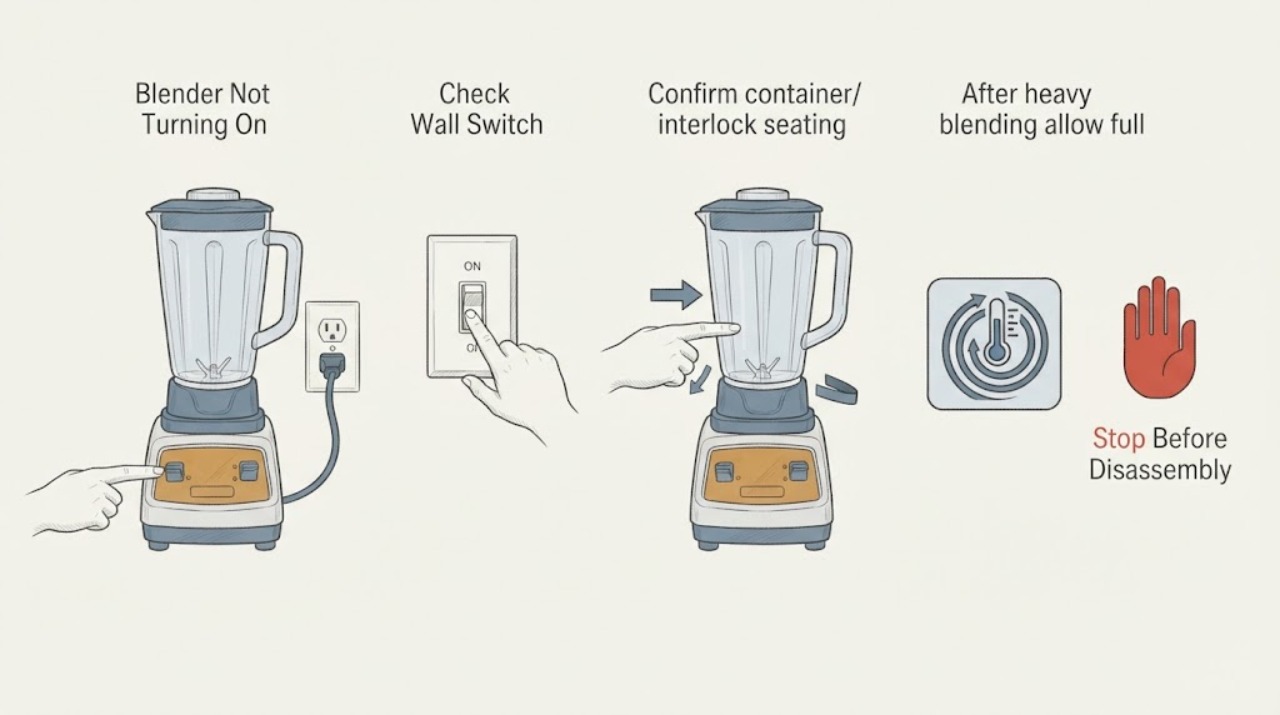
Work through in order
Diagnostic checks
Use only checks that match the exact appliance or system and its official guide.
-
Check 1
Check a dry known-good outlet and switch.
Expected result: Outlet works but base is dark, or switch/indicator responds.
Next step: Do not use damaged or wet cords.
Why this matters
Why: Supply or switch state precedes motor diagnosis.
-
Check 2
Confirm container/interlock seating.
Expected result: Unit starts only after correct seating or stays silent.
Next step: Do not bypass it.
Why this matters
Why: An interlock can block operation.
-
Check 3
After heavy blending allow full cooling before one restart.
Expected result: It restarts after cooling or repeats shutdown.
Next step: Stop repeated attempts and use service.
Why this matters
Why: Thermal protection or load/motor fault is possible.
Use your observations
Decision map
Find the observation that best matches what you see, then follow the next safe action.
-
PATH 01Next step
What you see
Outlet works but base remains dead.
Do this next
Unplug and arrange service.
Why this path and its safety boundary
Why it matters: Power/control/motor fault is likely.
-
PATH 02Next step
What you see
It starts after seating container.
Do this next
Use normal model seating.
Why this path and its safety boundary
Why it matters: Interlock state blocked operation.
-
PATH 03Next step
What you see
It restarts after cooling then shuts down again.
Do this next
Stop and arrange service.
Why this path and its safety boundary
Why it matters: Thermal protection repeatedly activates.
Helpful context
Understand the symptom
Checks for this symptom
Check a blender that will not turn on at the outlet, switch, container seating and thermal-protection levels. Keep the base dry and allow a hot motor to cool before one restart; a known-good outlet with a dead base needs service.
Only after diagnosis
Potential parts
- blender control or motor assembly
Only after outlet, seating and cooling checks with service diagnosis.
Confirm exact model.
When checks do not resolve it
Need a professional?
Stop for wet/damaged cord, smoke, odor, liquid in base, repeated shutdown or housing access.
Common questions
FAQ
Why is the blender silent with power?
Check switch and container seating; a persistent dead base needs service.
Can overheating stop a blender?
Yes. Thermal protection may take an hour or more to reset; recurrence needs service.
Read the exact guide
Official sources
- Service, Returns & TroubleshootingVitamix · Blender start diagnosis
- FAQ - Care & MaintenanceVitamix · Blender thermal protection
Community feedback
Share a repair observation
Share a plain-text repair observation. Accepted observations are published automatically; this page may take a moment to update.