
On this page
Start here
Quick answer
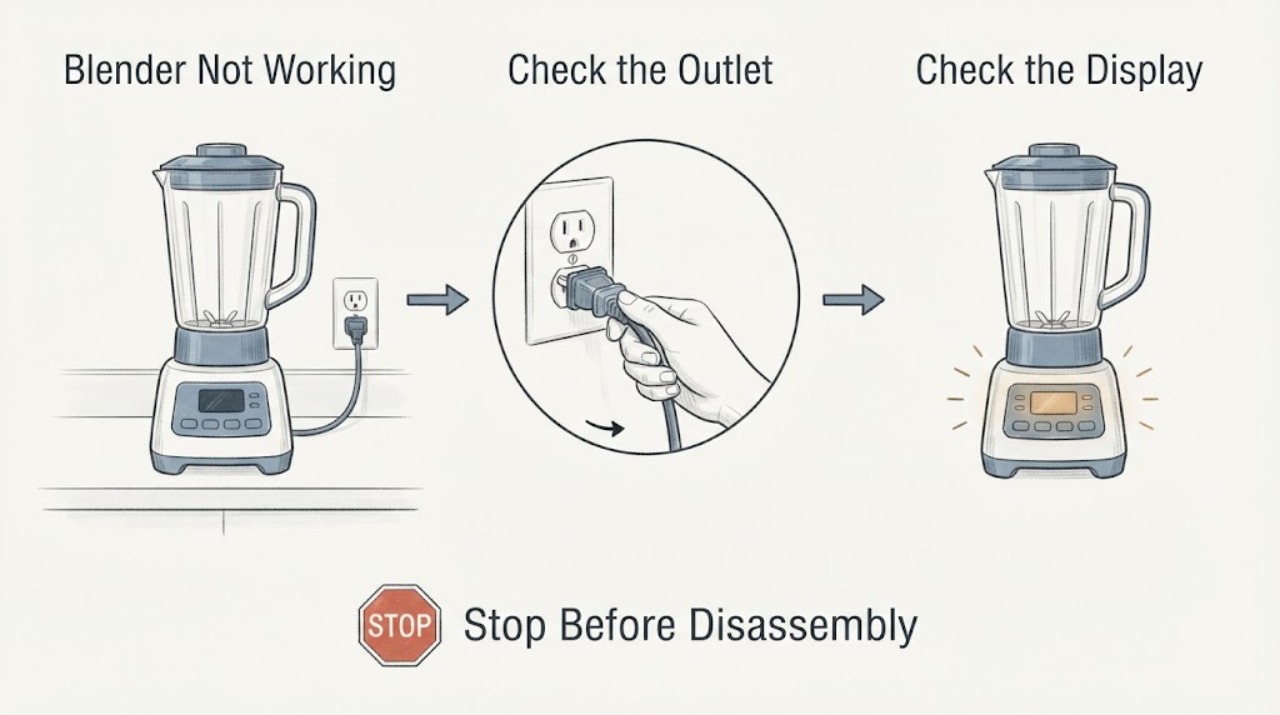
A blender that will not run needs a sequence that separates power and control state from a seated jar or an overload. Check the outlet and breaker, return the control to OFF, confirm the jar and lid are seated, and then observe the indicator. KitchenAid’s guidance also treats a jam or overload as a reason to stop, unplug, and clear the jar safely. The exact model manual controls the button sequence and any reset behavior.
Work through in order
Diagnostic checks
Use only checks that match the exact appliance or system and its official guide.
-
Check 1
With the blender stopped, inspect the plug, cord and outlet from outside. Confirm the plug is seated in a grounded outlet and check the accessible breaker once if the outlet has lost power.
Expected result: The outlet or breaker is abnormal, the cord is damaged, or the blender has normal power but no indicator.
Next step: Correct only an accessible supply issue. If power is normal and the blender remains dark, stop and arrange service.
Why this matters
Why: A supply problem can leave the controls dark; normal power with no response points toward a control or internal fault that the symptom alone cannot identify.
-
Check 2
Return the selector or control to OFF, then seat the jar fully on the base and align the lid as the model manual shows. Select one setting and press the documented start control once.
Expected result: An indicator returns after OFF, the jar was not seated, or the selected setting still produces no motor response.
Next step: Follow the exact model reset once. If it still will not run, stop owner troubleshooting and use authorized service.
Why this matters
Why: Sleep or a seating interlock is more likely when the indicator changes after OFF or the jar correction; continued silence after both checks is not proof of a bad motor.
-
Check 3
If the blender stopped during blending, leave it stopped and look for an overloaded jar, unusually thick ingredients, or a blade blockage without inserting a utensil while assembled.
Expected result: The motor stopped under a heavy load or the jar contents are visibly jammed; or the stop occurred with no load clue.
Next step: Turn the control OFF, unplug, remove the jar, and use the manual’s safe clearing method. Do not restart repeatedly if the stop returns.
Why this matters
Why: KitchenAid describes overload or jam protection as a reason the motor can stop; a stop without that pattern needs model-specific diagnosis.
-
Check 4
Record whether the indicator is dark, flashing rapidly, or showing an error pattern, then compare that pattern with the exact model guide.
Expected result: A documented error pattern appears, or the indicator remains abnormal after the safe reset and jar check.
Next step: Keep the blender out of use and arrange authorized service with the model and indicator pattern.
Why this matters
Why: A persistent indicator pattern is a control or electronics clue, not a part identification.
Use your observations
Decision map
Find the observation that best matches what you see, then follow the next safe action.
-
PATH 01Next step
What you see
The outlet is normal, the jar and lid are seated, and the blender runs after returning the control to OFF and selecting a setting once.
Do this next
Monitor one normal supervised use. If it repeats, use the exact model manual and arrange service.
Why this path and its safety boundary
Why it matters: A temporary sleep, power-loss, or seating state is more likely than a confirmed component failure.
-
PATH 02Next step
What you see
The motor stopped with a heavy or jammed load and remains normal after the jar is safely cleared.
Do this next
Reduce the load or follow the recipe and manual limits; stop if the protection trips again.
Why this path and its safety boundary
Why it matters: Overload or jam protection is more likely than a failed control.
-
PATH 03Next step
What you see
The blender stays dark or shows a persistent abnormal indicator despite normal supply and a seated jar.
Do this next
Stop using it and arrange authorized service.
Why this path and its safety boundary
Why it matters: An internal control, wiring, or motor fault remains possible and cannot be selected from the symptom alone.
Helpful context
Understand the symptom
“Not working” can mean no light, no motor, a start command that is ignored, or a motor that stopped under load. Observe which of those patterns is present before choosing a next step, because a dark unit needs a power branch while a flashing indicator or seated-jar issue needs the model instructions.
The jar, lid and control layout vary by model. Use the model number for the matching manual and keep hands and utensils away from a moving blade.
When checks do not resolve it
Need a professional?
Provide the exact model and a concise record of what happened, which controls or indicators responded, and which safe checks changed the symptom.
Common questions
FAQ
Why does a blender stop while blending?
KitchenAid describes overload or a jam as possible causes. Turn the control OFF, unplug, remove the jar, and clear it using the model instructions before one restart.
What if the lights are on but the blender will not start?
Confirm the jar and lid are seated and use the exact model reset. Persistent abnormal lights need service.
Read the exact guide
Official sources
- Won't Start - Won't Blend - BlenderKitchenAid · KitchenAid blender start troubleshooting
- KSB5010 Use and Care GuideKitchenAid · KitchenAid blender operation and troubleshooting
Community feedback
Share a repair observation
Share a plain-text repair observation. Accepted observations are published automatically; this page may take a moment to update.