
On this page
Start here
Quick answer
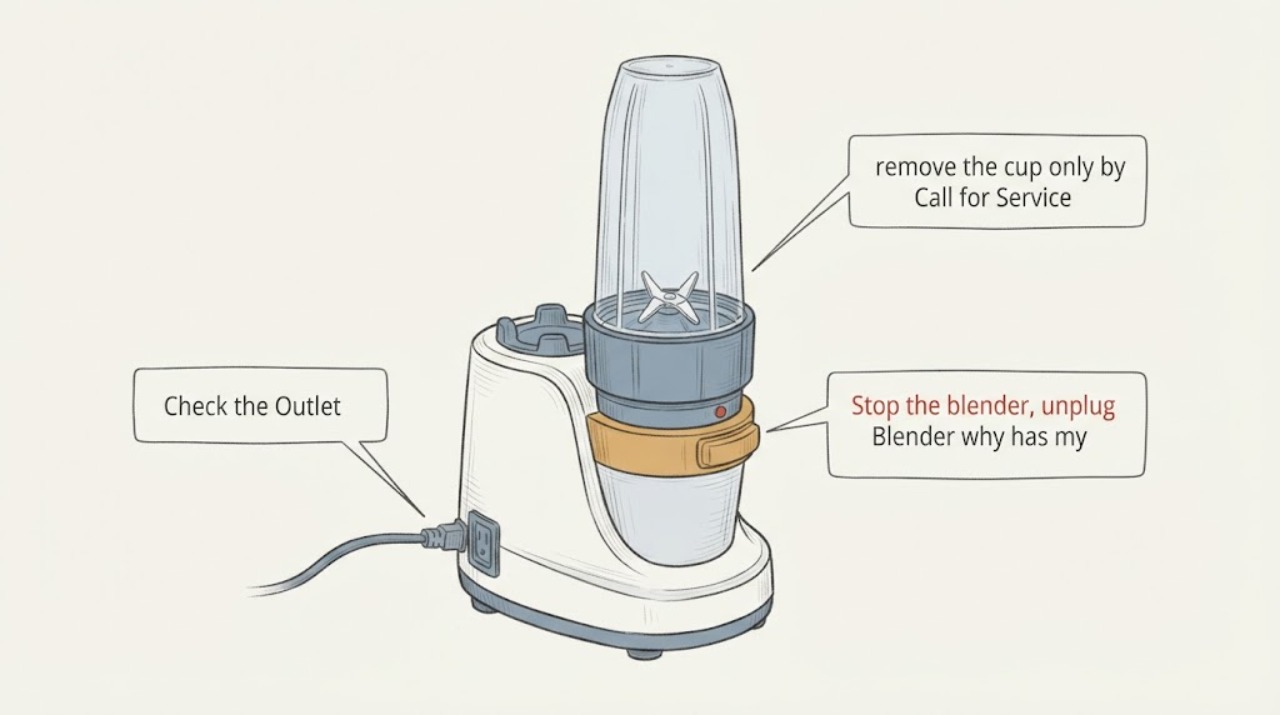
First separate a completely dead NutriBullet from one that powers on but will not start, stalls, or blends poorly. Stop the controls, unplug the motor base, let a warm or pressurized mixture settle, and check the outlet, cord, dry base, and correct cup-and-blade fit from the outside. Do not immerse the motor base, run a damaged cup or blade, force a stuck pressurized cup, or assume that a SmartSense attachment rule applies to another model. If the base remains dead after a safe external power check, a cup or blade is cracked or leaking, there is burning odor or smoke, or the exact manual does not resolve a recurring start failure, keep it unplugged and arrange qualified service. NutriBullet says parts are model-specific and directs owners to use the model and serial information for support.
Work through in order
Diagnostic checks
Use only checks that match the exact appliance or system and its official guide.
-
Check 1
Stop the blender, unplug the motor base, and leave the cup or blade assembly undisturbed until the contents are cool and any pressure has settled. From outside, note whether there was smoke, a burning smell, liquid at the base, a cracked cup, a damaged blade, or an unusually hot plug or cord.
Expected result: The appliance is hot, smoking, leaking onto the base, visibly damaged, or the cup is pressurized; or it is cool, dry, and externally intact.
Next step: For smoke, burning odor, liquid at the base, a crack, or a damaged cord or plug, keep it disconnected and arrange qualified service. Otherwise continue without opening the housing or forcing the cup apart.
Why this matters
Why: Heat, pressure, liquid at the motor base, or damaged rotating parts makes continued testing unsafe. A cool and intact appliance can proceed to low-risk external checks, but this observation does not prove which internal part failed.
-
Check 2
With the base unplugged, check the wall outlet using an ordinary appliance, confirm the NutriBullet plug and cord are seated and undamaged, and wipe only the outside of the motor base with a warm soapy cloth if it needs cleaning. Keep the base dry and do not immerse it or test internal wiring.
Expected result: The outlet is dead, the cord or plug is damaged, the base is wet, or external power and dryness are normal.
Next step: Correct only a safe outlet or connection issue and make sure the base is dry before one supervised check. If power is normal but the base remains dead, unplug it again and arrange service rather than opening it.
Why this matters
Why: An outlet, cord, plug, or wet base can explain a no-power report and is a safety boundary rather than evidence of a failed motor. Normal external power does not identify the cause of a still-dead base.
-
Check 3
After the contents are safe to handle and the base is unplugged, remove the cup only by the normal user movement. Inspect that the cup and blade assembly are the parts intended for this NutriBullet model, then refit them squarely without forcing a thread, tab, or contact point. Do not substitute a cup or blade merely because it looks similar.
Expected result: The cup or blade was loose, cross-threaded, visibly damaged, or from an uncertain model; or the correct assembly is clean, intact, and seated normally.
Next step: Use only the exact model's documented assembly and perform at most one supervised check. If the correct intact assembly still will not activate the base, record the model and move to model-specific support or service; do not bridge contacts or defeat an interlock.
Why this matters
Why: A misfit or damaged assembly can prevent activation or make blending unsafe, but it does not prove a bad motor base. NutriBullet states that cups and blades are model-specific and that incompatible parts can increase wear or damage.
-
Check 4
If the base powers on but the blade stops, hums, or the ingredients do not circulate, switch it off and unplug before opening the cup. Check whether the load is packed tightly or lacks liquid, and whether the ingredients exceed the model's fill guidance; do not use a long forced run to clear a jam.
Expected result: Ingredients are packed or not moving, the mixture is unusually thick, the load is overfilled, or the load is within the model guidance but the motor still stalls.
Next step: For a packed or thick load, reduce the load and use the exact model's normal liquid and loading guidance after the appliance has cooled. If it still stalls, smells hot, or stops under a suitable load, keep it unplugged and arrange service.
Why this matters
Why: NutriBullet's FAQ says ingredients that do not blend may need more liquid or a different loading order, while a stall under a safe load remains an unresolved mechanical or electrical symptom. The observation does not identify a motor or blade part.
-
Check 5
Inspect the cup, blade hub, gasket area, and accessible threads for cracks, leaks, a blade that does not move normally when handled safely, or a gasket that is damaged or displaced. Keep fingers clear of sharp edges and do not try to remove a sealed blade gasket or repair a rotating assembly.
Expected result: There is cracking, leakage, a damaged or abnormally loose blade assembly, or no visible damage.
Next step: Stop using a cracked or leaking assembly and identify the exact model before obtaining any replacement. If the assembly looks intact but the blender remains inoperative, proceed to the model and serial lookup and service boundary.
Why this matters
Why: A damaged cup or blade is a stop-use condition and cannot be made safe by borrowing a visually similar part. NutriBullet says blade gaskets are sealed and that the blade assembly should be replaced as a whole when required; no visible damage still does not rule out an internal fault.
-
Check 6
Find the model and serial information, including the label beneath the motor base, and compare the appliance with the exact NutriBullet support page or manual. If the display or indicator shows a model-specific attachment message, use that manual rather than a generic reset sequence.
Expected result: The model and serial are readable; the unit is identified as SmartSense; or the identity remains unresolved.
Next step: Follow only the exact manual once the model is confirmed. If the identity is unresolved, provide the label information to NutriBullet support; if the exact model is known but the base remains dead or the fault recurs, arrange qualified service without opening the base.
Why this matters
Why: NutriBullet directs owners to model and serial information for support, and its SmartSense page documents a pitcher-attachment condition that is specific to that family. An unresolved identity blocks model-specific button, indicator, reset, and replacement-part conclusions.
Use your observations
Decision map
Find the observation that best matches what you see, then follow the next safe action.
-
PATH 01Next step
What you see
The outlet and plug are usable, the motor base is dry, and the NutriBullet remains completely unresponsive.
Do this next
Keep the base unplugged and arrange qualified appliance service with the model and serial information. Do not open the housing or perform a live electrical test.
Why this path and its safety boundary
Why it matters: This pattern supports a no-power or internal fault at the appliance level, but the available family material does not identify a failed fuse, switch, board, or motor.
-
PATH 02Next step
What you see
The base has power but will not start until the cup or pitcher is refitted, or a SmartSense unit shows its documented flat-line/no-power condition.
Do this next
Refit only the correct, undamaged assembly using the exact model instructions. If the identified model still will not start, stop testing and use model-specific support.
Why this path and its safety boundary
Why it matters: An attachment or seating condition is plausible for the identified family. The SmartSense condition cannot be transferred to an unidentified NutriBullet model.
-
PATH 03Next step
What you see
The motor starts but the blade stalls or the ingredients remain packed, while there is no smoke, damage, or liquid at the base.
Do this next
Unplug, let the unit cool, reduce the load and follow the exact model's normal preparation guidance once. If it still stalls or smells hot, keep it out of use and arrange service.
Why this path and its safety boundary
Why it matters: The FAQ supports checking liquid, ingredient order, and overloading at the family guidance level; it does not establish a failed motor or blade from this symptom alone.
-
PATH 04Next step
What you see
The cup is pressurized, contents are hot or carbonated, the cup or blade is cracked or leaking, or the base has smoke, burning odor, or liquid intrusion.
Do this next
Do not force the cup, open the base, or repeat the test. Keep the appliance disconnected when safe and arrange qualified service or replacement of the exact model-specific assembly.
Why this path and its safety boundary
Why it matters: This is a stop-use safety condition. NutriBullet warns that pressure can cause injury or damage and limits hot or carbonated ingredients by model; visible damage cannot be safely diagnosed by continued blending.
Helpful context
Understand the symptom
Stopped working can describe several different observations: no lights or motor response, a cup that will not activate the base, a motor that hums or stalls under load, or a machine that runs but does not blend. NutriBullet's own support material treats parts and instructions as model-specific, so the safe first pass is to classify what stopped and record the exact model before choosing a reset or attachment procedure.
A page for an unidentified NutriBullet cannot assign a universal meaning to a flat line, button pattern, cup sensor, or internal component. The SmartSense page documents one pitcher-attachment condition for SmartSense; use that branch only when the appliance is actually identified as SmartSense, and use the exact manual for every other model.
Only after diagnosis
Potential parts
- model-specific cup and blade assembly
Consider this only when the cup or blade is visibly cracked, leaking, damaged, or otherwise confirmed defective after the exact model is identified.
NutriBullet says cups and blades are model-specific; confirm the complete model before ordering and do not rely on visual similarity.
When checks do not resolve it
Need a professional?
Arrange qualified appliance service when the base stays dead after a safe outlet and cord check, the correct assembly still will not activate it, a motor repeatedly stalls under a suitable load, or the symptom recurs without a safe model-specific explanation. Provide the model and serial information and the exact observed behavior.
Common questions
FAQ
Does a NutriBullet that stopped working necessarily have a failed motor?
No. A dead outlet, wet or damaged base, wrong or poorly seated cup, overloaded mixture, pressure, or a model-specific activation condition can present differently. After safe external checks, the exact model and service diagnosis are needed before naming a motor or control part.
Can I use another NutriBullet cup or blade to see whether the blender works?
Do not assume compatibility. NutriBullet says cups and blades are model-specific and that incorrect parts can increase wear or damage. Identify the exact model first and use only the documented assembly.
Should I run a hot mixture or force the cup to reset a NutriBullet that stopped?
No. Unplug it and let pressure and heat settle. NutriBullet warns about hot or carbonated ingredients by model and says pressure can cause injury or damage; forcing a stuck cup or repeatedly testing a damaged appliance is unsafe.
Read the exact guide
Official sources
- nutribullet SmartSense™ 5-Speed BlenderNutriBullet · The named NutriBullet SmartSense 5-Speed Blender family only; used for its documented pitcher-attachment condition and model-specific care boundary
- nutribullet FAQs: Frequently Asked Questions & AnswersNutriBullet · NutriBullet product-care, troubleshooting, model-specific parts, pressure and ingredient safety, and support information
- nutribullet® 600 Watt Blender - The Original Personal BlenderNutriBullet · The named NutriBullet 600 Watt Blender product page only; used to demonstrate model-specific component and care guidance, not to identify an unknown unit
Community feedback
Share a repair observation
Share a plain-text repair observation. Accepted observations are published automatically; this page may take a moment to update.