
On this page
Start here
Quick answer
Start with the blender unplugged: verify the outlet and plug, confirm the jar and lid or other container are seated exactly as the model manual requires, and check that the controls are in the required starting position. Some manufacturers use a jar or lid interlock, and some models shut down after an overload or overheat; these protections must never be bypassed. If the base, cord or plug is damaged, there is a burning smell, liquid entered the motor base, or the blender still will not start after the model-specific external checks and cool-down guidance, stop using it and arrange manufacturer or qualified small-appliance service.
Before you begin
Safety first
- Do not bypass jar/lid interlocks, reach near blades, open the motor housing, probe energized wiring, immerse the base or keep testing a damaged/overheated appliance.
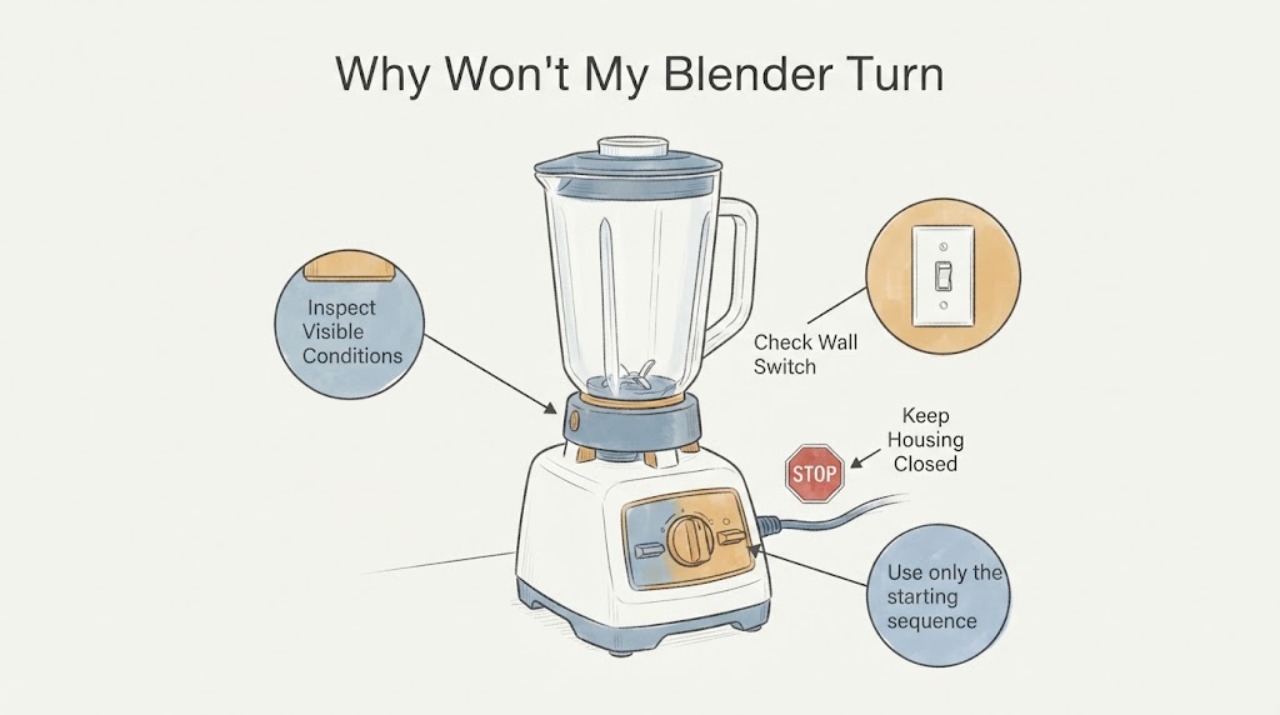
Work through in order
Diagnostic checks
Use only checks that match the exact appliance or system and its official guide.
-
Check 1
Unplug the blender, check the plug and accessible cord, and test the outlet with a small appliance or lamp. Look for cuts, melted areas, looseness, liquid or a burning smell without opening the base.
Expected result: The outlet is dead, the cord/plug/base shows damage, or power and the exterior appear normal.
Next step: Restore only a safe household supply condition. If the blender or cord is damaged, keep it unplugged and arrange service; if the outside is normal, continue with the model-specific assembly check.
Why this matters
Why: A dead outlet or visible electrical damage is a supply/safety problem, not a jar diagnosis. A normal outlet does not prove the blender’s internal circuit is sound.
-
Check 2
With power disconnected and the blades fully stopped, remove and reseat the jar, cup, lid or accessory exactly as the model manual shows. Confirm it sits squarely and any visible clips or lock marks are fully engaged; never press or defeat a safety switch.
Expected result: The container will not seat/lock, the lid or clips remain visibly open, or the assembly seats normally.
Next step: Correct only the user-facing seating issue described for that model. If it still will not seat, or the motor remains dead with correct fit, stop and use support rather than forcing or bypassing the lock.
Why this matters
Why: KitchenAid and Philips document model-dependent jar/lid safety requirements. A fit problem can prevent starting, while a correct fit does not identify a failed interlock or motor.
-
Check 3
Use only the starting sequence in the exact owner’s manual. If the model has a dial or selector, confirm it is in the required OFF or 0 position before selecting a function; do not guess a button combination or reset location.
Expected result: The manual-defined starting state was wrong and correcting it restores operation, or the control was already in the required state.
Next step: Use the documented control sequence once. If the correct state does not restore operation, stop repeated cycling and arrange brand-specific service.
Why this matters
Why: Some blender controls require a defined initial state, but one brand’s sequence cannot be transferred to another blender.
-
Check 4
If the blender stopped during thick processing or after a long run, leave it switched off and unplugged for the cool-down period stated in its manual. Do not open the base or touch the blade assembly to test it while hot.
Expected result: The model documents thermal protection and the blender restarts after cooling, or it remains dead/repeats the shutdown.
Next step: Resume only within the model’s operating instructions. For repeated cut-outs, odor, smoke, abnormal heat or no restart, keep it unplugged and request service.
Why this matters
Why: Philips documents overheat protection for specified models; a restart after cooling is not proof that the motor or protection circuit is healthy if the event repeats.
-
Check 5
After the external checks, record the brand/model, outlet result, container/lock condition, control state and whether the failure followed heavy processing. Contact the manufacturer or a qualified small-appliance technician.
Expected result: The blender remains unresponsive, or damage, liquid ingress, burning odor, smoke or repeated thermal shutdown is present.
Next step: Keep the blender unplugged and do not open, bypass or electrically test the base. Arrange qualified diagnosis; use emergency help for an active fire or immediate electrical danger.
Why this matters
Why: The accessible evidence cannot distinguish a switch, fuse, motor, board, sensor or interlock failure without model-specific service information.
Use your observations
Decision map
Find the observation that best matches what you see, then follow the next safe action.
-
PATH 01Next step
What you see
The test outlet fails or the plug/cord/base has visible damage, heat marks, liquid or burning odor.
Do this next
Keep the blender unplugged and arrange electrical or small-appliance service; do not continue plugging it in to test.
Why this path and its safety boundary
Why it matters: The problem is an electrical or safety hazard and should not be treated as a jar-seating fault.
-
PATH 02Next step
What you see
The jar, lid, cup or clips do not reach the model’s locked/seated position.
Do this next
Reseat or close only as the model manual directs. Never hold an interlock closed, remove a guard or run the blender with the assembly unsecured.
Why this path and its safety boundary
Why it matters: A model-specific safety interlock may be preventing a start, but the exact mechanism differs by blender.
-
PATH 03Next step
What you see
The blender stopped after heavy processing and the manual documents overheat protection; it restarts only after cooling or repeatedly cuts out.
Do this next
Follow the exact manual’s cool-down/usage limit once. If the event recurs, keep it unplugged and contact the manufacturer or qualified service.
Why this path and its safety boundary
Why it matters: Thermal protection may have interrupted operation, but repeated cut-outs or odor require service rather than a guessed motor diagnosis.
-
PATH 04Next step
What you see
Outlet, cord, assembly and manual-defined control state are normal, but the blender still will not start.
Do this next
Stop troubleshooting at the base level and arrange model-specific service; do not open the housing, bypass the interlock or perform live measurements.
Why this path and its safety boundary
Why it matters: The official general guidance does not identify an internal part for an unidentified blender.
Helpful context
Understand the symptom
Treat the safety interlock as model-specific
A blender that appears dead may be refusing to start because its jar, lid, clips or other container is not seated in the position required by its design. KitchenAid says its jar must snap into the base; Philips describes jar and accessory safety locks and notes that some checks apply only to named models. Use the appliance’s own manual and visible fit instructions, and never hold or bypass an interlock to make the motor run.
Check power and the selected starting state
With the appliance off, verify the plug is fully inserted in a known-working grounded outlet and inspect the accessible cord and plug for cuts, heat marks or looseness. KitchenAid also describes a starting sequence in which the control is returned to 0 before selecting a function. Do not assume that sequence, a reset button or a fuse location applies to every blender.
Allow a thermal protection shutdown to cool
If the blender stopped during thick or heavy processing, leave it switched off and unplugged while following the model manual’s cool-down instruction. Philips explains that overheat protection can disable some models and directs the user to unplug and let the unit cool before trying again. A successful restart does not make repeated cut-outs normal; recurring shutdowns need service.
Keep the motor base dry and out of the blade path
Blendtec says to place the base on a flat, clean, dry surface, keep bottom vents unobstructed, unplug before cleaning, and never submerge the motor. Clean or reseat only externally accessible parts with the power disconnected. If the base, cord or plug is damaged, liquid has entered the base, or there is a burning smell, do not test it again.
Escalate when the external checks do not restore operation
When the outlet works, the model-specific jar/lid fit is correct, the controls are in the required starting state and any documented cool-down has passed, a no-start condition is not enough to identify a switch, fuse, motor, board or interlock part. Use the brand’s support route or a qualified small-appliance technician rather than opening the housing.
When checks do not resolve it
Need a professional?
Contact the manufacturer or qualified small-appliance service when the outlet works but the blender remains dead after model-specific seating/control/cool-down checks, or immediately for damaged cord, burning odor, smoke, liquid ingress, abnormal heat or repeated thermal shutdown.
Safety scope: Do not bypass jar/lid interlocks, reach near blades, open the motor housing, probe energized wiring, immerse the base or keep testing a damaged/overheated appliance.
Have this ready
- Provide the brand/model, outlet test result, exact jar/lid/accessory configuration, any displayed indicator, whether the failure followed heavy processing, and any odor, heat, smoke or liquid ingress.
Common questions
FAQ
Can I bypass the blender’s safety switch to see whether the motor works?
No. Philips and KitchenAid show that jar, lid or accessory seating can be part of a model’s safety system. Reseat parts only with power disconnected and follow the exact manual; do not hold or bypass an interlock.
What if the blender stopped after thick ingredients?
If the exact model documents thermal protection, unplug it and allow the documented cool-down. Philips gives this guidance for specified models. Repeated shutdowns, odor, smoke or no restart require service.
When should I stop trying to fix it myself?
Stop for a damaged cord or base, burning odor, smoke, liquid ingress, abnormal heat, repeated cut-outs or any need to open the housing or reach near blades. Keep it unplugged and arrange qualified service.
Read the exact guide
Official sources
- My Philips Blender is not working | Philips SupportPhilips Support · The opened Philips page explicitly limits some checks to named models, while also explaining its safety-lock and overheat-protection examples, unplugging and cooling. It is conditional evidence only; it does not establish the unknown blender’s lock or cool-down behavior.
- Blender Won't Start - Product Help | KitchenAidKitchenAid Product Help · The opened KitchenAid page is model/family-specific: it supports checking a grounded outlet, testing the outlet with a small appliance, seating the jar and using the documented control sequence. It is used only as an example of brand-specific checks, not as a universal control layout for an unidentified blender.
- Use & Care | BlendtecBlendtec · The opened Blendtec page says the jar drive shaft must seat in the base, the base should be on a dry surface with unobstructed vents, the motor must be unplugged before cleaning and never submerged, and the owner manual governs model operation. It is not a universal reset guide.
Community feedback
Share a repair observation
Share a plain-text repair observation. Accepted observations are published automatically; this page may take a moment to update.