
On this page
Start here
Quick answer
First note whether the noise happens while filling, washing, draining, or only when a basket or door moves. Unplug the Blomberg dishwasher and check for a dish touching an impeller, blocked spray-arm holes, food in the filters, or an impeller that does not turn freely. If the sound is a new grinding, scraping, or harsh buzz—especially during drain periods—or it returns after the accessible checks, stop the cycle and arrange authorised service rather than opening the pump or electrical housing.
Before you begin
Safety first
- Stop immediately for smoke, burning odor, electrical crackling, a leak, or a loose internal part. Unplug the dishwasher and turn off the water tap before cleaning. Do not reach into a moving impeller, remove the pump housing, test live wiring, or attempt an internal repair; the Blomberg manual says to consult an authorised service agent and never repair a nonfunctional product yourself.
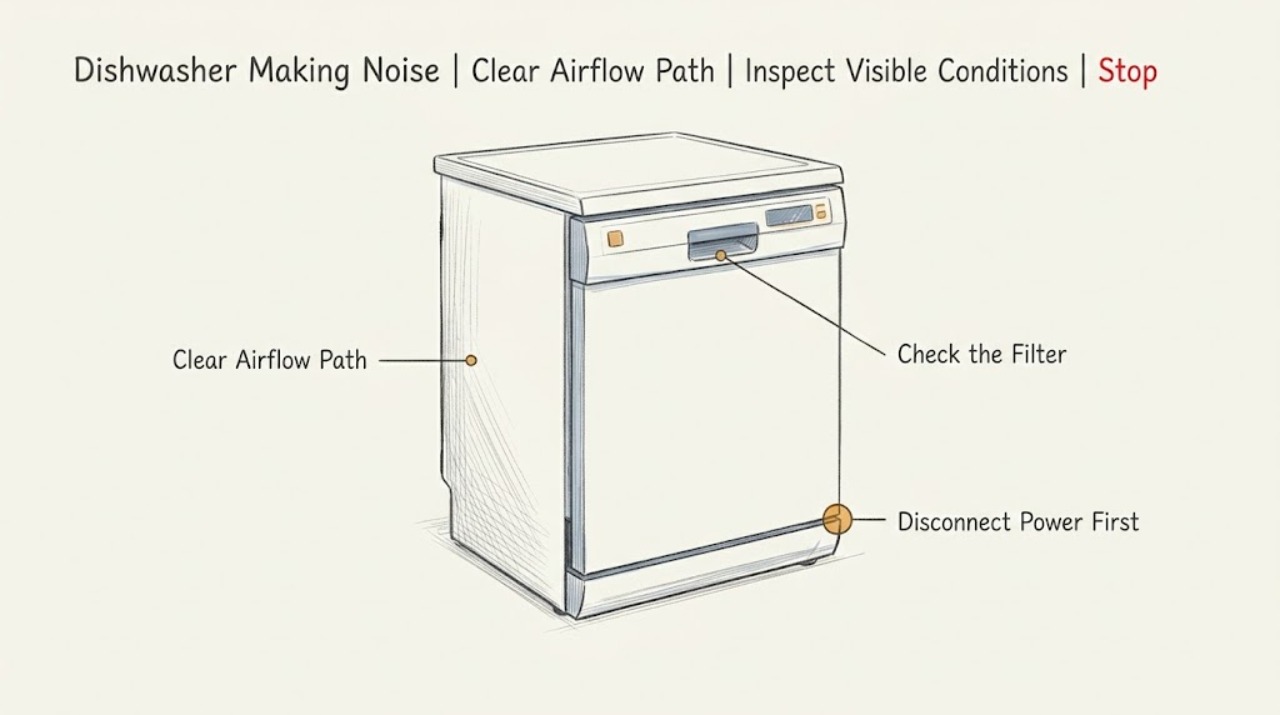
Work through in order
Diagnostic checks
Use only checks that match the exact appliance or system and its official guide.
-
Check 1
Run no further cycle while there is a leak, burning smell, smoke, electrical noise, or a loose panel. Otherwise, note when the sound starts: during water intake, the wash phase, draining, drying, or when a rack or door is moved. Also note whether it is a hum, rattle, scraping sound, or grinding/buzzing.
Expected result: The noise is tied to one cycle phase, occurs only when a rack or door moves, or is present throughout the cycle with another symptom such as poor draining or a leak.
Next step: Write down the phase, sound, and any water or cleaning change before unplugging the appliance. Use the phase information to choose the safe checks below, and stop immediately for any hazard symptom.
Why this matters
Why: A repeatable phase gives a technician a useful starting point; a rack- or door-linked rattle is more likely external to the pump. Noise accompanied by a leak, smoke, burning odor, or a change in draining is not a normal listening exercise and needs a safety stop.
-
Check 2
Open the door only after the dishwasher is stopped and safe. Check both racks, cutlery, tall utensils, and loose items for contact with the upper or lower impeller or the door. Rotate each rack by hand and look for a dish that could be vibrating against the tub or spray path.
Expected result: A dish, utensil, rack, or loose external item can touch the impeller or vibrate against the cabinet, or all clearances appear normal.
Next step: Rearrange or remove the contacting item and make one short, supervised test only if there is no leak or electrical hazard. If the noise remains with the tub empty, stop repeated tests and continue with the unplugged cleaning checks.
Why this matters
Why: A contact point that disappears when the load is rearranged makes a load or clearance rattle more likely than an internal pump fault. Clear loading with a continuing grinding sound makes an obstruction or rotating-component problem more concerning.
-
Check 3
Unplug the dishwasher and turn off its water tap before cleaning. Remove the accessible filter assembly as shown in the model manual, rinse away food residue, and refit every filter fully. Do not run a programme without the filters installed.
Expected result: The filters contain food or other debris, were not seated correctly, or are clean and correctly seated.
Next step: Refit the filters exactly as documented and observe one short programme only if the appliance is otherwise safe. If the noise returns or draining is abnormal, stop using the dishwasher and arrange service rather than removing internal covers.
Why this matters
Why: Debris or an incorrectly seated filter can restrict the water path and allow particles to reach areas where they create noise or poor draining. A clean, correctly installed filter makes that explanation less likely but does not rule out a hidden pump obstruction.
-
Check 4
With power disconnected, inspect the upper and lower impellers and their holes for reachable food particles or a loose fitting. Turn each impeller gently by hand as the manual instructs, without forcing it or reaching below a guard.
Expected result: An impeller is stuck, rubs, has blocked holes, or will not turn freely, or both impellers turn freely with no visible blockage.
Next step: Clean only accessible holes and reinstall the impeller exactly as the manual shows, including tightening any model-specific upper nut. If an impeller remains stuck, damaged, or loose, leave the dishwasher unplugged and call an authorised technician.
Why this matters
Why: Blomberg identifies stuck impellers and blocked impeller holes as conditions to check, and its manual describes cleaning them. A freely turning pair makes a spray-arm obstruction less likely; resistance, rubbing, or looseness needs more than a repeated cycle.
-
Check 5
After the safe external checks, compare the noise with the drain phase and look for water left in the tub. Do not remove the pump cover or put a hand into the sump. If the sound is a new harsh buzz or grinding that repeats at drain time, record it from outside the closed appliance and stop the programme.
Expected result: The noise is specifically repeated during draining, water remains, the dishwasher drains normally but still grinds, or the sound is gone after the filter/impeller or load correction.
Next step: For persistent or phase-specific grinding, leave the dishwasher isolated and provide the technician with the recording, cycle phase, filter result, and draining result. Do not assume a replacement drain pump is the right part without model-specific diagnosis.
Why this matters
Why: Drain-phase noise with residual water can indicate a drain-path or pump-area problem; persistent noise with normal draining can still reflect a worn or vibrating rotating component. Noise that disappears after an accessible correction points more toward the corrected obstruction or load.
Use your observations
Decision map
Find the observation that best matches what you see, then follow the next safe action.
-
PATH 01Next step
What you see
The noise occurs only when a rack, utensil, or impeller is moved, and a visible contact point is found.
Do this next
Keep the impeller path clear and load tall or loose items so they cannot touch moving parts. If the sound returns with an empty, correctly loaded tub, stop and reassess rather than adding more items.
Why this path and its safety boundary
Why it matters: The changed result makes a loading or accessible spray-path contact the most likely contributor rather than an internal pump fault.
-
PATH 02Next step
What you see
The filters or impellers contain debris, or the dishwasher leaves water while a noise is concentrated in the drain phase.
Do this next
Use the dishwasher only if the sound and draining return to normal. If the symptom persists, leave the tap and power isolated as appropriate and arrange authorised service without opening the pump housing.
Why this path and its safety boundary
Why it matters: Improvement after cleaning supports a reachable obstruction or restricted water path. Persistence despite a clean filter and freely turning impellers makes a hidden drain-pump, sump, or internal rotating-component issue more likely.
-
PATH 03Next step
What you see
The sound is a new grinding, scraping, harsh buzz, or vibration that continues through a correctly loaded tub with clean filters and free impellers, or any noise is accompanied by a leak, burning odor, smoke, or electrical symptom.
Do this next
Stop the programme, unplug the dishwasher, turn off the water tap if a leak or service work is involved, and contact an authorised technician. Do not continue testing a noisy or hazardous appliance.
Why this path and its safety boundary
Why it matters: This pattern is not safely distinguishable from an internal pump, motor, bearing, wiring, or mounting fault by user checks. The opened community report also shows why replacing a pump based on sound alone may not resolve the underlying cause.
Helpful context
Understand the symptom
The timing and character of a dishwasher noise are more useful than the label “loud.” A brief sound when water enters, a hum while washing, and a grinding sound that returns whenever the drain pump runs point to different areas. Record the phase, whether water remains in the tub, and whether cleaning performance or draining changed at the same time. This avoids replacing a pump based on sound alone.
Keep user checks limited to the racks, visible impellers and spray arms, removable filters, and other accessible surfaces. Blomberg's manual says to unplug the dishwasher and turn off the tap before cleaning, and it specifically says not to try to repair a nonfunctional product yourself. Do not reach into a moving mechanism or remove the pump housing to chase a noise.
Only after diagnosis
Potential parts
- dishwasher drain pump assembly
Consider this only after a technician confirms that the noise is localized to the drain-pump area and that the filter, drain path, impellers, and mounting are not the cause; a pump replacement is not justified by noise alone.
Confirm the full dishwasher model and the manufacturer's fit information before ordering; Blomberg pump assemblies are not interchangeable across all models.
When checks do not resolve it
Need a professional?
Arrange authorised service when grinding, scraping, or harsh buzzing persists after the load, filter, and accessible impeller checks; when water remains or draining is abnormal; when an impeller is stuck or damaged; or whenever the noise is accompanied by a leak, smoke, burning odor, or electrical symptom.
Safety scope: Stop immediately for smoke, burning odor, electrical crackling, a leak, or a loose internal part. Unplug the dishwasher and turn off the water tap before cleaning. Do not reach into a moving impeller, remove the pump housing, test live wiring, or attempt an internal repair; the Blomberg manual says to consult an authorised service agent and never repair a nonfunctional product yourself.
Have this ready
- Provide the exact model and serial details, a description or recording of the sound, the cycle phase in which it occurs, whether water remains, the filter and impeller observations, and whether rearranging the load changed the symptom.
Common questions
FAQ
Is every noise from a Blomberg dishwasher a pump failure?
No. First check when the sound occurs and whether a rack, utensil, spray arm, filter, or impeller is contacting or blocked. A new grinding or buzzing sound that persists after those checks needs professional diagnosis; do not assume a pump is the correct replacement part from sound alone.
What can I safely check when my Blomberg dishwasher makes a rattling sound?
Stop the programme, then check for dishes or utensils touching an impeller or vibrating against the tub. With the appliance unplugged and the water tap off, clean and correctly refit the filters and check that the accessible upper and lower impellers rotate freely as described in the manual.
Why is my Blomberg dishwasher noisy only while draining?
A drain-phase pattern can help a technician distinguish the drain path or pump area from a rack or spray-arm contact. Check the accessible filters and whether water remains, but leave the pump housing closed. Persistent grinding or buzzing during draining should be serviced rather than repeatedly tested.
Should I keep running the dishwasher if the noise is grinding or scraping?
No. Stop for grinding, scraping, harsh buzzing, smoke, burning odor, electrical crackling, or a leak. Unplug the dishwasher, turn off the water tap when appropriate, and arrange authorised service instead of reaching into the pump or attempting an internal repair.
Read the exact guide
Official sources
- What could be causing my Blomberg dishwasher to not clean properly?Blomberg · Blomberg dishwasher filter and spray-arm checks that can expose a reachable obstruction
- Blomberg dishwasher grinding noise - even after replacing drain pumpReddit · One Blomberg dishwasher owner's report of phase-specific grinding or buzzing
- Dishwasher User manualBlomberg · Blomberg dishwasher filter, impeller, cleaning, draining, and professional-service guidance
Community feedback
Share a repair observation
Share a plain-text repair observation. Accepted observations are published automatically; this page may take a moment to update.